

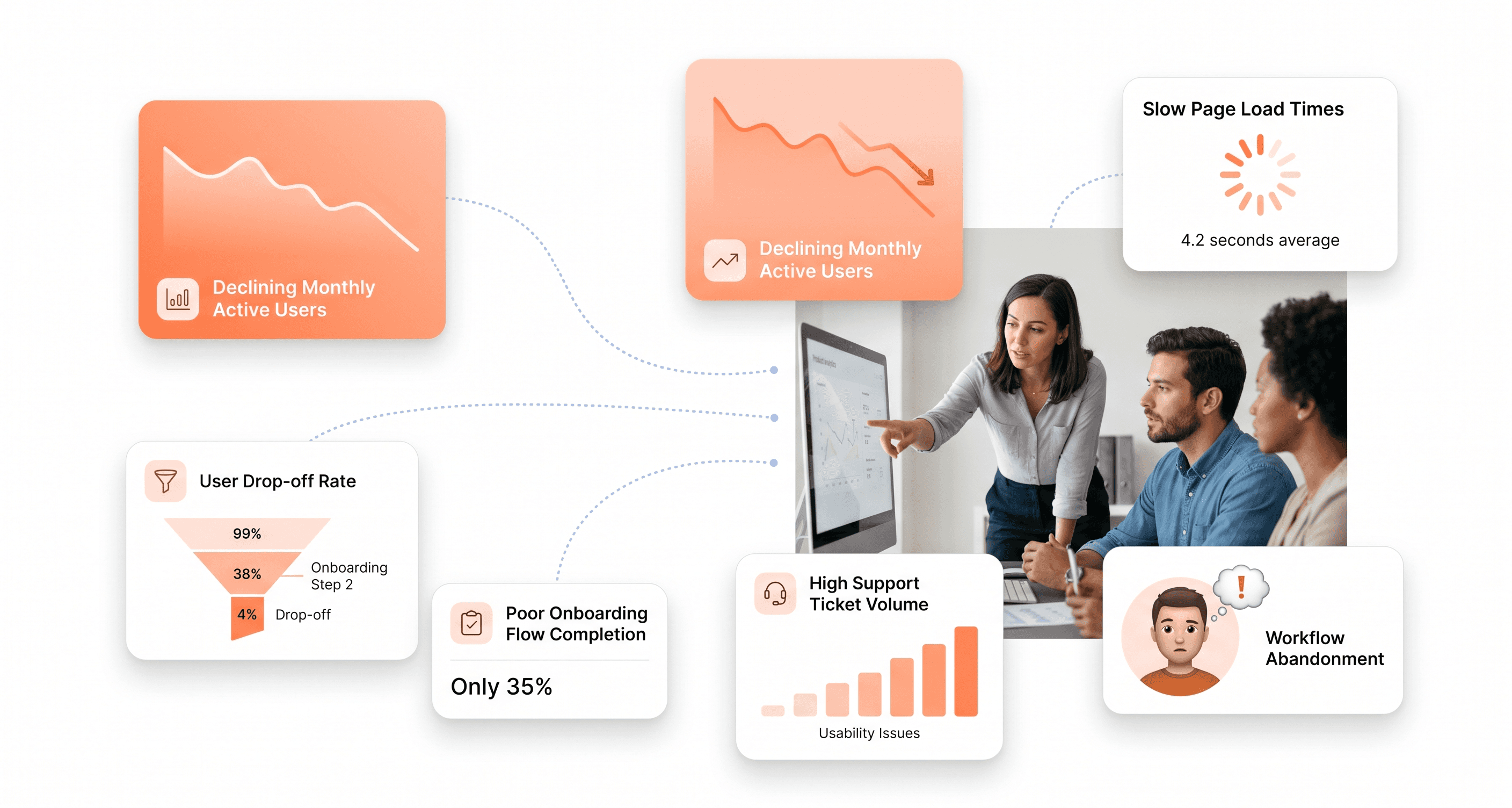
Your product might be quietly sabotaging your business — and your frontend is often the reason why.
Product managers, startup founders, and development teams spend enormous energy adding features while overlooking the warning signs that the interface itself is holding the product back. An outdated frontend does not just look unprofessional. It drives users away before they reach value, hurts search rankings through poor Core Web Vitals performance, and reduces conversions at every critical decision point.
Today's users have a short threshold for friction. A five-second load delay increases bounce rates dramatically. Nearly half of users will not wait more than two seconds for a page to load. Mobile interfaces that do not adapt intelligently across devices alienate a growing segment of your user base. Navigation patterns that made sense three years ago now create confusion during onboarding and core workflows.
This guide reveals 10 clear warning signs that your product's frontend is holding you back — and what to do about each one. You will learn how poor user experience metrics expose interface problems before they show up in revenue data, why outdated design patterns damage product perception and trust, and what growing frontend complexity means for your product's long-term scalability and engineering velocity.
Spot these red flags early and you can turn your frontend from a source of daily friction into a measurable competitive advantage.
The Importance of Updating Your Product's Frontend
The Impact of Outdated Frontend on User Experience
An outdated frontend creates immediate friction in the user experience, manifesting in several critical ways that directly impact how users interact with your product. When users encounter non responsive interfaces that fail to adapt to mobile devices, navigation becomes clunky and workflows become frustrating. With mobile usage continuing to grow across B2B and SaaS environments, a frontend that doesn’t properly adapt across devices can alienate a significant portion of your users.
Page loading speed represents another critical area where outdated frontends fail users. A mere 5 second delay can increase bounce rates dramatically, while nearly half of users won’t wait more than two seconds for a page to load. Cluttered interfaces, oversized assets, inefficient rendering, and outdated frontend architecture can significantly slow down your product, causing users to abandon workflows before they complete key actions.
Navigation confusion compounds these problems when users find themselves lost due to hidden menus, inconsistent layouts, poor information hierarchy, or overcrowded interfaces. When users can’t quickly find what they need or complete core tasks efficiently, they start looking for alternatives with cleaner, more intuitive product experiences.
The Role of Frontend in Overall Product Success
The frontend serves as the operational layer users interact with every day, shaping the first and most lasting impression of your product. Research consistently shows that users judge product credibility, usability, and trustworthiness within seconds of interacting with an interface.
This means your frontend isn’t just about visual presentation. It directly impacts adoption, onboarding, retention, and revenue.
Professional, modern frontend experiences elevate perceived product quality and usability. Consistent interface patterns, cohesive workflows, clear visual hierarchy, and intuitive interactions collectively communicate reliability and competence. When the frontend lacks consistency, users become disoriented, workflows feel fragmented, and confidence in the product declines.
The frontend also directly impacts discoverability and performance. Search engines prioritise fast loading, mobile friendly, stable experiences. Even with strong SEO and content strategy, outdated frontend implementation can negatively affect rankings, visibility, and organic acquisition.
The Connection Between Frontend and Customer Retention
Customer retention begins with trust, and your frontend plays a major role in building and maintaining that trust. An outdated product experience can create the perception that the platform itself is difficult to use, poorly maintained, or falling behind competitors.
Security indicators also act as critical trust signals. Modern browsers flag non HTTPS environments as “not secure,” immediately creating hesitation among users who prioritise data privacy and reliability. Without modern security standards and frontend stability, users may leave before fully engaging with the product.
Content freshness and operational consistency matter as well. Outdated workflows, broken interactions, inconsistent modules, and stale interface patterns all signal neglect to users. When customers repeatedly encounter friction, confidence erodes and retention suffers over time.
Why Keeping Up with Frontend Trends Is Crucial for Business Growth
Frontend trends are not simply aesthetic shifts. They reflect changing user expectations and evolving usability standards that directly impact business growth.
Modern frontend practices prioritise:
• faster workflows
• accessibility
• mobile usability
• onboarding clarity
• performance
• operational efficiency
• workflow simplification
As digital acquisition costs rise, conversion efficiency becomes increasingly important. Well structured interfaces, clear calls to action, intuitive onboarding, and responsive product experiences help users move through workflows with less friction and higher confidence.
Accessibility has also become increasingly important. Modern frontend standards ensure products remain usable for a broader range of users, including those using assistive technologies or alternative input methods. This improves usability while also reducing compliance risk.
Mobile first product expectations continue to grow as well. Companies that fail to optimise frontend experiences across devices lose engagement opportunities and create unnecessary friction for modern users.
The Negative Effects of Neglecting Frontend Updates
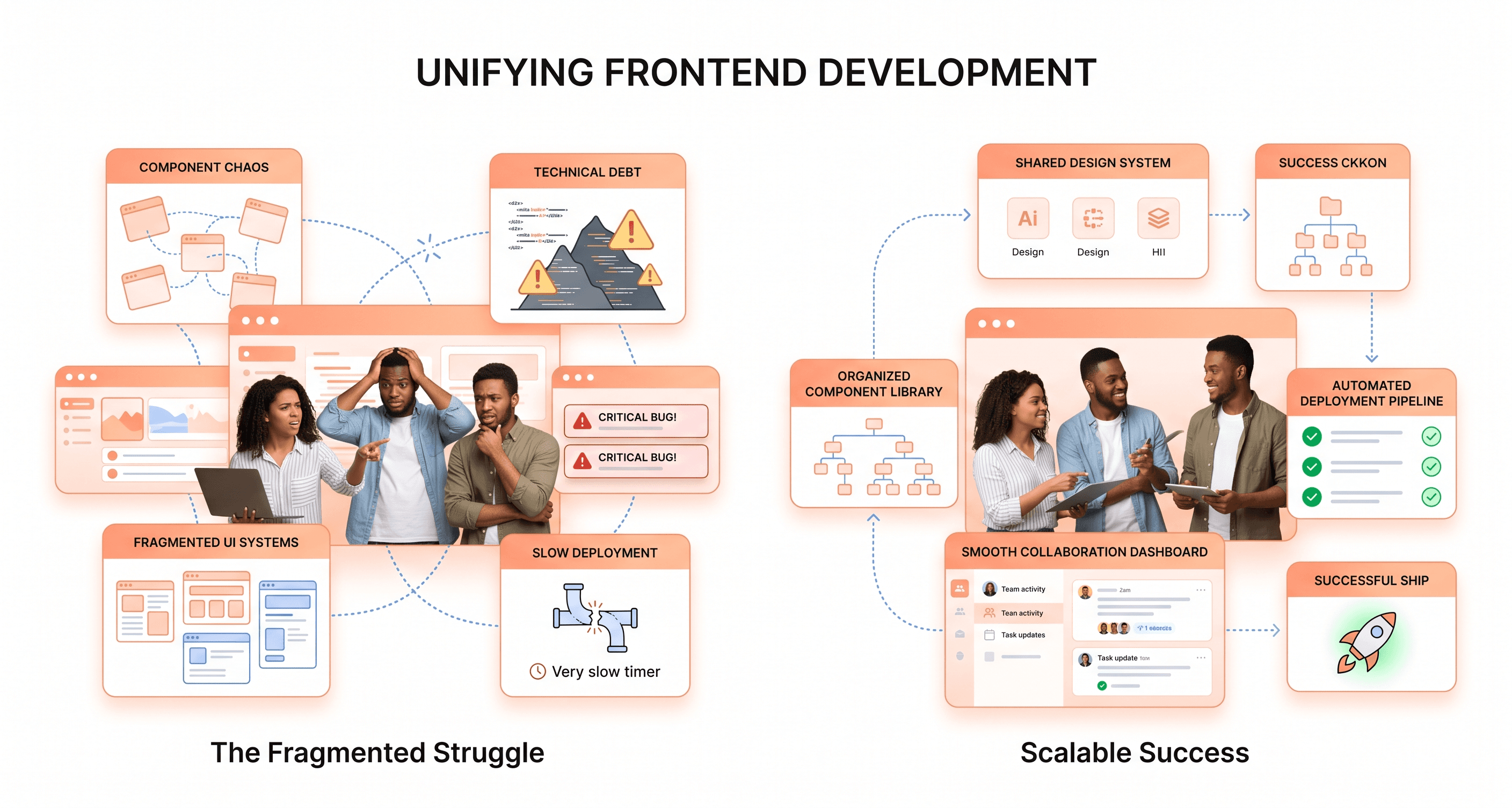
Neglecting frontend improvements creates compounding operational problems that extend far beyond visual appearance. Poor usability drives users away, increases support dependency, and reduces adoption across the product.
From an internal perspective, outdated frontends also slow engineering teams down. Minor interface updates become harder to ship. Maintaining fragmented UI systems consumes development resources. Teams avoid touching older modules because the risk of regressions becomes too high.
Over time, this creates:
• slower product velocity
• rising support overhead
• inconsistent user experiences
• onboarding friction
• declining customer confidence
• reduced conversion performance
Search visibility can also decline when frontend performance and technical standards fail to meet modern expectations. Lower discoverability reduces acquisition opportunities and makes growth increasingly expensive.
The longer frontend issues remain unresolved, the more operational friction compounds across product, engineering, support, onboarding, and sales.
Key Signs That Your Product's Frontend Needs an Overhaul
Slow Loading Speed and Performance Issues
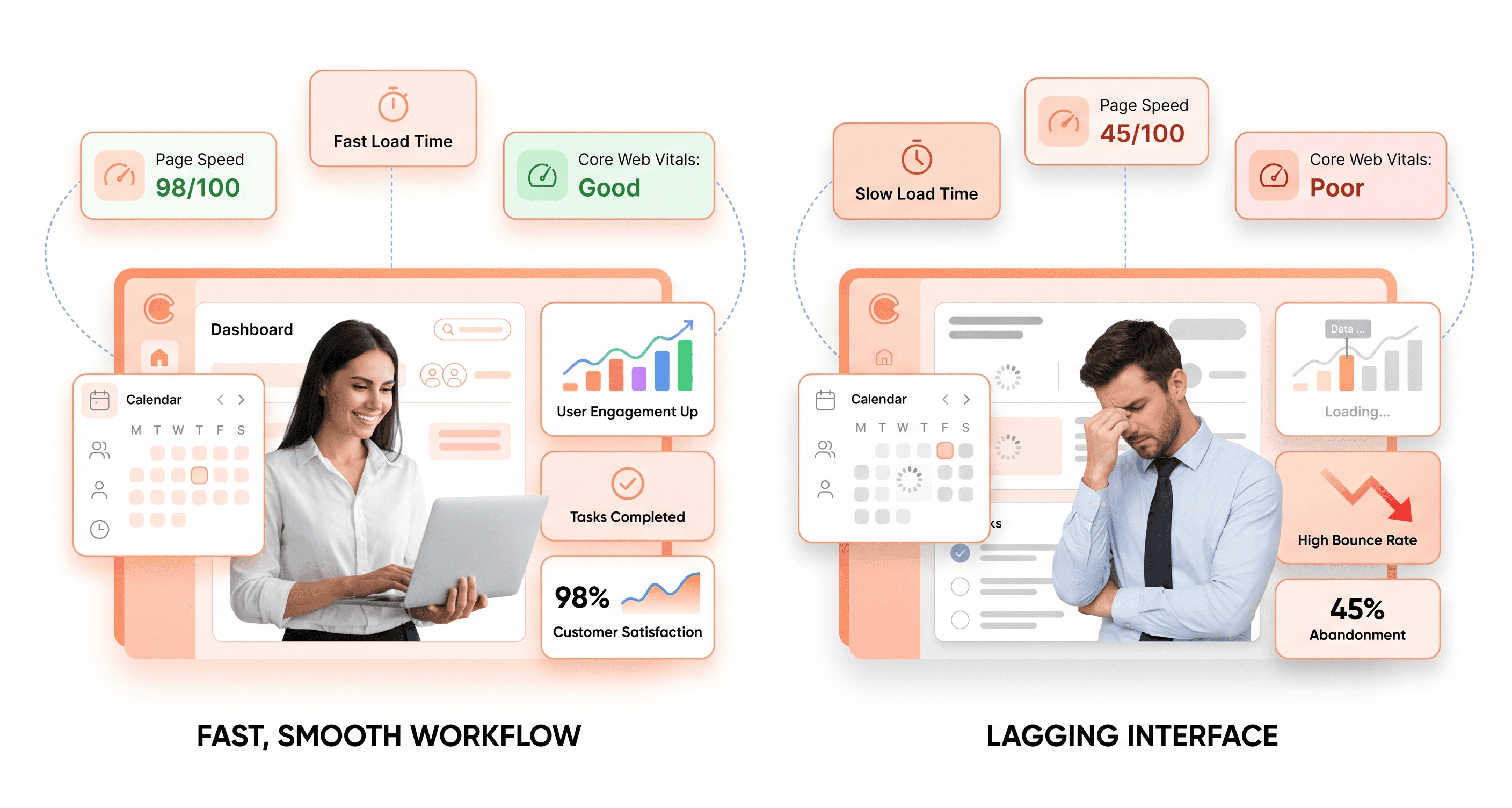
Your users expect fast, responsive product experiences, and anything slower than a few seconds starts creating friction immediately. When your frontend begins feeling sluggish, it’s a strong signal that the user experience is deteriorating in ways that directly impact adoption, engagement, and retention.
Performance bottlenecks often come from bloated frontend architecture, oversized assets, inefficient rendering, or outdated frontend systems that were never designed for modern performance expectations. JavaScript bundles grow over time, unused styling accumulates, and frontend complexity slowly compounds until users start noticing delays across core workflows.
Modern users expect interfaces to respond instantly. When your product feels slow, users interpret that as operational inefficiency and unreliability. Performance issues also affect discoverability, as search engines prioritise fast loading, mobile friendly, stable experiences.
Lack of Mobile Responsiveness
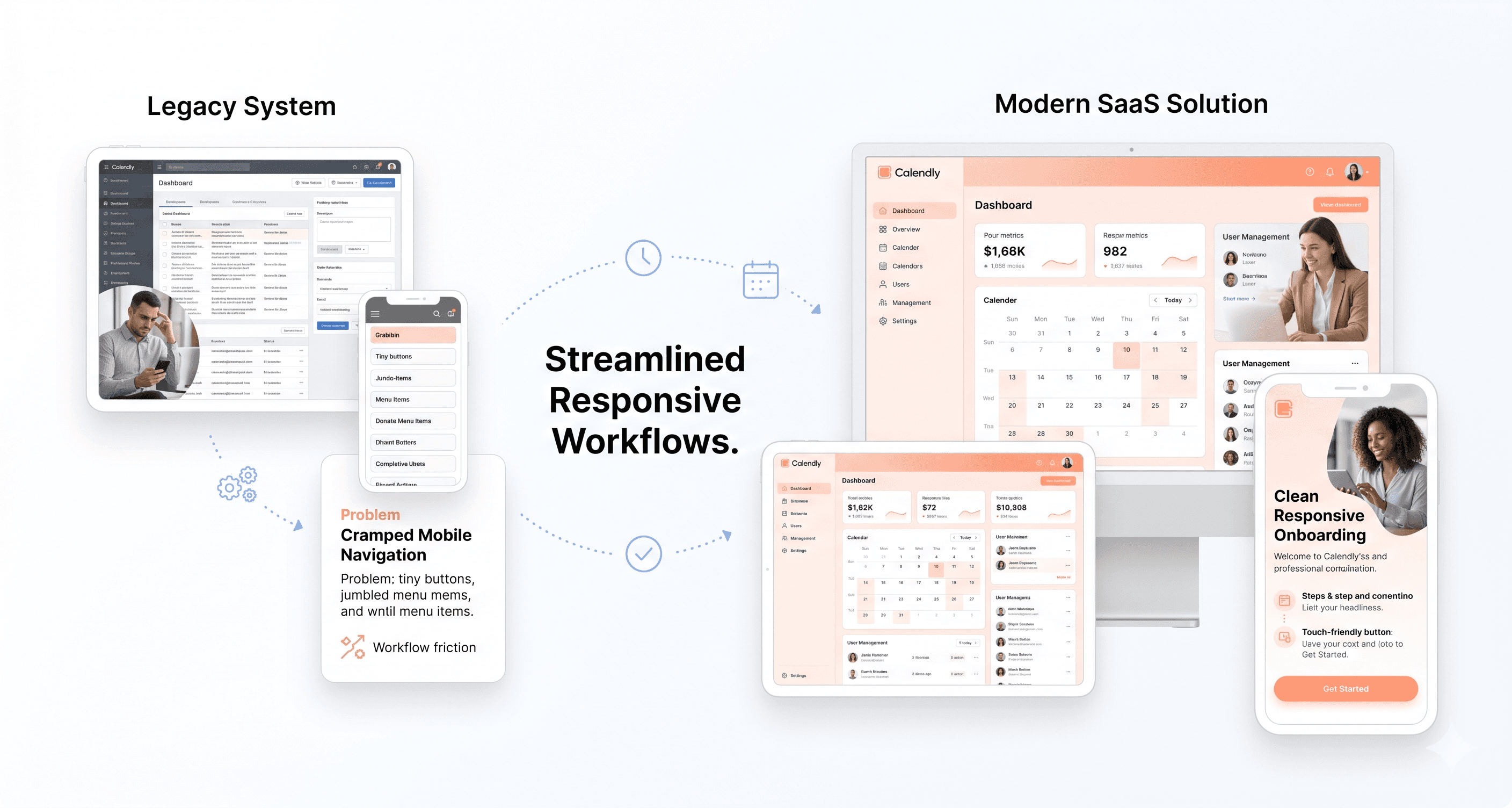
Mobile usage continues to grow across SaaS and web based platforms, yet many products still deliver frustrating mobile experiences. If users are constantly zooming, struggling with navigation, or fighting cramped interfaces, your frontend is no longer meeting modern usability expectations.
True responsiveness goes beyond shrinking layouts to fit smaller screens. Your frontend should adapt intelligently to different devices, touch interactions, viewport sizes, and connection conditions.
Navigation systems that work on desktop often become difficult to use on mobile. Forms become harder to complete. Tables overflow. Dashboards break down. Workflow clarity disappears.
Users expect consistency across devices, and when mobile experiences feel neglected, trust in the product declines quickly.
High Bounce Rates and Low Conversion Rates
User behaviour metrics reveal frontend problems faster than most teams realise. When bounce rates rise while conversion and activation rates decline, the frontend is often creating friction that pushes users away before they reach meaningful value.
High bounce rates typically indicate that users cannot quickly understand the interface, navigate workflows efficiently, or find what they need without effort. Poor information hierarchy, weak visual guidance, overcrowded layouts, and unclear navigation all contribute to abandonment.
Declining conversion rates can also indicate deeper usability issues. Complicated onboarding flows, difficult forms, hidden actions, or confusing interactions create hesitation during critical decision points.
Users may still believe in the value of your product, but frontend friction interrupts momentum before they fully engage.
Outdated Design and User Interface
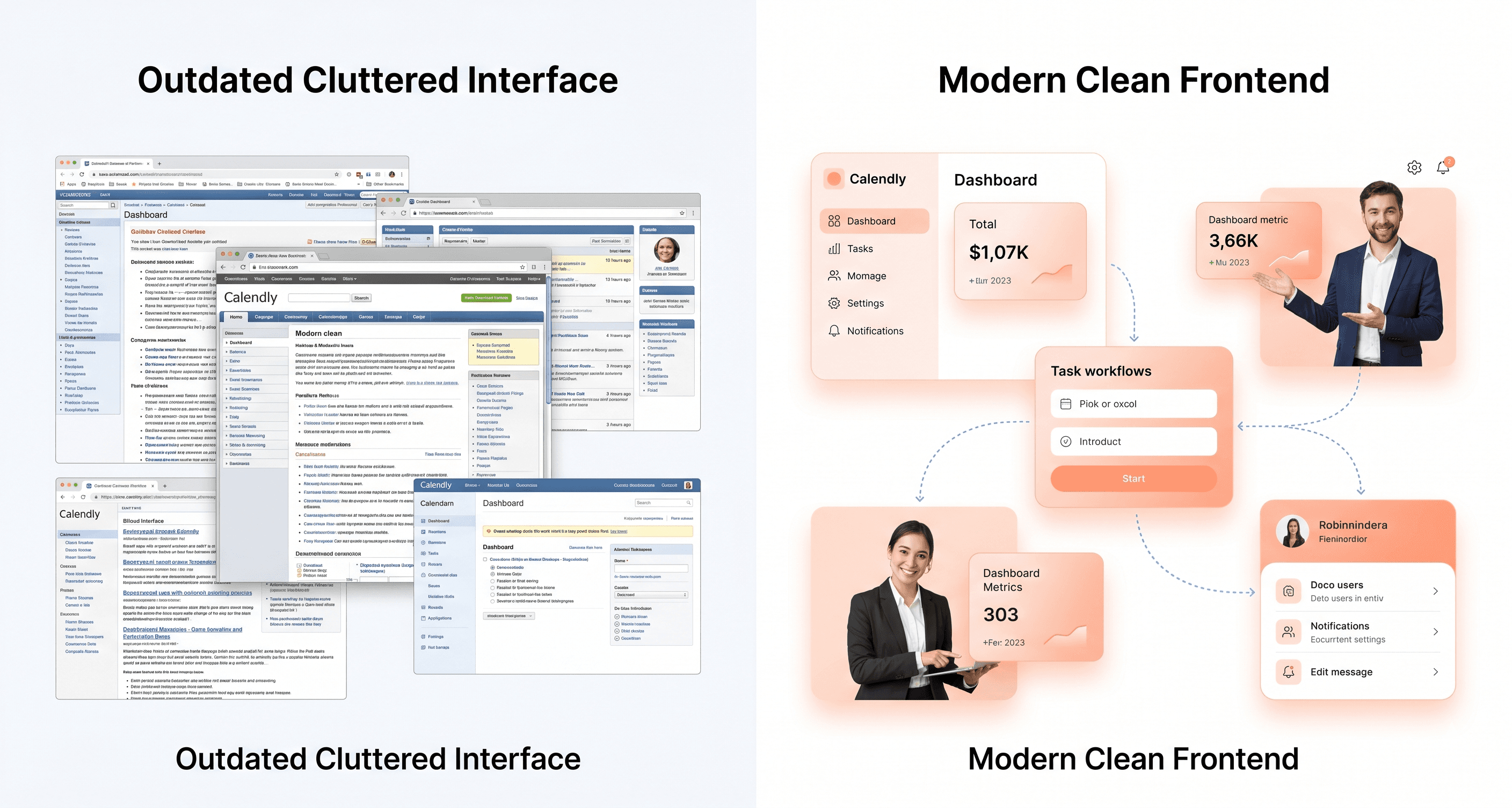
Frontend expectations evolve constantly because user behaviour evolves with them. When your product feels visually outdated or operationally inconsistent, users begin questioning the quality and reliability of the platform itself.
Outdated typography, inconsistent layouts, old interaction patterns, cluttered interfaces, and fragmented workflows all contribute to the perception that the product is difficult to use or poorly maintained.
This is not about chasing design trends.
It’s about maintaining usability standards that users already expect from modern products.
An outdated frontend creates hesitation. Users start wondering:
Is the platform actively maintained?
Will onboarding be difficult?
Is the technology outdated?
Will support be a problem later?
That perception directly impacts trust, demos, adoption, and retention.
Compatibility Issues with New Devices and Browsers
Frontend systems that are not actively modernised eventually struggle to keep up with changing browsers, devices, and interaction standards. When users encounter broken layouts, inconsistent behaviour, or unsupported functionality on newer environments, the product experience becomes unreliable.
Browser updates regularly change rendering behaviour, security standards, and frontend compatibility requirements. Device categories continue expanding as well, introducing new screen sizes, orientations, and interaction patterns that expose weaknesses in older frontend systems.
These inconsistencies create fragmented user experiences that damage confidence in the product.
Users expect your platform to function reliably regardless of device or browser choice. When the frontend fails to deliver consistency, users begin looking for alternatives that feel more stable, modern, and dependable.
Planning for a Successful Frontend Update
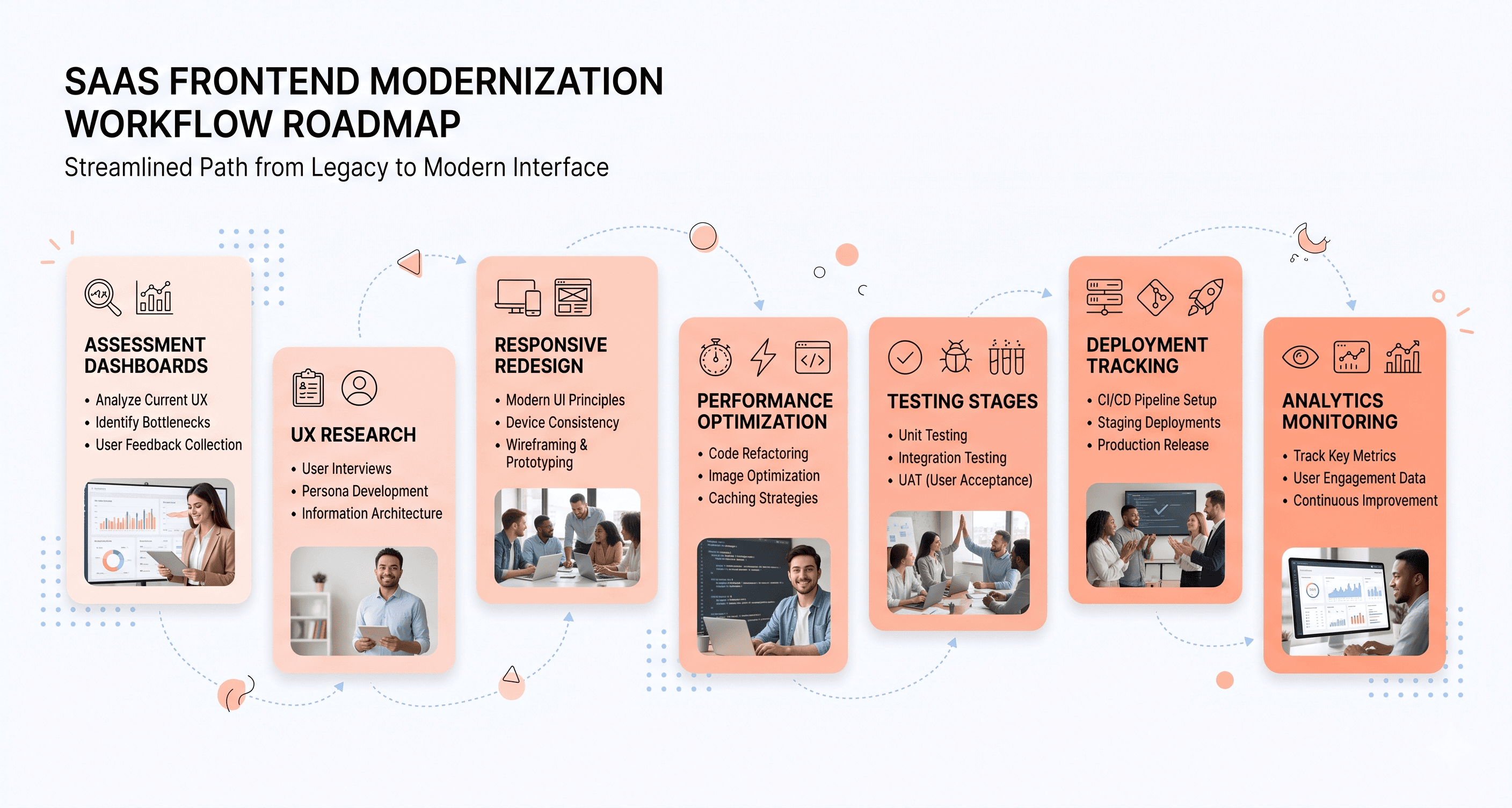
Conducting a Thorough Frontend Assessment and Analysis
The foundation of any successful frontend modernisation effort begins with comprehensive assessment and performance analysis. Frontend monitoring involves continuously evaluating how the product performs across real user environments, including load speed, interaction responsiveness, workflow efficiency, and frontend stability.
A proper assessment should cover both technical performance metrics and actual user experience, because there is often a significant gap between what internal teams measure and what users actually feel while using the product.
Your analysis should include:
synthetic monitoring to measure controlled performance benchmarks
real user monitoring to understand actual user experiences
Core Web Vitals analysis to evaluate responsiveness and stability
workflow level friction analysis across high impact product areas
Focus especially on high traffic workflows and operational bottlenecks that affect the largest number of users. Slow rendering, delayed interactions, interface freezing, and inefficient frontend architecture often create friction long before teams notice the underlying technical issues.
Detailed frontend analysis also helps uncover inefficient rendering patterns, excessive resource loading, CPU bottlenecks, and interaction delays that quietly degrade usability over time.
Setting Clear Goals and Objectives for the Update
Once the assessment phase is complete, the next step is defining measurable objectives for the frontend update.
These goals should connect technical improvements directly to operational and business outcomes, including:
improving onboarding speed
reducing workflow friction
increasing product adoption
improving responsiveness
reducing support overhead
increasing conversion efficiency
improving frontend maintainability
Establish realistic performance benchmarks based on current product conditions rather than arbitrary targets. Prioritise frontend improvements that create the highest impact for users first, especially around core workflows and daily operational tasks.
Frontend modernisation should not be treated as a purely technical initiative. The strongest outcomes come when usability, performance, engineering velocity, and business impact are aligned from the start.
Developing a Budget and Timeline for the Project
Frontend modernisation requires careful planning across engineering, UX, testing, infrastructure, and rollout strategy.
Budget considerations should include:
frontend engineering resources
UX and workflow analysis
testing environments
monitoring infrastructure
component system improvements
performance optimisation efforts
Timeline planning depends heavily on the complexity of the existing frontend architecture and the level of workflow fragmentation across the product.
Products with highly interconnected frontend systems often require phased modernisation approaches rather than large scale rewrites. This reduces operational risk while allowing teams to continue shipping roadmap features during the update process.
Testing time should also account for different devices, browsers, screen sizes, and user environments to ensure frontend consistency across the product experience.
Choosing the Right Frontend Development Team
Successful frontend modernisation depends heavily on selecting teams that understand both technical performance and operational usability.
Your frontend team should be capable of:
diagnosing workflow friction
improving frontend maintainability
optimising rendering performance
reducing interaction delays
improving component consistency
modernising frontend architecture without disrupting backend systems
Look for teams that understand modern frontend performance standards, Core Web Vitals optimisation, interaction responsiveness, and real user monitoring strategies.
Strong frontend teams also understand that frontend modernisation is not simply visual redesign work. It directly affects onboarding, support overhead, engineering velocity, user adoption, and long term product scalability.
Gathering User Feedback and Incorporating It Into the Update Plan
Real user feedback provides operational insights that performance metrics alone cannot fully capture.
Monitoring tools help identify technical bottlenecks, but direct user feedback reveals where workflows feel confusing, frustrating, or unnecessarily complicated during everyday usage.
Combine quantitative performance analysis with:
session recordings
workflow observation
support ticket analysis
onboarding feedback
user interviews
behavioural analytics
This helps identify the areas where frontend friction creates the greatest operational impact.
Performance alerts and optimisation priorities should also be tied to actual user experience rather than isolated technical thresholds. This creates a more practical modernisation roadmap focused on usability, workflow efficiency, and measurable business outcomes instead of vanity metrics alone.
Strategies for Redesigning Your Product's Frontend
Implementing a Responsive Design for a Seamless User Experience
Responsive frontend design has become a baseline expectation for modern products. Users now expect seamless experiences across desktops, tablets, and mobile devices, and inconsistent behaviour across screen sizes quickly creates frustration.
A strong responsive frontend is not about shrinking desktop layouts onto smaller screens. It requires interfaces that adapt intelligently to different devices, interaction patterns, and viewport constraints while preserving usability and workflow clarity.
Focus on building flexible layouts, scalable interface components, and responsive navigation systems that maintain usability regardless of screen size. Core workflows should remain intuitive whether users interact through desktop environments, touch devices, or hybrid setups.
Testing responsive behaviour across devices and browsers is equally important. Interfaces that appear stable during development can break under real world conditions, especially across different mobile environments, resolutions, and browser rendering engines.
Consistent cross device usability directly affects onboarding, adoption, retention, and overall product perception.
Incorporating UI and UX Best Practices for a Modern and Intuitive Interface
Once responsive foundations are established, the next priority is improving usability through modern UI and UX standards that reduce friction across the product experience.
Visual hierarchy plays a major role in workflow clarity. Users should immediately understand:
where to focus
what actions matter most
how workflows progress
where important information lives
Consistency is equally important. Uniform spacing, predictable interaction patterns, cohesive typography, and stable navigation systems help users build familiarity and confidence while using the product.
When interfaces behave inconsistently, cognitive load increases and workflows become harder to complete efficiently.
Micro interactions and interface feedback also contribute heavily to usability. Users expect immediate visual confirmation when actions occur, whether submitting forms, saving data, switching modules, or navigating workflows.
Accessibility should also be integrated from the beginning rather than treated as a secondary consideration. Proper contrast ratios, keyboard accessibility, readable layouts, and assistive technology support improve usability across all user groups while reducing long term compliance risk.
Utilizing Modern Frontend Technologies for Improved Performance
Modern frontend technologies can significantly improve frontend performance, maintainability, and scalability when implemented correctly.
Outdated frontend systems often create rendering bottlenecks, inefficient workflows, fragmented component structures, and inconsistent user experiences that become increasingly difficult to maintain over time.
Modern frontend architecture improves:
rendering efficiency
interaction responsiveness
maintainability
scalability
workflow consistency
frontend performance optimisation
Technology decisions should always be based on operational needs rather than trend adoption. The objective is not complexity. The objective is improving usability, frontend stability, and engineering efficiency without introducing unnecessary overhead.
Performance optimisation should prioritise measurable improvements in responsiveness, rendering speed, and workflow fluidity. Optimising assets, reducing unnecessary frontend complexity, and improving resource loading strategies all contribute to faster, smoother user experiences.
Adopting a Mobile First Approach for a Mobile Friendly Product
Mobile first frontend strategy has become increasingly important as mobile usage continues expanding across SaaS platforms and operational tools.
Designing for smaller screens first forces teams to prioritise the most important workflows, actions, and interface elements. This often results in cleaner, more focused product experiences across all devices.
Mobile first design also improves:
workflow prioritisation
interface clarity
onboarding simplicity
usability consistency
frontend performance
Touch based interfaces require additional usability considerations as well. Interactive elements must remain easy to access, spacing must support touch interactions, and navigation systems must feel intuitive on smaller screens.
Poor mobile experiences create immediate friction that reduces engagement and damages confidence in the product.
Incorporating User Testing and Iterative Design for Optimal Results
Frontend modernisation should always be validated through real user feedback and iterative improvement cycles.
Internal teams often become too familiar with existing workflows to recognise usability problems that users encounter immediately. Direct testing helps identify friction points, confusing interactions, inefficient workflows, and onboarding barriers before they become larger operational issues.
User testing should happen continuously throughout the frontend improvement process rather than only after implementation is complete.
This includes:
usability testing
workflow observation
session analysis
onboarding reviews
behavioural analytics
support ticket evaluation
Iterative improvement cycles help teams refine frontend decisions based on actual usage patterns rather than assumptions.
The strongest frontend systems evolve through continuous optimisation focused on usability, workflow efficiency, adoption, and operational clarity rather than one time redesign efforts alone.
The Role of Content in a Successful Frontend Update
Adapting Content to Fit the New Frontend Design
Once frontend modernisation begins, content structure also needs to evolve alongside the updated product experience. Content is not separate from frontend usability. The way information is organised, prioritised, and delivered directly affects onboarding, workflow clarity, usability, and performance.
Modern frontend systems prioritise fast rendering, responsive interaction, and improved user experience standards. This changes how content should be structured across the product.
Content should be organised to support:
faster information discovery
clearer workflow guidance
improved readability
reduced cognitive load
better performance across devices
Modern frontend architecture also places greater emphasis on performance metrics such as Core Web Vitals, interaction responsiveness, and rendering stability. Heavy frontend systems and poorly structured content layouts create friction that impacts both usability and discoverability.
Frontend modernisation often requires rethinking how information is presented so users can complete tasks faster and navigate workflows more intuitively.
Strategies for Creating Engaging and Visually Consistent Content
Shared component systems play a major role in maintaining consistency across modern frontend environments. Instead of rebuilding interface patterns repeatedly, teams can standardise content presentation through reusable UI systems and structured design frameworks.
This creates:
more predictable workflows
consistent visual hierarchy
easier frontend maintenance
improved usability across modules
faster frontend scalability
Design systems also help maintain consistency in spacing, typography, interaction patterns, and visual structure across the entire product experience.
Using structured design standards reduces fragmentation between modules and prevents the interface from feeling disconnected as products scale over time.
Consistency is not only a visual improvement.
It directly reduces user confusion and improves operational efficiency throughout the platform.
The Importance of SEO in Frontend Updates
Frontend modernisation also impacts discoverability and search performance.
Modern frontend architecture improves loading speed, rendering stability, mobile responsiveness, and interaction performance, all of which influence search visibility and overall product accessibility.
Core Web Vitals have become increasingly important because they measure real user experience signals such as:
loading performance
interaction responsiveness
layout stability
Poor frontend performance negatively affects both usability and discoverability, reducing organic acquisition opportunities and creating unnecessary friction for users.
Monitoring frontend quality through tools such as Lighthouse helps teams identify performance degradation early before it impacts usability, adoption, or search visibility.
Strong frontend performance is no longer purely technical.
It directly affects growth, onboarding efficiency, conversion performance, and long term scalability.
Content Optimization for Faster Loading Times
Frontend performance becomes especially important during high traffic periods, where inefficient frontend systems often struggle to maintain responsiveness and stability.
Modern frontend optimisation focuses on reducing unnecessary complexity and improving resource efficiency across the product experience.
This includes:
reducing inefficient rendering
optimising media assets
improving caching strategies
minimising unnecessary resource loading
prioritising critical content delivery
reducing frontend bottlenecks
Poorly optimised frontend systems increase operational costs while simultaneously reducing usability.
Efficient frontend architecture helps products scale more reliably without creating rising infrastructure costs or degraded user experiences during periods of growth.
Using Content to Improve User Engagement and Conversions
Content structure directly influences user engagement, onboarding success, and conversion efficiency.
When workflows feel confusing or information is difficult to process, users lose momentum quickly. Slow frontend interactions, unclear layouts, and inconsistent guidance reduce confidence during critical user actions.
Modern frontend systems help maintain smoother experiences by improving responsiveness, reducing friction, and supporting faster interaction feedback throughout the product.
Content strategy should focus on helping users:
understand workflows quickly
complete tasks efficiently
maintain confidence throughout interactions
reach value faster with less friction
AI assisted tooling can also help identify behavioural patterns, workflow bottlenecks, and engagement trends across frontend systems. However, these tools are most effective when used to support human decision making rather than replace strategic product thinking.
The goal of frontend modernisation is not simply visual improvement.
It is creating a faster, clearer, more maintainable product experience that improves usability, adoption, operational efficiency, and long term growth.
Managing Frontend Updates in a Collaborative Environment
Communicating with different teams to ensure a smooth update process
When updating your product’s frontend, effective communication across different teams becomes crucial for success. Engineering teams, product teams, designers, marketing departments, support teams, and content creators all need to stay aligned on project objectives, implementation priorities, and rollout timelines. Without clear coordination, frontend modernisation efforts can quickly become fragmented and difficult to manage.
Regular cross functional meetings help ensure every team understands how their responsibilities connect to the broader update process. For example, workflow simplification decisions may affect onboarding flows, support documentation, analytics tracking, and sales demos at the same time. Keeping teams aligned early reduces operational friction later.
Documentation also plays an important role throughout frontend modernisation projects. Design standards, workflow changes, component guidelines, technical requirements, and implementation decisions should remain clearly documented and accessible across teams. This improves consistency while reducing confusion during implementation.
Using project management tools to stay organized and on track
Modern project management systems are essential for coordinating frontend updates across multiple teams and operational priorities. These tools help track implementation progress, manage dependencies, monitor timelines, and identify bottlenecks before they delay delivery.
Platforms such as Jira, Asana, or Trello help teams organize frontend modernisation efforts by assigning ownership, tracking milestones, and improving visibility across workflows. This becomes especially important during phased frontend updates where engineering, UX, testing, and operational changes are tightly connected.
Task dependencies should also remain clearly mapped so teams understand how frontend architecture updates, workflow improvements, testing cycles, and usability enhancements impact one another throughout the project lifecycle.
Strong project coordination helps maintain momentum while reducing delays and implementation confusion.
Delegating tasks and responsibilities to team members
Successful frontend updates depend on clear ownership and well defined responsibilities across teams.
Frontend performance optimisation, accessibility improvements, workflow simplification, interaction consistency, and frontend maintainability should be assigned based on expertise rather than distributed generically across teams.
Security related frontend improvements should remain a high priority due to their impact on operational reliability, user trust, and long term scalability.
User experience improvements such as mobile responsiveness, onboarding optimisation, workflow clarity, and frontend usability should be delegated to team members experienced in frontend systems and operational UX.
Content updates and workflow documentation often require collaboration between product, support, and content teams to ensure users experience consistency throughout the updated frontend.
When delegating work, teams should also consider cross functional impact. Frontend changes rarely affect a single department in isolation. Workflow updates can influence onboarding, support processes, analytics, training materials, and product adoption simultaneously.
The importance of regular updates and communication with stakeholders
Regular stakeholder communication helps maintain alignment between frontend modernisation efforts and broader business objectives.
Progress updates should clearly communicate both technical progress and operational impact, including improvements related to:
frontend performance
onboarding efficiency
workflow usability
support reduction
engineering velocity
product adoption
Stakeholders should understand how frontend improvements directly influence usability, retention, onboarding, and operational efficiency rather than viewing modernisation purely as a visual or technical initiative.
Transparency around challenges is equally important. Frontend modernisation projects often uncover architectural complexity, fragmented workflows, or frontend limitations that may require phased implementation strategies or timeline adjustments.
Keeping stakeholders informed helps maintain alignment, manage expectations, and support better prioritisation decisions throughout the update process.
Handling potential challenges and conflicts during the update process
Frontend update projects often create competing priorities across engineering, UX, product, and business teams.
Engineering teams may prioritise maintainability and frontend stability, while design teams focus on usability improvements and interface consistency. Product leaders may prioritise adoption and workflow efficiency, while leadership teams focus on timelines, operational risk, and business outcomes.
When conflicts arise, decisions should return to the core objective of frontend modernisation:
reducing operational friction while improving usability, maintainability, onboarding, and long term product scalability.
Tradeoffs should be evaluated based on measurable user and business impact rather than internal preferences alone.
Resource constraints can also create tension between maintaining roadmap delivery and improving frontend systems. This is why phased frontend modernisation approaches are often more practical than large scale rewrites.
Regular review meetings help teams identify blockers early, reassess priorities, resolve conflicts, and maintain steady implementation progress throughout the project lifecycle.
Integrating Accessibility into Your Product's Frontend
The Importance of Inclusive Design and Accessibility for All Users
Previously, we explored performance, usability, and frontend modernisation strategy. Accessibility is another critical part of that process that many teams still overlook.
Modern frontend systems should be designed to support all users, including individuals with disabilities, assistive technology users, and people navigating products under different physical, cognitive, or environmental conditions.
Accessibility is not simply about compliance.
It directly improves usability, onboarding clarity, workflow consistency, and overall product experience for every user.
Frontend systems built with accessibility in mind are typically:
cleaner architecturally
more maintainable
easier to navigate
more consistent
better structured
more performant
Inclusive frontend design also expands the potential user base significantly. Millions of users rely on assistive technologies, keyboard navigation, screen readers, or accessibility accommodations during everyday digital interactions. Products that fail to support these users create unnecessary friction while limiting adoption opportunities.
How to Make Your Frontend Accessible for Individuals with Disabilities
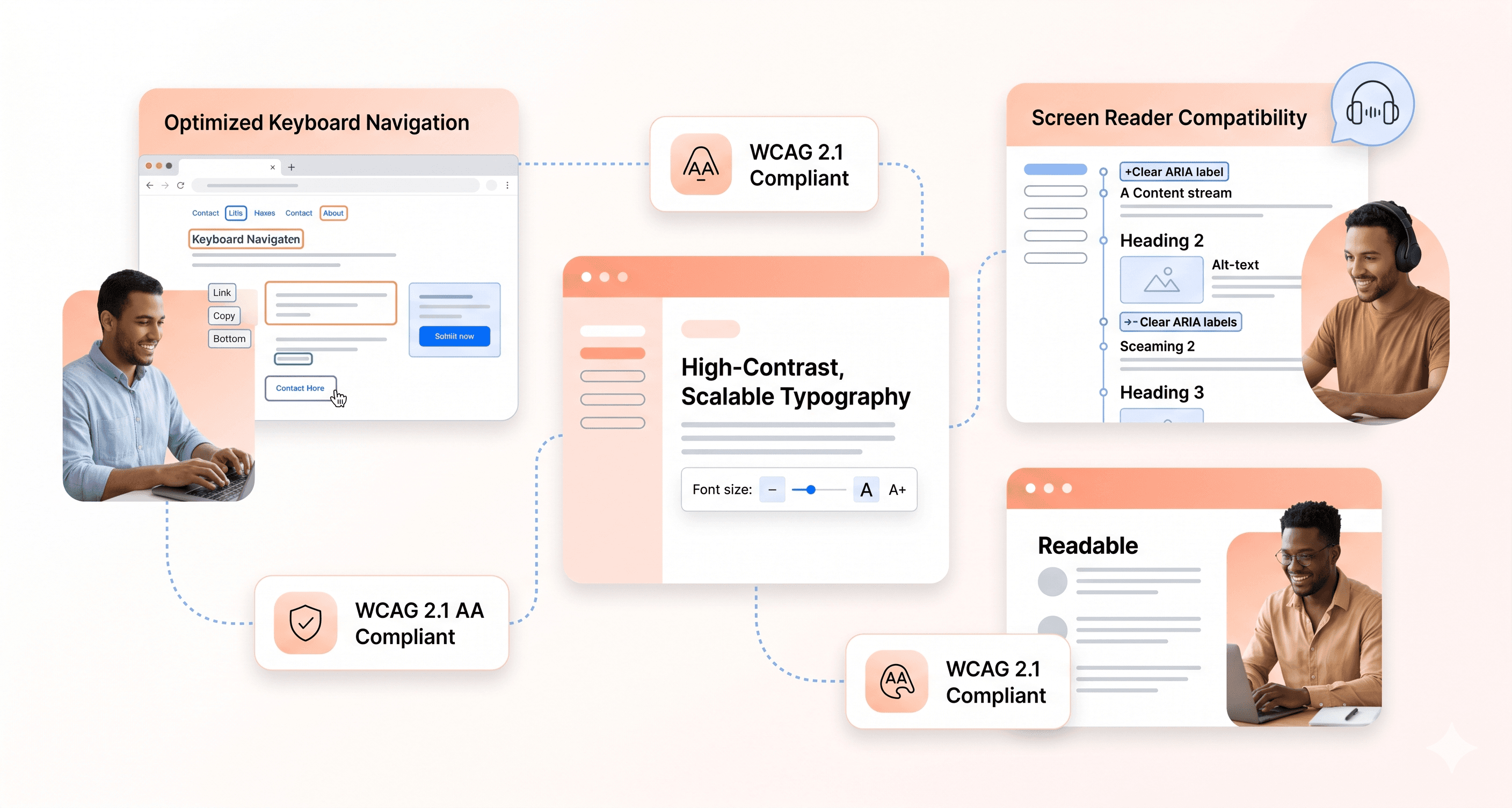
Once accessibility becomes part of the frontend strategy, implementation should begin at the architectural and workflow level rather than being treated as a final stage checklist.
Proper semantic structure is one of the most important foundations of accessible frontend systems. Assistive technologies rely on semantic elements to interpret layout structure, navigation patterns, and workflow context correctly.
Frontend teams should prioritise:
semantic HTML structure
accessible navigation systems
logical content hierarchy
keyboard accessibility
screen reader compatibility
consistent interaction behaviour
Keyboard accessibility is especially important. Users who cannot rely on pointing devices need to navigate workflows entirely through keyboard interactions. All interactive components should remain focusable and visually identifiable during navigation.
Color contrast and visual clarity also require attention during frontend modernisation efforts. Many outdated frontend systems fail basic accessibility standards, creating readability and usability issues across the product experience.
Modernisation provides an opportunity to systematically improve these areas while improving frontend consistency overall.
Best Practices for Designing an Accessible Frontend Interface
Accessible frontend design works best when integrated into the design system from the beginning rather than layered on afterward.
Consistency plays a major role in usability. Predictable navigation patterns, stable layouts, and uniform interaction behaviours help users navigate workflows with less confusion and lower cognitive load.
Users benefit when:
navigation behaves consistently
workflows follow predictable patterns
actions produce clear feedback
layouts remain stable across modules
Providing multiple interaction methods also improves accessibility. Some users rely on keyboard shortcuts, others use screen readers, and some require larger touch targets or simplified interaction patterns.
Accessible frontend systems should support these different usage patterns without creating fragmented experiences.
Cognitive load management is another important consideration. Overcrowded interfaces, excessive interactions, and inconsistent workflows increase friction for users with cognitive or attention related challenges.
Simplified workflows and progressive disclosure patterns help reduce complexity while maintaining functionality.
Forms also require careful accessibility planning. Labels, validation states, error messaging, focus order, and interaction feedback all affect usability across different user groups.
Tools and Resources for Testing and Optimizing Frontend Accessibility
Accessibility testing should become part of the normal frontend development and QA workflow rather than a separate review process at the end of implementation.
Automated accessibility testing tools can help identify structural issues early during development. However, automated tools alone cannot fully evaluate real user experience.
A balanced accessibility testing process should include:
Tool Type | Examples | Coverage | Best Used For |
|---|---|---|---|
Automated | axe-core, WAVE, Lighthouse | Structural accessibility checks | Continuous testing and early issue detection |
Manual | Keyboard testing, screen reader testing | Real interaction validation | Workflow and usability testing |
Specialized | Contrast analyzers, focus management tools | Specific accessibility areas | Targeted frontend improvements |
Screen reader testing provides valuable insight into how assistive technology users experience the frontend. Teams should regularly test workflows using commonly used screen readers and keyboard only navigation methods.
Keyboard testing is especially effective for identifying missing focus states, inaccessible interactions, broken navigation flows, and usability gaps that automated tools often miss.
The Impact of Accessible Design on User Satisfaction and Brand Reputation
Accessible frontend systems often improve usability for all users, not only users with disabilities.
Clear navigation, readable layouts, predictable workflows, consistent interaction patterns, and better information hierarchy create smoother product experiences across the board.
As accessibility improves, companies often see improvements in:
onboarding clarity
workflow completion
product adoption
customer satisfaction
support reduction
usability consistency
Accessibility also affects product perception and brand trust. Companies that demonstrate commitment to inclusive frontend design create stronger reputational signals around reliability, usability, and operational maturity.
Legal compliance is another growing consideration. Accessibility standards continue evolving globally, and many regions now enforce digital accessibility requirements more aggressively than before.
Proactively improving frontend accessibility during modernisation reduces future operational and compliance risk while improving overall frontend quality.
Long term, accessible frontend systems also tend to be:
easier to maintain
more scalable
more compatible with emerging technologies
more resilient across devices and environments
Teams that integrate accessibility into frontend modernisation efforts often discover they have simultaneously improved frontend quality, usability, maintainability, and development efficiency across the product.
Measuring the Success of Your Frontend Update
Key metrics to track during and after the frontend update
Tracking the right metrics makes the difference between knowing whether your frontend update actually improved the product experience or simply changed how the interface looks. Frontend modernisation should always be measured against usability, adoption, performance, and operational outcomes rather than aesthetics alone.
Start by monitoring user engagement metrics such as session duration, bounce rates, workflow completion rates, onboarding progression, and feature adoption. These metrics reveal whether users are navigating workflows more efficiently or encountering friction that slows them down.
Conversion metrics are equally important. Depending on your product, this may include sign ups, activation rates, demo conversions, subscription upgrades, or checkout completion. If frontend changes improve usability and workflow clarity, these numbers should improve over time.
Frontend responsiveness and loading performance also deserve close attention. Users expect fast interactions and stable product experiences. Slow rendering, delayed interactions, or unstable layouts create friction that directly affects adoption and retention.
User feedback metrics provide another important layer of insight. Surveys, onboarding responses, usability testing, and support ticket trends help teams understand how users actually perceive the updated frontend experience.
Technical monitoring should also include error rates, crash reporting, interaction latency, server response times, and Core Web Vitals performance. A visually modern frontend still fails if operational reliability declines after launch.
Using A/B testing to compare the new frontend with the old one
A/B testing removes assumptions from frontend decision making by comparing the updated frontend experience against the previous version using real user behaviour.
By splitting traffic between both versions, teams can evaluate how frontend changes affect onboarding, workflow efficiency, conversion behaviour, and user engagement under real operating conditions.
Before launching any test, establish clear success criteria tied to measurable outcomes. This could include improving activation rates, reducing bounce rates, increasing workflow completion, or shortening onboarding timeframes.
Testing should run long enough to capture realistic usage patterns across different devices, user segments, and behavioural conditions. Short testing windows often produce misleading conclusions that fail to reflect long term frontend performance.
Statistical significance matters, but operational significance matters as well. Even modest improvements in workflow efficiency or usability can create substantial business impact at scale.
Analyzing user feedback and behavior to gauge success
User behaviour often reveals frontend friction faster than traditional reporting alone. Heatmaps, session recordings, workflow analysis, and interaction tracking expose areas where users hesitate, abandon workflows, or struggle with the updated frontend experience.
Direct feedback through surveys, support conversations, onboarding reviews, and usability testing adds important context to behavioural data. Users may appreciate visual improvements while still finding workflows confusing or navigation difficult to follow.
Support ticket analysis also provides useful operational insight. Increases in “how do I” questions often indicate usability issues, onboarding gaps, or unclear interaction patterns introduced during the frontend update.
Social feedback, customer interviews, product reviews, and behavioural analytics all contribute to a clearer understanding of how users are adapting to the modernised frontend.
Combining quantitative metrics with qualitative feedback helps teams evaluate frontend success more accurately and identify opportunities for continued optimisation.
The role of analytics in identifying areas for improvement post update
Analytics platforms become essential optimisation tools after frontend modernisation launches. They help teams identify friction points, monitor behavioural changes, and prioritise future improvements based on actual usage patterns.
User funnel analysis is especially valuable for identifying workflow drop off points where users abandon onboarding, disengage from key actions, or struggle to complete important tasks.
Segmentation analysis also reveals how different user groups experience the updated frontend. New users, returning users, mobile users, enterprise teams, and power users often interact with frontend systems differently.
Custom event tracking should monitor newly introduced frontend components, workflows, navigation systems, and interaction patterns to understand whether the changes improve usability or create additional complexity.
Frontend modernisation should never be treated as a one time redesign effort. Analytics provide the operational visibility needed to continuously improve usability, onboarding, workflow efficiency, and frontend performance after launch.
Evaluating the return on investment (ROI) of your frontend update
Frontend modernisation ROI should be measured through both technical improvements and operational business outcomes.
Costs may include frontend engineering resources, UX improvements, testing infrastructure, rollout coordination, implementation time, and temporary operational overhead during the transition process.
On the return side, teams should evaluate improvements in onboarding efficiency, conversion rates, user retention, workflow completion, frontend maintainability, engineering velocity, and support reduction.
Some frontend improvements create immediate measurable gains, while others compound gradually over time as users adapt to cleaner workflows and more consistent product experiences.
Long term benefits often include reduced frontend complexity, easier scalability, faster feature delivery, stronger usability consistency, and improved product perception across customers and prospects.
These operational improvements may be harder to quantify directly, but they contribute significantly to long term growth, product adoption, engineering efficiency, and competitive positioning.
Future-Proofing Your Product's Frontend
How to future proof your frontend against technology advancements
Building a frontend that remains scalable and maintainable over time requires thinking beyond short term trends and immediate feature delivery. Frontend systems should be designed to adapt as technologies, user expectations, and operational requirements evolve.
Choosing frontend technologies with strong ecosystem support and long term stability helps reduce future migration risk. However, future proofing is less about choosing the “perfect” framework and more about building frontend systems that remain flexible as the product grows.
Separating business logic from tightly coupled frontend implementations makes future updates significantly easier. This reduces the operational impact of frontend migrations, architectural improvements, or framework level changes later on.
Dependency management also plays an important role in long term frontend stability. Bloated frontend dependencies increase maintenance complexity, security risk, and upgrade difficulty over time. Keeping frontend systems lean and well maintained improves scalability while reducing technical overhead.
Strategies for scalability and adaptability in frontend design
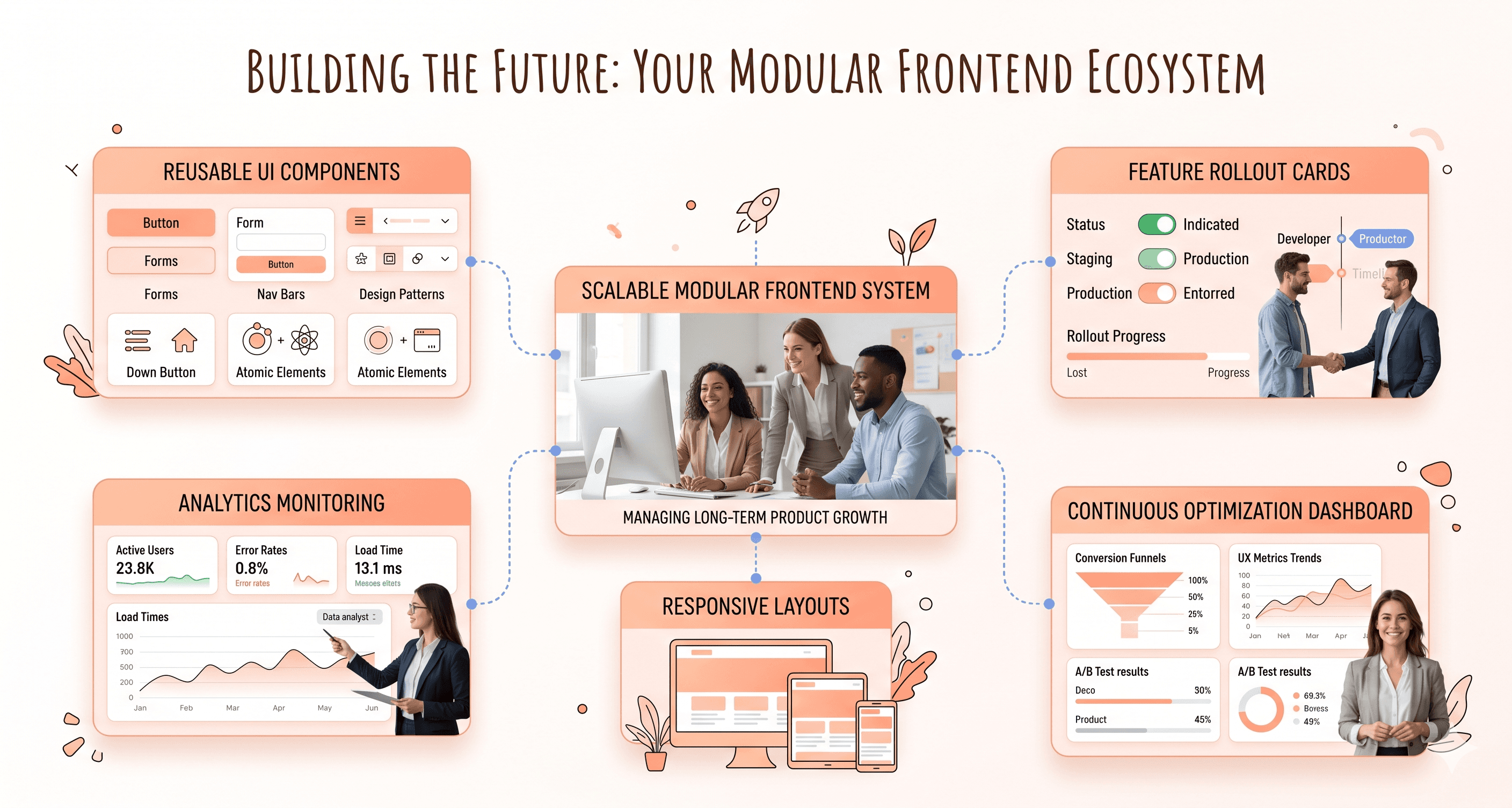
Scalable frontend systems rely heavily on structured design systems and reusable component architecture.
A well documented component library improves consistency across the product while making it easier to implement frontend improvements at scale. Shared components reduce duplicated work, improve maintainability, and create more predictable user experiences across workflows.
State management architecture also becomes increasingly important as products grow. Clear data flow patterns and structured frontend architecture help engineering teams scale frontend systems without introducing unnecessary complexity.
Large products may also benefit from modular frontend architectures that allow different teams to work independently while maintaining a consistent user experience across the platform.
Responsive design should also be treated as a foundational architectural principle rather than a secondary enhancement. Frontend systems should remain adaptable across devices, screen sizes, and interaction patterns from the beginning.
The importance of staying up to date with frontend trends and technologies
Frontend ecosystems evolve rapidly, but successful teams avoid chasing every emerging technology trend without clear operational value.
Instead, frontend teams should establish structured processes for evaluating new technologies based on:
usability improvements
maintainability
performance gains
scalability
operational efficiency
developer experience
Staying informed about frontend advancements helps teams avoid falling behind modern usability standards while reducing the risk of outdated frontend architecture becoming difficult to maintain later.
Following trusted frontend engineering resources, industry research, performance studies, and framework updates helps teams understand where frontend standards are moving without introducing unnecessary instability into production systems.
The goal is not constant reinvention.
It is maintaining frontend systems that remain operationally efficient, scalable, and adaptable as user expectations evolve.
Incorporating flexibility and modularity in frontend development
Modular frontend architecture significantly improves long term maintainability and scalability.
Frontend systems built around smaller, reusable components are easier to test, update, optimise, and scale over time. Isolated frontend components reduce implementation risk while allowing teams to modernise workflows gradually instead of relying on disruptive large scale rewrites.
Feature flag systems also help teams introduce frontend changes incrementally. Gradual rollout strategies reduce operational risk while providing real user feedback before broader deployment.
Flexible frontend styling systems improve adaptability as well. Design tokens, reusable themes, and structured styling standards make it easier to scale frontend systems, support accessibility improvements, and maintain consistency across evolving products.
Frontend data handling should also remain resilient to backend evolution. Flexible API integration patterns reduce the likelihood of frontend instability when backend structures or data models change over time.
Using agile methodologies for continuous iteration and improvement
Frontend modernisation works best as an ongoing optimisation process rather than a one time redesign initiative.
Continuous integration and deployment practices allow teams to release smaller frontend improvements more frequently while reducing operational risk during implementation.
Automated testing pipelines improve deployment confidence by identifying frontend regressions early before they affect users.
Monitoring and analytics also play a major role in continuous frontend improvement. Behavioural analytics, workflow tracking, and usability monitoring help teams understand how users actually interact with the product after frontend updates launch.
Regular frontend retrospectives help engineering and product teams evaluate:
frontend maintainability
usability improvements
workflow friction
scalability concerns
performance bottlenecks
operational complexity
User feedback loops should also remain active throughout the frontend lifecycle. Beta testing, usability reviews, onboarding feedback, and customer interviews often reveal operational friction that internal teams overlook.
Performance monitoring remains equally important over time. Frontend systems should continuously track Core Web Vitals, interaction responsiveness, rendering stability, and frontend efficiency to ensure ongoing improvements do not negatively affect user experience as the product evolves.
Case Studies: Successful Frontend Updates and Their Impact
Examples of companies that successfully updated their frontend and saw positive results
Spotify transformed their entire user interface in 2018, moving from a cluttered design to a cleaner, more intuitive experience. The redesign featured better navigation, improved search functionality, and personalized recommendations displayed more prominently. Within six months of the update, Spotify reported a 30% increase in user engagement and a 25% boost in premium subscriptions.
Airbnb's 2014 frontend overhaul serves as another compelling example. They shifted from a basic listing site to an immersive, visual platform that emphasized high-quality photos and storytelling. The new design included streamlined booking flows, better mobile optimization, and enhanced trust signals. This update contributed to a 300% increase in bookings over the following year.
Dropbox simplified their interface in 2017, removing unnecessary features and focusing on core file-sharing functionality. The cleaner design reduced user confusion and made collaboration tools more accessible. Post-update metrics showed a 40% reduction in support tickets and a 20% increase in daily active users.
How frontend updates helped improve user experience and increase conversions
Modern frontend updates directly impact user behavior through improved usability and visual appeal. Companies consistently see conversion rate improvements ranging from 15-50% after implementing user-centered design principles.
Key performance improvements include:
Reduced bounce rates: Clean, fast-loading interfaces keep users engaged longer
Higher completion rates: Simplified forms and checkout processes remove friction points
Increased mobile conversions: Responsive designs capture the growing mobile audience
Better accessibility: Inclusive design expands the potential user base
Slack's interface refresh in 2019 demonstrates these benefits perfectly. They restructured their sidebar navigation and improved message threading, resulting in 35% faster task completion times and 28% higher user satisfaction scores. The company also reported that new users were 45% more likely to complete their onboarding process.
Insights from companies that failed to update their frontend and the consequences
Yahoo's stagnant design approach provides a cautionary tale about neglecting frontend updates. While competitors like Google continuously refined their interfaces, Yahoo maintained essentially the same cluttered homepage design for years. This resistance to change contributed to their declining market share, dropping from 20% to under 3% in search traffic between 2005 and 2015.
Blackberry's failure to modernize their mobile interface cost them dearly. When touchscreen smartphones became standard, Blackberry stuck with their keyboard-centric design philosophy. Their outdated interface couldn't compete with iOS and Android's intuitive touch experiences, leading to a market share collapse from 50% to less than 1% within five years.
MySpace represents another missed opportunity. While Facebook invested heavily in clean, user-friendly design updates, MySpace allowed users to customize pages extensively, creating chaotic, slow-loading experiences. The platform's refusal to prioritize usability over customization contributed to losing 100 million users to Facebook between 2008 and 2011.
Lessons learned from successful frontend updates and tips for a successful update process
Successful companies follow several key principles when updating their frontends:
User-first approach: Start with user research and feedback rather than internal preferences. Companies that base updates on actual user behavior data see 60% better adoption rates than those relying on assumptions.
Gradual rollouts: Implement changes incrementally to identify potential issues early. Netflix tests new interface elements with small user segments before full deployment, helping them maintain 99% user satisfaction during updates.
Performance optimization: Ensure new designs load faster than previous versions. Amazon discovered that every 100ms delay in page load time reduces conversions by 1%, making speed a critical factor in frontend updates.
Cross-device consistency: Design for multiple screen sizes and devices simultaneously. Companies with unified experiences across platforms see 23% higher user retention rates.
Best practices for maintaining a modern and updated frontend for long-term success
Establish regular review cycles: Schedule quarterly assessments of your frontend performance and user feedback. Set specific metrics like page load times, conversion rates, and user satisfaction scores to track over time.
Create a living style guide: Document design patterns, components, and guidelines that evolve with your product. This ensures consistency across teams and makes future updates more efficient.
Monitor industry trends: Stay current with design standards and user expectations by following UX research, analyzing competitor interfaces, and attending design conferences.
Invest in scalable architecture: Choose frontend frameworks and technologies that can grow with your product needs. Modern component-based systems allow for easier updates without complete overhauls.
Build feedback loops: Implement user analytics, conduct regular usability testing, and maintain open channels for user feedback. Companies that actively collect and respond to user input maintain higher satisfaction rates and catch usability issues before they impact conversions.
Plan for accessibility: Design with accessibility standards from the beginning rather than retrofitting later. This approach reduces technical debt and ensures your product remains usable for all users as guidelines evolve.
Conclusion
Recognizing when your product's frontend needs an update is crucial for maintaining competitive advantage and user satisfaction. From outdated visual design and poor performance metrics to navigation issues and misaligned branding, these warning signs indicate it's time to take action. The key is conducting thorough analysis of user feedback, performance data, and industry trends before implementing changes that align with your business goals and user expectations.
A successful frontend update requires strategic planning, careful consideration of what works well currently, and clear measurement criteria for success. Whether you're addressing accessibility concerns, improving collaborative workflows, or future-proofing your interface, the investment in modernizing your frontend pays dividends through improved user experience, better conversion rates, and enhanced brand credibility. Don't wait until declining performance forces your hand—proactive frontend updates position your product for sustained growth and user engagement.


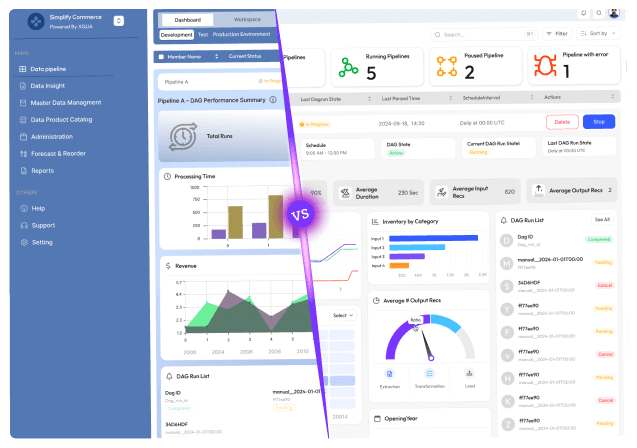


About the author
I’m the founder of Hashbyt, an AI-first frontend and UI/UX SaaS partner helping 200+ SaaS companies scale faster through intelligent, growth-driven design. My work focuses on building modern frontend systems, design frameworks, and product modernization strategies that boost revenue, improve user adoption, and help SaaS founders turn their UI into a true growth engine.
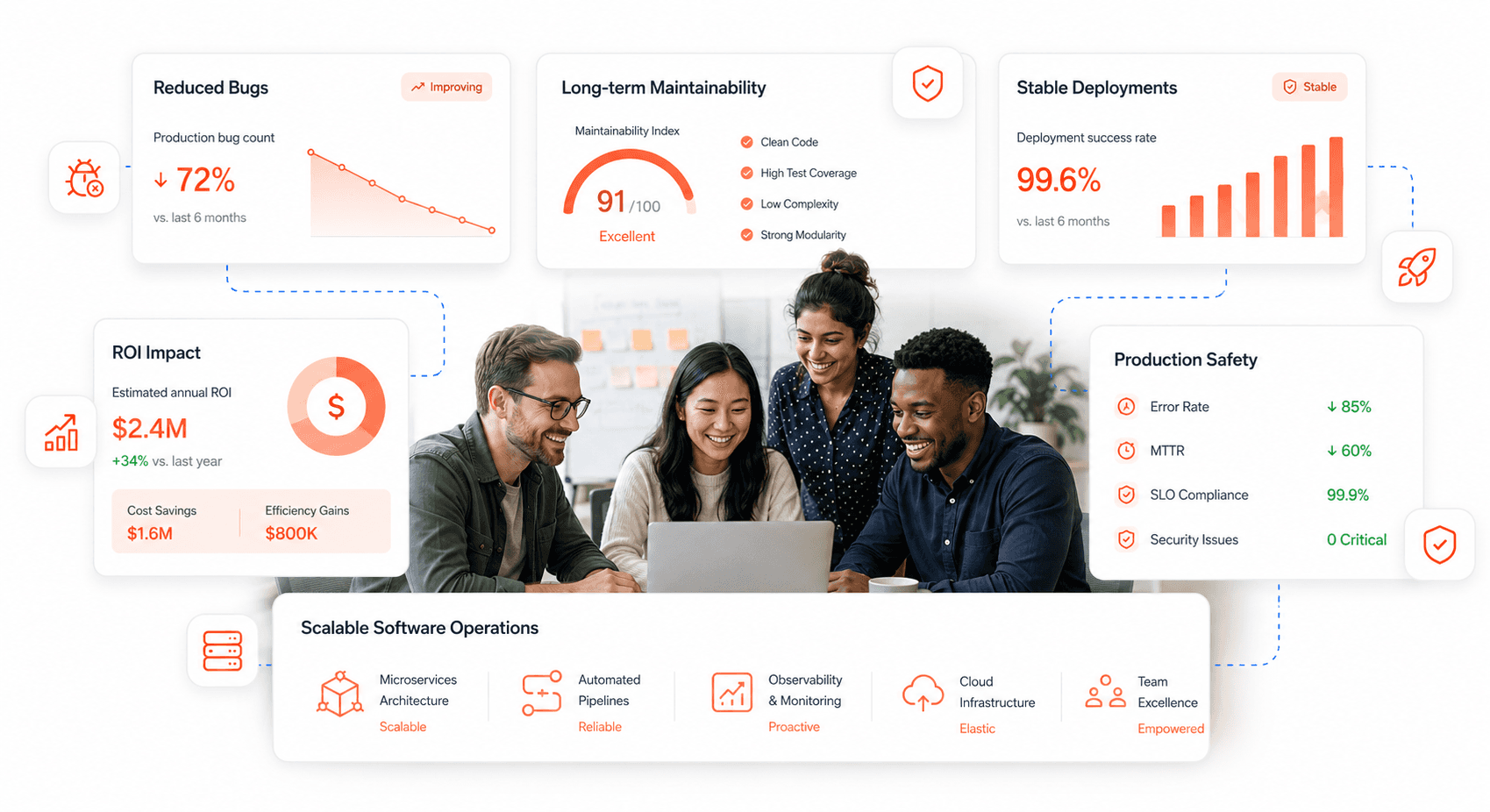
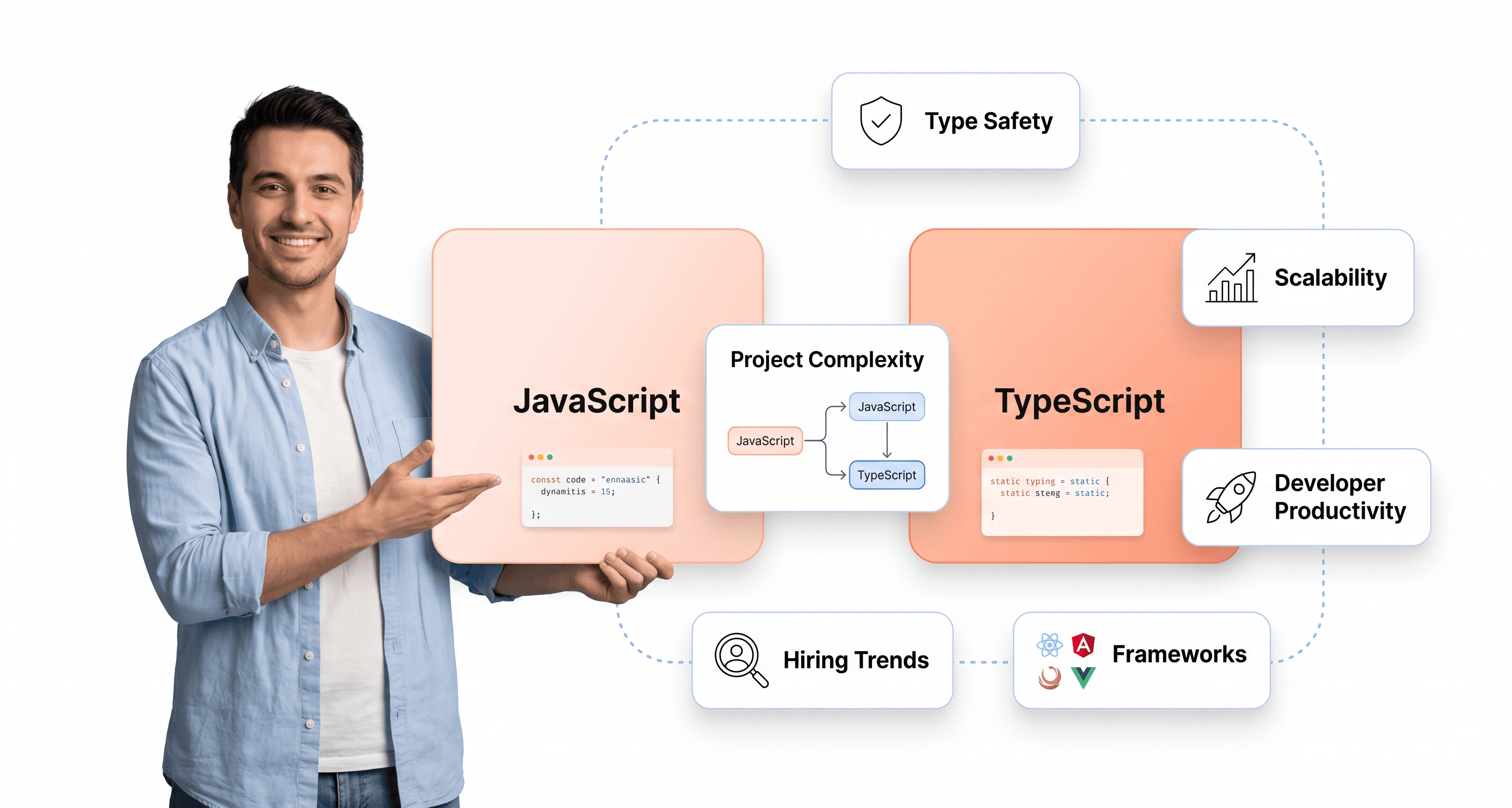
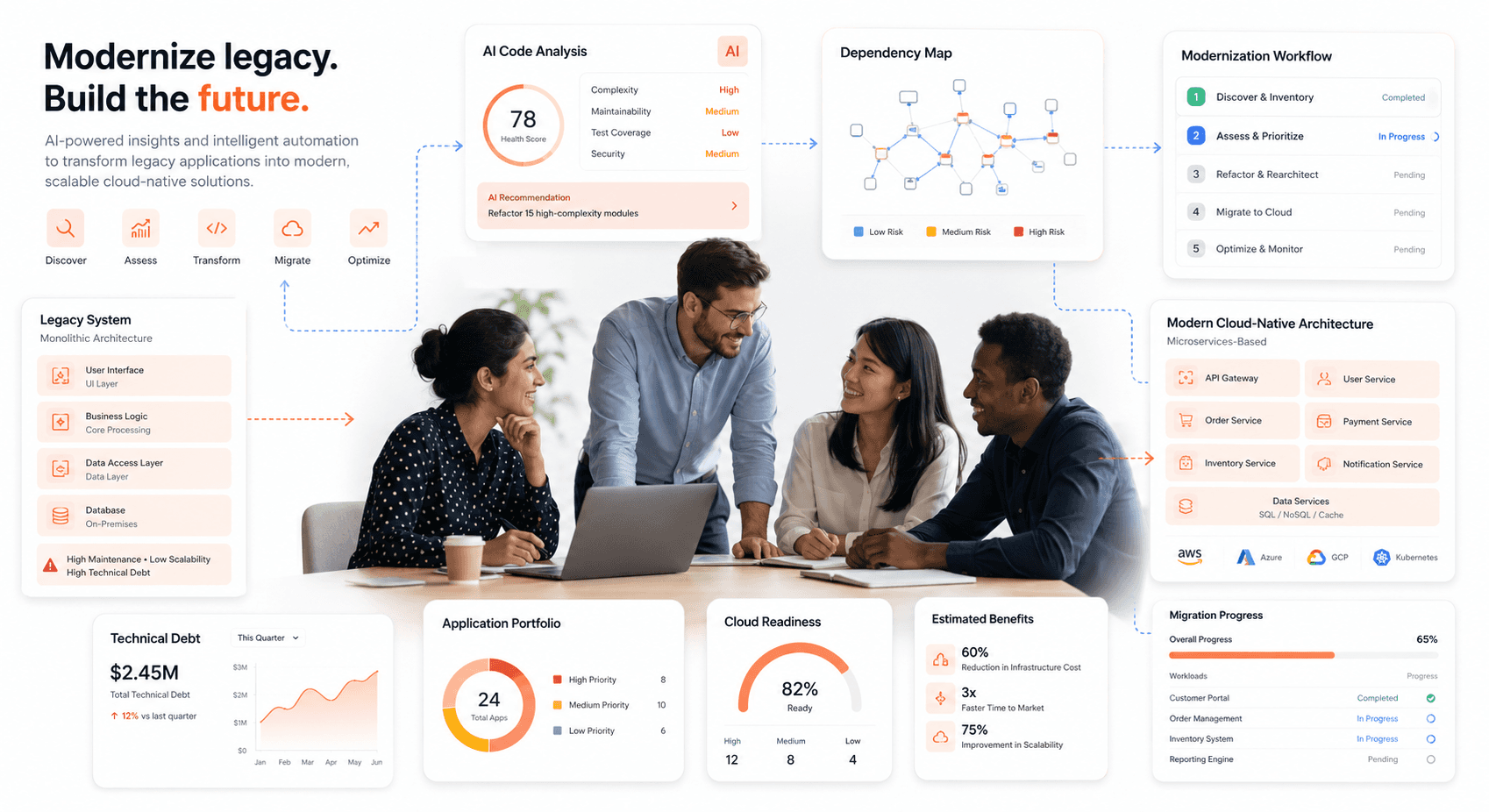
Is a clunky UI holding back your growth?
Is a clunky UI holding back your growth?
▶︎
Transform slow, frustrating dashboards into intuitive interfaces that ensure effortless user adoption.
▶︎
Transform slow, frustrating dashboards into intuitive interfaces that ensure effortless user adoption.
