
Share

Share

Blog

The Hidden Cost of Poor React Architecture in SaaS

The Hidden Cost of Poor React Architecture in SaaS

Posted on

Frontend Development

SAAS Growth

Posted at

Jan 19, 2026

Jan 19, 2026

Min read

10

I hope you found this post valuable. If you’re looking for proven frontend and design expertise to elevate your product, feel free to reach out.

I hope you found this post valuable. If you’re looking for proven frontend and design expertise to elevate your product, feel free to reach out.

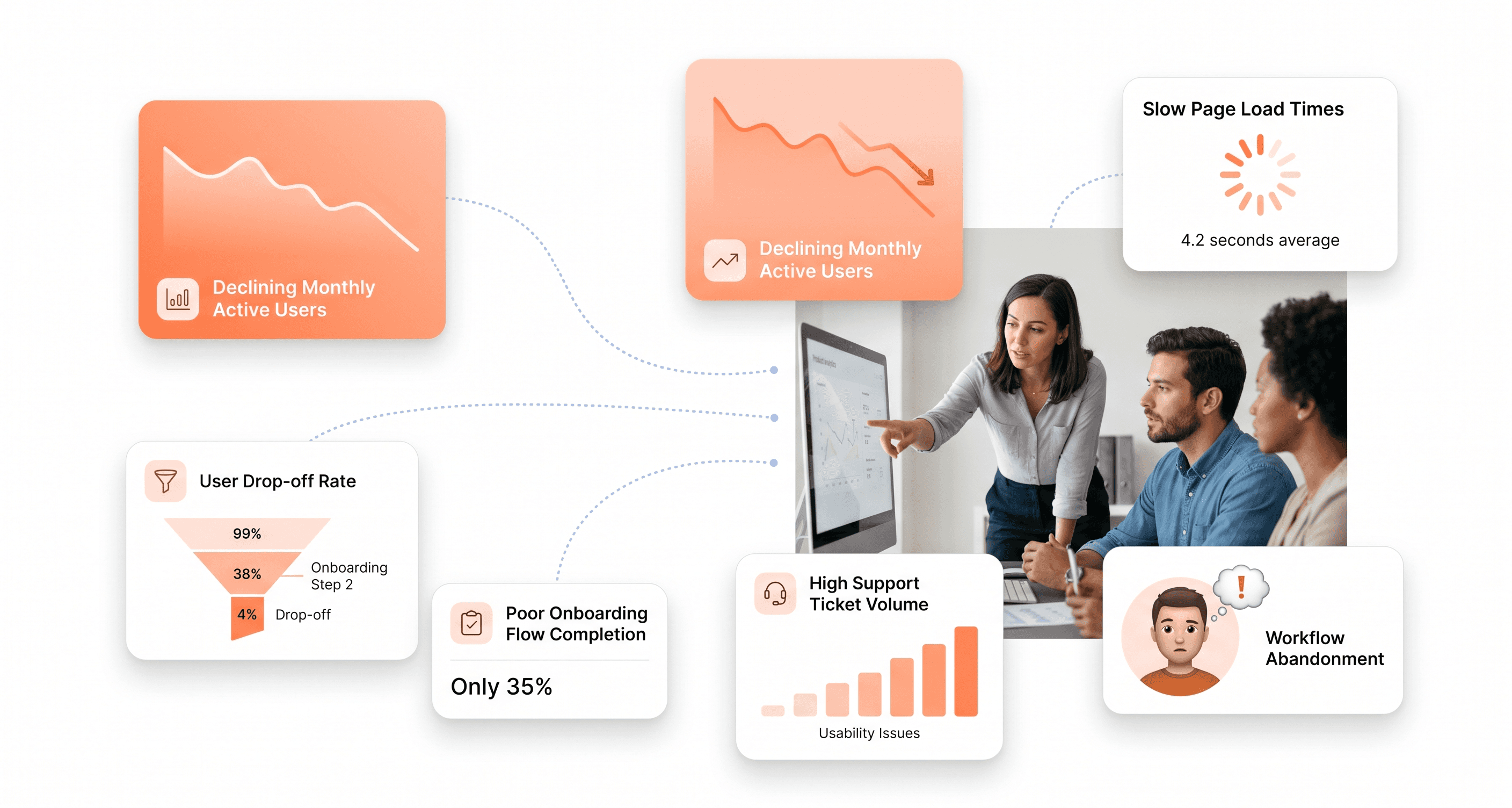
Illustration showing hidden costs of poor React architecture in a SaaS application, with UI dashboards highlighting performance, development velocity, and maintenance issues.

Poor React architecture in SaaS applications creates a cascade of hidden expenses that can cripple growth and drain resources. This guide is for SaaS founders, CTOs, and development teams who want to understand the real financial impact of architectural shortcuts before they become costly mistakes.

When React code isn't structured properly from the start, what looks like fast initial development quickly turns into a budget nightmare. Your team starts spending more time fighting the codebase than building features, performance issues drive customers away, and simple changes require extensive rewrites.

We'll explore how development velocity crashes when poor architecture makes every feature request a multi-week ordeal instead of a quick sprint. You'll see why performance bottlenecks don't just slow down your app - they actively push paying customers toward competitors who built their systems right. Finally, we'll break down the maintenance costs that pile up when developers can't understand or safely modify existing code, leading to expensive turnover and eventually forcing complete system rewrites that can set your business back months or even years.

The Silent Budget Killer: How Poor React Architecture Drains SaaS Resources

Why architectural costs stay hidden in development budgets

React architecture problems have a sneaky way of disguising themselves as other expenses in development budgets. When your team spends three days debugging what should have been a simple feature addition, that cost doesn't appear in your budget as "architectural debt repayment" – it gets categorized as regular development time. The real culprit, however, is the tangled mess of components, prop drilling through seven layers, and state management that resembles a game of Jenga where removing one piece threatens to topple the entire application.

These hidden costs manifest in seemingly unrelated budget line items. Extended QA cycles become necessary when changes in one component mysteriously break functionality elsewhere. "Unexpected bugs" consume development sprints when the architecture lacks clear boundaries and separation of concerns. What appears as normal development overhead is actually the compound interest on architectural shortcuts taken months or years earlier.

Visual explaining how poor React architecture silently increases SaaS development costs through debugging, QA delays, and recurring bugs.

The most deceptive aspect is how these costs blend seamlessly into regular project timelines. A feature that should take two days stretches to a week, but the additional time gets attributed to "complexity" rather than architectural problems. Teams find themselves constantly fighting their own codebase, but this friction rarely gets measured or reported as a distinct cost center.

The compound effect of early technical debt decisions

Technical debt in React applications doesn't accumulate linearly – it compounds exponentially. That quick fix you implemented to meet a deadline becomes the foundation for the next feature, which in turn becomes a dependency for subsequent development. Each shortcut builds upon previous shortcuts, creating a house of cards that becomes increasingly expensive to modify or extend.

Consider the evolution of a simple component that started as a basic button but gradually acquired authentication handling, global state management, and three different styling variants. What began as a 10-line component grows into a 150-line monstrosity that somehow manages authentication flows and handles analytics tracking. Each addition seemed reasonable in isolation, but collectively they create a maintenance nightmare that affects every part of the application.

The compound effect becomes particularly devastating when it reaches the architectural level. Poor initial decisions about state management propagate through every component. A hastily chosen data flow pattern influences how dozens of subsequent features get built. By the time teams recognize the problem, the cost of fixing it has grown from a few hours of refactoring to months of architectural overhaul.

This compounding nature explains why technical debt feels manageable in the early stages but suddenly becomes overwhelming. Teams often report that development velocity doesn't just slow down – it hits a wall where adding new features becomes exponentially more difficult than it should be.

How developers waste 42% of time on architectural problems

Poor React architecture creates a hidden time sink that consumes nearly half of developer productivity.This staggering 42% waste manifests in several predictable patterns that plague development teams daily. Developers spend excessive time navigating unnecessarily complex component hierarchies, trying to understand how data flows through the application, and debugging issues that stem from architectural decisions rather than business logic problems.

The time waste appears in multiple forms throughout the development cycle. Developers lose hours tracing through prop chains that span multiple component layers, trying to understand why a simple state change requires modifications in seven different files. Code reviews stretch longer because reviewers need to understand the intricate dependencies and side effects that poor architecture creates. Even experienced developers find themselves repeatedly consulting documentation or asking colleagues about the application's structure—time that should be spent building features.

Perhaps the most frustrating aspect is the time spent on "yak shaving"—those peripheral tasks that become necessary because of architectural limitations. Need to add a simple loading state? First, you must refactor the component hierarchy. Want to implement a new feature? You'll need to untangle the existing state management to avoid breaking three other unrelated features. This constant context switching and additional complexity work consumes developer mental energy and creates fatigue that extends beyond the immediate task.

The 42% figure represents not just lost productivity but lost opportunity. Time spent wrestling with architectural problems is time not spent on innovation, user experience improvements, or business value creation. It's a hidden tax that every development decision pays when the foundation isn't solid.

Development Velocity Crashes: When Features Take Weeks Instead of Days

Tangled Dependencies That Paralyze Feature Development

When React applications grow without proper architectural planning, component dependencies become a web of interconnected relationships that make simple changes incredibly complex. What should be a straightforward feature addition transforms into a multi-week ordeal as developers must carefully trace through layers of coupled components.

These tangled dependencies manifest when components directly import and rely on dozens of other components, creating a cascade effect where changing one element requires understanding and potentially modifying numerous others. The profiling data reveals this bottleneck clearly - what appears as excessive render cycles in Chrome DevTools often stems from unnecessary re-renders triggered by poorly structured component hierarchies.

Monolithic React Apps That Require System-Wide Testing for Simple Changes

The reference content highlights how performance profiling often uncovers the real culprit behind development velocity crashes: monolithic application structures that force comprehensive testing cycles for minimal changes. When React applications are built as single, massive bundles without proper code splitting or modular architecture, even adding a simple button component can trigger system-wide effects.

Using React DevTools Profiler, teams frequently discover that their "simple" changes actually cause multiple commits and re-renders across unrelated parts of the application. This happens because monolithic structures create shared state dependencies and prop drilling patterns that connect seemingly unrelated features. The Performance tab in Chrome DevTools reveals the true scope of these impacts—showing how a single interaction can trigger hundreds of unnecessary component updates.

Fear-Driven Development Where Teams Avoid Touching Existing Code

The profiling insights from the reference content demonstrate a critical psychological shift that occurs in poorly architected React applications. When developers consistently encounter performance bottlenecks and unexpected re-render cascades, they develop an aversion to modifying existing code. This fear-driven approach emerges from repeated experiences where "simple" changes resulted in breaking multiple features.

Teams begin creating workarounds instead of refactoring problematic areas, leading to code duplication and increasingly complex solutions. The React Profiler data often shows this pattern - newer features performing efficiently while legacy components exhibit unnecessary re-renders and heavy computation cycles. Why-Did-You-Render libraries become essential tools not for optimization, but for basic code comprehension as developers struggle to understand why touching Component A affects Component Z.

This fear-based development cycle becomes self-perpetuating: the more developers avoid refactoring problematic code, the more tangled and performance-heavy it becomes, further reinforcing the reluctance to make necessary improvements.

Diagram showing how tangled React dependencies slow development velocity, turning simple feature updates into multi-week engineering efforts.

Performance Bottlenecks That Drive Customers Away

Bloated React Components Causing Slow Load Times

Bloated React components represent one of the most significant threats to SaaS application performance. When components become unnecessarily large and complex, they directly impact user experience through extended load times and sluggish interactions. The engineering team at Housing.com discovered that poorly optimized components were causing their meaningful content to load 3 seconds slower on normal 3G networks.

The root cause often lies in how developers structure their component hierarchy. When higher-order components handle complex rendering operations without proper optimization, they create a cascade of performance issues throughout the application. Yahoo's engineering team experienced this firsthand when their main page component, located at the top of their tree structure, caused UI clogging while rendering large datasets.

These bloated components typically manifest through excessive DOM manipulation, unnecessary API calls within render cycles, and complex nested structures that force React's diff algorithm to work overtime. The Virtual DOM, while generally efficient, can become a performance bottleneck when components are poorly architected. React's diff algorithm may end up rendering entire subtrees instead of just the relevant components that actually need updates, leading to what developers call "wasted renders."

Illustration of React performance bottlenecks causing slow load times, unnecessary re-renders, and user drop-offs in SaaS products.

Poor State Management Creating Unnecessary Re-renders

Poor state management stands as the primary culprit behind unnecessary re-renders that devastate SaaS application performance. When state changes trigger re-renders that lead to further state changes, applications enter infinite loops that consume excessive CPU and memory resources.

The most problematic scenarios occur when developers mismanage the useEffect hook's dependency model. Every value referenced inside an effect must be declared in its dependency array, but developers often misunderstand this rule or rely on stale values. This creates effects that run at unexpected times, causing cascade failures throughout the application. Cloudflare's dashboard infamously demonstrated this issue when a misconfigured effect repeatedly called its own API, leading to serious service disruptions.

In Redux-based React applications, components subscribed to the Redux store often re-render unnecessarily, slowing down the entire application. Yahoo faced similar performance issues where components were re-rendering even after implementing shouldComponentUpdate. The problem becomes exponentially worse in complex applications where states and updates flow everywhere, creating a web of unnecessary renders that throttle application performance.

React 19.2 introduces useEffectEvent to address these challenges by separating side effects from stateful logic. This new hook allows developers to define event handlers that always see the latest state and props without triggering the parent effect when they change, significantly reducing unnecessary re-runs.

Missing Code-Splitting and Lazy Loading Strategies

The absence of proper code-splitting and lazy loading strategies creates massive performance bottlenecks that directly drive customers away from SaaS applications. When applications load unnecessary code upfront, they dramatically increase bundle sizes and extend initial load times beyond user tolerance thresholds.

Pinterest's engineering team provides a compelling case study of these issues. Before implementing code-splitting, their application bundles weighed 650KB and took 23 seconds to load. By utilizing code-splitting techniques that broke JavaScript bundles into three categories, they reduced bundle size to 150KB and improved loading time from 23 seconds to 6.5 seconds – a transformative improvement that prevented customer churn.

The core problem emerges when single-page applications load code for features users may never access. Loading admin panel code when displaying a landing page exemplifies this inefficiency. Code-splitting addresses this by allowing applications to "lazy-load" only the components currently needed by users.

React Loadable library and webpack's CommonsChunkPlugin offer practical solutions for implementing code-splitting strategies. Additionally, lazy loading extends beyond code to images and other heavy resources. Images represent the heaviest resources users may never see until pages fully load, leading to data wastage and unnecessary consumption of device resources and battery life.

Pinterest implemented progressive lazy loading techniques using placeholders that initially appear blurred but load completely once pages finish loading. The React Lazyload library provides similar functionality for React applications, ensuring resources load only when needed rather than during initial page loads.

The Maintenance Nightmare: Higher Costs and Developer Turnover

Spaghetti Code That Only Senior Developers Can Understand

Poor React architecture inevitably leads to tangled codebases where components are tightly coupled, business logic is scattered throughout the UI layer, and state management becomes an incomprehensible maze. When React applications lack proper structure—with components directly manipulating DOM elements, props drilling through multiple levels, and side effects mixed with rendering logic—the resulting code becomes so complex that only the most experienced developers can navigate it effectively.

This creates an immediate bottleneck in development teams. Junior and mid-level developers, who typically earn $79,479 to $90,837 annually according to current market data, become unable to contribute meaningfully to the codebase. Organizations find themselves forced to assign only senior developers (earning $96,850+ base salary) to even simple feature requests, dramatically increasing the cost per feature delivered.

The financial impact compounds quickly. When a simple bug fix that should take a junior developer 2 hours instead requires a senior developer's attention for 6 hours due to code complexity, the hourly cost jumps from approximately $38 to $46—a 21% increase in immediate costs, not accounting for opportunity costs of having senior talent tied up on routine maintenance.

Component Duplication Leading to Inconsistent User Experiences

Previously, we've examined how architectural problems create technical debt, but the user-facing consequences are equally damaging. Poor React architecture typically results in widespread component duplication, where developers create new components instead of reusing existing ones due to the complexity of extracting and refactoring shared functionality from the tangled codebase.

This duplication manifests in multiple ways: similar button components with slightly different styling, form inputs with inconsistent validation logic, and modal dialogs that behave differently across the application. Each duplicated component requires separate maintenance, testing, and updates, multiplying development costs exponentially.

The consistency issues directly impact user experience and brand perception. When users encounter different button behaviors, inconsistent form validation messages, or varying modal interactions throughout the application, it creates confusion and reduces user confidence in the product. For SaaS companies, where user experience directly correlates with retention rates, these inconsistencies can lead to measurable churn increases.

From a development cost perspective, component duplication means that a single design system update might require changes across dozens of similar-but-different components. What should be a one-hour change becomes a week-long project involving multiple developers, extensive testing, and careful coordination to ensure all variants are updated consistently.

Knowledge Drain When Frustrated Developers Leave Messy Codebases

With this in mind, next, we'll examine how architectural problems create a vicious cycle of developer turnover that compounds maintenance costs. Talented React developers, particularly those earning competitive rates in the $70-150/hour range globally, actively seek positions where they can work with modern, well-structured codebases that allow them to grow professionally and deliver value efficiently.

When developers encounter poorly architected React applications—with circular dependencies, unclear data flows, and unmaintainable component hierarchies—job satisfaction plummets rapidly. The reference data shows that React developers with 4-6 years of experience command average salaries of $139,232 annually, indicating high market demand for their skills. These professionals have numerous opportunities and will readily leave organizations where technical debt makes their daily work frustrating and unproductive.

The knowledge drain becomes particularly costly when departing developers take with them the tribal knowledge needed to navigate the messy codebase. In poorly architected applications, much of the critical understanding exists only in developers' heads—why certain workarounds were implemented, which components have hidden dependencies, and how various parts of the system interact. When these developers leave, replacement developers face steep learning curves that can extend onboarding time from the typical 2-3 weeks to 6-8 weeks or longer.

Organizations then face a dual cost burden: paying premium rates to attract replacement senior developers (often 20-30% above previous salaries due to competitive market conditions) while simultaneously paying for extended onboarding periods where new developers produce minimal value. The total cost of replacing a single senior React developer in a messy codebase can easily exceed $50,000 when factoring in recruitment fees, onboarding time, and reduced team productivity during the transition.

Visualization of messy React code architecture leading to high maintenance costs, senior-developer dependency, and poor team scalability.

Customer Experience Damage: How Architecture Problems Reach End Users

Slow loading times reducing conversions by up to 20%

Poor React architecture directly translates to devastating loading performance that hits your bottom line hard. The data is unforgiving: even a single second delay in website load time can lead to a 20% decrease in mobile traffic, directly impacting your potential customer base and revenue streams.

When React applications are poorly architected with inefficient component structures, unnecessary re-renders, and bloated bundle sizes, the cascade effect on user behavior becomes immediately apparent. Four in ten people will stop engaging with a website when it takes too long to load, meaning nearly half of your potential customers abandon their journey before even experiencing your product's value proposition.

The financial impact extends beyond immediate traffic losses. Companies with poorly performing applications face a leaky funnel scenario where increased marketing spend is required to compensate for high abandonment rates. This creates an unsustainable cycle where customer acquisition costs skyrocket while conversion rates plummet, making it increasingly difficult to maintain profitability and growth targets.

Inconsistent UI behavior destroying user trust

Previously, we've examined how loading times impact user acquisition, but inconsistent user interface behavior presents an even more insidious threat to customer relationships. When React architecture lacks proper state management, component lifecycle handling, and consistent design patterns, users experience unpredictable behaviors that fundamentally undermine their confidence in your platform.

Research reveals that 66% of customers would not purchase from a company again after experiencing poor user interactions, while 53% actively share their negative experiences with others. This amplification effect means that architectural inconsistencies don't just lose individual customers – they create ripple effects that damage your reputation across potential customer networks.

The psychological impact of inconsistent UI behavior cannot be understated. When buttons don't respond predictably, forms behave differently across pages, or interface elements appear and disappear unpredictably due to poor component architecture, users develop a fundamental mistrust of your platform's reliability. This erosion of confidence often proves more damaging than temporary performance issues, as it affects users' willingness to input sensitive information, complete transactions, or recommend your service to others.

System instability damaging brand reputation and causing churn

Now that we have covered inconsistent behavior patterns, system instability represents the most severe manifestation of poor React architecture's impact on customer experience. When architectural foundations are weak, the resulting application crashes, unexpected errors, and feature failures create a perception that your company doesn't care about user experience – a perception that drives 68% of users to abandon applications entirely.

The brand reputation damage from system instability compounds over time. According to research, 13% of users will tell fifteen people or more about negative experiences they encounter on brand websites. In today's interconnected digital landscape, where social media and review platforms amplify customer voices, a single architectural failure can cascade into widespread reputation damage that takes months or years to repair.

The financial implications extend far beyond immediate customer churn. Technical debt accumulation from poor architectural decisions creates a vicious cycle where system instability increases, requiring emergency fixes that further compromise code quality. Studies indicate that companies face average costs of $4.24 million from system breaches and failures, including direct financial losses, business disruption, legal fees, and long-term reputation repair efforts.

With this in mind, the ultimate cost becomes clear: system instability doesn't just drive individual customer departures – it creates market perception that your platform is unreliable, making it exponentially harder to acquire new customers while simultaneously increasing the resources required to retain existing ones

Graphic showing how inconsistent React UI behavior and slow performance damage user trust and increase SaaS customer churn.

The Ultimate Price: Complete System Rewrites and Lost Market Position

When adding features becomes impossible with existing architecture

Now that we have covered the mounting costs of poor maintenance and performance issues, the most catastrophic consequence emerges when the technical debt becomes so overwhelming that adding new features becomes virtually impossible. At this critical juncture, development teams find themselves trapped in an architectural prison of their own making, where every attempted enhancement requires extensive workarounds that compromise system stability.

The complexity of poorly structured React applications reaches a breaking point where even minor feature additions demand extensive refactoring of existing components. This occurs when components have become tightly coupled, state management is scattered throughout the application, and the codebase lacks proper separation of concerns. Development teams report that simple features that should take days to implement stretch into weeks or months of development time.

The 18-month rebuild cycle that lets competitors overtake market share

Previously mentioned performance bottlenecks and maintenance nightmares culminate in the ultimate business disaster: complete system rewrites. Industry data reveals that SaaS companies typically face an 18-month rebuild cycle when their React architecture becomes unsalvageable. During this extended period, development resources are entirely consumed by reconstruction efforts, leaving no capacity for competitive feature development or market expansion.

This rebuild timeline is particularly devastating in competitive SaaS markets where agility determines market position. While companies struggle through architectural reconstruction, competitors continue advancing their feature sets and capturing market share. The 18-month window represents not just development time lost, but potentially years of market positioning that may never be recovered.

The rebuild process itself presents numerous challenges beyond the time investment. Development teams must maintain the existing broken system while simultaneously building its replacement, creating parallel development streams that strain resources and introduce additional complexity.

Double maintenance costs while running parallel systems

With this in mind, the most financially devastating aspect of complete rewrites involves running parallel systems during the transition period. Companies must maintain their existing React application to serve current customers while dedicating resources to building the replacement system. This dual maintenance requirement effectively doubles development costs during the most critical period of the company's evolution.

The parallel system approach requires maintaining two separate codebases, each with their own bug fixes, security updates, and customer support requirements. Development teams report spending 60-70% of their time maintaining the legacy system while trying to advance the new architecture. This creates a resource allocation nightmare where neither system receives adequate attention.

Customer data migration between systems adds another layer of complexity and cost. Companies must develop sophisticated migration strategies that ensure data integrity while minimizing service disruption. These migration efforts often require specialized expertise and additional infrastructure investments that further inflate the total cost of the rebuild process.

The financial impact extends beyond direct development costs to include opportunity costs from delayed feature releases, potential customer churn during system transitions, and the competitive disadvantage created by extended development cycles focused on reconstruction rather than innovation.

Prevention Strategies: Building Scalable React Architecture for SaaS Growth

Modular component design that supports rapid feature development

Now that we've examined the costs of poor architecture, let's explore how modular component design accelerates development velocity. The Container and Presentational Components pattern forms the backbone of scalable React architecture. Container components handle data fetching, state management, and business logic, while Presentational components focus solely on rendering UI based on props received. This separation enables teams to work independently on logic and presentation layers.

Feature-based folder structure promotes modularity and clear ownership. Organize files by feature, keeping related components, tests, and styles in the same folder:


Component composition builds complex UI by combining simpler, reusable components. This approach promotes reusability and simplifies testing. Higher-Order Components (HOCs) and Render Props patterns enable sharing stateful logic between components, reducing code duplication across features.

Domain-Driven Design (DDD) structure aligns code with business domains, mapping directly to business logic and making maintenance easier for complex applications where domain boundaries are well-defined.

Clean state management with predictable data flows

With modular components established, clean state management becomes critical for preventing prop drilling nightmares. React's Context API effectively manages state that multiple components need to access:

const UserContext = createContext();
const UserProvider = ({ children }) => {
  const [user, setUser]

For more complex state scenarios, choose appropriate libraries based on your needs:

Use Case

Recommended Solution

When to Use

Small, app-wide state

Context API

Simple global state

Server-state management

React Query

API data with caching

Complex business logic

Redux Toolkit/Zustand

Large state with intricate logic

Service layers decouple API calls from components, creating predictable data flows. Custom hooks encapsulate business logic, separating concerns between data management and presentation.

Performance optimization through proper code-splitting and testing

Previously, we've seen how architecture impacts performance. CSS management strategies significantly affect scalability and maintainability. CSS Modules provide scoped styling that avoids global conflicts, while utility-first frameworks like Tailwind CSS enable faster development with consistent styling.

Implement dynamic styling using libraries like clsx for conditional classnames. Establish theming systems early to maintain design consistency across features. The Atomic Design structure encourages component reusability with atoms (basic elements like buttons), molecules (form components), and organisms (complex components like headers).

Documentation and architectural decision records for team continuity

With performance optimization in place, documentation becomes essential for maintaining architectural integrity across team changes. Architectural Decision Records (ADRs) capture the reasoning behind structural choices, enabling future developers to understand and maintain design decisions.

Document component APIs clearly, including prop types, usage examples, and integration patterns. Establish coding standards that align with your chosen architectural patterns, ensuring consistency as teams scale. Maintain feature documentation that explains business logic, data flows, and component relationships within each module.

Illustration of scalable React architecture with modular components, clean state management, and optimized performance for SaaS growth.

Create onboarding guides that demonstrate how new features should integrate with existing architecture patterns. This documentation prevents architectural drift and ensures new team members can contribute effectively while maintaining established design principles.

Conclusion

Poor React architecture in SaaS isn't just a technical problem—it's a business-critical issue that silently drains resources, slows growth, and damages customer relationships. From development velocity crashes that turn simple features into week-long projects, to performance bottlenecks that drive users away, the hidden costs compound over time. When maintenance becomes a nightmare and developer turnover increases, companies often face the ultimate price: complete system rewrites that can delay market growth by months or even years.

The good news is that these costly pitfalls are entirely preventable. By investing in scalable React architecture from the start, implementing modular design patterns, and prioritizing clean, maintainable code, SaaS companies can avoid the expensive trap of technical debt. Strong architecture isn't about over-engineering—it's about building a foundation that grows with your business instead of holding it back. Don't let poor architectural decisions become the silent tax that eats away at your SaaS success.


Poor React architecture in SaaS applications creates a cascade of hidden expenses that can cripple growth and drain resources. This guide is for SaaS founders, CTOs, and development teams who want to understand the real financial impact of architectural shortcuts before they become costly mistakes.

When React code isn't structured properly from the start, what looks like fast initial development quickly turns into a budget nightmare. Your team starts spending more time fighting the codebase than building features, performance issues drive customers away, and simple changes require extensive rewrites.

We'll explore how development velocity crashes when poor architecture makes every feature request a multi-week ordeal instead of a quick sprint. You'll see why performance bottlenecks don't just slow down your app - they actively push paying customers toward competitors who built their systems right. Finally, we'll break down the maintenance costs that pile up when developers can't understand or safely modify existing code, leading to expensive turnover and eventually forcing complete system rewrites that can set your business back months or even years.

The Silent Budget Killer: How Poor React Architecture Drains SaaS Resources

Why architectural costs stay hidden in development budgets

React architecture problems have a sneaky way of disguising themselves as other expenses in development budgets. When your team spends three days debugging what should have been a simple feature addition, that cost doesn't appear in your budget as "architectural debt repayment" – it gets categorized as regular development time. The real culprit, however, is the tangled mess of components, prop drilling through seven layers, and state management that resembles a game of Jenga where removing one piece threatens to topple the entire application.

These hidden costs manifest in seemingly unrelated budget line items. Extended QA cycles become necessary when changes in one component mysteriously break functionality elsewhere. "Unexpected bugs" consume development sprints when the architecture lacks clear boundaries and separation of concerns. What appears as normal development overhead is actually the compound interest on architectural shortcuts taken months or years earlier.

Visual explaining how poor React architecture silently increases SaaS development costs through debugging, QA delays, and recurring bugs.

The most deceptive aspect is how these costs blend seamlessly into regular project timelines. A feature that should take two days stretches to a week, but the additional time gets attributed to "complexity" rather than architectural problems. Teams find themselves constantly fighting their own codebase, but this friction rarely gets measured or reported as a distinct cost center.

The compound effect of early technical debt decisions

Technical debt in React applications doesn't accumulate linearly – it compounds exponentially. That quick fix you implemented to meet a deadline becomes the foundation for the next feature, which in turn becomes a dependency for subsequent development. Each shortcut builds upon previous shortcuts, creating a house of cards that becomes increasingly expensive to modify or extend.

Consider the evolution of a simple component that started as a basic button but gradually acquired authentication handling, global state management, and three different styling variants. What began as a 10-line component grows into a 150-line monstrosity that somehow manages authentication flows and handles analytics tracking. Each addition seemed reasonable in isolation, but collectively they create a maintenance nightmare that affects every part of the application.

The compound effect becomes particularly devastating when it reaches the architectural level. Poor initial decisions about state management propagate through every component. A hastily chosen data flow pattern influences how dozens of subsequent features get built. By the time teams recognize the problem, the cost of fixing it has grown from a few hours of refactoring to months of architectural overhaul.

This compounding nature explains why technical debt feels manageable in the early stages but suddenly becomes overwhelming. Teams often report that development velocity doesn't just slow down – it hits a wall where adding new features becomes exponentially more difficult than it should be.

How developers waste 42% of time on architectural problems

Poor React architecture creates a hidden time sink that consumes nearly half of developer productivity.This staggering 42% waste manifests in several predictable patterns that plague development teams daily. Developers spend excessive time navigating unnecessarily complex component hierarchies, trying to understand how data flows through the application, and debugging issues that stem from architectural decisions rather than business logic problems.

The time waste appears in multiple forms throughout the development cycle. Developers lose hours tracing through prop chains that span multiple component layers, trying to understand why a simple state change requires modifications in seven different files. Code reviews stretch longer because reviewers need to understand the intricate dependencies and side effects that poor architecture creates. Even experienced developers find themselves repeatedly consulting documentation or asking colleagues about the application's structure—time that should be spent building features.

Perhaps the most frustrating aspect is the time spent on "yak shaving"—those peripheral tasks that become necessary because of architectural limitations. Need to add a simple loading state? First, you must refactor the component hierarchy. Want to implement a new feature? You'll need to untangle the existing state management to avoid breaking three other unrelated features. This constant context switching and additional complexity work consumes developer mental energy and creates fatigue that extends beyond the immediate task.

The 42% figure represents not just lost productivity but lost opportunity. Time spent wrestling with architectural problems is time not spent on innovation, user experience improvements, or business value creation. It's a hidden tax that every development decision pays when the foundation isn't solid.

Development Velocity Crashes: When Features Take Weeks Instead of Days

Tangled Dependencies That Paralyze Feature Development

When React applications grow without proper architectural planning, component dependencies become a web of interconnected relationships that make simple changes incredibly complex. What should be a straightforward feature addition transforms into a multi-week ordeal as developers must carefully trace through layers of coupled components.

These tangled dependencies manifest when components directly import and rely on dozens of other components, creating a cascade effect where changing one element requires understanding and potentially modifying numerous others. The profiling data reveals this bottleneck clearly - what appears as excessive render cycles in Chrome DevTools often stems from unnecessary re-renders triggered by poorly structured component hierarchies.

Monolithic React Apps That Require System-Wide Testing for Simple Changes

The reference content highlights how performance profiling often uncovers the real culprit behind development velocity crashes: monolithic application structures that force comprehensive testing cycles for minimal changes. When React applications are built as single, massive bundles without proper code splitting or modular architecture, even adding a simple button component can trigger system-wide effects.

Using React DevTools Profiler, teams frequently discover that their "simple" changes actually cause multiple commits and re-renders across unrelated parts of the application. This happens because monolithic structures create shared state dependencies and prop drilling patterns that connect seemingly unrelated features. The Performance tab in Chrome DevTools reveals the true scope of these impacts—showing how a single interaction can trigger hundreds of unnecessary component updates.

Fear-Driven Development Where Teams Avoid Touching Existing Code

The profiling insights from the reference content demonstrate a critical psychological shift that occurs in poorly architected React applications. When developers consistently encounter performance bottlenecks and unexpected re-render cascades, they develop an aversion to modifying existing code. This fear-driven approach emerges from repeated experiences where "simple" changes resulted in breaking multiple features.

Teams begin creating workarounds instead of refactoring problematic areas, leading to code duplication and increasingly complex solutions. The React Profiler data often shows this pattern - newer features performing efficiently while legacy components exhibit unnecessary re-renders and heavy computation cycles. Why-Did-You-Render libraries become essential tools not for optimization, but for basic code comprehension as developers struggle to understand why touching Component A affects Component Z.

This fear-based development cycle becomes self-perpetuating: the more developers avoid refactoring problematic code, the more tangled and performance-heavy it becomes, further reinforcing the reluctance to make necessary improvements.

Diagram showing how tangled React dependencies slow development velocity, turning simple feature updates into multi-week engineering efforts.

Performance Bottlenecks That Drive Customers Away

Bloated React Components Causing Slow Load Times

Bloated React components represent one of the most significant threats to SaaS application performance. When components become unnecessarily large and complex, they directly impact user experience through extended load times and sluggish interactions. The engineering team at Housing.com discovered that poorly optimized components were causing their meaningful content to load 3 seconds slower on normal 3G networks.

The root cause often lies in how developers structure their component hierarchy. When higher-order components handle complex rendering operations without proper optimization, they create a cascade of performance issues throughout the application. Yahoo's engineering team experienced this firsthand when their main page component, located at the top of their tree structure, caused UI clogging while rendering large datasets.

These bloated components typically manifest through excessive DOM manipulation, unnecessary API calls within render cycles, and complex nested structures that force React's diff algorithm to work overtime. The Virtual DOM, while generally efficient, can become a performance bottleneck when components are poorly architected. React's diff algorithm may end up rendering entire subtrees instead of just the relevant components that actually need updates, leading to what developers call "wasted renders."

Illustration of React performance bottlenecks causing slow load times, unnecessary re-renders, and user drop-offs in SaaS products.

Poor State Management Creating Unnecessary Re-renders

Poor state management stands as the primary culprit behind unnecessary re-renders that devastate SaaS application performance. When state changes trigger re-renders that lead to further state changes, applications enter infinite loops that consume excessive CPU and memory resources.

The most problematic scenarios occur when developers mismanage the useEffect hook's dependency model. Every value referenced inside an effect must be declared in its dependency array, but developers often misunderstand this rule or rely on stale values. This creates effects that run at unexpected times, causing cascade failures throughout the application. Cloudflare's dashboard infamously demonstrated this issue when a misconfigured effect repeatedly called its own API, leading to serious service disruptions.

In Redux-based React applications, components subscribed to the Redux store often re-render unnecessarily, slowing down the entire application. Yahoo faced similar performance issues where components were re-rendering even after implementing shouldComponentUpdate. The problem becomes exponentially worse in complex applications where states and updates flow everywhere, creating a web of unnecessary renders that throttle application performance.

React 19.2 introduces useEffectEvent to address these challenges by separating side effects from stateful logic. This new hook allows developers to define event handlers that always see the latest state and props without triggering the parent effect when they change, significantly reducing unnecessary re-runs.

Missing Code-Splitting and Lazy Loading Strategies

The absence of proper code-splitting and lazy loading strategies creates massive performance bottlenecks that directly drive customers away from SaaS applications. When applications load unnecessary code upfront, they dramatically increase bundle sizes and extend initial load times beyond user tolerance thresholds.

Pinterest's engineering team provides a compelling case study of these issues. Before implementing code-splitting, their application bundles weighed 650KB and took 23 seconds to load. By utilizing code-splitting techniques that broke JavaScript bundles into three categories, they reduced bundle size to 150KB and improved loading time from 23 seconds to 6.5 seconds – a transformative improvement that prevented customer churn.

The core problem emerges when single-page applications load code for features users may never access. Loading admin panel code when displaying a landing page exemplifies this inefficiency. Code-splitting addresses this by allowing applications to "lazy-load" only the components currently needed by users.

React Loadable library and webpack's CommonsChunkPlugin offer practical solutions for implementing code-splitting strategies. Additionally, lazy loading extends beyond code to images and other heavy resources. Images represent the heaviest resources users may never see until pages fully load, leading to data wastage and unnecessary consumption of device resources and battery life.

Pinterest implemented progressive lazy loading techniques using placeholders that initially appear blurred but load completely once pages finish loading. The React Lazyload library provides similar functionality for React applications, ensuring resources load only when needed rather than during initial page loads.

The Maintenance Nightmare: Higher Costs and Developer Turnover

Spaghetti Code That Only Senior Developers Can Understand

Poor React architecture inevitably leads to tangled codebases where components are tightly coupled, business logic is scattered throughout the UI layer, and state management becomes an incomprehensible maze. When React applications lack proper structure—with components directly manipulating DOM elements, props drilling through multiple levels, and side effects mixed with rendering logic—the resulting code becomes so complex that only the most experienced developers can navigate it effectively.

This creates an immediate bottleneck in development teams. Junior and mid-level developers, who typically earn $79,479 to $90,837 annually according to current market data, become unable to contribute meaningfully to the codebase. Organizations find themselves forced to assign only senior developers (earning $96,850+ base salary) to even simple feature requests, dramatically increasing the cost per feature delivered.

The financial impact compounds quickly. When a simple bug fix that should take a junior developer 2 hours instead requires a senior developer's attention for 6 hours due to code complexity, the hourly cost jumps from approximately $38 to $46—a 21% increase in immediate costs, not accounting for opportunity costs of having senior talent tied up on routine maintenance.

Component Duplication Leading to Inconsistent User Experiences

Previously, we've examined how architectural problems create technical debt, but the user-facing consequences are equally damaging. Poor React architecture typically results in widespread component duplication, where developers create new components instead of reusing existing ones due to the complexity of extracting and refactoring shared functionality from the tangled codebase.

This duplication manifests in multiple ways: similar button components with slightly different styling, form inputs with inconsistent validation logic, and modal dialogs that behave differently across the application. Each duplicated component requires separate maintenance, testing, and updates, multiplying development costs exponentially.

The consistency issues directly impact user experience and brand perception. When users encounter different button behaviors, inconsistent form validation messages, or varying modal interactions throughout the application, it creates confusion and reduces user confidence in the product. For SaaS companies, where user experience directly correlates with retention rates, these inconsistencies can lead to measurable churn increases.

From a development cost perspective, component duplication means that a single design system update might require changes across dozens of similar-but-different components. What should be a one-hour change becomes a week-long project involving multiple developers, extensive testing, and careful coordination to ensure all variants are updated consistently.

Knowledge Drain When Frustrated Developers Leave Messy Codebases

With this in mind, next, we'll examine how architectural problems create a vicious cycle of developer turnover that compounds maintenance costs. Talented React developers, particularly those earning competitive rates in the $70-150/hour range globally, actively seek positions where they can work with modern, well-structured codebases that allow them to grow professionally and deliver value efficiently.

When developers encounter poorly architected React applications—with circular dependencies, unclear data flows, and unmaintainable component hierarchies—job satisfaction plummets rapidly. The reference data shows that React developers with 4-6 years of experience command average salaries of $139,232 annually, indicating high market demand for their skills. These professionals have numerous opportunities and will readily leave organizations where technical debt makes their daily work frustrating and unproductive.

The knowledge drain becomes particularly costly when departing developers take with them the tribal knowledge needed to navigate the messy codebase. In poorly architected applications, much of the critical understanding exists only in developers' heads—why certain workarounds were implemented, which components have hidden dependencies, and how various parts of the system interact. When these developers leave, replacement developers face steep learning curves that can extend onboarding time from the typical 2-3 weeks to 6-8 weeks or longer.

Organizations then face a dual cost burden: paying premium rates to attract replacement senior developers (often 20-30% above previous salaries due to competitive market conditions) while simultaneously paying for extended onboarding periods where new developers produce minimal value. The total cost of replacing a single senior React developer in a messy codebase can easily exceed $50,000 when factoring in recruitment fees, onboarding time, and reduced team productivity during the transition.

Visualization of messy React code architecture leading to high maintenance costs, senior-developer dependency, and poor team scalability.

Customer Experience Damage: How Architecture Problems Reach End Users

Slow loading times reducing conversions by up to 20%

Poor React architecture directly translates to devastating loading performance that hits your bottom line hard. The data is unforgiving: even a single second delay in website load time can lead to a 20% decrease in mobile traffic, directly impacting your potential customer base and revenue streams.

When React applications are poorly architected with inefficient component structures, unnecessary re-renders, and bloated bundle sizes, the cascade effect on user behavior becomes immediately apparent. Four in ten people will stop engaging with a website when it takes too long to load, meaning nearly half of your potential customers abandon their journey before even experiencing your product's value proposition.

The financial impact extends beyond immediate traffic losses. Companies with poorly performing applications face a leaky funnel scenario where increased marketing spend is required to compensate for high abandonment rates. This creates an unsustainable cycle where customer acquisition costs skyrocket while conversion rates plummet, making it increasingly difficult to maintain profitability and growth targets.

Inconsistent UI behavior destroying user trust

Previously, we've examined how loading times impact user acquisition, but inconsistent user interface behavior presents an even more insidious threat to customer relationships. When React architecture lacks proper state management, component lifecycle handling, and consistent design patterns, users experience unpredictable behaviors that fundamentally undermine their confidence in your platform.

Research reveals that 66% of customers would not purchase from a company again after experiencing poor user interactions, while 53% actively share their negative experiences with others. This amplification effect means that architectural inconsistencies don't just lose individual customers – they create ripple effects that damage your reputation across potential customer networks.

The psychological impact of inconsistent UI behavior cannot be understated. When buttons don't respond predictably, forms behave differently across pages, or interface elements appear and disappear unpredictably due to poor component architecture, users develop a fundamental mistrust of your platform's reliability. This erosion of confidence often proves more damaging than temporary performance issues, as it affects users' willingness to input sensitive information, complete transactions, or recommend your service to others.

System instability damaging brand reputation and causing churn

Now that we have covered inconsistent behavior patterns, system instability represents the most severe manifestation of poor React architecture's impact on customer experience. When architectural foundations are weak, the resulting application crashes, unexpected errors, and feature failures create a perception that your company doesn't care about user experience – a perception that drives 68% of users to abandon applications entirely.

The brand reputation damage from system instability compounds over time. According to research, 13% of users will tell fifteen people or more about negative experiences they encounter on brand websites. In today's interconnected digital landscape, where social media and review platforms amplify customer voices, a single architectural failure can cascade into widespread reputation damage that takes months or years to repair.

The financial implications extend far beyond immediate customer churn. Technical debt accumulation from poor architectural decisions creates a vicious cycle where system instability increases, requiring emergency fixes that further compromise code quality. Studies indicate that companies face average costs of $4.24 million from system breaches and failures, including direct financial losses, business disruption, legal fees, and long-term reputation repair efforts.

With this in mind, the ultimate cost becomes clear: system instability doesn't just drive individual customer departures – it creates market perception that your platform is unreliable, making it exponentially harder to acquire new customers while simultaneously increasing the resources required to retain existing ones

Graphic showing how inconsistent React UI behavior and slow performance damage user trust and increase SaaS customer churn.

The Ultimate Price: Complete System Rewrites and Lost Market Position

When adding features becomes impossible with existing architecture

Now that we have covered the mounting costs of poor maintenance and performance issues, the most catastrophic consequence emerges when the technical debt becomes so overwhelming that adding new features becomes virtually impossible. At this critical juncture, development teams find themselves trapped in an architectural prison of their own making, where every attempted enhancement requires extensive workarounds that compromise system stability.

The complexity of poorly structured React applications reaches a breaking point where even minor feature additions demand extensive refactoring of existing components. This occurs when components have become tightly coupled, state management is scattered throughout the application, and the codebase lacks proper separation of concerns. Development teams report that simple features that should take days to implement stretch into weeks or months of development time.

The 18-month rebuild cycle that lets competitors overtake market share

Previously mentioned performance bottlenecks and maintenance nightmares culminate in the ultimate business disaster: complete system rewrites. Industry data reveals that SaaS companies typically face an 18-month rebuild cycle when their React architecture becomes unsalvageable. During this extended period, development resources are entirely consumed by reconstruction efforts, leaving no capacity for competitive feature development or market expansion.

This rebuild timeline is particularly devastating in competitive SaaS markets where agility determines market position. While companies struggle through architectural reconstruction, competitors continue advancing their feature sets and capturing market share. The 18-month window represents not just development time lost, but potentially years of market positioning that may never be recovered.

The rebuild process itself presents numerous challenges beyond the time investment. Development teams must maintain the existing broken system while simultaneously building its replacement, creating parallel development streams that strain resources and introduce additional complexity.

Double maintenance costs while running parallel systems

With this in mind, the most financially devastating aspect of complete rewrites involves running parallel systems during the transition period. Companies must maintain their existing React application to serve current customers while dedicating resources to building the replacement system. This dual maintenance requirement effectively doubles development costs during the most critical period of the company's evolution.

The parallel system approach requires maintaining two separate codebases, each with their own bug fixes, security updates, and customer support requirements. Development teams report spending 60-70% of their time maintaining the legacy system while trying to advance the new architecture. This creates a resource allocation nightmare where neither system receives adequate attention.

Customer data migration between systems adds another layer of complexity and cost. Companies must develop sophisticated migration strategies that ensure data integrity while minimizing service disruption. These migration efforts often require specialized expertise and additional infrastructure investments that further inflate the total cost of the rebuild process.

The financial impact extends beyond direct development costs to include opportunity costs from delayed feature releases, potential customer churn during system transitions, and the competitive disadvantage created by extended development cycles focused on reconstruction rather than innovation.

Prevention Strategies: Building Scalable React Architecture for SaaS Growth

Modular component design that supports rapid feature development

Now that we've examined the costs of poor architecture, let's explore how modular component design accelerates development velocity. The Container and Presentational Components pattern forms the backbone of scalable React architecture. Container components handle data fetching, state management, and business logic, while Presentational components focus solely on rendering UI based on props received. This separation enables teams to work independently on logic and presentation layers.

Feature-based folder structure promotes modularity and clear ownership. Organize files by feature, keeping related components, tests, and styles in the same folder:


Component composition builds complex UI by combining simpler, reusable components. This approach promotes reusability and simplifies testing. Higher-Order Components (HOCs) and Render Props patterns enable sharing stateful logic between components, reducing code duplication across features.

Domain-Driven Design (DDD) structure aligns code with business domains, mapping directly to business logic and making maintenance easier for complex applications where domain boundaries are well-defined.

Clean state management with predictable data flows

With modular components established, clean state management becomes critical for preventing prop drilling nightmares. React's Context API effectively manages state that multiple components need to access:

const UserContext = createContext();
const UserProvider = ({ children }) => {
  const [user, setUser]

For more complex state scenarios, choose appropriate libraries based on your needs:

Use Case

Recommended Solution

When to Use

Small, app-wide state

Context API

Simple global state

Server-state management

React Query

API data with caching

Complex business logic

Redux Toolkit/Zustand

Large state with intricate logic

Service layers decouple API calls from components, creating predictable data flows. Custom hooks encapsulate business logic, separating concerns between data management and presentation.

Performance optimization through proper code-splitting and testing

Previously, we've seen how architecture impacts performance. CSS management strategies significantly affect scalability and maintainability. CSS Modules provide scoped styling that avoids global conflicts, while utility-first frameworks like Tailwind CSS enable faster development with consistent styling.

Implement dynamic styling using libraries like clsx for conditional classnames. Establish theming systems early to maintain design consistency across features. The Atomic Design structure encourages component reusability with atoms (basic elements like buttons), molecules (form components), and organisms (complex components like headers).

Documentation and architectural decision records for team continuity

With performance optimization in place, documentation becomes essential for maintaining architectural integrity across team changes. Architectural Decision Records (ADRs) capture the reasoning behind structural choices, enabling future developers to understand and maintain design decisions.

Document component APIs clearly, including prop types, usage examples, and integration patterns. Establish coding standards that align with your chosen architectural patterns, ensuring consistency as teams scale. Maintain feature documentation that explains business logic, data flows, and component relationships within each module.

Illustration of scalable React architecture with modular components, clean state management, and optimized performance for SaaS growth.

Create onboarding guides that demonstrate how new features should integrate with existing architecture patterns. This documentation prevents architectural drift and ensures new team members can contribute effectively while maintaining established design principles.

Conclusion

Poor React architecture in SaaS isn't just a technical problem—it's a business-critical issue that silently drains resources, slows growth, and damages customer relationships. From development velocity crashes that turn simple features into week-long projects, to performance bottlenecks that drive users away, the hidden costs compound over time. When maintenance becomes a nightmare and developer turnover increases, companies often face the ultimate price: complete system rewrites that can delay market growth by months or even years.

The good news is that these costly pitfalls are entirely preventable. By investing in scalable React architecture from the start, implementing modular design patterns, and prioritizing clean, maintainable code, SaaS companies can avoid the expensive trap of technical debt. Strong architecture isn't about over-engineering—it's about building a foundation that grows with your business instead of holding it back. Don't let poor architectural decisions become the silent tax that eats away at your SaaS success.
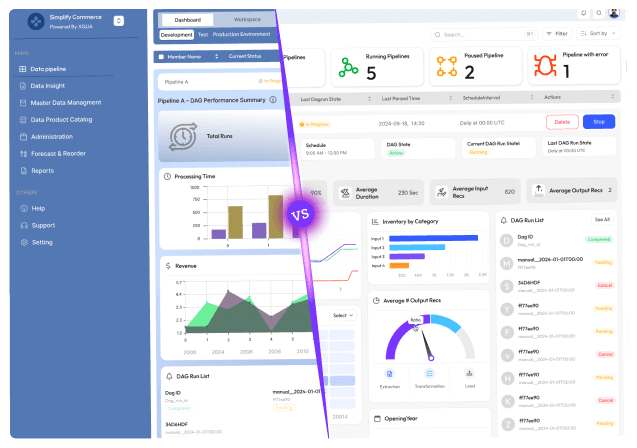
Learn how poor React architecture raises SaaS costs, slows development, hurts performance, drives churn, and forces system rewrites.

Stuck with slow releases and high IT costs?

▶︎

Launch 2.5x faster with our AI-driven frontend workflows, specialized for SaaS.

▶︎

Cut IT costs by up to 50% and boost user adoption by 2x with our proprietary frameworks.

Stuck with slow releases and high IT costs?

▶︎

Launch 2.5x faster with our AI-driven frontend workflows, specialized for SaaS.

▶︎

Cut IT costs by up to 50% and boost user adoption by 2x with our proprietary frameworks.

Stuck with slow releases and high IT costs?

▶︎

Launch 2.5x faster with our AI-driven frontend workflows, specialized for SaaS.

▶︎

Cut IT costs by up to 50% and boost user adoption by 2x with our proprietary frameworks.

Frequently Asked Questions

We're ready to answer your questions

Slow releases, clunky dashboards, and frustrated users? You've got questions about how to fix them. We have the Frontend-First answers that unlock growth. Let's talk solutions.

React architecture debt refers to structural weaknesses in your codebase — such as bloated components, inconsistent state management, and unclear boundaries — that make the app harder to maintain, slower to develop on, and prone to bugs as it scales. Teams without documented guidelines often take ~34% longer to add changes due to architectural drift.

Answer

What is React architecture debt and why does it matter?

Question

Poor architecture can lead to inefficient rendering, excessive re-renders, and slow UI responsiveness. These performance problems aren’t about React itself — they’re about design choices like overloaded global state or unclear data boundaries, which increase compute cost and degrade user experience.

Answer

How does poor React architecture affect SaaS performance?

Question

Yes. Without clear folder organization, naming conventions, and architectural discipline, developers spend more time understanding and modifying code. For example, one case saw teams spending weeks restructuring a messy codebase before feature work could resume.

Answer

Can chaotic component structure increase development costs?

Question

Using multiple state solutions (Redux, Context, useState) without a clear strategy creates confusion, increases bugs, and slows onboarding. Inconsistent state flow also fuels performance issues like unnecessary component re-renders.

Answer

Why is inconsistent state management a problem in React SaaS apps?

Question

Absolutely. Performance regressions, slow dashboards, or UI elements that re-render unnecessarily frustrate users, increasing churn — a real cost for SaaS businesses. React performance issues often stem from how JavaScript is managed, not the framework itself.

Answer

Does poor architecture impact user experience?

Question

Frequently Asked Questions

We're ready to answer your questions

Slow releases, clunky dashboards, and frustrated users? You've got questions about how to fix them. We have the Frontend-First answers that unlock growth. Let's talk solutions.

React architecture debt refers to structural weaknesses in your codebase — such as bloated components, inconsistent state management, and unclear boundaries — that make the app harder to maintain, slower to develop on, and prone to bugs as it scales. Teams without documented guidelines often take ~34% longer to add changes due to architectural drift.

Answer

What is React architecture debt and why does it matter?

Question

Poor architecture can lead to inefficient rendering, excessive re-renders, and slow UI responsiveness. These performance problems aren’t about React itself — they’re about design choices like overloaded global state or unclear data boundaries, which increase compute cost and degrade user experience.

Answer

How does poor React architecture affect SaaS performance?

Question

Yes. Without clear folder organization, naming conventions, and architectural discipline, developers spend more time understanding and modifying code. For example, one case saw teams spending weeks restructuring a messy codebase before feature work could resume.

Answer

Can chaotic component structure increase development costs?

Question

Using multiple state solutions (Redux, Context, useState) without a clear strategy creates confusion, increases bugs, and slows onboarding. Inconsistent state flow also fuels performance issues like unnecessary component re-renders.

Answer

Why is inconsistent state management a problem in React SaaS apps?

Question

Absolutely. Performance regressions, slow dashboards, or UI elements that re-render unnecessarily frustrate users, increasing churn — a real cost for SaaS businesses. React performance issues often stem from how JavaScript is managed, not the framework itself.

Answer

Does poor architecture impact user experience?

Question

Frequently Asked Questions

We're ready to answer your questions

Slow releases, clunky dashboards, and frustrated users? You've got questions about how to fix them. We have the Frontend-First answers that unlock growth. Let's talk solutions.

React architecture debt refers to structural weaknesses in your codebase — such as bloated components, inconsistent state management, and unclear boundaries — that make the app harder to maintain, slower to develop on, and prone to bugs as it scales. Teams without documented guidelines often take ~34% longer to add changes due to architectural drift.

Answer

What is React architecture debt and why does it matter?

Question

Poor architecture can lead to inefficient rendering, excessive re-renders, and slow UI responsiveness. These performance problems aren’t about React itself — they’re about design choices like overloaded global state or unclear data boundaries, which increase compute cost and degrade user experience.

Answer

How does poor React architecture affect SaaS performance?

Question

Yes. Without clear folder organization, naming conventions, and architectural discipline, developers spend more time understanding and modifying code. For example, one case saw teams spending weeks restructuring a messy codebase before feature work could resume.

Answer

Can chaotic component structure increase development costs?

Question

Using multiple state solutions (Redux, Context, useState) without a clear strategy creates confusion, increases bugs, and slows onboarding. Inconsistent state flow also fuels performance issues like unnecessary component re-renders.

Answer

Why is inconsistent state management a problem in React SaaS apps?

Question

Absolutely. Performance regressions, slow dashboards, or UI elements that re-render unnecessarily frustrate users, increasing churn — a real cost for SaaS businesses. React performance issues often stem from how JavaScript is managed, not the framework itself.

Answer

Does poor architecture impact user experience?

Question

About the author

Author Name:

Parth G

|


Founder of

Hashbyt

I’m the founder of Hashbyt, an AI-first frontend and UI/UX SaaS partner helping 200+ SaaS companies scale faster through intelligent, growth-driven design. My work focuses on building modern frontend systems, design frameworks, and product modernization strategies that boost revenue, improve user adoption, and help SaaS founders turn their UI into a true growth engine.
Follow the expert:

Related Blogs

Related Blogs

Is a clunky UI holding back your growth?

Is a clunky UI holding back your growth?

▶︎

Transform slow, frustrating dashboards into intuitive interfaces that ensure effortless user adoption.

▶︎

Transform slow, frustrating dashboards into intuitive interfaces that ensure effortless user adoption.

Is a clunky UI holding back your growth?

Is a clunky UI holding back your growth?

▶︎

Transform slow, frustrating dashboards into intuitive interfaces that ensure effortless user adoption.

▶︎

Transform slow, frustrating dashboards into intuitive interfaces that ensure effortless user adoption.

Is a clunky UI holding back your growth?

Is a clunky UI holding back your growth?

▶︎

Transform slow, frustrating dashboards into intuitive interfaces that ensure effortless user adoption.

▶︎

Transform slow, frustrating dashboards into intuitive interfaces that ensure effortless user adoption.