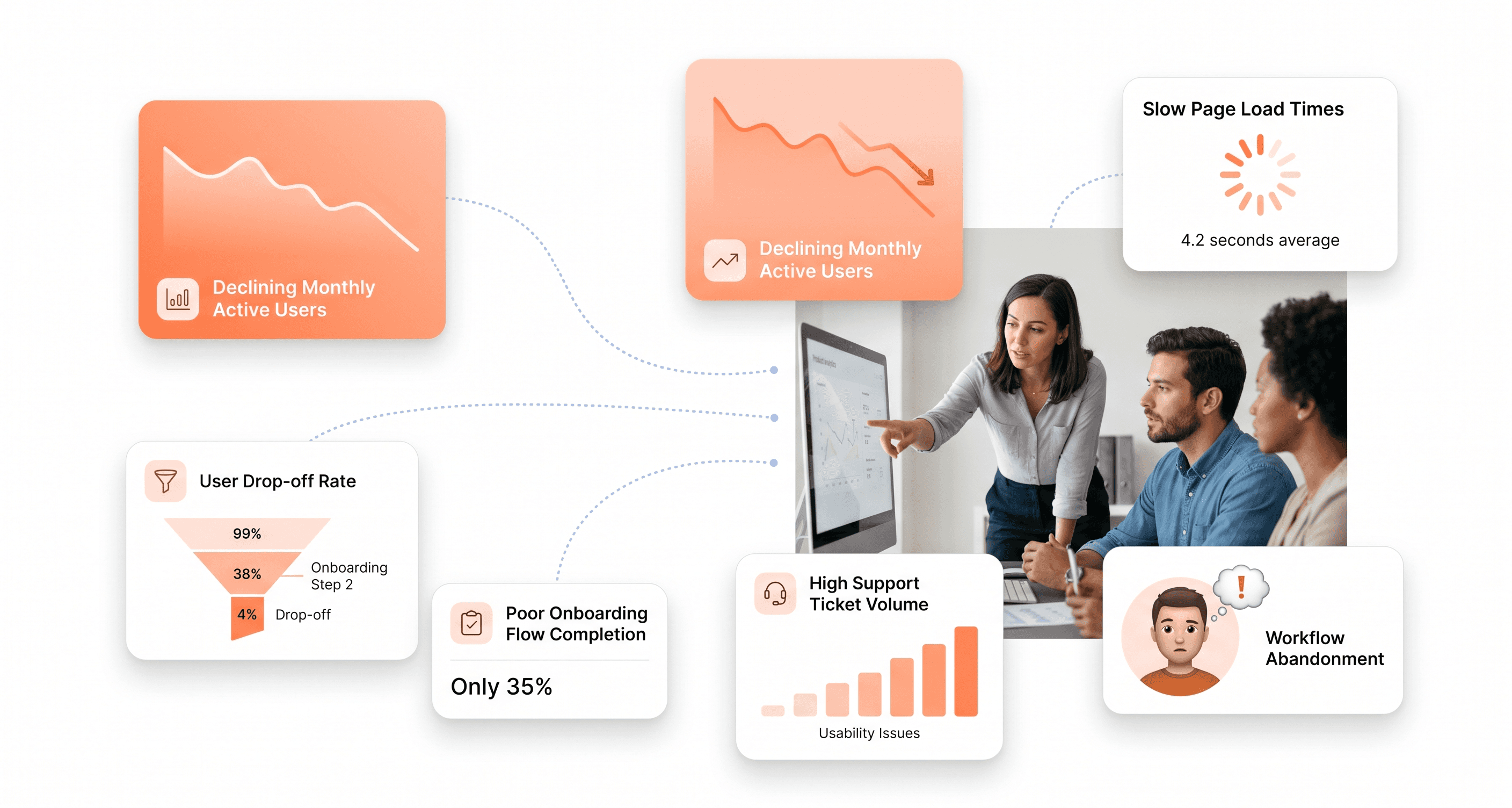

Share

Share

React Terms Explained for SaaS Founders

React Terms Explained for SaaS Founders

Posted on

Fronend Development

Vocabulary

Posted at

Jan 6, 2026

Jan 6, 2026

Min read

10

I hope you found this post valuable. If you’re looking for proven frontend and design expertise to elevate your product, feel free to reach out.

I hope you found this post valuable. If you’re looking for proven frontend and design expertise to elevate your product, feel free to reach out.

SaaS founder viewing a modular dashboard with React concepts like components, state, and performance explained visually

You're building a SaaS product and your development team keeps throwing around React terminology that sounds like a foreign language. As a founder, you don't need to become a React developer, but understanding the core concepts helps you make better technical decisions and communicate effectively with your team.

This guide breaks down React terms that matter most for SaaS founders. We'll start with the fundamental building blocks like components and JSX that power every React application. You'll learn about essential data management concepts including state, props, and hooks that keep your user interfaces dynamic and responsive. Finally, we'll explore the development tools and performance optimization techniques that can make or break your SaaS application's user experience.

Whether you're evaluating React for your tech stack or want to speak your developers' language, these explanations focus on what impacts your business rather than deep technical implementation details.

Core React Building Blocks Every SaaS Founder Should Understand

Components: Reusable Code Blocks That Scale Your Development
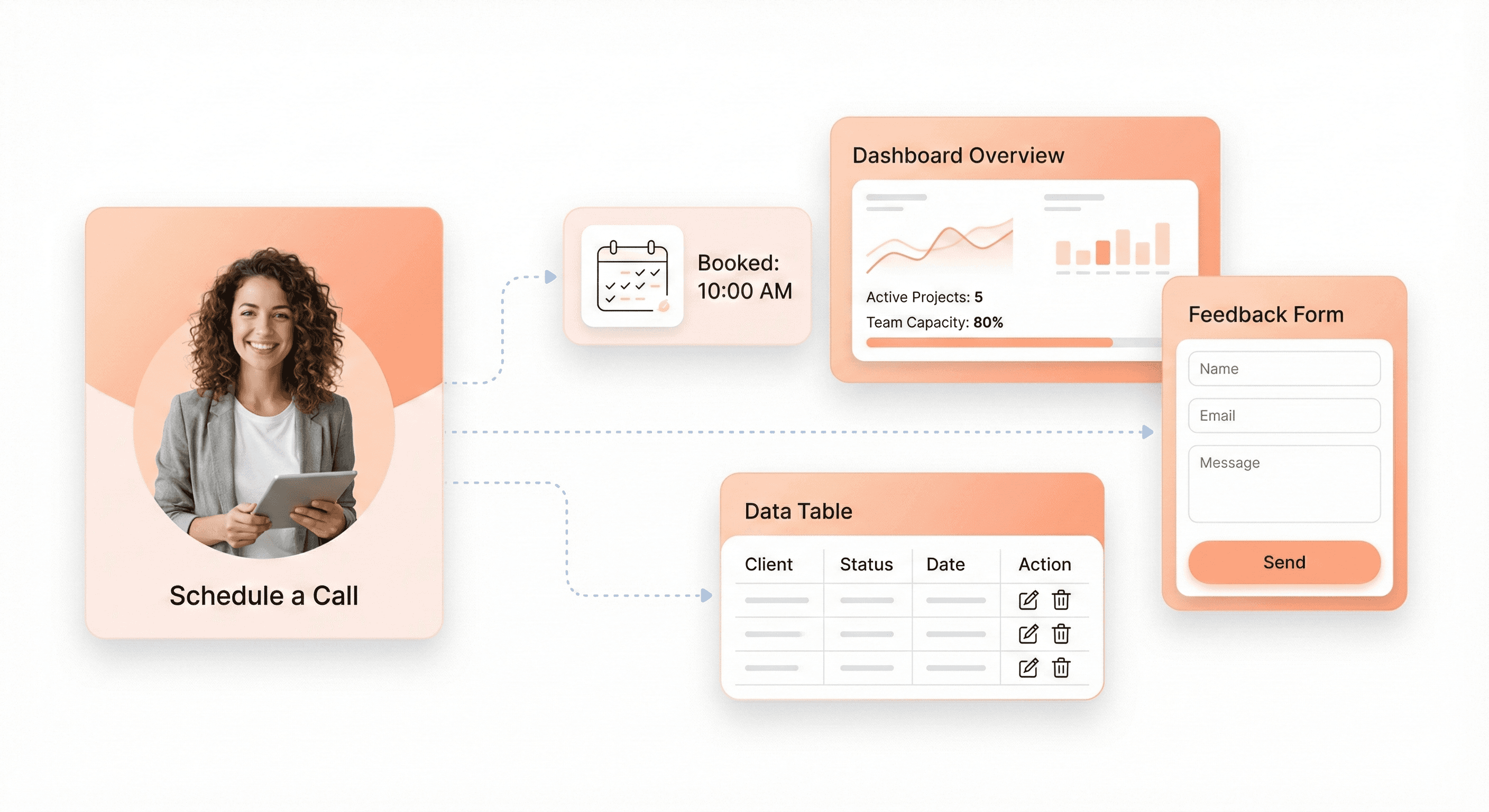
Reusable SaaS interface components such as dashboards, forms, and tables shown as modular UI building blocks

React components serve as the fundamental building blocks that make modern SaaS development both efficient and maintainable. Think of components as self-contained pieces of code that encapsulate specific functionality - from a simple button to complex dashboard sections. When building a SaaS platform, components become your most valuable assets for scaling development efficiently.

The modular nature of components allows you to break down complex interfaces into manageable pieces. For instance, when developing a SaaS dashboard, you can create separate components for sidebar navigation, topbar with user menus, data cards, tables, and forms with validation. Each component handles its own logic and presentation, making your codebase more organized and easier to maintain.

What makes components particularly powerful for SaaS applications is their reusability. Once you build a well-designed component, you can use it across multiple pages and features without rewriting code. This approach significantly reduces development time - a crucial factor when launching SaaS products under tight deadlines.

JSX: Writing HTML-Like Code in JavaScript for Faster Development

JSX revolutionizes how developers write user interfaces by combining the familiarity of HTML with the power of JavaScript. This syntax extension allows you to write markup that looks like HTML directly within your JavaScript code, making development more intuitive and faster.

The beauty of JSX lies in its seamless integration of logic and presentation. Instead of separating your HTML, CSS, and JavaScript into different files, JSX enables you to keep related code together within components. This approach proves especially valuable in SaaS development where complex user interfaces require tight coordination between data handling and visual presentation.

JSX also supports dynamic content rendering through JavaScript expressions enclosed in curly braces. This feature allows you to create responsive interfaces that adapt based on user roles, data states, or application conditions - essential capabilities for sophisticated SaaS platforms.

Elements vs Components: Understanding the Foundation of React Apps

Now that we've covered the basic building blocks, it's important to distinguish between React elements and components. Elements represent the smallest units in React - they're plain objects that describe what should appear on screen. Components, on the other hand, are functions or classes that return elements and can accept inputs called props.

Elements are immutable snapshots of the UI at a particular moment. When you write JSX, you're creating elements that React uses to build the actual DOM structure. Components act as blueprints that produce these elements, often incorporating state management and lifecycle methods to create dynamic user experiences.

This distinction becomes crucial when architecting scalable SaaS applications. Understanding when to create new components versus when to work with elements helps you maintain clean, performant code that can grow with your application's complexity.

Virtual DOM: Why React Updates Are Lightning Fast

The Virtual DOM represents one of React's most significant innovations for SaaS application performance. This lightweight representation of the actual DOM exists in memory and enables React to perform updates with remarkable efficiency.

When building SaaS platforms that handle real-time data, frequent updates, and complex user interactions, performance becomes critical. The Virtual DOM addresses this challenge by implementing a diffing algorithm that identifies exactly what needs to change in the user interface. Instead of re-rendering entire sections, React updates only the specific elements that have actually changed.

This optimization proves especially valuable in SaaS dashboards with analytics, real-time charts, and dynamic content. Users experience smooth interactions and fast response times, even when dealing with large datasets or frequent updates. The Virtual DOM ensures your SaaS application maintains professional performance standards while handling the complex state changes typical of modern business applications.

With this understanding of React's core building blocks, you'll be better equipped to make architectural decisions that support both rapid development and long-term scalability for your SaaS platform.

Essential React Data Management Concepts

Props: Passing Data Between Components Efficiently

Props serve as React's primary mechanism for passing data from parent components to child components. Think of props as function parameters - they allow you to configure components with specific values and behaviors. When a parent component renders a child component, it can pass data through props, creating a unidirectional data flow that keeps your application predictable and maintainable.

In practice, props enable you to build reusable components that adapt to different scenarios. For example, a Panel component can receive title, isActive, and onShow props to display different content and respond to user interactions. The parent component maintains control over the data while the child component focuses on presentation and behavior.

function Panel({ title, children, isActive, onShow }) {
  return (
    <section className="panel">
      <h3>{title}</h3>
       (
        <p>{children}</p>
      ) : (
        <button onClick={onShow}>Show</button>
      )}
    </section>

This approach promotes component reusability and separation of concerns - essential principles for building scalable SaaS applications where components need to handle varying data types and user interactions.

State: Managing Dynamic Data That Changes Over Time

State represents data that changes over time and triggers re-renders when updated. Unlike props, which are passed down from parent components, state is internal to a component and managed using React's useState hook. State is crucial for creating interactive user interfaces that respond to user input, API responses, and other dynamic changes.

React's approach to state management follows a declarative pattern. Instead of directly manipulating DOM elements, you describe different UI states and let React handle the updates. For instance, a form component might have multiple states like 'typing', 'submitting', and 'success', each representing a different visual appearance:

const [status, setStatus] = useState('typing');
const [answer, setAnswer] = useState('');
const [error, setError]

This state-driven approach ensures your UI remains consistent and predictable. When state changes, React automatically re-renders the component with the new data, updating only the parts of the interface that actually changed.

Props vs State: When to Use Each for Optimal Performance
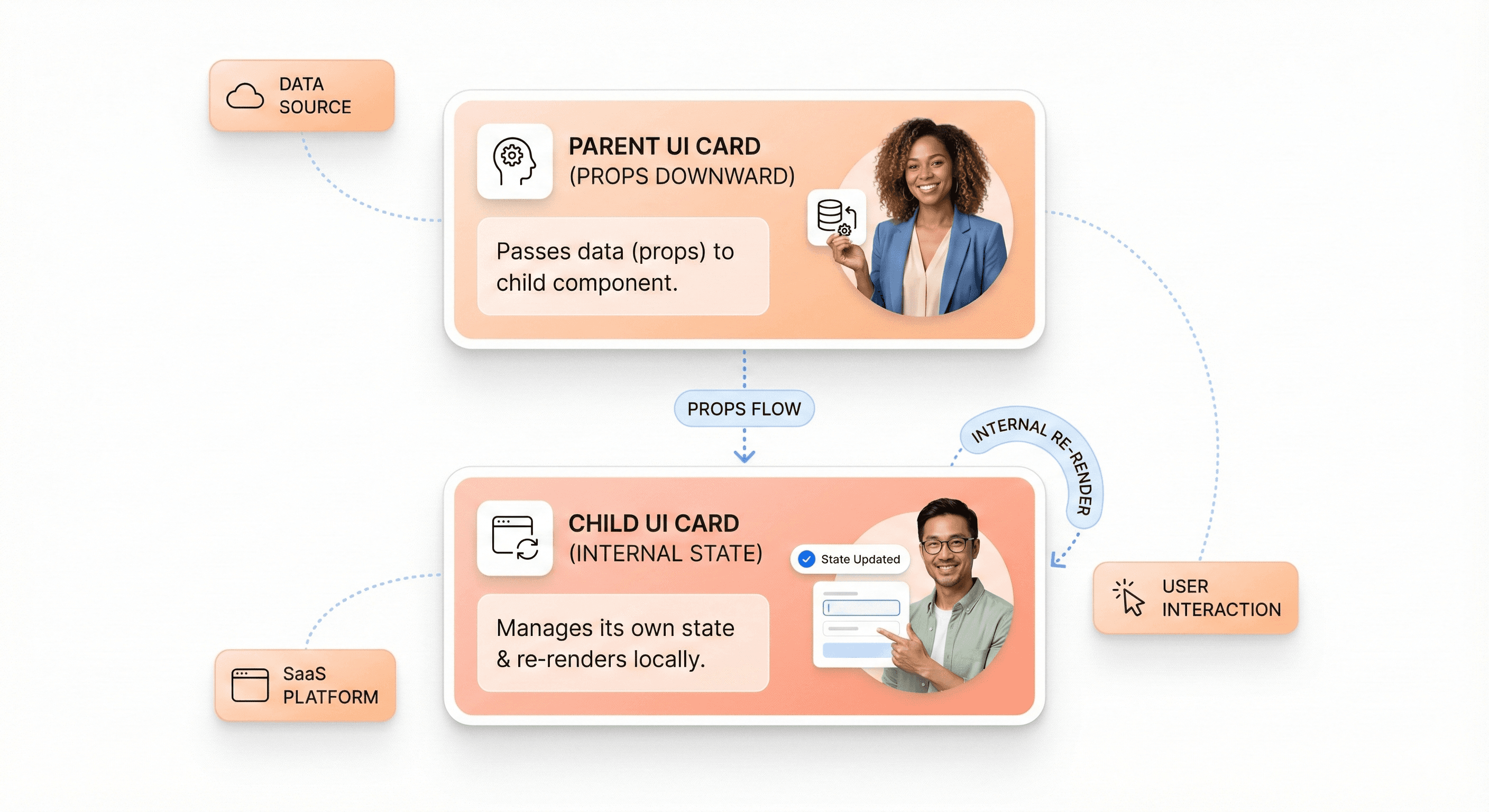
Visual explanation of React data flow showing props passed from parent components and state managed within components

Understanding when to use props versus state is crucial for optimal React performance and maintainable code architecture. Props should be used for data that flows down from parent to child components and doesn't change within the receiving component. State should be reserved for data that changes over time and is owned by the component itself.

A common mistake is creating redundant state when the data can be derived from existing state or props. For example, instead of maintaining separate state for firstName, lastName, and fullName, you should calculate the full name during rendering:

const [firstName, setFirstName] = useState('');
const [lastName, setLastName]

When multiple components need to share state, "lift state up" to their closest common parent and pass it down via props. This pattern prevents state duplication and ensures a single source of truth for your data.

Props.children: Building Flexible Component Structures

The props.children pattern enables you to create flexible, composable component structures by allowing parent components to pass JSX content to child components. This powerful feature lets you build wrapper components that enhance or control the presentation of nested content without knowing the specific content in advance.

The children prop contains whatever JSX is placed between a component's opening and closing tags. This pattern is particularly valuable for building layout components, modals, and other container elements:

function Section({ children }) {
  return (
    <section className="content-section">
      {children}
    </section>
  );
}

// Usage
<Section>
  <Heading>Title</Heading>
  <p>Some content here</p>
</Section>

This approach promotes component composition over inheritance, making your components more flexible and reusable. For SaaS applications, this pattern is especially useful for building dashboard layouts, modal systems, and complex UI structures that need to accommodate varying content types while maintaining consistent styling and behavior.

React Hooks That Boost Development Productivity
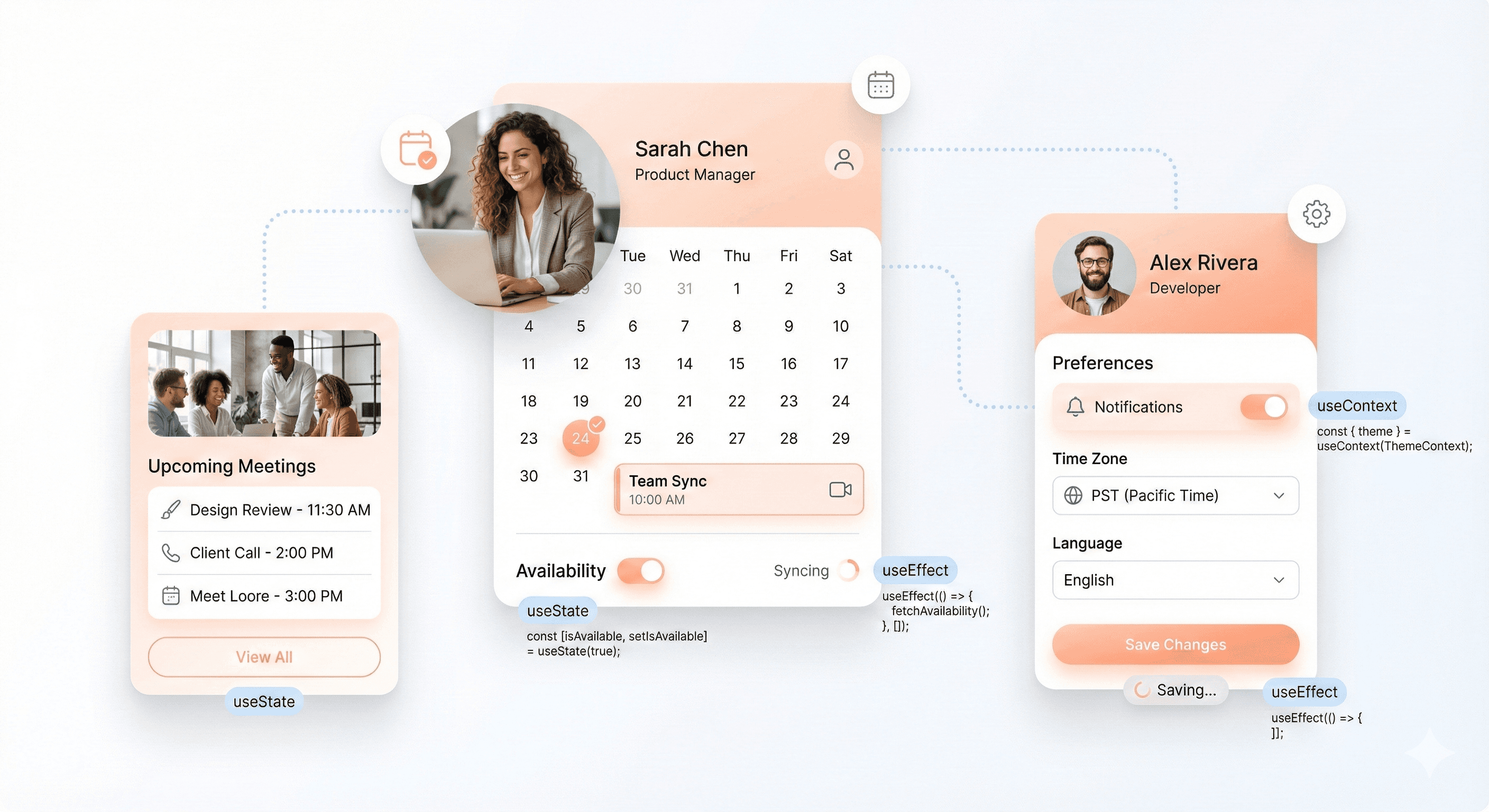
SaaS interface elements like toggles and loading states powered by React hooks such as useState and useEffect

useState: Adding Interactive Features to Your SaaS App

The useState hook is the fundamental building block for adding interactive features to your SaaS application. It allows you to add state to functional components, enabling dynamic user interfaces that respond to user actions. For SaaS founders, understanding useState is crucial because it powers essential interactive elements like user dashboards, form inputs, toggles, and real-time data displays.

import { useState } from "react";

function UserSettings() {
  const [theme, setTheme] = useState('light');
  const [notifications, setNotifications] = useState(true);

  return (
    <div>
      <button onClick={() => setTheme(theme === 'light' ? 'dark' : 'light')}>
        Current theme: {theme}
      </button>
      <button onClick={() => setNotifications(!notifications)}>
        Notifications: {notifications ? 'On' : 'Off'}
      </button>
    </div>

Common use cases in SaaS applications include managing form data, controlling modal visibility, tracking loading states, and handling user preferences. The useState hook enables rapid development of interactive features without complex class component boilerplate, allowing your development team to build user-friendly interfaces faster.

useEffect: Handling Side Effects and API Calls

Now that we've covered basic state management, useEffect becomes essential for handling side effects in your SaaS application. This hook manages operations that occur outside of React's rendering process, such as API calls, data subscriptions, and cleanup operations that are critical for SaaS platforms.

import { useState, useEffect } from "react";

function UserDashboard() {
  const [userData, setUserData] = useState(null);
  const [loading, setLoading] = useState(true);

  useEffect(() => {
    const fetchUserData = async () => {
      try {
        const response = await fetch('/api/user');
        const data = await response.json();
        setUserData(data);
      } finally {
        setLoading(false);
      }
    };

    fetchUserData();
  }, []); // Empty dependency array means this runs once on mount

  if (loading) return <div>Loading...</div>;
  return <div>Welcome, {userData?.name}</div>

For SaaS applications, useEffect is particularly valuable for real-time data synchronization, setting up WebSocket connections for live updates, and implementing cleanup functions to prevent memory leaks. Best practices include always cleaning up side effects to prevent memory leaks, especially important in SaaS platforms where users may have long sessions.

useContext: Sharing Data Without Prop Drilling

With interactive features and side effects in place, useContext addresses the challenge of sharing data across multiple components without prop drilling. This hook is particularly powerful for SaaS applications where user authentication status, theme preferences, and global settings need to be accessible throughout the application.

import { createContext, useContext, useState } from "react";

const UserContext = createContext();

function SaaSApp() {
  const [user, setUser] = useState({ name: "John", plan: "Pro" });
  
  return (
    <UserContext.Provider value={{ user, setUser }}>
      <Dashboard />
      <Settings />
    </UserContext.Provider>
  );
}

function Dashboard() {
  const { user } = useContext(UserContext);
  return <h1>Welcome to your {user.plan} dashboard, {user.name}</h1>

Common use cases for SaaS platforms include managing authentication state, theme settings, user preferences, and language localization. useContext eliminates the need to pass props through multiple component layers, making your codebase more maintainable and reducing the complexity of component hierarchies as your SaaS platform scales.

Custom Hooks: Creating Reusable Business Logic

Previously, we've explored individual hooks, but custom hooks represent the pinnacle of React's reusability philosophy for SaaS development. Custom hooks allow you to extract component logic into reusable functions, enabling you to create business-specific logic that can be shared across your entire application.

import { useState, useEffect } from "react";

// Custom hook for data fetching
function useFetch(url) {
  const [data, setData] = useState(null);
  const [loading, setLoading] = useState(true);
  const [error, setError] = useState(null);

  useEffect(() => {
    const fetchData = async () => {
      try {
        setLoading(true);
        const response = await fetch(url);
        const result = await response.json();
        setData(result);
      } catch (err) {
        setError(err.message);
      } finally {
        setLoading(false);
      }
    };

    fetchData();
  }, [url]);

  return { data, loading, error };
}

// Usage in components
function AnalyticsDashboard() {
  const { data: analytics, loading } = useFetch('/api/analytics');
  
  if (loading) return <div>Loading analytics...</div>;
  return <div>Revenue: ${analytics?.revenue}</div>

Custom hooks excel at encapsulating common SaaS patterns like authentication logic, form handling, API integrations, and real-time data subscriptions. They enable code reuse across components, making your development process more efficient and your codebase more maintainable. For SaaS founders, custom hooks represent a strategic advantage in reducing development time and ensuring consistent behavior across your application's features.

Component Architecture for Scalable SaaS Applications

Functional vs Class Components: Choosing the Right Approach

For SaaS founders, understanding the distinction between functional and class components is crucial for making informed architectural decisions. Functional components represent the modern React approach, offering a cleaner and more concise syntax compared to their class-based counterparts. These components are essentially JavaScript functions that accept props and return JSX, making them easier to read, test, and maintain.

The shift toward functional components has been driven by the introduction of React Hooks, which allow functional components to manage state and lifecycle events without the complexity of class components. For SaaS applications where rapid development and maintainability are paramount, functional components provide significant advantages in terms of code simplicity and developer productivity.

Class components, while still supported, require more boilerplate code and involve concepts like this binding and lifecycle methods that can introduce unnecessary complexity. For new SaaS projects, functional components are the recommended approach due to their alignment with modern React patterns and improved performance characteristics.

Component Lifecycle: Understanding When Code Executes

Now that we've covered component types, understanding when code executes within your React components is essential for building efficient SaaS applications. Component lifecycle refers to the different phases a component goes through from creation to destruction.

In functional components, lifecycle management is handled through the useEffect hook, which consolidates the functionality of multiple class component lifecycle methods into a single, more intuitive API. This hook allows you to perform side effects such as data fetching, subscriptions, and cleanup operations.


The dependency array in useEffect controls when the effect runs, providing precise control over when your code executes. An empty dependency array means the effect runs once after the initial render, while including variables in the array makes the effect run whenever those variables change.

Higher-Order Components: Extending Functionality Without Duplication

Higher-Order Components (HOCs) represent a powerful pattern for extending functionality across multiple components without code duplication. HOCs are functions that take a component and return a new component with additional props or behavior, making them invaluable for implementing cross-cutting concerns in SaaS applications.


This pattern is particularly useful for SaaS applications where you need to implement features like authentication checks, logging, error handling, or theming across multiple components. HOCs promote code reusability and help maintain separation of concerns by encapsulating specific functionality that can be applied to any component.

For SaaS founders, HOCs provide a way to implement enterprise-level features like audit trails, permission checking, or analytics tracking without modifying individual components, leading to more maintainable and scalable codebases.

Controlled vs Uncontrolled Components: Form Management Best Practices

With this in mind, effective form management is critical for SaaS applications, where user input drives core business functionality. Understanding controlled versus uncontrolled components directly impacts how you handle user data and form validation.

Controlled components maintain form data in React state, providing complete control over input values and enabling real-time validation and formatting. This approach is recommended for most SaaS use cases where you need to implement complex business logic or validation rules.

function UserForm() {
  const [users, setUsers] = useState([]);

  useEffect(() => {
    fetch('/api/users')
      .then(response => response.json())
      .then(data => setUsers(data));
  }, []);

  return <UserList users={users} />

Uncontrolled components, conversely, rely on the DOM to manage form data, using refs to access values when needed. While this approach requires less code, it provides limited control over form behavior and validation, making it less suitable for complex SaaS forms that require real-time feedback or sophisticated validation logic.

For SaaS applications, controlled components offer better user experience through immediate feedback, easier testing, and more predictable behavior, making them the preferred choice for mission-critical forms and data entry interfaces.

Development Tools and Ecosystem for Efficient React Projects

Babel and Compilers: Making Modern JavaScript Work Everywhere

Modern React development relies heavily on Babel as the foundational compiler that transforms cutting-edge JavaScript syntax into code that works across all browsers. JSX, the markup syntax extension popularized by React, requires compilation since browsers don't natively understand this syntax. Babel serves as the bridge between your modern React code and browser compatibility.

When you write React components using JSX markup, Babel transforms these components into standard JavaScript functions that browsers can execute. This compilation process enables you to use the latest ES6+ features, arrow functions, destructuring, and other modern JavaScript capabilities while maintaining backward compatibility with older browsers that your SaaS customers might be using.

The compilation step is essential because it allows you to write clean, maintainable code using React's component syntax while ensuring your application runs reliably across different environments. Without proper compilation, your React application would fail to load in many browsers, severely limiting your SaaS reach.

Webpack and Bundlers: Optimizing Your App for Production

Webpack stands as the primary bundling tool in the React ecosystem, transforming your development code into optimized production assets. For SaaS applications, bundling is crucial because it combines multiple JavaScript files, stylesheets, and assets into efficient packages that load faster for your users.

The bundling process involves several optimization techniques that directly impact your SaaS performance. Code splitting allows you to break your application into smaller chunks that load on demand, reducing initial load times. This is particularly important for SaaS applications where users expect fast, responsive interfaces.

Webpack also handles asset optimization, including image compression, CSS minification, and JavaScript tree shaking to remove unused code. These optimizations translate to faster page loads, reduced bandwidth usage, and improved user experience – all critical factors for SaaS customer satisfaction and retention.

Modern alternatives like Vite offer next-generation frontend tooling with faster development builds and improved developer experience, though Webpack remains the most established solution for production React applications.

Package Managers: Managing Dependencies Like a Pro

Package managers form the backbone of React project dependency management, with npm and Yarn being the primary tools for installing, updating, and managing the numerous libraries that power modern React applications. The React ecosystem includes thousands of packages for everything from UI components to state management solutions.

Effective dependency management involves understanding semantic versioning, lock files, and dependency resolution. For SaaS applications, maintaining stable, secure dependencies is crucial for avoiding security vulnerabilities and ensuring consistent deployments across different environments.

Package managers also enable you to leverage the extensive React ecosystem referenced in awesome-react collections, including component libraries like Ant Design and Material-UI, state management solutions like Redux and Zustand, and development tools that enhance productivity. Proper package management ensures your SaaS application benefits from community-tested solutions while maintaining security and stability.

React DevTools: Debugging and Optimizing Your Application

React DevTools provides essential debugging capabilities specifically designed for React applications, allowing you to inspect component hierarchies, examine props and state, and identify performance bottlenecks. For SaaS developers, these tools are invaluable for maintaining application quality and user experience.

The component inspector shows the entire React component tree, making it easy to understand how data flows through your application. You can examine component props, state changes, and hook values in real-time, which is essential when debugging complex SaaS workflows or user interactions.

Performance profiling capabilities help identify unnecessary re-renders and expensive operations that could slow down your SaaS application. Tools like "why-did-you-render" complement React DevTools by providing detailed insights into avoidable re-renders, helping you optimize your application for better performance and user satisfaction.

Additional debugging tools in the React ecosystem include Reactotron for inspecting React projects, ESLint plugins for catching React-specific issues during development, and testing frameworks like Jest and React Testing Library for ensuring your components work correctly across different scenarios.

Performance Optimization Techniques for React SaaS Apps
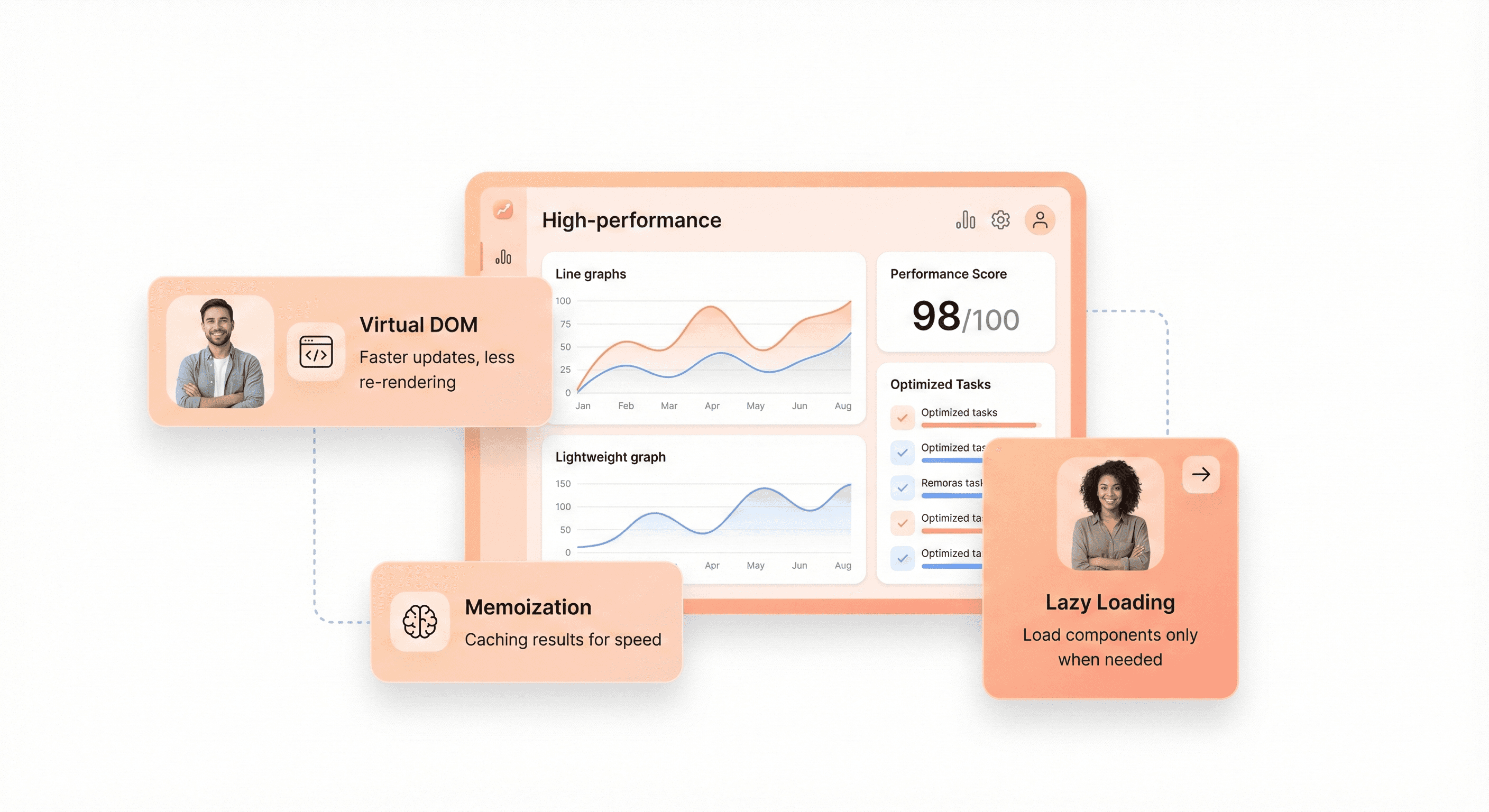
High-performance SaaS dashboard illustrating React concepts like virtual DOM, memoization, and lazy loading

Keys: Efficient List Rendering for Better User Experience

React's key prop provides essential guidance for the reconciliation process when rendering lists. During reconciliation, React compares old and new Virtual DOM trees to determine which elements need updates. When React encounters lists without proper keys, it cannot efficiently track changes between renders, leading to unnecessary DOM manipulations and potential performance degradation.

Keys act as stable identifiers that help React understand which list items remain unchanged, which are new, and which have been removed. This identification process becomes crucial for maintaining component state and optimizing rendering performance in dynamic lists.

When implementing keys, avoid using array indices as they can break optimization when list order changes. Instead, use unique, stable identifiers that remain consistent across renders:

// ❌ Problematic: Using array indices
{todos.map((todo, index) => (
  <TodoItem key={index} todo={todo} />
))}

// ✅ Optimal: Using unique identifiers
{todos.map(todo => (
  <TodoItem key={todo.id} todo={todo} />

React.memo and Memoization: Preventing Unnecessary Re-renders

React.memo serves as the functional component equivalent of PureComponent, providing automatic optimization through shallow comparison of props. When a parent component re-renders, React.memo performs critical comparisons between current and next props. If no changes are detected, React skips the re-render process entirely, preventing expensive computations in child components.

This optimization becomes particularly valuable in deep component trees where unnecessary renders compound exponentially. For components that perform expensive calculations or render complex UI elements, memoization can dramatically improve performance.

The useMemo hook enables memoization of expensive calculations within components:

const memoizedValue = React.useMemo(() => computeExpensiveValue(a, b), [a, b]

Similarly, useCallback memoizes function references, preventing child components from re-rendering due to new function instances on each render cycle.

Code Splitting with React.lazy: Faster Initial Load Times

Code splitting addresses bundle size concerns by loading JavaScript modules on demand rather than bundling everything upfront. React.lazy facilitates this approach by enabling dynamic imports for components:

This technique doesn't reduce the total amount of code users will eventually download; instead, it defers loading until the moment they actually need specific functionality. Route-based code splitting proves particularly effective, allowing users to download only the JavaScript needed for their current page.

When implementing lazy loading, combine it with Suspense to provide loading fallbacks:

<Suspense fallback={<Loading />}>
  <LazyComponent />
</Suspense>

Reconciliation: How React Minimizes DOM Updates

React's reconciliation process implements a heuristic O(n) algorithm built on two key assumptions: elements of different types produce different trees, and developers can hint at stable elements using the key prop. This approach delivers remarkable efficiency for real-world applications by avoiding the O(n³) complexity of traditional diffing algorithms.

The reconciliation process unfolds through three distinct phases. First, the render phase calls component render methods to generate new Virtual DOM representations. Next, the diffing process compares old and new Virtual DOM trees, examining root elements and determining necessary changes. Finally, the commit phase applies only the required updates to the actual DOM.

During reconciliation, React first examines root elements. Different element types trigger complete tree reconstruction, while identical types preserve the underlying DOM node and update only changed attributes. This optimization ensures that React maintains optimal performance even as component trees grow in complexity.

Understanding reconciliation enables developers to make informed decisions about component structure and rendering patterns, ultimately leading to more performant React applications.

Advanced React Patterns for Complex SaaS Features

Context API: Global State Management Without External Libraries

The Context API provides a powerful solution for sharing state across multiple components without passing props through every level of your component tree. This pattern becomes essential as your SaaS application scales and you need to manage user authentication, theme preferences, or application-wide settings efficiently.

Creating a context follows a straightforward pattern. You define a context, provide it at the top level of your component tree, and consume it in any child components that need access to the shared state. This eliminates the need for prop drilling and keeps your code clean and maintainable.

const UserContext = createContext();

const UserProvider = ({ children }) => {
  const [user, setUser] = useState(null);
  const [isAuthenticated, setIsAuthenticated]

However, be cautious with Context usage for frequently updating state. When context values change, all consuming components re-render, which can impact performance. For high-frequency updates or complex state management, consider splitting contexts or implementing more sophisticated state management patterns.

Error Boundaries: Graceful Error Handling in Production

Error boundaries act as JavaScript's try-catch blocks but specifically for React component trees. They catch errors during rendering, in lifecycle methods, and in constructors of child components, preventing the entire application from crashing when a single component fails.

Implementing error boundaries is crucial for production SaaS applications where user experience must remain stable even when unexpected errors occur. A well-designed error boundary can display fallback UI while logging errors for debugging purposes.

class ErrorBoundary extends React.Component {
  constructor(props) {
    super(props);
    this.state = { hasError: false };
  }

  static getDerivedStateFromError(error) {
    return { hasError: true };
  }

  componentDidCatch(error, errorInfo) {
    console.log('Error caught by boundary:', error, errorInfo);
    // Log to error reporting service
  }

  render() {
    if (this.state.hasError) {
      return <h1>Something went wrong.</h1>

Strategically place error boundaries around major sections of your application, such as entire pages or critical feature components. This ensures that if one part of your SaaS application fails, other sections remain functional, maintaining user productivity.

React Portals: Rendering Components Outside Normal Hierarchy

React Portals enable you to render components outside their parent component's DOM hierarchy while maintaining the React component tree relationship. This pattern proves invaluable for modals, tooltips, dropdown menus, and other UI elements that need to escape their container's overflow or z-index constraints.

Portals maintain the React context and event bubbling behavior, so components rendered in portals still receive props and context from their React parents, even though they're rendered elsewhere in the DOM tree.

const Modal = ({ children, isOpen }) => {
  if (!isOpen) return null;
  
  return createPortal(
    <div className="modal-overlay">
      <div className="modal-content">
        {children}
      </div>
    </div>

This approach is particularly useful in SaaS applications where you need modals for user settings, confirmation dialogs, or complex forms that should appear above all other content without being constrained by parent containers.

Refs: Direct DOM Access When Needed

While React's declarative nature typically eliminates the need for direct DOM manipulation, refs provide an escape hatch for scenarios where you need imperative access to DOM elements. Common use cases include focusing inputs, integrating with third-party libraries, or measuring element dimensions.

Refs should be used sparingly and only when React's declarative approach cannot achieve the desired functionality. They're particularly useful for managing focus in forms, implementing custom scroll behaviors, or integrating non-React libraries that require direct DOM access.

const AutoFocusInput = () => {
  const inputRef = useRef(null);
  
  useEffect(() => {
    inputRef.current.focus();
  }, []);
  
  return <input ref={inputRef} type="text" />

In SaaS applications, refs commonly help with accessibility features like keyboard navigation, form validation with immediate user feedback, or creating smooth transitions that require precise timing and DOM measurements. Use them judiciously to maintain React's predictable data flow while achieving the interactive experiences your users expect.

Conclusion
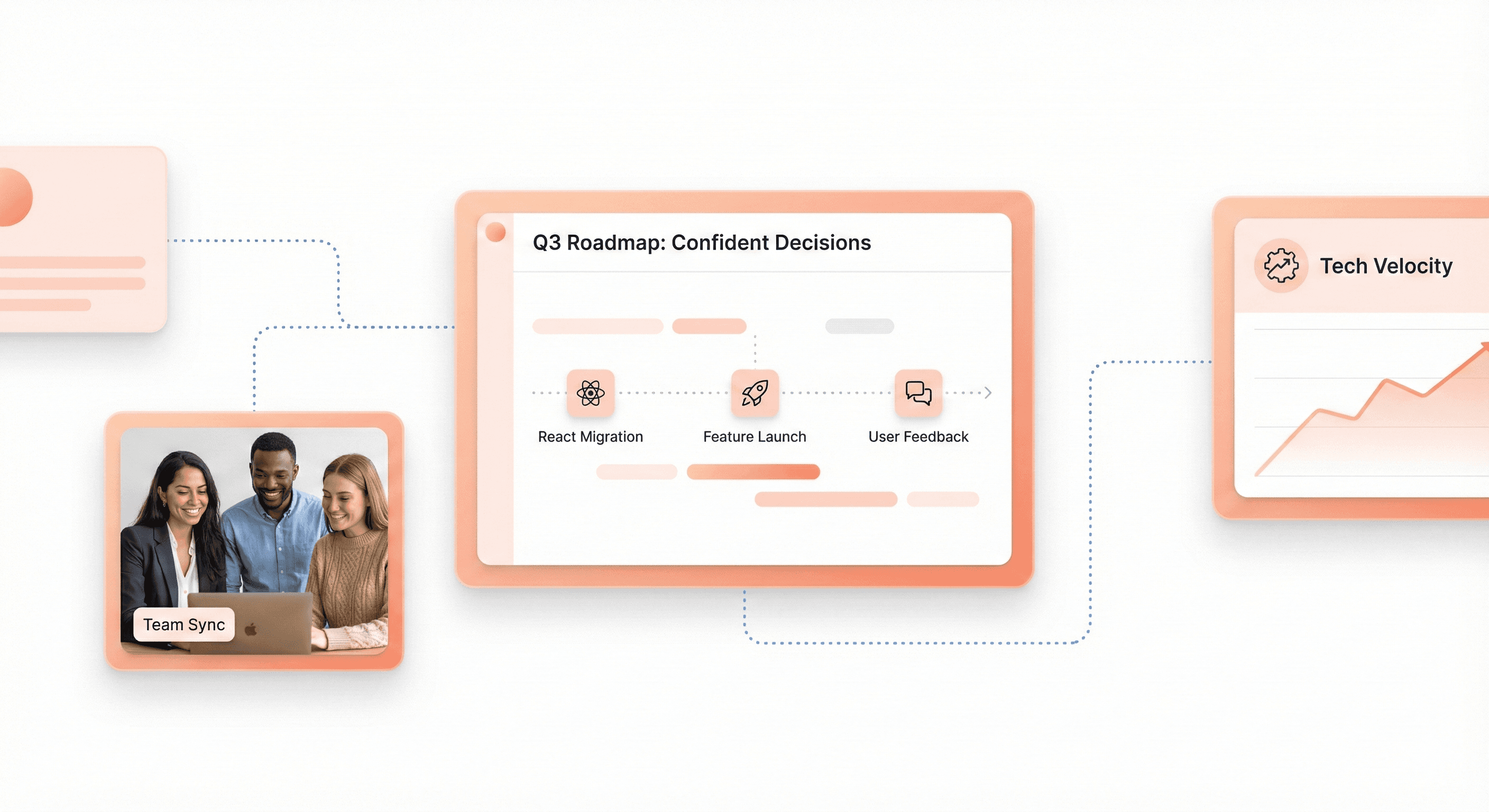
SaaS founder and product team reviewing a clean product roadmap interface built with React

Understanding React terminology is crucial for making informed decisions about your SaaS development strategy. From core building blocks like components, JSX, and the Virtual DOM to advanced patterns involving hooks, state management, and performance optimization techniques, these concepts form the foundation of modern web application development. The ecosystem tools like bundlers, package managers, and development frameworks work together to create efficient, scalable applications that can grow with your business needs.

As a SaaS founder, you don't need to become a React expert overnight, but having a solid grasp of these fundamental terms will help you communicate effectively with your development team and make strategic technology decisions. Whether you're evaluating React for a new project or optimizing an existing application, this knowledge empowers you to ask the right questions, understand technical discussions, and ultimately build better products for your users.


You're building a SaaS product and your development team keeps throwing around React terminology that sounds like a foreign language. As a founder, you don't need to become a React developer, but understanding the core concepts helps you make better technical decisions and communicate effectively with your team.

This guide breaks down React terms that matter most for SaaS founders. We'll start with the fundamental building blocks like components and JSX that power every React application. You'll learn about essential data management concepts including state, props, and hooks that keep your user interfaces dynamic and responsive. Finally, we'll explore the development tools and performance optimization techniques that can make or break your SaaS application's user experience.

Whether you're evaluating React for your tech stack or want to speak your developers' language, these explanations focus on what impacts your business rather than deep technical implementation details.

Core React Building Blocks Every SaaS Founder Should Understand

Components: Reusable Code Blocks That Scale Your Development

Reusable SaaS interface components such as dashboards, forms, and tables shown as modular UI building blocks

React components serve as the fundamental building blocks that make modern SaaS development both efficient and maintainable. Think of components as self-contained pieces of code that encapsulate specific functionality - from a simple button to complex dashboard sections. When building a SaaS platform, components become your most valuable assets for scaling development efficiently.

The modular nature of components allows you to break down complex interfaces into manageable pieces. For instance, when developing a SaaS dashboard, you can create separate components for sidebar navigation, topbar with user menus, data cards, tables, and forms with validation. Each component handles its own logic and presentation, making your codebase more organized and easier to maintain.

What makes components particularly powerful for SaaS applications is their reusability. Once you build a well-designed component, you can use it across multiple pages and features without rewriting code. This approach significantly reduces development time - a crucial factor when launching SaaS products under tight deadlines.

JSX: Writing HTML-Like Code in JavaScript for Faster Development

JSX revolutionizes how developers write user interfaces by combining the familiarity of HTML with the power of JavaScript. This syntax extension allows you to write markup that looks like HTML directly within your JavaScript code, making development more intuitive and faster.

The beauty of JSX lies in its seamless integration of logic and presentation. Instead of separating your HTML, CSS, and JavaScript into different files, JSX enables you to keep related code together within components. This approach proves especially valuable in SaaS development where complex user interfaces require tight coordination between data handling and visual presentation.

JSX also supports dynamic content rendering through JavaScript expressions enclosed in curly braces. This feature allows you to create responsive interfaces that adapt based on user roles, data states, or application conditions - essential capabilities for sophisticated SaaS platforms.

Elements vs Components: Understanding the Foundation of React Apps

Now that we've covered the basic building blocks, it's important to distinguish between React elements and components. Elements represent the smallest units in React - they're plain objects that describe what should appear on screen. Components, on the other hand, are functions or classes that return elements and can accept inputs called props.

Elements are immutable snapshots of the UI at a particular moment. When you write JSX, you're creating elements that React uses to build the actual DOM structure. Components act as blueprints that produce these elements, often incorporating state management and lifecycle methods to create dynamic user experiences.

This distinction becomes crucial when architecting scalable SaaS applications. Understanding when to create new components versus when to work with elements helps you maintain clean, performant code that can grow with your application's complexity.

Virtual DOM: Why React Updates Are Lightning Fast

The Virtual DOM represents one of React's most significant innovations for SaaS application performance. This lightweight representation of the actual DOM exists in memory and enables React to perform updates with remarkable efficiency.

When building SaaS platforms that handle real-time data, frequent updates, and complex user interactions, performance becomes critical. The Virtual DOM addresses this challenge by implementing a diffing algorithm that identifies exactly what needs to change in the user interface. Instead of re-rendering entire sections, React updates only the specific elements that have actually changed.

This optimization proves especially valuable in SaaS dashboards with analytics, real-time charts, and dynamic content. Users experience smooth interactions and fast response times, even when dealing with large datasets or frequent updates. The Virtual DOM ensures your SaaS application maintains professional performance standards while handling the complex state changes typical of modern business applications.

With this understanding of React's core building blocks, you'll be better equipped to make architectural decisions that support both rapid development and long-term scalability for your SaaS platform.

Essential React Data Management Concepts

Props: Passing Data Between Components Efficiently

Props serve as React's primary mechanism for passing data from parent components to child components. Think of props as function parameters - they allow you to configure components with specific values and behaviors. When a parent component renders a child component, it can pass data through props, creating a unidirectional data flow that keeps your application predictable and maintainable.

In practice, props enable you to build reusable components that adapt to different scenarios. For example, a Panel component can receive title, isActive, and onShow props to display different content and respond to user interactions. The parent component maintains control over the data while the child component focuses on presentation and behavior.

function Panel({ title, children, isActive, onShow }) {
  return (
    <section className="panel">
      <h3>{title}</h3>
       (
        <p>{children}</p>
      ) : (
        <button onClick={onShow}>Show</button>
      )}
    </section>

This approach promotes component reusability and separation of concerns - essential principles for building scalable SaaS applications where components need to handle varying data types and user interactions.

State: Managing Dynamic Data That Changes Over Time

State represents data that changes over time and triggers re-renders when updated. Unlike props, which are passed down from parent components, state is internal to a component and managed using React's useState hook. State is crucial for creating interactive user interfaces that respond to user input, API responses, and other dynamic changes.

React's approach to state management follows a declarative pattern. Instead of directly manipulating DOM elements, you describe different UI states and let React handle the updates. For instance, a form component might have multiple states like 'typing', 'submitting', and 'success', each representing a different visual appearance:

const [status, setStatus] = useState('typing');
const [answer, setAnswer] = useState('');
const [error, setError]

This state-driven approach ensures your UI remains consistent and predictable. When state changes, React automatically re-renders the component with the new data, updating only the parts of the interface that actually changed.

Props vs State: When to Use Each for Optimal Performance

Visual explanation of React data flow showing props passed from parent components and state managed within components

Understanding when to use props versus state is crucial for optimal React performance and maintainable code architecture. Props should be used for data that flows down from parent to child components and doesn't change within the receiving component. State should be reserved for data that changes over time and is owned by the component itself.

A common mistake is creating redundant state when the data can be derived from existing state or props. For example, instead of maintaining separate state for firstName, lastName, and fullName, you should calculate the full name during rendering:

const [firstName, setFirstName] = useState('');
const [lastName, setLastName]

When multiple components need to share state, "lift state up" to their closest common parent and pass it down via props. This pattern prevents state duplication and ensures a single source of truth for your data.

Props.children: Building Flexible Component Structures

The props.children pattern enables you to create flexible, composable component structures by allowing parent components to pass JSX content to child components. This powerful feature lets you build wrapper components that enhance or control the presentation of nested content without knowing the specific content in advance.

The children prop contains whatever JSX is placed between a component's opening and closing tags. This pattern is particularly valuable for building layout components, modals, and other container elements:

function Section({ children }) {
  return (
    <section className="content-section">
      {children}
    </section>
  );
}

// Usage
<Section>
  <Heading>Title</Heading>
  <p>Some content here</p>
</Section>

This approach promotes component composition over inheritance, making your components more flexible and reusable. For SaaS applications, this pattern is especially useful for building dashboard layouts, modal systems, and complex UI structures that need to accommodate varying content types while maintaining consistent styling and behavior.

React Hooks That Boost Development Productivity

SaaS interface elements like toggles and loading states powered by React hooks such as useState and useEffect

useState: Adding Interactive Features to Your SaaS App

The useState hook is the fundamental building block for adding interactive features to your SaaS application. It allows you to add state to functional components, enabling dynamic user interfaces that respond to user actions. For SaaS founders, understanding useState is crucial because it powers essential interactive elements like user dashboards, form inputs, toggles, and real-time data displays.

import { useState } from "react";

function UserSettings() {
  const [theme, setTheme] = useState('light');
  const [notifications, setNotifications] = useState(true);

  return (
    <div>
      <button onClick={() => setTheme(theme === 'light' ? 'dark' : 'light')}>
        Current theme: {theme}
      </button>
      <button onClick={() => setNotifications(!notifications)}>
        Notifications: {notifications ? 'On' : 'Off'}
      </button>
    </div>

Common use cases in SaaS applications include managing form data, controlling modal visibility, tracking loading states, and handling user preferences. The useState hook enables rapid development of interactive features without complex class component boilerplate, allowing your development team to build user-friendly interfaces faster.

useEffect: Handling Side Effects and API Calls

Now that we've covered basic state management, useEffect becomes essential for handling side effects in your SaaS application. This hook manages operations that occur outside of React's rendering process, such as API calls, data subscriptions, and cleanup operations that are critical for SaaS platforms.

import { useState, useEffect } from "react";

function UserDashboard() {
  const [userData, setUserData] = useState(null);
  const [loading, setLoading] = useState(true);

  useEffect(() => {
    const fetchUserData = async () => {
      try {
        const response = await fetch('/api/user');
        const data = await response.json();
        setUserData(data);
      } finally {
        setLoading(false);
      }
    };

    fetchUserData();
  }, []); // Empty dependency array means this runs once on mount

  if (loading) return <div>Loading...</div>;
  return <div>Welcome, {userData?.name}</div>

For SaaS applications, useEffect is particularly valuable for real-time data synchronization, setting up WebSocket connections for live updates, and implementing cleanup functions to prevent memory leaks. Best practices include always cleaning up side effects to prevent memory leaks, especially important in SaaS platforms where users may have long sessions.

useContext: Sharing Data Without Prop Drilling

With interactive features and side effects in place, useContext addresses the challenge of sharing data across multiple components without prop drilling. This hook is particularly powerful for SaaS applications where user authentication status, theme preferences, and global settings need to be accessible throughout the application.

import { createContext, useContext, useState } from "react";

const UserContext = createContext();

function SaaSApp() {
  const [user, setUser] = useState({ name: "John", plan: "Pro" });
  
  return (
    <UserContext.Provider value={{ user, setUser }}>
      <Dashboard />
      <Settings />
    </UserContext.Provider>
  );
}

function Dashboard() {
  const { user } = useContext(UserContext);
  return <h1>Welcome to your {user.plan} dashboard, {user.name}</h1>

Common use cases for SaaS platforms include managing authentication state, theme settings, user preferences, and language localization. useContext eliminates the need to pass props through multiple component layers, making your codebase more maintainable and reducing the complexity of component hierarchies as your SaaS platform scales.

Custom Hooks: Creating Reusable Business Logic

Previously, we've explored individual hooks, but custom hooks represent the pinnacle of React's reusability philosophy for SaaS development. Custom hooks allow you to extract component logic into reusable functions, enabling you to create business-specific logic that can be shared across your entire application.

import { useState, useEffect } from "react";

// Custom hook for data fetching
function useFetch(url) {
  const [data, setData] = useState(null);
  const [loading, setLoading] = useState(true);
  const [error, setError] = useState(null);

  useEffect(() => {
    const fetchData = async () => {
      try {
        setLoading(true);
        const response = await fetch(url);
        const result = await response.json();
        setData(result);
      } catch (err) {
        setError(err.message);
      } finally {
        setLoading(false);
      }
    };

    fetchData();
  }, [url]);

  return { data, loading, error };
}

// Usage in components
function AnalyticsDashboard() {
  const { data: analytics, loading } = useFetch('/api/analytics');
  
  if (loading) return <div>Loading analytics...</div>;
  return <div>Revenue: ${analytics?.revenue}</div>

Custom hooks excel at encapsulating common SaaS patterns like authentication logic, form handling, API integrations, and real-time data subscriptions. They enable code reuse across components, making your development process more efficient and your codebase more maintainable. For SaaS founders, custom hooks represent a strategic advantage in reducing development time and ensuring consistent behavior across your application's features.

Component Architecture for Scalable SaaS Applications

Functional vs Class Components: Choosing the Right Approach

For SaaS founders, understanding the distinction between functional and class components is crucial for making informed architectural decisions. Functional components represent the modern React approach, offering a cleaner and more concise syntax compared to their class-based counterparts. These components are essentially JavaScript functions that accept props and return JSX, making them easier to read, test, and maintain.

The shift toward functional components has been driven by the introduction of React Hooks, which allow functional components to manage state and lifecycle events without the complexity of class components. For SaaS applications where rapid development and maintainability are paramount, functional components provide significant advantages in terms of code simplicity and developer productivity.

Class components, while still supported, require more boilerplate code and involve concepts like this binding and lifecycle methods that can introduce unnecessary complexity. For new SaaS projects, functional components are the recommended approach due to their alignment with modern React patterns and improved performance characteristics.

Component Lifecycle: Understanding When Code Executes

Now that we've covered component types, understanding when code executes within your React components is essential for building efficient SaaS applications. Component lifecycle refers to the different phases a component goes through from creation to destruction.

In functional components, lifecycle management is handled through the useEffect hook, which consolidates the functionality of multiple class component lifecycle methods into a single, more intuitive API. This hook allows you to perform side effects such as data fetching, subscriptions, and cleanup operations.


The dependency array in useEffect controls when the effect runs, providing precise control over when your code executes. An empty dependency array means the effect runs once after the initial render, while including variables in the array makes the effect run whenever those variables change.

Higher-Order Components: Extending Functionality Without Duplication

Higher-Order Components (HOCs) represent a powerful pattern for extending functionality across multiple components without code duplication. HOCs are functions that take a component and return a new component with additional props or behavior, making them invaluable for implementing cross-cutting concerns in SaaS applications.


This pattern is particularly useful for SaaS applications where you need to implement features like authentication checks, logging, error handling, or theming across multiple components. HOCs promote code reusability and help maintain separation of concerns by encapsulating specific functionality that can be applied to any component.

For SaaS founders, HOCs provide a way to implement enterprise-level features like audit trails, permission checking, or analytics tracking without modifying individual components, leading to more maintainable and scalable codebases.

Controlled vs Uncontrolled Components: Form Management Best Practices

With this in mind, effective form management is critical for SaaS applications, where user input drives core business functionality. Understanding controlled versus uncontrolled components directly impacts how you handle user data and form validation.

Controlled components maintain form data in React state, providing complete control over input values and enabling real-time validation and formatting. This approach is recommended for most SaaS use cases where you need to implement complex business logic or validation rules.

function UserForm() {
  const [users, setUsers] = useState([]);

  useEffect(() => {
    fetch('/api/users')
      .then(response => response.json())
      .then(data => setUsers(data));
  }, []);

  return <UserList users={users} />

Uncontrolled components, conversely, rely on the DOM to manage form data, using refs to access values when needed. While this approach requires less code, it provides limited control over form behavior and validation, making it less suitable for complex SaaS forms that require real-time feedback or sophisticated validation logic.

For SaaS applications, controlled components offer better user experience through immediate feedback, easier testing, and more predictable behavior, making them the preferred choice for mission-critical forms and data entry interfaces.

Development Tools and Ecosystem for Efficient React Projects

Babel and Compilers: Making Modern JavaScript Work Everywhere

Modern React development relies heavily on Babel as the foundational compiler that transforms cutting-edge JavaScript syntax into code that works across all browsers. JSX, the markup syntax extension popularized by React, requires compilation since browsers don't natively understand this syntax. Babel serves as the bridge between your modern React code and browser compatibility.

When you write React components using JSX markup, Babel transforms these components into standard JavaScript functions that browsers can execute. This compilation process enables you to use the latest ES6+ features, arrow functions, destructuring, and other modern JavaScript capabilities while maintaining backward compatibility with older browsers that your SaaS customers might be using.

The compilation step is essential because it allows you to write clean, maintainable code using React's component syntax while ensuring your application runs reliably across different environments. Without proper compilation, your React application would fail to load in many browsers, severely limiting your SaaS reach.

Webpack and Bundlers: Optimizing Your App for Production

Webpack stands as the primary bundling tool in the React ecosystem, transforming your development code into optimized production assets. For SaaS applications, bundling is crucial because it combines multiple JavaScript files, stylesheets, and assets into efficient packages that load faster for your users.

The bundling process involves several optimization techniques that directly impact your SaaS performance. Code splitting allows you to break your application into smaller chunks that load on demand, reducing initial load times. This is particularly important for SaaS applications where users expect fast, responsive interfaces.

Webpack also handles asset optimization, including image compression, CSS minification, and JavaScript tree shaking to remove unused code. These optimizations translate to faster page loads, reduced bandwidth usage, and improved user experience – all critical factors for SaaS customer satisfaction and retention.

Modern alternatives like Vite offer next-generation frontend tooling with faster development builds and improved developer experience, though Webpack remains the most established solution for production React applications.

Package Managers: Managing Dependencies Like a Pro

Package managers form the backbone of React project dependency management, with npm and Yarn being the primary tools for installing, updating, and managing the numerous libraries that power modern React applications. The React ecosystem includes thousands of packages for everything from UI components to state management solutions.

Effective dependency management involves understanding semantic versioning, lock files, and dependency resolution. For SaaS applications, maintaining stable, secure dependencies is crucial for avoiding security vulnerabilities and ensuring consistent deployments across different environments.

Package managers also enable you to leverage the extensive React ecosystem referenced in awesome-react collections, including component libraries like Ant Design and Material-UI, state management solutions like Redux and Zustand, and development tools that enhance productivity. Proper package management ensures your SaaS application benefits from community-tested solutions while maintaining security and stability.

React DevTools: Debugging and Optimizing Your Application

React DevTools provides essential debugging capabilities specifically designed for React applications, allowing you to inspect component hierarchies, examine props and state, and identify performance bottlenecks. For SaaS developers, these tools are invaluable for maintaining application quality and user experience.

The component inspector shows the entire React component tree, making it easy to understand how data flows through your application. You can examine component props, state changes, and hook values in real-time, which is essential when debugging complex SaaS workflows or user interactions.

Performance profiling capabilities help identify unnecessary re-renders and expensive operations that could slow down your SaaS application. Tools like "why-did-you-render" complement React DevTools by providing detailed insights into avoidable re-renders, helping you optimize your application for better performance and user satisfaction.

Additional debugging tools in the React ecosystem include Reactotron for inspecting React projects, ESLint plugins for catching React-specific issues during development, and testing frameworks like Jest and React Testing Library for ensuring your components work correctly across different scenarios.

Performance Optimization Techniques for React SaaS Apps

High-performance SaaS dashboard illustrating React concepts like virtual DOM, memoization, and lazy loading

Keys: Efficient List Rendering for Better User Experience

React's key prop provides essential guidance for the reconciliation process when rendering lists. During reconciliation, React compares old and new Virtual DOM trees to determine which elements need updates. When React encounters lists without proper keys, it cannot efficiently track changes between renders, leading to unnecessary DOM manipulations and potential performance degradation.

Keys act as stable identifiers that help React understand which list items remain unchanged, which are new, and which have been removed. This identification process becomes crucial for maintaining component state and optimizing rendering performance in dynamic lists.

When implementing keys, avoid using array indices as they can break optimization when list order changes. Instead, use unique, stable identifiers that remain consistent across renders:

// ❌ Problematic: Using array indices
{todos.map((todo, index) => (
  <TodoItem key={index} todo={todo} />
))}

// ✅ Optimal: Using unique identifiers
{todos.map(todo => (
  <TodoItem key={todo.id} todo={todo} />

React.memo and Memoization: Preventing Unnecessary Re-renders

React.memo serves as the functional component equivalent of PureComponent, providing automatic optimization through shallow comparison of props. When a parent component re-renders, React.memo performs critical comparisons between current and next props. If no changes are detected, React skips the re-render process entirely, preventing expensive computations in child components.

This optimization becomes particularly valuable in deep component trees where unnecessary renders compound exponentially. For components that perform expensive calculations or render complex UI elements, memoization can dramatically improve performance.

The useMemo hook enables memoization of expensive calculations within components:

const memoizedValue = React.useMemo(() => computeExpensiveValue(a, b), [a, b]

Similarly, useCallback memoizes function references, preventing child components from re-rendering due to new function instances on each render cycle.

Code Splitting with React.lazy: Faster Initial Load Times

Code splitting addresses bundle size concerns by loading JavaScript modules on demand rather than bundling everything upfront. React.lazy facilitates this approach by enabling dynamic imports for components:

This technique doesn't reduce the total amount of code users will eventually download; instead, it defers loading until the moment they actually need specific functionality. Route-based code splitting proves particularly effective, allowing users to download only the JavaScript needed for their current page.

When implementing lazy loading, combine it with Suspense to provide loading fallbacks:

<Suspense fallback={<Loading />}>
  <LazyComponent />
</Suspense>

Reconciliation: How React Minimizes DOM Updates

React's reconciliation process implements a heuristic O(n) algorithm built on two key assumptions: elements of different types produce different trees, and developers can hint at stable elements using the key prop. This approach delivers remarkable efficiency for real-world applications by avoiding the O(n³) complexity of traditional diffing algorithms.

The reconciliation process unfolds through three distinct phases. First, the render phase calls component render methods to generate new Virtual DOM representations. Next, the diffing process compares old and new Virtual DOM trees, examining root elements and determining necessary changes. Finally, the commit phase applies only the required updates to the actual DOM.

During reconciliation, React first examines root elements. Different element types trigger complete tree reconstruction, while identical types preserve the underlying DOM node and update only changed attributes. This optimization ensures that React maintains optimal performance even as component trees grow in complexity.

Understanding reconciliation enables developers to make informed decisions about component structure and rendering patterns, ultimately leading to more performant React applications.

Advanced React Patterns for Complex SaaS Features

Context API: Global State Management Without External Libraries

The Context API provides a powerful solution for sharing state across multiple components without passing props through every level of your component tree. This pattern becomes essential as your SaaS application scales and you need to manage user authentication, theme preferences, or application-wide settings efficiently.

Creating a context follows a straightforward pattern. You define a context, provide it at the top level of your component tree, and consume it in any child components that need access to the shared state. This eliminates the need for prop drilling and keeps your code clean and maintainable.

const UserContext = createContext();

const UserProvider = ({ children }) => {
  const [user, setUser] = useState(null);
  const [isAuthenticated, setIsAuthenticated]

However, be cautious with Context usage for frequently updating state. When context values change, all consuming components re-render, which can impact performance. For high-frequency updates or complex state management, consider splitting contexts or implementing more sophisticated state management patterns.

Error Boundaries: Graceful Error Handling in Production

Error boundaries act as JavaScript's try-catch blocks but specifically for React component trees. They catch errors during rendering, in lifecycle methods, and in constructors of child components, preventing the entire application from crashing when a single component fails.

Implementing error boundaries is crucial for production SaaS applications where user experience must remain stable even when unexpected errors occur. A well-designed error boundary can display fallback UI while logging errors for debugging purposes.

class ErrorBoundary extends React.Component {
  constructor(props) {
    super(props);
    this.state = { hasError: false };
  }

  static getDerivedStateFromError(error) {
    return { hasError: true };
  }

  componentDidCatch(error, errorInfo) {
    console.log('Error caught by boundary:', error, errorInfo);
    // Log to error reporting service
  }

  render() {
    if (this.state.hasError) {
      return <h1>Something went wrong.</h1>

Strategically place error boundaries around major sections of your application, such as entire pages or critical feature components. This ensures that if one part of your SaaS application fails, other sections remain functional, maintaining user productivity.

React Portals: Rendering Components Outside Normal Hierarchy

React Portals enable you to render components outside their parent component's DOM hierarchy while maintaining the React component tree relationship. This pattern proves invaluable for modals, tooltips, dropdown menus, and other UI elements that need to escape their container's overflow or z-index constraints.

Portals maintain the React context and event bubbling behavior, so components rendered in portals still receive props and context from their React parents, even though they're rendered elsewhere in the DOM tree.

const Modal = ({ children, isOpen }) => {
  if (!isOpen) return null;
  
  return createPortal(
    <div className="modal-overlay">
      <div className="modal-content">
        {children}
      </div>
    </div>

This approach is particularly useful in SaaS applications where you need modals for user settings, confirmation dialogs, or complex forms that should appear above all other content without being constrained by parent containers.

Refs: Direct DOM Access When Needed

While React's declarative nature typically eliminates the need for direct DOM manipulation, refs provide an escape hatch for scenarios where you need imperative access to DOM elements. Common use cases include focusing inputs, integrating with third-party libraries, or measuring element dimensions.

Refs should be used sparingly and only when React's declarative approach cannot achieve the desired functionality. They're particularly useful for managing focus in forms, implementing custom scroll behaviors, or integrating non-React libraries that require direct DOM access.

const AutoFocusInput = () => {
  const inputRef = useRef(null);
  
  useEffect(() => {
    inputRef.current.focus();
  }, []);
  
  return <input ref={inputRef} type="text" />

In SaaS applications, refs commonly help with accessibility features like keyboard navigation, form validation with immediate user feedback, or creating smooth transitions that require precise timing and DOM measurements. Use them judiciously to maintain React's predictable data flow while achieving the interactive experiences your users expect.

Conclusion

SaaS founder and product team reviewing a clean product roadmap interface built with React

Understanding React terminology is crucial for making informed decisions about your SaaS development strategy. From core building blocks like components, JSX, and the Virtual DOM to advanced patterns involving hooks, state management, and performance optimization techniques, these concepts form the foundation of modern web application development. The ecosystem tools like bundlers, package managers, and development frameworks work together to create efficient, scalable applications that can grow with your business needs.

As a SaaS founder, you don't need to become a React expert overnight, but having a solid grasp of these fundamental terms will help you communicate effectively with your development team and make strategic technology decisions. Whether you're evaluating React for a new project or optimizing an existing application, this knowledge empowers you to ask the right questions, understand technical discussions, and ultimately build better products for your users.
Stuck with slow releases and high IT costs?

▶︎

Launch 2.5x faster with our AI-driven frontend workflows, specialized for SaaS.

▶︎

Cut IT costs by up to 50% and boost user adoption by 2x with our proprietary frameworks.

Stuck with slow releases and high IT costs?

▶︎

Launch 2.5x faster with our AI-driven frontend workflows, specialized for SaaS.

▶︎

Cut IT costs by up to 50% and boost user adoption by 2x with our proprietary frameworks.

Stuck with slow releases and high IT costs?

▶︎

Launch 2.5x faster with our AI-driven frontend workflows, specialized for SaaS.

▶︎

Cut IT costs by up to 50% and boost user adoption by 2x with our proprietary frameworks.

Frequently Asked Questions

We're ready to answer your questions

Slow releases, clunky dashboards, and frustrated users? You've got questions about how to fix them. We have the Frontend-First answers that unlock growth. Let's talk solutions.

React is a JavaScript library for building user interfaces, focused on creating reusable components that manage how data is displayed and updated on the screen. In SaaS products, React is used because it enables teams to build complex, interactive interfaces that remain fast, predictable, and easier to scale as the product grows.

Answer

What is React and why is it used to build SaaS products?

Question

The Virtual DOM is a lightweight, in-memory representation of the real browser DOM. React uses it to compare the current UI state with the previous one and updates only the parts that have changed. This approach reduces expensive direct DOM operations and helps maintain smooth performance in applications with frequent updates, such as SaaS dashboards.

Answer

What is the Virtual DOM and how does it improve performance?

Question

Props are read-only inputs passed from parent components to child components, while state represents data that changes over time and is managed within a component. Props help configure components, whereas state enables components to respond to user actions, API responses, and other dynamic changes.

Answer

What is the difference between props and state in React?

Question

React Hooks are functions that allow developers to use state and other React features inside function components. They were introduced to simplify component logic, reduce boilerplate code, and eliminate the need for class components in most use cases.

Answer

What are React Hooks and why were they introduced?

Question

React minimizes unnecessary UI updates through a process called reconciliation, where it compares two versions of the Virtual DOM using a diffing algorithm. Based on this comparison, React applies only the minimal required changes to the real DOM, improving efficiency and performance.

Answer

How does React minimize unnecessary UI updates?

Question

Frequently Asked Questions

We're ready to answer your questions

Slow releases, clunky dashboards, and frustrated users? You've got questions about how to fix them. We have the Frontend-First answers that unlock growth. Let's talk solutions.

React is a JavaScript library for building user interfaces, focused on creating reusable components that manage how data is displayed and updated on the screen. In SaaS products, React is used because it enables teams to build complex, interactive interfaces that remain fast, predictable, and easier to scale as the product grows.

Answer

What is React and why is it used to build SaaS products?

Question

The Virtual DOM is a lightweight, in-memory representation of the real browser DOM. React uses it to compare the current UI state with the previous one and updates only the parts that have changed. This approach reduces expensive direct DOM operations and helps maintain smooth performance in applications with frequent updates, such as SaaS dashboards.

Answer

What is the Virtual DOM and how does it improve performance?

Question

Props are read-only inputs passed from parent components to child components, while state represents data that changes over time and is managed within a component. Props help configure components, whereas state enables components to respond to user actions, API responses, and other dynamic changes.

Answer

What is the difference between props and state in React?

Question

React Hooks are functions that allow developers to use state and other React features inside function components. They were introduced to simplify component logic, reduce boilerplate code, and eliminate the need for class components in most use cases.

Answer

What are React Hooks and why were they introduced?

Question

React minimizes unnecessary UI updates through a process called reconciliation, where it compares two versions of the Virtual DOM using a diffing algorithm. Based on this comparison, React applies only the minimal required changes to the real DOM, improving efficiency and performance.

Answer

How does React minimize unnecessary UI updates?

Question

Frequently Asked Questions

We're ready to answer your questions

Slow releases, clunky dashboards, and frustrated users? You've got questions about how to fix them. We have the Frontend-First answers that unlock growth. Let's talk solutions.

React is a JavaScript library for building user interfaces, focused on creating reusable components that manage how data is displayed and updated on the screen. In SaaS products, React is used because it enables teams to build complex, interactive interfaces that remain fast, predictable, and easier to scale as the product grows.

Answer

What is React and why is it used to build SaaS products?

Question

The Virtual DOM is a lightweight, in-memory representation of the real browser DOM. React uses it to compare the current UI state with the previous one and updates only the parts that have changed. This approach reduces expensive direct DOM operations and helps maintain smooth performance in applications with frequent updates, such as SaaS dashboards.

Answer

What is the Virtual DOM and how does it improve performance?

Question

Props are read-only inputs passed from parent components to child components, while state represents data that changes over time and is managed within a component. Props help configure components, whereas state enables components to respond to user actions, API responses, and other dynamic changes.

Answer

What is the difference between props and state in React?

Question

React Hooks are functions that allow developers to use state and other React features inside function components. They were introduced to simplify component logic, reduce boilerplate code, and eliminate the need for class components in most use cases.

Answer

What are React Hooks and why were they introduced?

Question

React minimizes unnecessary UI updates through a process called reconciliation, where it compares two versions of the Virtual DOM using a diffing algorithm. Based on this comparison, React applies only the minimal required changes to the real DOM, improving efficiency and performance.

Answer

How does React minimize unnecessary UI updates?

Question

About the author

Author Name:

Parth G

|


Founder of

Hashbyt

I’m the founder of Hashbyt, an AI-first frontend and UI/UX SaaS partner helping 200+ SaaS companies scale faster through intelligent, growth-driven design. My work focuses on building modern frontend systems, design frameworks, and product modernization strategies that boost revenue, improve user adoption, and help SaaS founders turn their UI into a true growth engine.
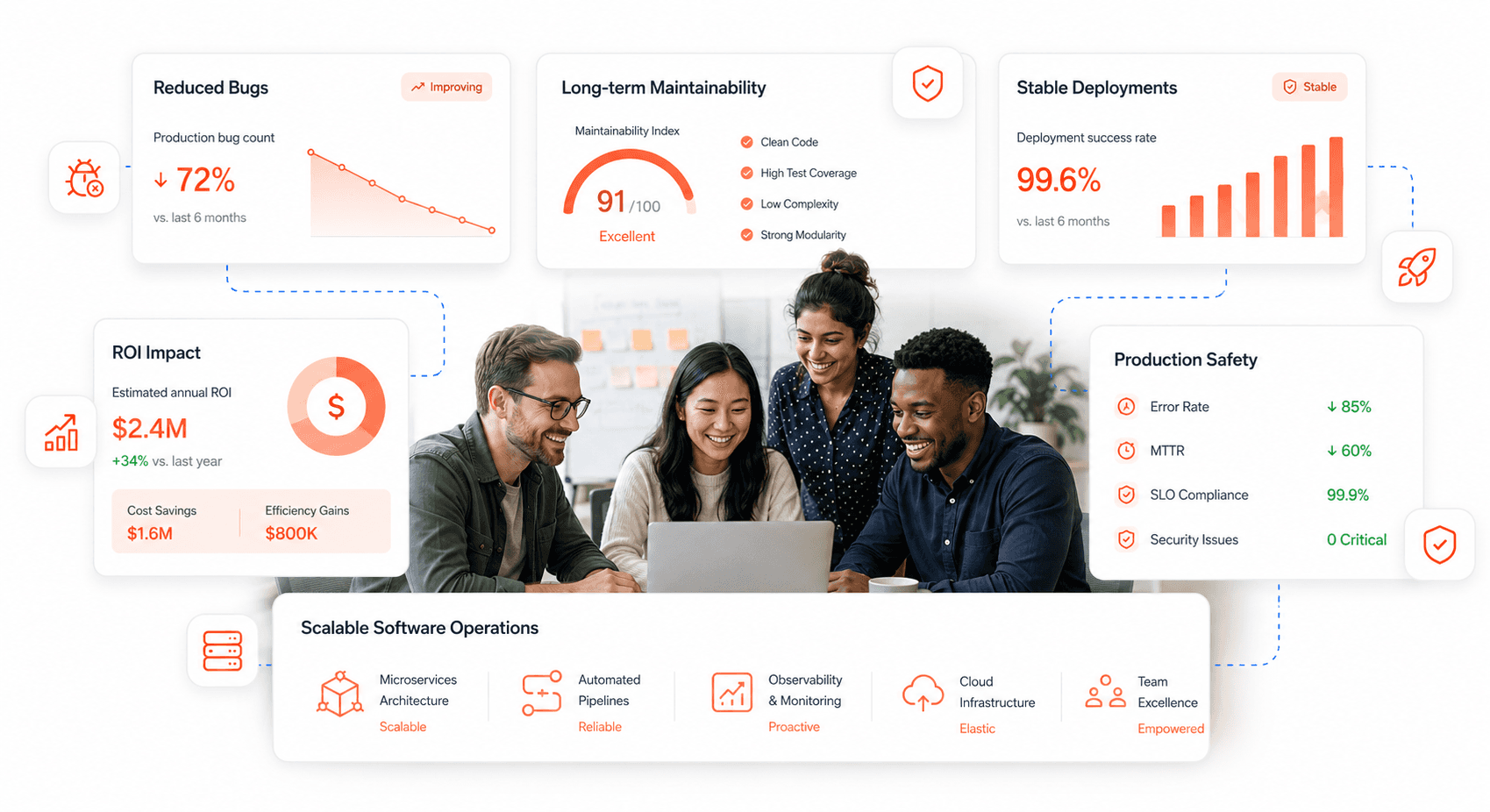
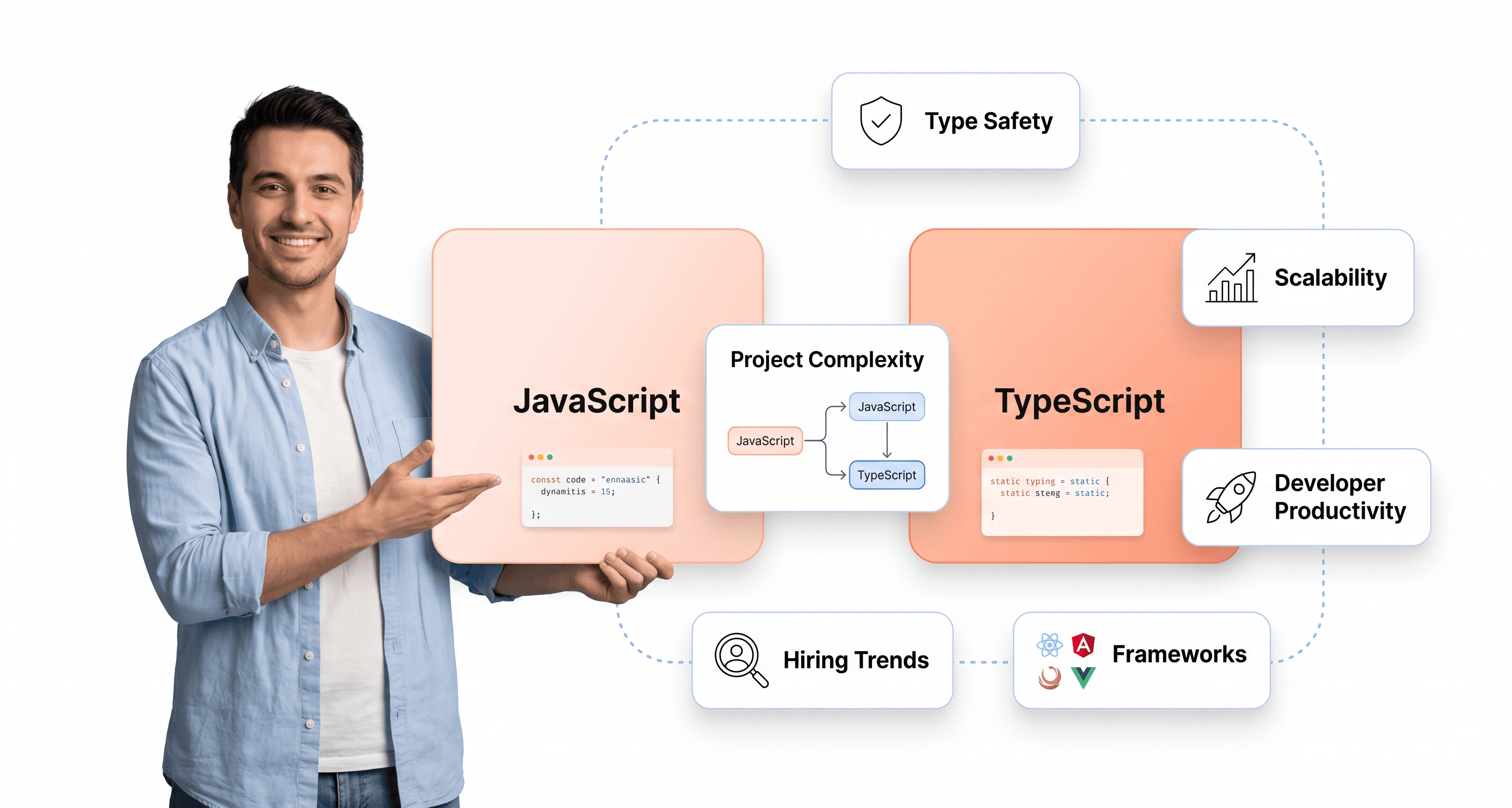
Follow the expert:

Related Blogs

Related Blogs

Is a clunky UI holding back your growth?

Is a clunky UI holding back your growth?

▶︎

Transform slow, frustrating dashboards into intuitive interfaces that ensure effortless user adoption.

▶︎

Transform slow, frustrating dashboards into intuitive interfaces that ensure effortless user adoption.

Is a clunky UI holding back your growth?

Is a clunky UI holding back your growth?

▶︎

Transform slow, frustrating dashboards into intuitive interfaces that ensure effortless user adoption.

▶︎

Transform slow, frustrating dashboards into intuitive interfaces that ensure effortless user adoption.

Is a clunky UI holding back your growth?

Is a clunky UI holding back your growth?

▶︎

Transform slow, frustrating dashboards into intuitive interfaces that ensure effortless user adoption.

▶︎

Transform slow, frustrating dashboards into intuitive interfaces that ensure effortless user adoption.