


Quick answer: AI is changing frontend modernization by speeding up the routine parts of a migration. Coding agents can draft components from design files, propose bug fixes as pull requests, write tests and check their work in a real browser, while React Compiler automates most memoisation. People still own architecture, review and accessibility, and the safest projects migrate in small steps behind tests and a design system.
This guide is for CTOs, engineering leads and frontend teams planning to modernise an existing web application. It separates what AI tools can do reliably today from the claims that do not hold up, covering UI generation, debugging, performance, testing, API and state code, project memory, design systems, React Compiler and Next.js. For the wider programme, see how we approach legacy app modernisation and frontend development.
The short version: AI is good at producing first drafts and spotting problems quickly, but its output still needs tests, review and clear standards. The teams getting the most from it treat AI as a fast contributor working inside guardrails, not as an autonomous developer.
AI Agents Move UI Work from Autocomplete to Multi-Step Tasks
From design file to a first draft of components
The main change in 2026 is that coding agents can carry out multi-step tasks rather than only suggesting the next line. With Figma's MCP server, an agent in a supported editor such as VS Code, Cursor or Claude Code can pull design context from a selected frame, including variables, components and layout data, and use it to draft code. Code Connect maps Figma components to the components already in your codebase, so drafts can reuse them instead of inventing new ones (Figma's guide to the MCP server).
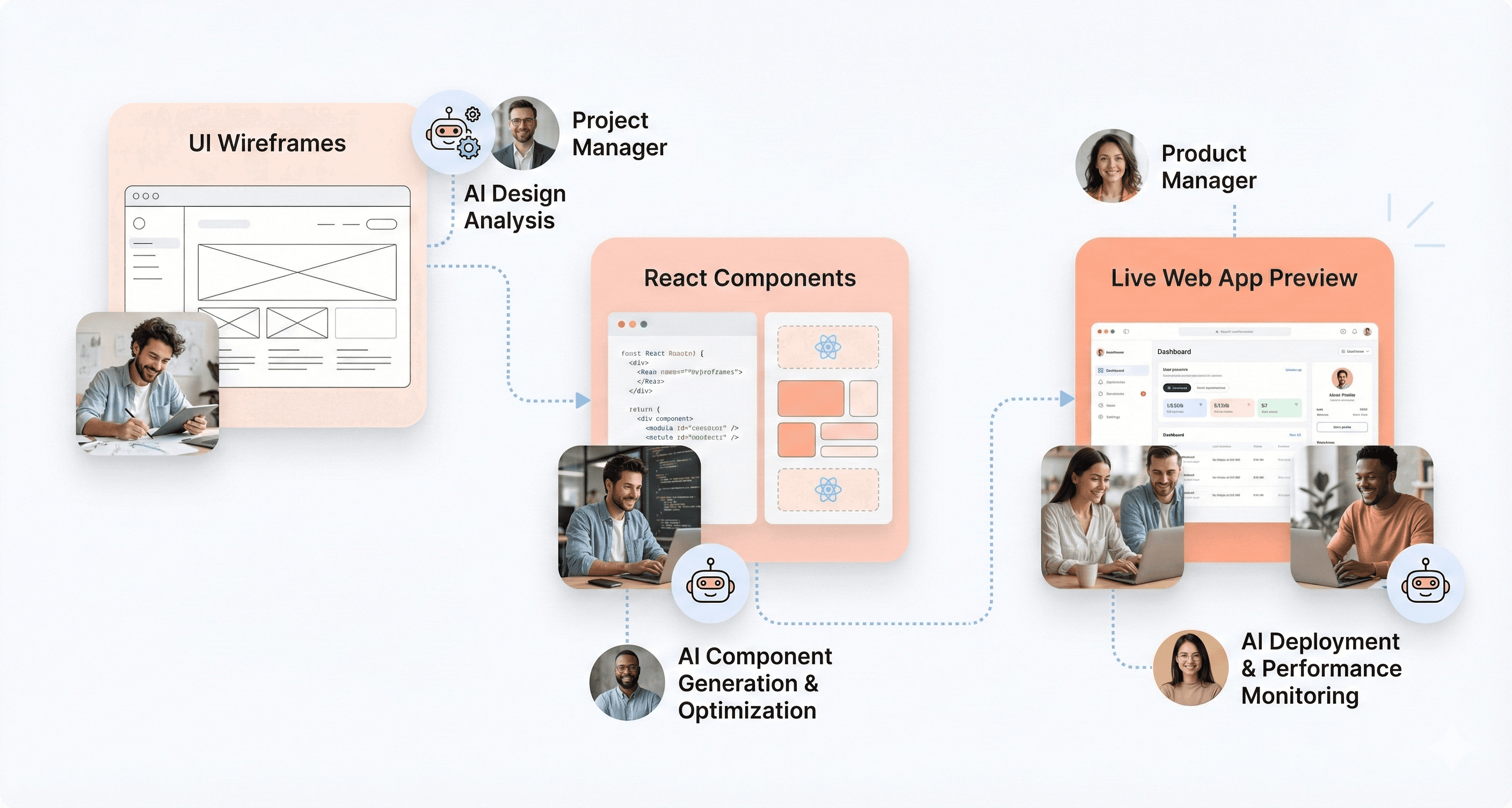
This is useful in AI-assisted app modernisation, where many screens need rebuilding on a new stack. The output is a starting point. Someone still has to check responsive behaviour, state handling, edge cases and accessibility, and the result is only as consistent as the design system and component library the agent is given.
Checking rendered output in a real browser
Agents used to write UI code without seeing the result. Google's Chrome DevTools MCP server, released as a public preview in September 2025, lets an agent open a page in Chrome, inspect the DOM and CSS, read console messages and network requests, and record a performance trace (Chrome for Developers). The agent can then check whether a change renders and behaves as intended, and try again if it does not.
This is a feedback loop, not a guarantee. Browser checks catch obvious layout and runtime problems, but they do not prove a screen matches the design in every state, browser and screen size. For larger rewrites, such as when you migrate React UIs to a new architecture, keep visual regression tests and human review in the loop.
Developers spend more time specifying and reviewing
As agents take on more of the typing, the developer's job shifts towards writing clear tasks, setting standards, reviewing pull requests and owning architecture. That does not reduce the need for frontend skills. Reviewing AI-generated code well requires knowing React, CSS, accessibility and performance at least as well as writing it.
Human judgement remains essential for product decisions, brand detail, security and anything that affects people using assistive technology. AI helps teams move faster on the parts that are already well specified.
AI Speeds Up Bug Triage and Fixes, With Human Review
From issue to pull request
Several coding agents can now take an issue and return a proposed fix as a pull request. GitHub's Copilot cloud agent (previously called the coding agent), for example, works in the background in its own GitHub Actions environment, where it can explore the code, make changes and run tests and linters. It then opens a pull request for a person to review, and it cannot approve or merge its own pull requests (GitHub Docs).
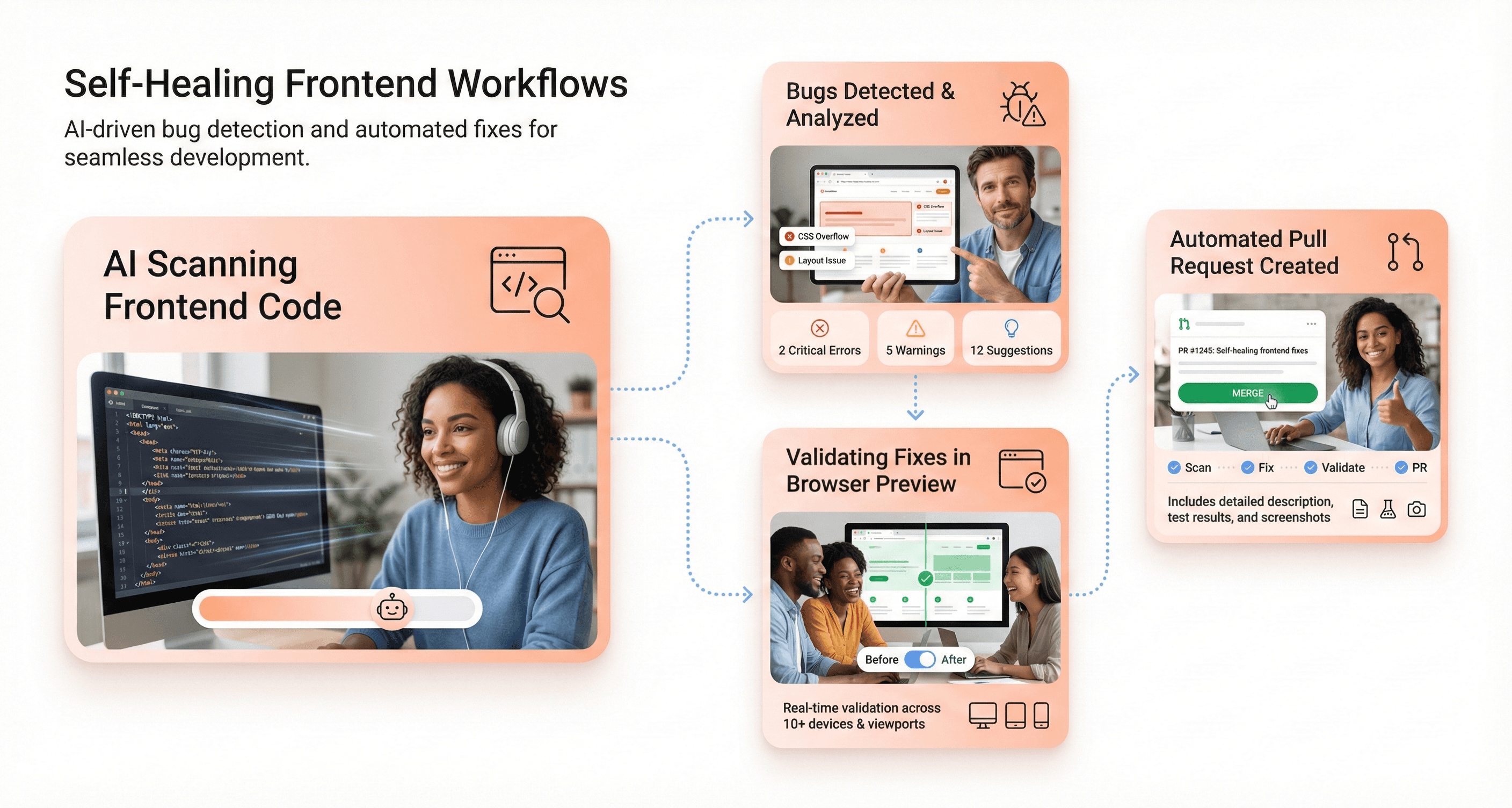
This works best for small, well-described bugs in code with good test coverage. For vague issues, or code with no tests, an agent can produce a plausible change that fixes the symptom and breaks something else. If you are deciding whether to build this capability internally or bring in help, our comparison of in-house teams and modernisation partners may help.
Using console, network and performance data
Debugging needs evidence. The Chrome DevTools MCP server and the Next.js DevTools MCP introduced in Next.js 16 give agents access to browser and server logs, stack traces and the active route (Next.js 16 release notes). An agent can then reason from real errors rather than guessing from source code alone.
Ask the agent to explain the root cause before it proposes a fix, and check that explanation against the evidence. A fix nobody on the team can explain is a future bug.
Validating fixes before they merge
Every AI-proposed fix should pass the same checks as a human one: unit tests, end-to-end tests in a headless browser with a tool such as Playwright, linting, type checks and a reviewer who knows that part of the product. Add a regression test that fails before the fix and passes after it, so the bug cannot quietly return.
Performance Work: AI Helps Find Problems, Real-User Data Confirms Them
Measure before you optimise
AI tools are useful for reading a performance trace, spotting heavy components and suggesting fixes, but the priority list should come from measurement. Core Web Vitals (Largest Contentful Paint, Interaction to Next Paint and Cumulative Layout Shift) remain the standard way to judge real-user experience, and field data shows which pages and interactions actually need work.
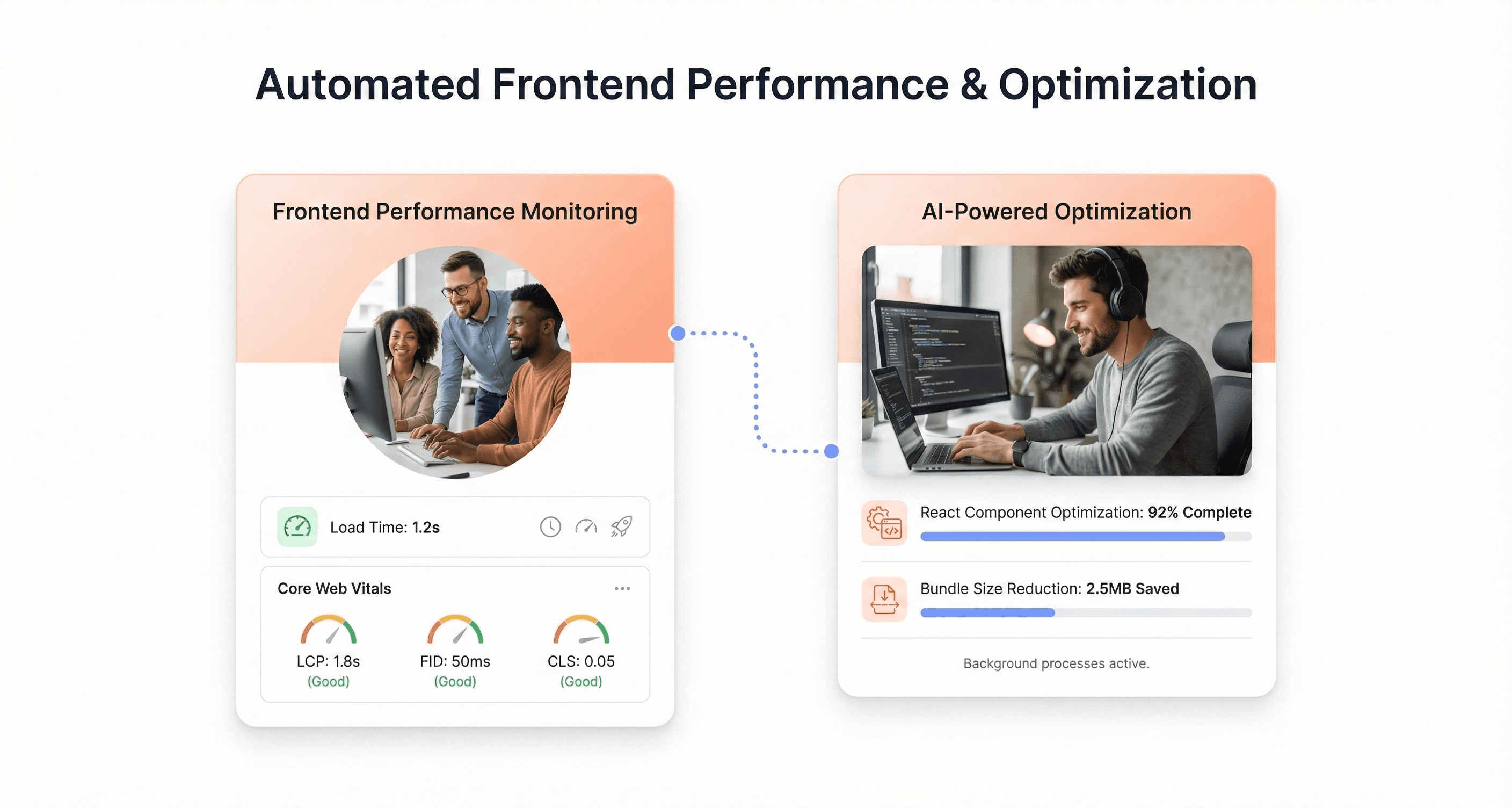
A practical loop is to collect field data, reproduce the slow interaction locally, record a trace, ask an agent to explain the hotspots, then apply and measure one change at a time. Treat any suggested improvement as a hypothesis until the numbers confirm it.
Bundle splitting and lazy loading
Frameworks now do more of this for you. Next.js 16, for example, reworked prefetching so a layout shared by many links is downloaded once, and only the parts not already cached are prefetched. Your choice between Next.js and plain React affects how much you configure yourself. AI can help find large dependencies, suggest dynamic imports for heavy components and flag duplicate libraries, but these changes need the same review and measurement as any other.
No silent changes in production
Be wary of any tool that promises to change production code or configuration without review. Caching, prefetching and script ordering can break functionality or analytics in subtle ways. Keep these changes in version control, behind review and with a way to roll back.
AI Helps Write and Maintain Tests, but Does Not Replace a Test Strategy
Generating tests from components and user flows
Generating tests is one of the most practical uses of AI in a modernisation project. Given a component and a description of its behaviour, coding agents can draft Jest and React Testing Library tests for rendering, props, user events and hooks, and draft end-to-end tests for key user flows.
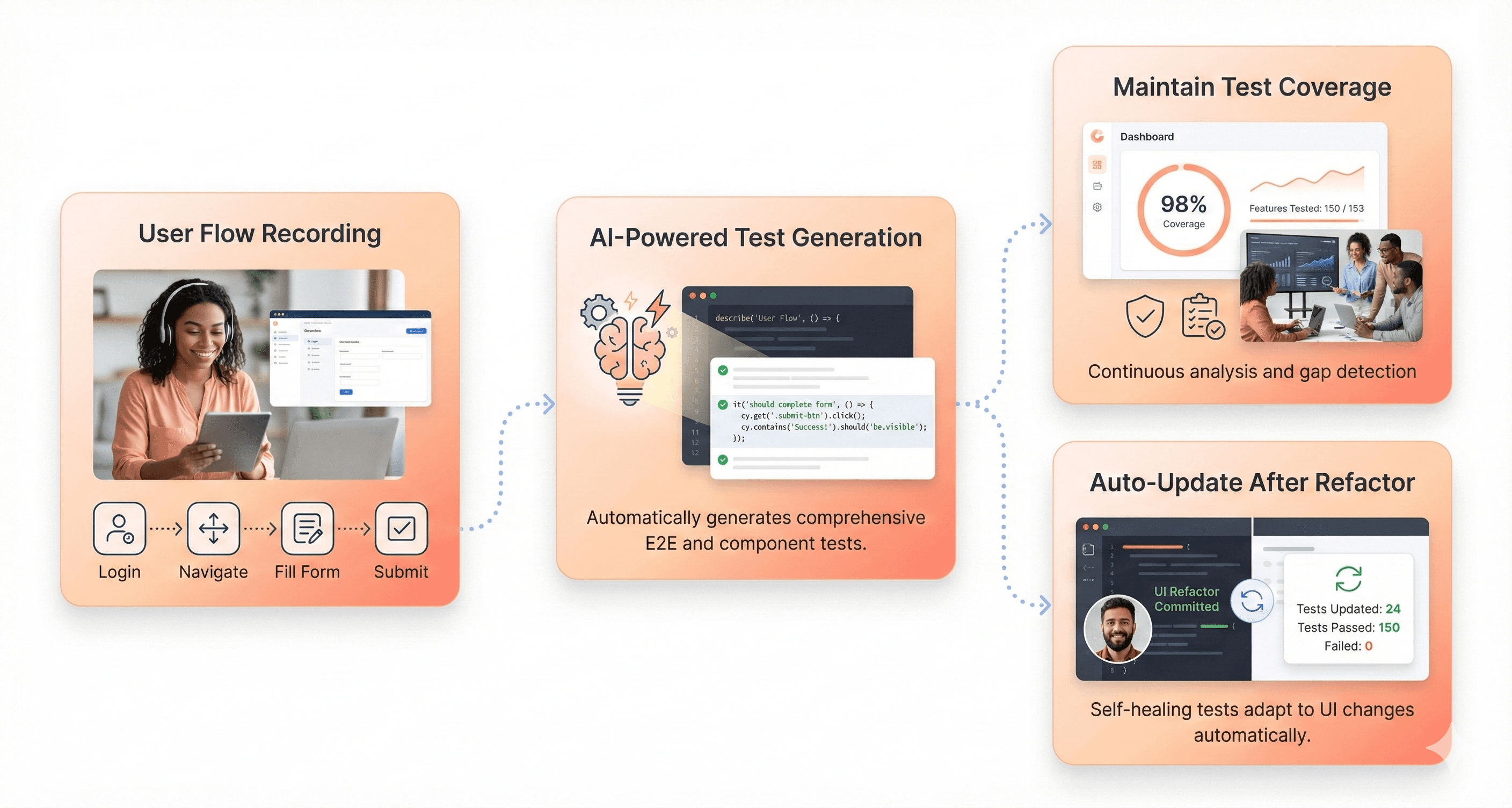
The weak point is intent. An agent can only test what it sees in the code and what you tell it, so it may write tests that lock in current behaviour, bugs included. Describe the expected behaviour in plain language, include edge cases and review generated tests as carefully as production code. Our guide on how to build a web app covers where testing fits in the wider process.
Characterisation tests before a migration
For legacy code, the most valuable tests are often characterisation tests, which record what the current system does before anyone changes it. AI can draft these quickly across many components. They give you a safety net, so you can tell whether a migrated screen behaves like the old one. The legacy frontend modernisation checklist includes this step.
Maintaining tests after refactors
When a refactor breaks tests, an agent can update selectors and assertions, and some testing tools offer "self-healing" locators that adapt to small UI changes. Use this with care. A test that changes itself to pass can hide a real regression, so review every change to a test's assertions, and prefer selectors based on roles and labels, which change less often than class names or IDs.
API Contracts, Types and State Code Are Easier to Generate
Typed clients from schemas
If your backend publishes an OpenAPI specification or a GraphQL schema, use a code generator to create typed clients and TypeScript types, and regenerate them whenever the schema changes. Generators are deterministic, which makes them a better source of truth than an AI writing types by hand. AI then helps with the code around them: data-fetching hooks, loading and error states, and mapping API data into what the UI needs. If these terms are new, our React terms explained for SaaS founders is a good primer.
Caching, forms and state
Agents can draft query keys and cache invalidation for data-fetching libraries, validation schemas for forms and reducers for complex state. Small mistakes here cause stale data or confusing errors, so ask the agent to explain its invalidation and validation rules, and cover them with tests.
Where possible, keep validation rules in one schema shared by the frontend and the API, so the browser and server do not drift apart.
Frontend and backend changes together
Because agents can work across a whole repository, they can change an API endpoint, its types and the screens that use it in one pull request. That is convenient, but it makes review harder. Keep contract changes small, version breaking changes and make sure both sides have tests before an agent changes them together.
Project Context Files Give AI Tools a Working Memory
Why AI tools need written context
AI models do not remember previous sessions on their own. As Cursor's documentation puts it, "Large language models don't retain memory between completions" (Cursor rules). AI coding tools handle this with instruction files kept in the repository and loaded at the start of each session.
How the main tools handle it
Claude Code reads
CLAUDE.mdfiles, and can readAGENTS.md, at the start of every session. It can also keep its own auto memory of corrections and preferences (Claude Code docs).GitHub Copilot uses repository-wide instructions in
.github/copilot-instructions.mdand supportsAGENTS.mdfiles for agent instructions (GitHub Docs).Cursor keeps project rules in
.cursor/rulesand also supportsAGENTS.md.
What to put in them
Write down what you would otherwise repeat in every review: build and test commands, folder structure, naming conventions, which design system components to use, accessibility requirements and patterns to avoid. Keep the file short and specific. Anthropic's guidance for Claude Code is to aim for under 200 lines per CLAUDE.md and to write instructions that can be checked, such as "Run npm test before committing" rather than "Test your changes".
These files are context, not enforcement, so a tool can still ignore them. Back up the important rules with linting, type checks and CI. For a wider view of how teams are approaching modernisation, see our legacy modernisation trends report.
Design Systems Become the Guardrail for AI-Generated UI
Tokens and components the AI must use
AI-generated UI drifts quickly if the agent can invent its own spacing, colours and components. A design system prevents that. Store design tokens in a machine-readable format, generate platform code from them with a tool such as Style Dictionary, and tell the agent in its instruction file to use only approved tokens and components.
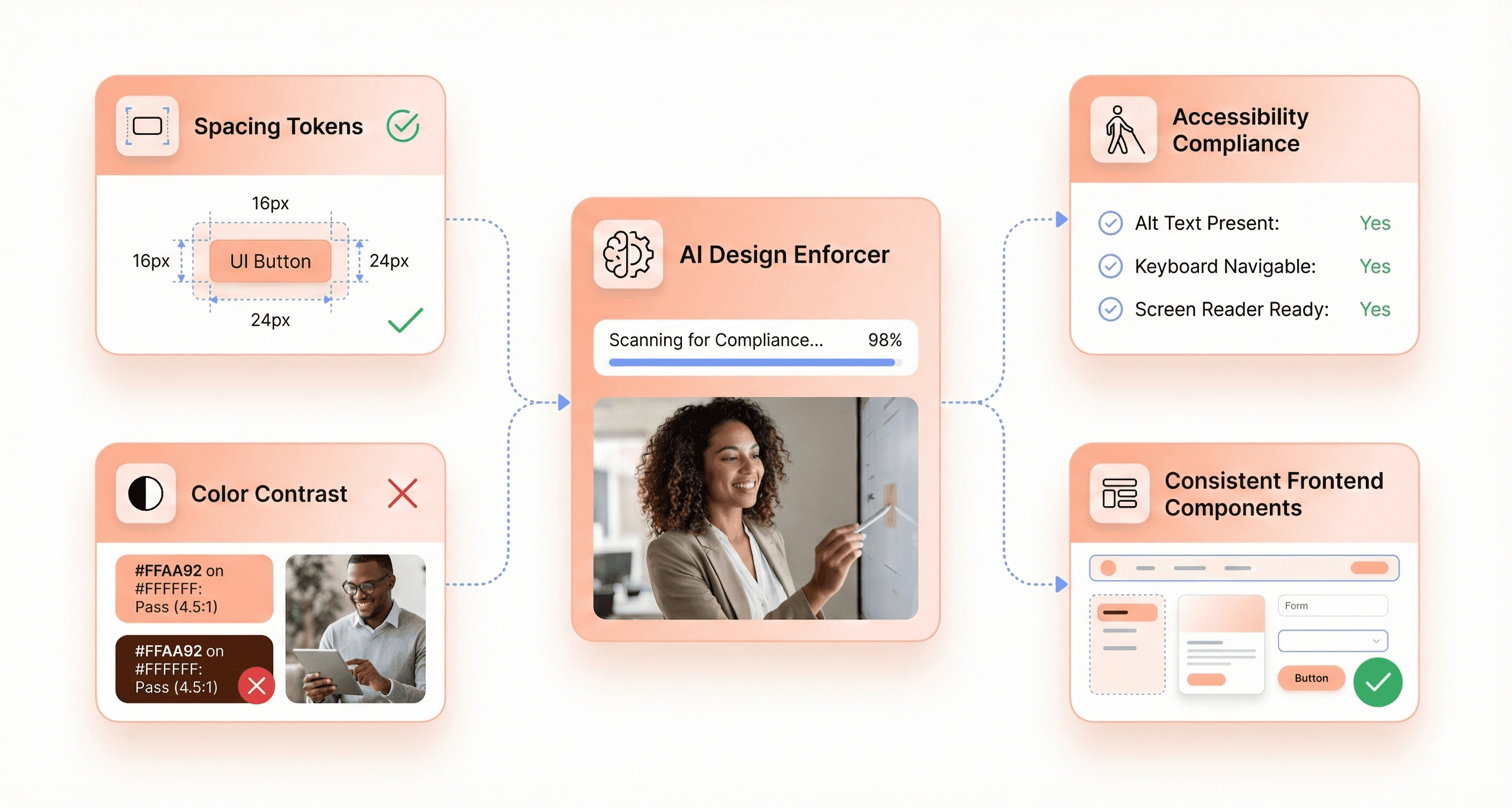
Lint rules can then flag hard-coded values. For example, if a component uses 16px instead of the approved spacing token, the pull request fails a check. Visual regression tools such as Percy and Applitools compare screenshots between builds to catch unintended layout changes.
Accessibility: automated checks plus people
Automated checkers catch common problems such as missing alt text, missing form labels, skipped heading levels and low colour contrast, and AI can suggest fixes. They cannot confirm that a site is accessible. The W3C is clear: "Tools cannot check all accessibility aspects automatically. Human judgement is required" (W3C WAI). Pair automated checks with keyboard and screen reader testing, and a periodic UX audit.
What this looks like in practice
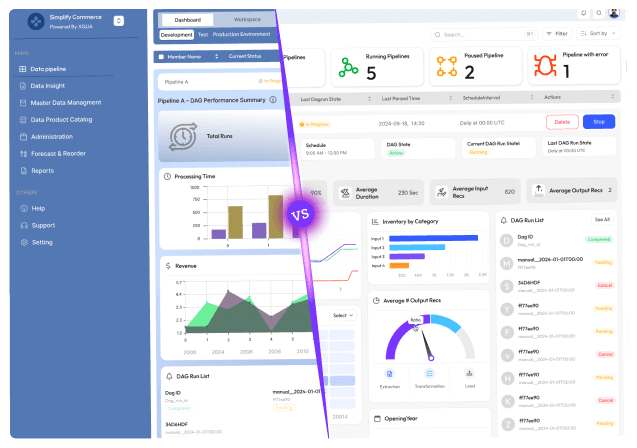
When Hashbyt modernised the Silver Oak Wealth Advisors platform, we built a reusable React component library and design system, reached WCAG 2.1 AA, and UI-related support tickets fell by 65%. A shared component library like this is also what keeps AI-generated screens consistent, because the agent has approved building blocks to reuse.
React Compiler Automates Most Memoisation
What React Compiler does
React Compiler reached its first stable release, version 1.0, on 7 October 2025 (React blog). It is a build-time tool that analyses how data flows through components and hooks and adds memoisation automatically. It works with React and React Native, and it can memoise values conditionally, which is not possible with manual memoisation.
In practice, it skips many unnecessary re-renders of child components and avoids repeating expensive calculations inside a component when their inputs have not changed. Compiler-powered lint rules now ship in eslint-plugin-react-hooks, which helps teams find code that breaks the Rules of React.
What it does not do
It only memoises React components and hooks. An expensive function used in many components still runs in each of them, so memoise it outside React.
It does not fix slow network requests, large bundles, heavy images or inefficient data fetching. Those still need measuring and fixing directly.
It relies on your code following the Rules of React. The React team recommends end-to-end testing before upgrading the compiler, and pinning an exact version if test coverage is limited.
It does not make
useMemoanduseCallbackobsolete. They remain escape hatches, for example to keep an effect dependency stable, and the React docs advise leaving existing memoisation in place or testing carefully before removing it.
Results reported by early adopters
Meta Quest Store: initial loads and cross-page navigations improved by up to 12%, and some interactions became more than 2.5 times faster, with memory use neutral (React blog).
Wakelet: LCP improved by about 10% (2.6s to 2.4s) and INP by about 15% (275ms to 240ms) (Wakelet case study).
Sanity Studio: a 20 to 30% increase in frames rendered per second while editing (Sanity case study).
Treat these as examples, not a forecast. Results depend on how much unnecessary re-rendering your app has to begin with.
Adopting it in an existing app
React Compiler supports React 17 and later; React 17 and 18 apps also need the react-compiler-runtime package and a target setting. Expo SDK 54 and later enable it by default, Vite projects can add it through the React plugin, and Next.js 16 made its built-in support stable. In Next.js it is still opt-in through the reactCompiler option, and build times increase because the compiler runs through Babel (Next.js 16). Roll it out gradually, following the React docs' incremental adoption guide, and compare performance traces before and after.
Next.js and Server Components Reduce Client-Side JavaScript
React Server Components are stable in React 19
React Server Components render ahead of time, separately from the client app, and the libraries they use are not included in the JavaScript bundle sent to the browser. The React docs give the example of a markdown page where, without Server Components, users would download and parse an extra 75K (gzipped) of libraries. Server Components are stable in React 19, although the underlying bundler APIs can still change between minor versions.
For modernisation, this means data-heavy screens can move rendering work to the server and send less JavaScript to slower devices. Interactive parts still run as Client Components marked with the "use client" directive, so migrating to Server Components means deciding carefully where state and interactivity live.
What changed in Next.js 16
Next.js 16, released on 21 October 2025, made Turbopack the default bundler, introduced Cache Components with an opt-in "use cache" directive, replaced middleware.ts with proxy.ts on the Node.js runtime, added Next.js DevTools MCP for AI-assisted debugging and made React Compiler support stable (Next.js 16 release notes). The latest minor version at the time of writing is Next.js 16.3, released in August 2026, and the team shipped several security releases in August and September 2026, so keep patch versions current (Next.js blog).
Caching is now explicit: dynamic code runs at request time by default, and you choose what to cache. That is easier to reason about than the earlier implicit caching, but it is a real change for teams upgrading older App Router projects, so plan and test it.
Claims to treat with care
Next.js does not use machine learning to change its rendering strategy for each user at runtime, and running code at the edge is not automatically faster for every app. The middleware.ts file is still available for Edge runtime use cases in Next.js 16, but it is deprecated. Choose static, dynamic or cached rendering per route based on your data, and measure the result.

How to Use AI Safely in a Frontend Modernisation Project
Short answer: modernise in small, reversible steps, put tests around current behaviour before changing it, review every AI-generated change, and make the design system the only source of UI building blocks.
Migrate incrementally with the strangler fig pattern
Rather than rewriting the whole frontend at once, replace it route by route or feature by feature, with old and new code running side by side until the old part can be retired. Martin Fowler describes this as the strangler fig approach. It limits the damage any single AI-generated change can do and lets you ship value early. Our legacy app modernisation and React migration services follow this pattern.
Write tests first
Before an agent touches a legacy screen, capture its current behaviour with characterisation and end-to-end tests. The migrated version then has a clear target, and regressions show up in CI rather than in production.
Keep a human reviewer on every change
Treat AI output like a pull request from a new team member: read it, run it and ask why. Pay particular attention to security, data handling, accessibility and anything that touches payments or authentication. Decide priorities yourself, starting where frontend technical debt costs you most, rather than letting the tool decide.
Make the design system the guardrail
Give agents an approved component library, design tokens and a short instruction file, and block hard-coded styles in linting. This keeps new screens consistent and accessible, and makes AI output easier to review.
Conclusion
AI is changing frontend modernisation in useful but specific ways. Coding agents can draft components from designs, propose fixes as pull requests, write tests and check their work in a browser. React Compiler automates most memoisation, and Next.js 16 and Server Components reduce the JavaScript sent to users.
None of this removes the need for skilled frontend engineers. The teams that benefit most use AI inside clear guardrails: incremental migration, tests first, human review and a strong design system. They also measure results rather than trusting claims, including those in vendor announcements.
Planning a frontend modernisation and want a second opinion on where AI fits? Talk to Hashbyt's frontend team.




About the author
I’m the founder of Hashbyt, an AI-first frontend and UI/UX SaaS partner helping 200+ SaaS companies scale faster through intelligent, growth-driven design. My work focuses on building modern frontend systems, design frameworks, and product modernization strategies that boost revenue, improve user adoption, and help SaaS founders turn their UI into a true growth engine.

Is a clunky UI holding back your growth?
Is a clunky UI holding back your growth?
▶︎
Transform slow, frustrating dashboards into intuitive interfaces that ensure effortless user adoption.
▶︎
Transform slow, frustrating dashboards into intuitive interfaces that ensure effortless user adoption.
