Share

Share

Legacy Frontend Modernization Readiness Checklist

Legacy Frontend Modernization Readiness Checklist

Posted on

Frontend Development

Frontend Development

Posted at

Dec 29, 2025

Dec 29, 2025

Min read

10

I hope you found this post valuable. If you’re looking for proven frontend and design expertise to elevate your product, feel free to reach out.

I hope you found this post valuable. If you’re looking for proven frontend and design expertise to elevate your product, feel free to reach out.

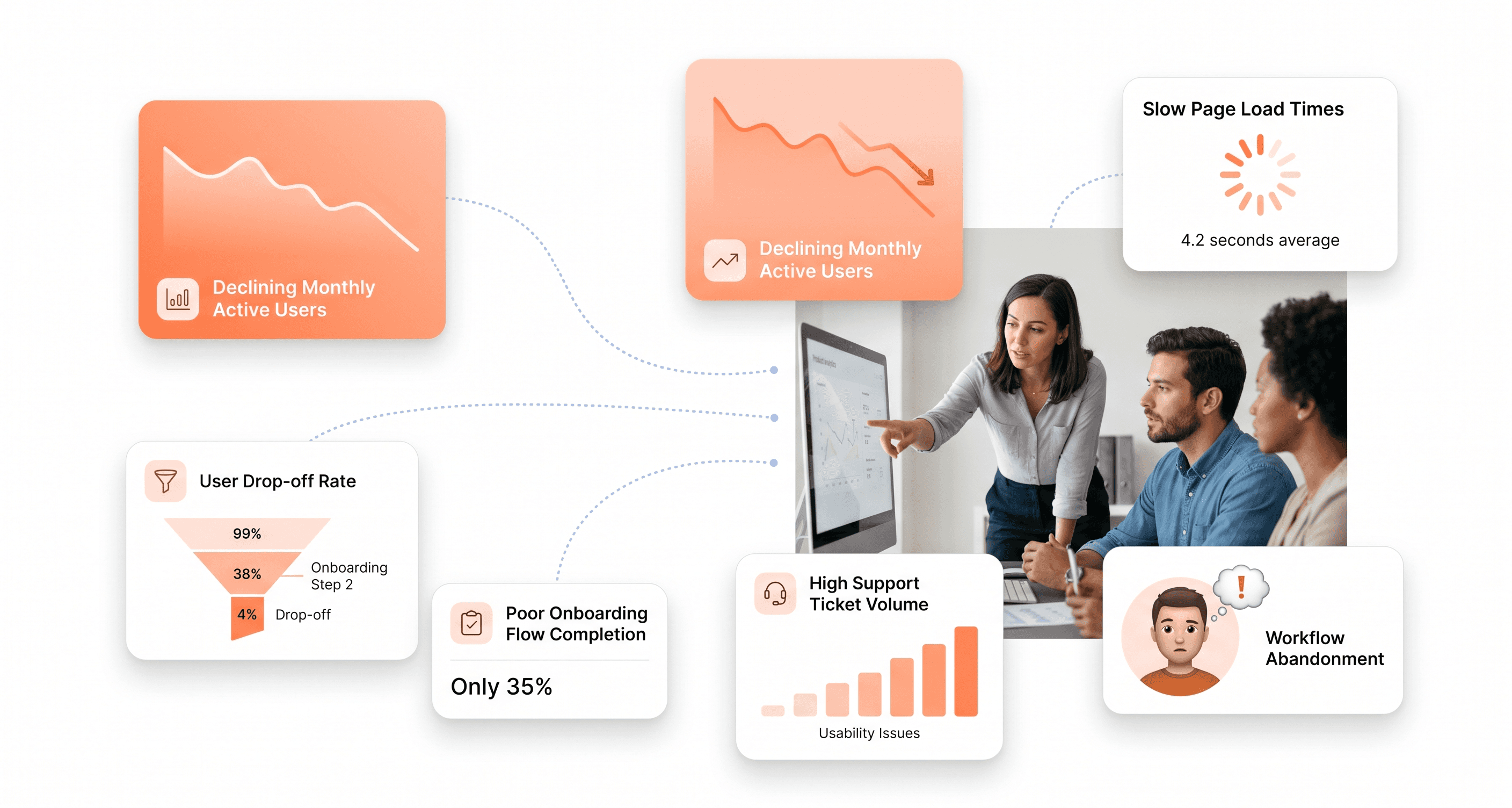
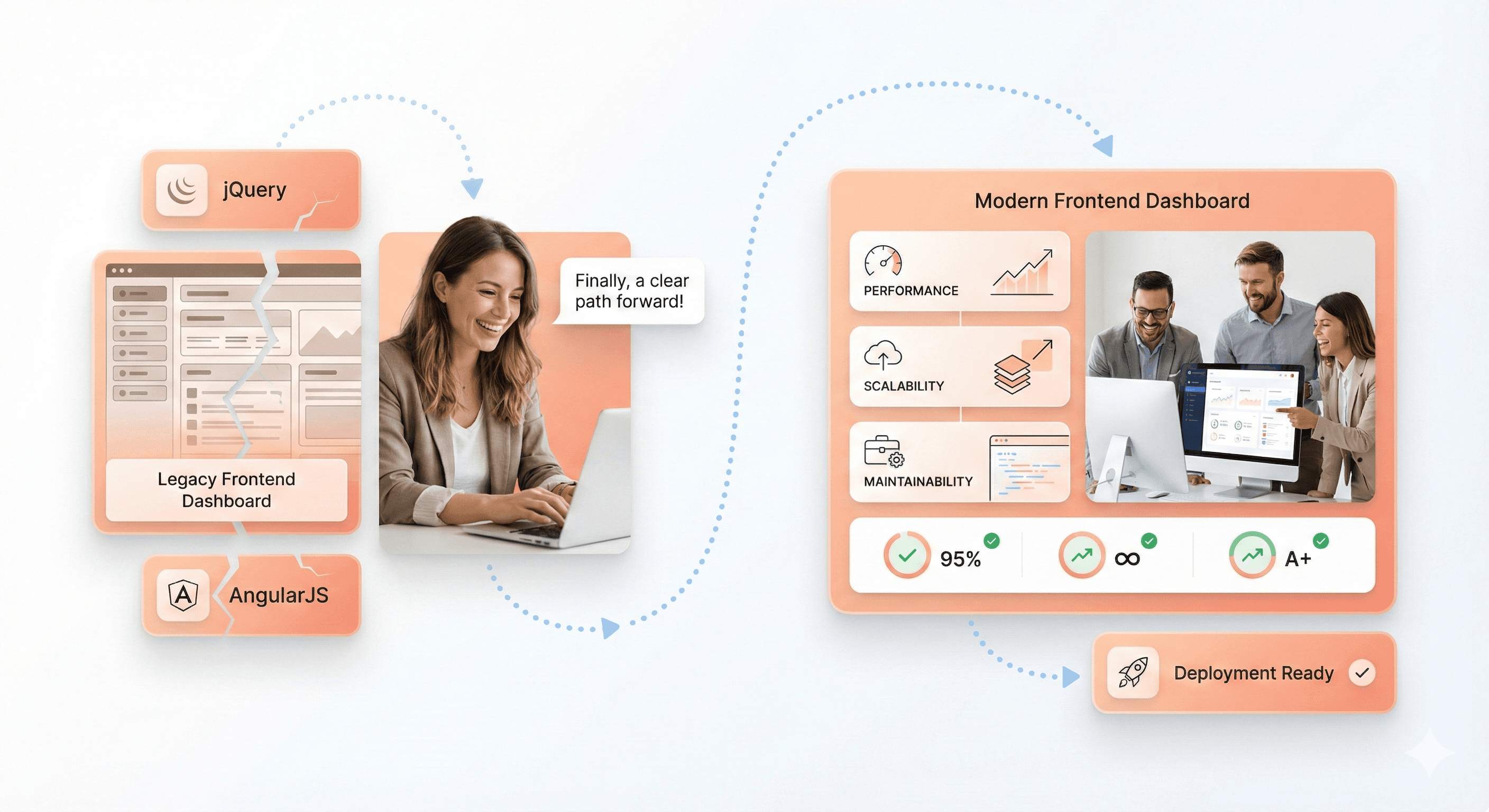
Legacy frontend application transitioning from AngularJS and jQuery to a modern, scalable frontend architecture

Remember when your frontend codebase was young, nimble, and full of promise? Fast forward a few years and suddenly that jQuery-laden application feels like it's held together with duct tape and wishful thinking. If you're a CTO, engineering manager or principal engineer staring down the barrel of a legacy frontend modernization project, you're not alone, and more importantly, you're in the right place.

Modern users expect lightning-fast experiences, your team deserves better developer tooling, and your business needs the agility to ship features without navigating a minefield of technical debt. But where do you even start? How do you convince stakeholders that modernization is worth the investment? And most critically, how do you avoid turning your modernization effort into yet another legacy system?

This comprehensive checklist walks you through every dimension of frontend modernization readiness from auditing your creaking AngularJS applications to selecting the right modern framework for your specific needs. Think of this guide as your trusted co-pilot through the turbulence of technical transformation. We'll cover the technical assessments, business justifications, team considerations, and success metrics that separate modernization winners from cautionary tales.

Whether you're supporting IE11 stragglers, wrestling with Bower dependencies, or simply trying to get your Core Web Vitals into the green, this checklist ensures you're asking the right questions before committing millions in engineering hours to the modernization journey.

Assess Your Current Frontend Technology Stack
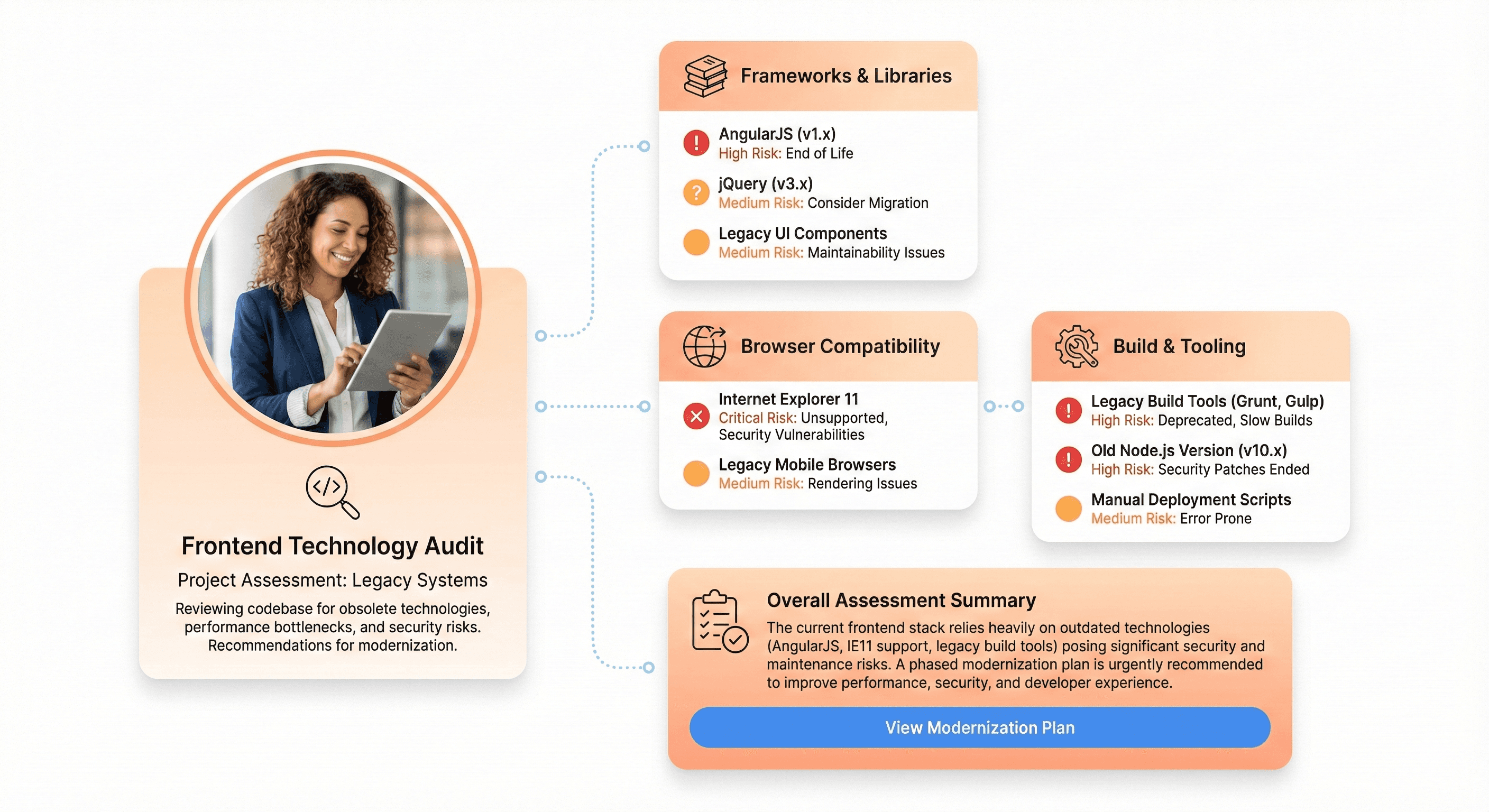
Audit of legacy frontend technologies including AngularJS, jQuery, IE11 support, and outdated build tools

You must be honest about your current situation before you can set out on a path to modernization. Like the foundation of a house, your current technology stack is essential to understanding what lies beneath it in order to build upward.

Evaluate AngularJS applications for end-of-life risks and migration readiness
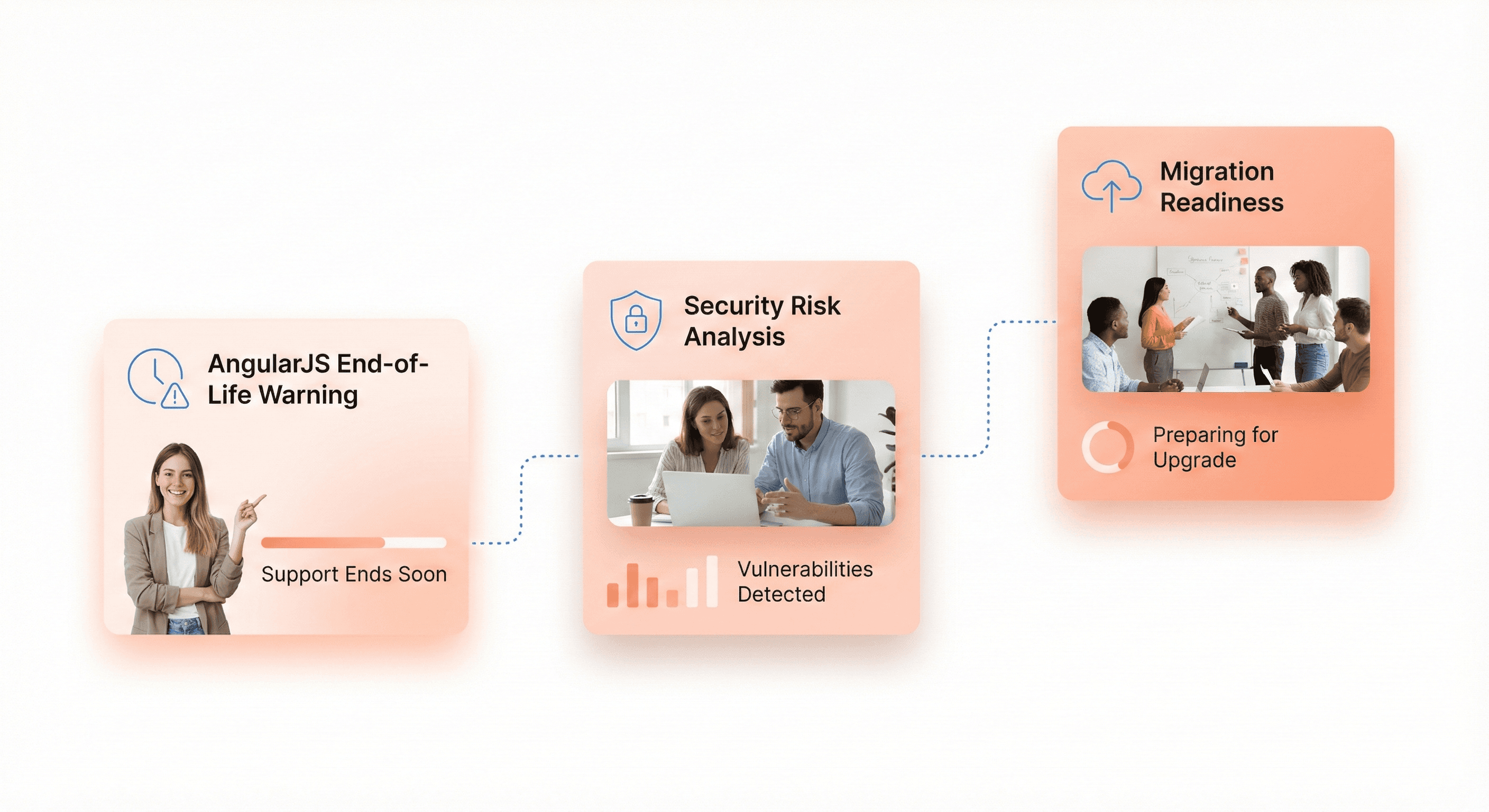
AngularJS applications evaluated for security risks, deprecated APIs, and readiness for frontend migration

AngularJS (the original Angular 1.x) reached official end of life on January 1, 2022. If you're still running AngularJS in production, you're not just dealing with outdated technology; you're operating without security patches, community support, or access to modern tooling.

Start by cataloging every AngularJS application in your portfolio. Which ones drive critical business functions? How many custom directives have you built? What's the scope directive usage pattern across your codebase? Applications heavily reliant on two-way binding and digest cycles will face steeper migration challenges than those with simpler architectures.

Key assessment questions:

  • How many lines of AngularJS code are you maintaining?

  • What percentage uses deprecated APIs?

  • Do you have comprehensive test coverage that will validate migration accuracy?

  • Have you identified all third-party AngularJS libraries that need modern equivalents?

Audit jQuery dependencies blocking modern workflows and CI/CD integration

jQuery revolutionized frontend development in 2006, but modern browsers have native APIs for virtually everything jQuery provided. More importantly, jQuery's imperative DOM manipulation philosophy clashes fundamentally with the declarative component models of modern frameworks.

Audit your jQuery usage by searching for $ or jQuery references across your codebase. Distinguish between jQuery used for:

  • DOM manipulation - Direct element selection and modification

  • AJAX calls - HTTP requests and data fetching

  • Animation - Transitions and visual effects

  • Plugin dependencies - Third-party jQuery plugins

Each category presents different migration complexity.

The real cost of jQuery isn't the library itself; it's the architectural patterns it encourages. Direct DOM manipulation makes state management unpredictable, testing difficult, and code reuse nearly impossible. jQuery-heavy codebases typically lack component boundaries, making incremental modernization challenging.

Critical indicators:

  • Are you loading multiple jQuery versions for plugin compatibility?

  • Do you have custom jQuery plugins without maintained alternatives?

  • Is jQuery embedded in your build process in ways that block tree-shaking and modern bundling?

Identify IE11 legacy code preventing ES6+ optimization and performance gains

Internet Explorer 11 support ended for most Microsoft services in 2021, yet many enterprise applications remain shackled to IE11 compatibility requirements. Supporting IE11 means transpiling modern JavaScript to ES5, including polyfills that bloat bundle sizes, and foregoing performance optimizations that modern browsers enable.

Analyze your user analytics to understand actual IE11 usage. If you're seeing less than 1% traffic from IE11 the cost-benefit analysis shifts dramatically in favor of dropping support. But don't just look at percentages identify who those users are:

  • Are they internal employees on managed desktops?

  • Key enterprise customers?

  • Government users with strict browser policies?

Review toolchain dependencies on outdated build systems like Bower and Grunt

Build tooling evolved rapidly from Grunt to Gulp to Webpack to Vite, and legacy toolchains create friction at every step of your development workflow. Bower, once the package manager of choice, has been deprecated for years. Grunt, while still functional, lacks the ecosystem and performance of modern alternatives.

Catalog your build process end-to-end:

  • What package managers are you using?

  • What task runners orchestrate your builds?

  • How long does a clean build take?

  • What about incremental builds during development?

Modern tooling like Vite can reduce build times from minutes to seconds, but only if you're willing to migrate.

Modernization blockers:

  • Do you have custom Grunt plugins that would need rewriting?

  • Are package versions pinned to ancient ranges because of Bower limitations?

  • How much tribal knowledge exists around build configurations that nobody wants to touch?

Analyze Performance and User Experience Bottlenecks
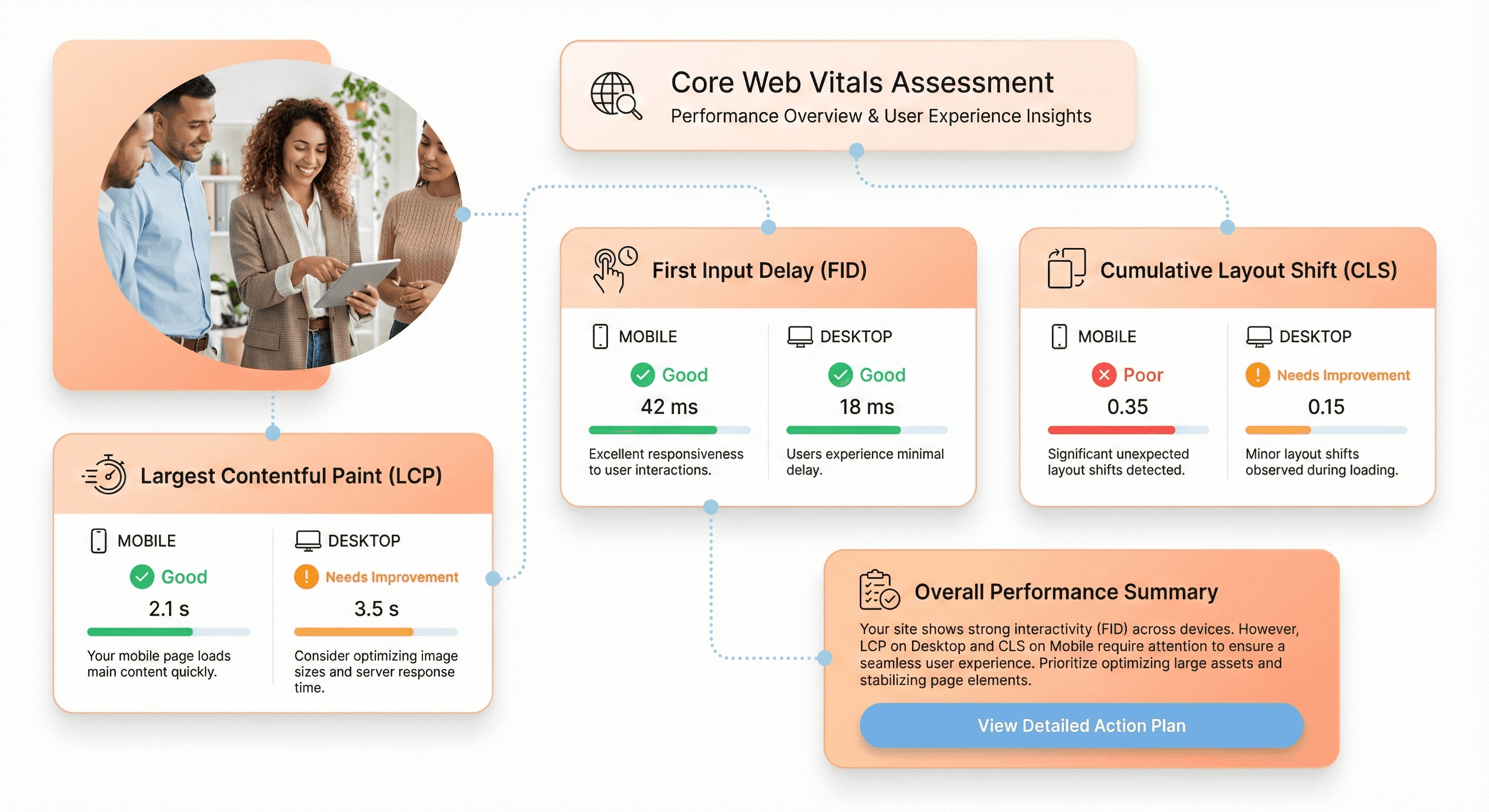
Core Web Vitals metrics showing LCP, FID, and CLS performance impact on user experience and SEO

Users don't care about your technology stack. They care about whether your application feels fast and responsive. Performance isn't just a technical concern. It's a business imperative that affects SEO rankings, conversion rates, and user satisfaction.

Measure Core Web Vitals for SEO and user satisfaction impact

Google's Core Web Vitals Largest Contentful Paint (LCP), First Input Delay (FID), and Cumulative Layout Shift (CLS) now directly impact search rankings. But beyond SEO, these metrics correlate strongly with user experience quality.

Use Google PageSpeed Insights, Lighthouse, and real user monitoring to establish your baseline:

Metric

Good

Needs Improvement

Poor

What It Measures

LCP

≤2.5s

2.5s - 4.0s

>4.0s

Loading performance

FID

≤100ms

100ms - 300ms

>300ms

Interactivity

CLS

≤0.1

0.1 - 0.25

>0.25

Visual stability

An LCP over 2.5 seconds means users wait too long for meaningful content. An FID above 100ms means interactions feel sluggish. A CLS over 0.1 means content jumps around annoyingly during load.

Red flags:

  • Are you seeing LCP scores above 4 seconds?

  • Is your CLS caused by dynamically loaded content without proper space reservation?

  • How do your metrics compare between mobile and desktop?

  • Remember, Google uses mobile scores for ranking

Identify single-page application monolith scaling issues
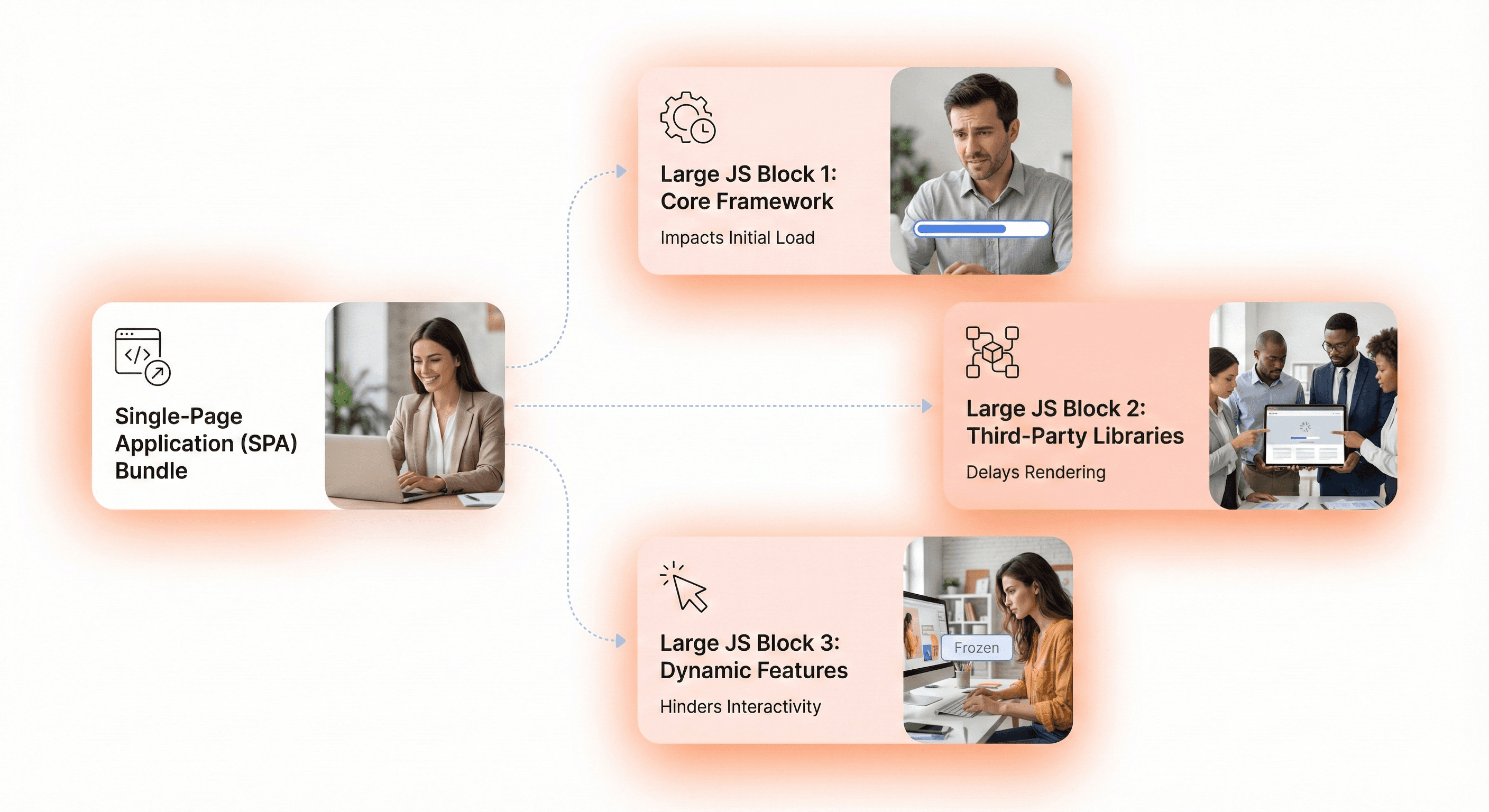
Large SPA JavaScript bundle causing slow load times and delayed interactivity on modern frontend applications

Single-page applications (SPAs) promised seamless experiences, but many evolved into monolithic bundles that download megabytes of JavaScript before showing anything useful. A 5MB initial bundle might load quickly on your developer machine with high-speed internet, but it's devastating for users on mobile networks.

Analyze your bundle composition with tools like webpack-bundle-analyzer:

  • What percentage of your bundle is actually needed for the initial route?

  • How much is third-party libraries versus your application code?

  • Are you shipping entire libraries when you only use a few functions?

Scaling symptoms:

  • Does your application take longer than 3 seconds to become interactive on a mid-range mobile device?

  • Do users on slower connections see white screens for extended periods?

  • Has adding new features noticeably slowed down initial load times?

Assess code splitting and lazy loading implementation gaps

Code splitting divides your application into smaller chunks that load on demand, dramatically improving initial load times. Lazy loading defers loading noncritical resources until they're actually needed. Together, these techniques can transform performance but only if implemented thoughtfully.

Evaluate whether your application uses route-based code splitting. Each major route should be its own chunk that loads only when needed. Look for opportunities to lazy load:

  • Below-the-fold content

  • Modal dialogs

  • Admin-only features that most users never access

  • Heavy third-party libraries

  • Images and videos

Implementation gaps:

Gap Type

Problem

Solution Approach

Component library loading

Loading entire library upfront

Import specific components only

Utility library imports

Importing entire lodash/moment

Use tree-shakeable alternatives

Media loading

Eager loading all images

Implement lazy loading with Intersection Observer

Route bundling

All routes in single bundle

Implement dynamic imports per route

Evaluate bundle size reduction opportunities through polyfill removal

Polyfills backfill modern JavaScript features for older browsers, but they come at a cost. If 95% of your users run modern browsers, why ship polyfills to everyone? Conditional polyfill loading based on feature detection can dramatically reduce bundle sizes.

Audit what polyfills you're including and why:

  • Are you using a service like Polyfill.io that serves polyfills conditionally?

  • Or are you bundling everything upfront?

  • How much bundle size could you save by dropping IE11 support entirely?

Optimization opportunities:

  • Replace date formatting libraries with native Intl APIs

  • Use native Fetch instead of Axios for simple requests

  • Leverage CSS Grid and Flexbox instead of JavaScript layout libraries

  • Remove unnecessary core-js polyfills for modern browsers

Each decision compounds into meaningful performance improvements.

Conduct Comprehensive System Architecture Review
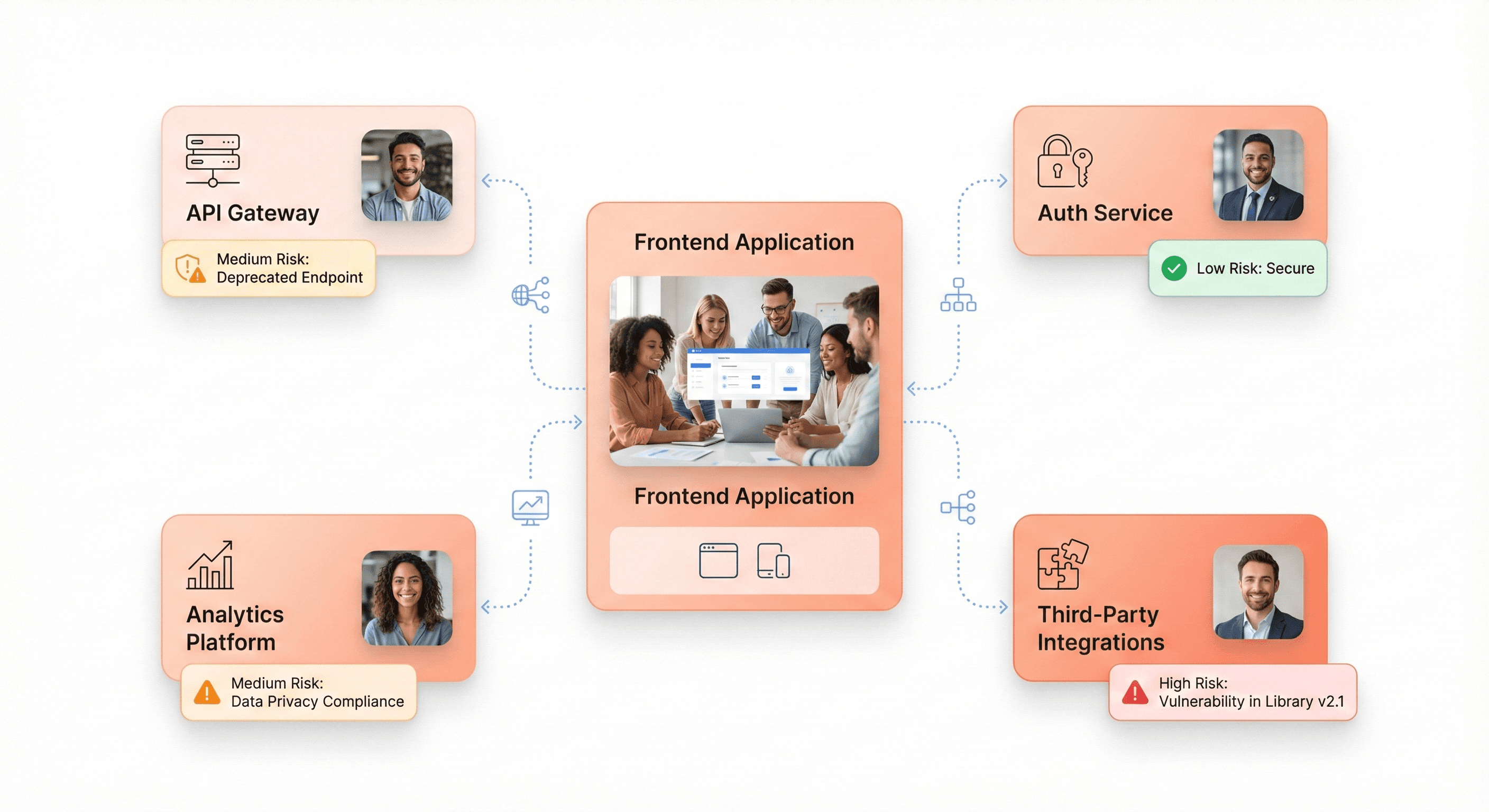
Frontend system dependencies mapped across APIs, authentication services, analytics tools, and third-party integrations

Problems with architecture grow worse over time, much like compound interest. The ownership gaps, integration antipatterns, and hidden dependencies that make change costly and dangerous are revealed by a thorough architecture review.

Map dependency clusters and ownership gaps across services

Modern frontend applications rarely exist in isolation. They depend on:

  • APIs - RESTful services, GraphQL endpoints

  • Authentication services - OAuth providers, SSO systems

  • Content management systems - Headless CMS, static site generators

  • Analytics platforms - Google Analytics, Mixpanel, custom tracking

  • Third-party services - Payment processors, email services, CDNs

Understanding these dependencies is crucial because architectural decisions ripple across boundaries.

Create a dependency map showing every service your frontend relies on:

  • Who owns each service?

  • What SLAs do they provide?

  • What happens when they're unavailable?

  • Are you using circuit breakers and graceful degradation patterns?

Architectural risks:

  • Do you have circular dependencies between services?

  • Are critical user flows dependent on services owned by teams you can't directly coordinate with?

  • How many services lack clear owners or documentation?

Surface avoided modules and obsolete integration patterns

There is always that module in a codebase that no one wants to work on, the one with the ominous comment that reads, "don't change this unless absolutely necessary." These omitted modules become architectural bottlenecks and accrue technical debt.

Identify avoided modules through:

  • Code review patterns - PRs that carefully route around certain files

  • Git blame histories - Files untouched for years despite activity around them

  • Team interviews - Ask "what code scares you?"

  • Incident reports - Areas that frequently break in unexpected ways

Why are developers avoiding these areas?

  • Is it complexity?

  • Lack of testing?

  • Unclear requirements?

  • Fear of breaking something critical?

These aren't just technical problems; they're organizational signals.

Warning signs:

Warning Sign

What It Reveals

Action Required

Modules untouched for years

Fear-based avoidance

Comprehensive testing and refactoring

Workarounds instead of fixes

Brittle core functionality

Root cause analysis and redesign

Duplicated integration patterns

Original too fragile to modify

Pattern consolidation strategy

"Here be dragons" comments

Undocumented complexity

Knowledge extraction sessions

Identify brittle dependencies causing release delays

Some dependencies act as bottlenecks that slow every release:

  • Maybe it's a shared component library without semantic versioning

  • Perhaps it's a build pipeline that requires manual intervention

  • Or it could be integration with a third-party service notorious for breaking changes

Track which dependencies most frequently cause release delays or rollbacks. Use your incident retrospectives and deployment logs to identify patterns. The most brittle dependencies often aren't the most complex—they're the ones with unclear contracts and implicit assumptions.

Bottleneck indicators:

  • How often do dependency updates require emergency fixes?

  • Do you pin dependency versions and never update because changes break things?

  • Are there services you can't deploy independently because of tight coupling?

  • What percentage of failed deployments trace back to specific dependencies?

Document tacit knowledge requirements blocking team scalability

Tacit knowledge is the undocumented expertise living in people's heads the "you just have to know" aspects of your system. When only two people understand how authentication works, those two people become bottlenecks and single points of failure.

Conduct knowledge mapping sessions where senior engineers document:

  • Assumptions built into the system

  • Gotchas and edge cases

  • Tribal knowledge never written down

  • Workarounds for known issues

  • Historical context for design decisions

What would a new team member be completely baffled by? What requires reading the git history to understand? Where are the landmines that everyone learned to avoid but never documented?

Scalability blocks:

  • How long does it take new engineers to make their first production change?

  • Do senior engineers spend most of their time answering questions instead of building features?

  • What knowledge walked out the door when people left the team?

  • Are there systems that only one or two people truly understand?

Evaluate Business Alignment and Technical Debt Impact
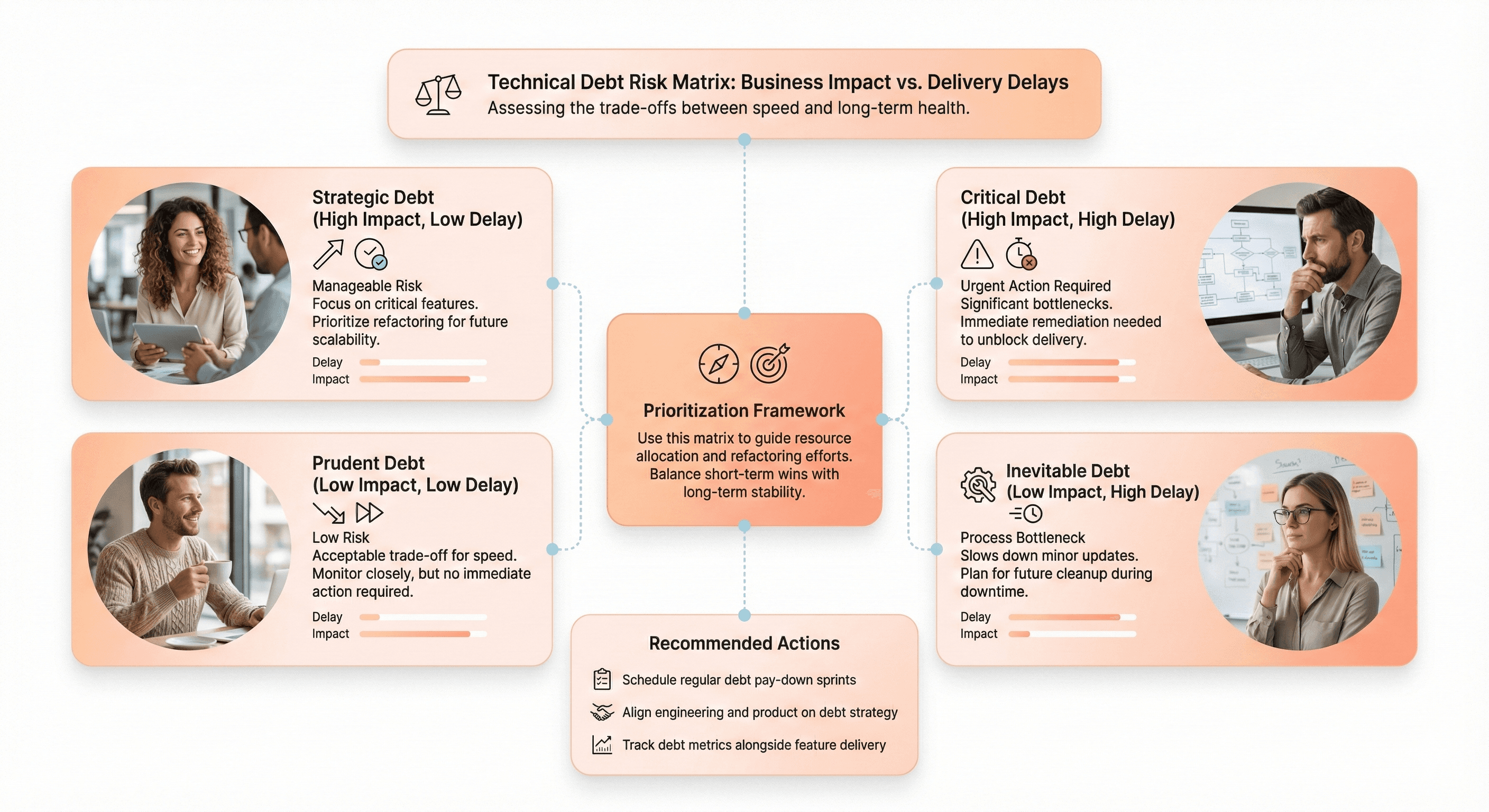
Comparison of technical debt levels against business impact, delivery delays, and engineering rework costs

Technical decisions have business consequences, and business pressures create technical debt. Understanding the intersection is critical for justifying modernization investments and prioritizing what to tackle first.

Quantify rework ratios and test coverage gaps in critical modules

Rework ratio—the percentage of engineering time spent fixing bugs versus building features—is a leading indicator of technical debt severity. When developers spend 40% of their time on rework, that's 40% of capacity you're not investing in competitive differentiation.

Measure rework ratios across different modules to identify hotspots:

Module Type

Typical Rework Ratio

Test Coverage

Modernization Priority

Legacy core

40-60%

<30%

High - Immediate attention

Partially modernized

20-30%

50-70%

Medium - Scheduled improvement

Modern codebase

5-15%

>80%

Low - Maintenance mode

Combine this with test coverage data to understand the relationship. Modules with low test coverage typically have higher rework ratios because changes introduce unexpected regressions.

Business impact metrics:

  • What's your organization-wide rework ratio?

  • How does it vary between legacy and modern codebases?

  • What could you build if you reclaimed that capacity?

  • What revenue opportunities are you missing because you're constantly firefighting?

Measure delivery delays on revenue-critical system components

Not all technical debt is created equal. Debt in a rarely-used admin interface is annoying; debt in your checkout flow directly impacts revenue. Prioritize modernization efforts based on business criticality, not just technical severity.

Identify revenue-critical user journeys through your application:

  • E-commerce checkout flow

  • Subscription signup process

  • Key product features driving conversions

  • User onboarding experiences

How long does it take to make changes in these areas? How often do changes require multiple attempts because of regressions? What features have been postponed or cancelled because the technical cost was too high?

Prioritization framework:

Map technical debt against business impact and change frequency:

  • High-impact, high-frequency areas → Modernization priorities

  • High-impact, low-frequency areas → Stabilize with testing

  • Low-impact, high-frequency areas → Consider modernization if capacity allows

  • Low-impact, low-frequency debt → Acceptable to live with indefinitely

Calculate cost-per-change across different service areas

Cost-per-change normalizes technical debt measurement across different parts of your system. A module that takes three developers a week to safely change has a much higher cost-per-change than one that a single developer can modify in a day with confidence.

Track the actual engineering effort required for changes in different areas:

Cost components to include:

  • Coding time

  • Testing effort (manual and automated)

  • Code review cycles

  • Deployment coordination

  • Post-deployment monitoring

  • Incident response and rollbacks

The fully-loaded cost-per-change reveals where your architecture is fighting you.

ROI indicators:

Metric

Legacy Area

Modern Area

Potential Savings

Average change time

40 hours

8 hours

80% reduction

Changes per quarter

20

20

-

Quarterly cost

800 hours

160 hours

640 hours saved

Annual capacity recovery

-

-

2,560 hours

What's your cost-per-change in legacy versus modern areas? How much could you save by reducing it by 50%? What's the payback period for modernization investments based on reduced change costs?

Assess feature request blockages caused by architectural constraints

Product managers and business stakeholders have wishlists of features they'd love to build. Some requests get implemented quickly; others languish in the backlog forever because they're "technically infeasible" with the current architecture.

Catalog feature requests that have been blocked or delayed by technical limitations:

  • Why were they difficult?

  • What architectural changes would make them straightforward?

  • What customer requests are you saying "no" to?

  • What competitive features can't you match?

This creates a compelling narrative for modernization that business stakeholders understand.

Business case building:

  • How many customer-requested features are blocked by legacy architecture?

  • What revenue opportunities are you missing?

  • What competitive disadvantages stem from your inability to ship certain features quickly?

  • How many sales have been lost due to missing capabilities?

Review Security and Compliance Readiness

Security vulnerabilities and compliance failures can destroy businesses overnight. Legacy frontend applications often accumulate security debt that becomes increasingly expensive to remediate and creates existential risk.

Audit embedded access controls and encryption practices

Frontend security is often an afterthought, with developers assuming backend security is sufficient. But client-side access controls prevent exposure of sensitive data, and encryption practices protect user privacy even if backend systems are compromised.

Review how access control decisions are implemented in your frontend:

Security checklist:

  • Are you hiding UI elements but still sending sensitive data to the client?

  • Are you using role-based access controls consistently?

  • What sensitive data is stored in browser storage without encryption?

  • Are authentication tokens stored securely (httpOnly cookies vs localStorage)?

  • Do you have Content Security Policy (CSP) headers configured?

  • Is sensitive business logic implemented client-side where it can be reverse-engineered?

Security gaps:

Gap Type

Risk Level

Common Issue

Remediation

Token storage

Critical

localStorage for auth tokens

Move to httpOnly cookies

Client-side business logic

High

Pricing calculations in JS

Move to backend APIs

Unsanitized input

Critical

XSS vulnerabilities

Implement CSP and sanitization

Exposed API keys

High

Hardcoded credentials

Use environment variables and proxies

Evaluate patch cycle processes and incident response capabilities

Legacy dependencies accumulate security vulnerabilities faster than teams can patch them. A dependency that hasn't been updated in two years likely has known CVEs (Common Vulnerabilities and Exposures) that attackers can exploit.

Use tools like npm audit or Snyk to identify vulnerable dependencies:

$ npm audit
found 37 vulnerabilities (12 moderate, 19 high, 6 critical)

But don't just count vulnerabilities—understand your ability to patch them:

  • Can you update dependencies without breaking your application?

  • How long does it take from vulnerability disclosure to patched deployment?

  • Do you have automated dependency updates and vulnerability scanning in CI/CD?

Patch cycle indicators:

  • How many high-severity vulnerabilities are you currently aware of but unable to patch?

  • What's your average time-to-patch for critical security issues?

  • Do you have a documented incident response plan for security vulnerabilities?

  • Can you deploy emergency patches outside normal release cycles?

Assess data governance and traceability for regulatory requirements

Regulations like GDPR, CCPA, HIPAA, and SOC 2 impose requirements on how you collect, store, process, and delete user data. Legacy applications often lack the observability and control mechanisms required for compliance.

Map data flows through your frontend application:

Compliance assessment table:

Requirement

Current State

Gap

Priority

Consent management

Manual cookie banner

No consent tracking

High

Data deletion

Manual DB queries

No automated deletion pipeline

Critical

Data portability

Custom exports

No self-service export

Medium

Audit logging

Basic server logs

No user-level access logs

High

Data residency

Single US region

No geographic controls

Medium

What user data are you collecting? Where is it stored? Can you delete a user's data on request across all systems? Do you have audit logs showing who accessed what data when?

Compliance risks:

  • Are you collecting data without proper consent mechanisms?

  • Can you demonstrate data processing compliance to auditors?

  • What happens when a user exercises their "right to be forgotten"?

  • Do you have data residency controls for international users?

Review shared credentials and ad-hoc security implementations

Shared credentials are a security time bomb. When everyone uses the same API key, you can't revoke access without disrupting everyone, and you can't trace who did what. Ad-hoc security implementations the "we'll handle this with a special case" solutions create gaps that attackers exploit.

Audit your authentication and authorization infrastructure:

Security implementation review:

  • Are you using proper OAuth 2.0 flows?

  • Is every service using its own credentials with appropriate scopes?

  • Do you have centralized identity and access management?

  • Are service-to-service calls authenticated?

  • Do you have multi-factor authentication on sensitive operations?

  • Are API keys rotated regularly?

Security antipatterns:

  • API keys hardcoded in frontend code

  • Different parts of your application implement authentication differently

  • Missing multi-factor authentication on sensitive operations

  • Service-to-service communication without authentication

  • Shared accounts across multiple team members

  • No credential rotation policy

Assess Team Capacity and Knowledge Distribution

Technology modernization is ultimately executed by people, and teams have finite capacity and uneven knowledge distribution. Understanding these human factors is as critical as understanding technical constraints.

Measure engineering ramp-up times for new team members

New engineer ramp-up time is an excellent proxy for codebase complexity and documentation quality. A codebase where new hires take six months to become productive has a knowledge transfer problem that compounds as you try to scale the team.

Track time-to-first-commit, time-to-first-feature, and time-to-independence for new team members:

Onboarding Milestone

Good

Needs Improvement

Poor

Environment setup

<4 hours

1-2 days

>1 week

First code commit

<1 week

2-3 weeks

>1 month

First feature shipped

<1 month

2-3 months

>6 months

Independent work

<3 months

4-6 months

>6 months

Interview recent hires about their onboarding experience:

  • What was confusing?

  • What was missing?

  • What did they learn through painful experience instead of documentation?

  • What surprised them about the codebase?

Capacity constraints:

  • How long does it take before a new hire stops asking basic questions?

  • What percentage of senior engineer time is spent answering questions versus building features?

  • What's your effective team scaling coefficient (how much more productive does adding an engineer make the team)?

Identify work clustering around legacy subject matter experts

Legacy subject matter experts (SMEs) are both critical resources and dangerous single points of failure. When certain work can only be done by specific people, you've created bottlenecks that limit throughput and create key-person dependencies.

Analyze work assignment patterns and code review data to identify clustering:

Knowledge clustering indicators:

  • Which engineers are always involved in certain types of changes?

  • What happens when they're on vacation?

  • Are you creating succession plans for critical knowledge?

  • How many "must have" reviewers do you have for different areas?

Bus factor warning signs:

  • Do certain engineers become involved in every release because of specialized knowledge?

  • Are there parts of the system that multiple engineers could theoretically work on but practically don't?

  • How much work is waiting in queues because specific engineers are at capacity?

  • Would the team be paralyzed if one or two key people left?

Evaluate delivery dependencies during key personnel absences

The true test of team resilience is what happens when key people are unavailable. If deployments stop when one engineer is on vacation, that's an organizational vulnerability that modernization should address.

Simulate personnel absences in planning exercises:

Resilience stress test:

  • If your principal engineer who understands the build system went on extended leave tomorrow, could anyone else debug build failures?

  • What knowledge gaps would cripple the team?

  • Which production incidents could only be resolved by specific individuals?

  • What routine tasks have single-person dependencies?

Resilience assessment:

Critical Area

People Who Can Handle It

Risk Level

Mitigation Plan

Build system

1 person

Critical

Knowledge transfer sessions

Authentication

2 people

High

Documentation sprint

Payment integration

1 person

Critical

Pair programming rotation

Deployment pipeline

3 people

Medium

Acceptable current state

Assess AI tool integration opportunities for capacity uplift

Modern AI-powered developer tools like GitHub Copilot, Cursor, and Claude can dramatically increase engineering productivity—but only if your codebase and practices support them. Legacy codebases with inconsistent patterns and poor documentation often confuse AI assistants.

Evaluate how effectively AI tools work with your current codebase:

AI effectiveness assessment:

  • Do they generate helpful suggestions or nonsense?

  • Can they understand your architectural patterns?

  • Do they respect your naming conventions and code style?

  • Can they navigate your project structure effectively?

Modern, well-structured code with clear conventions is much more "AI-friendly" than legacy spaghetti.

AI augmentation potential:

  • How much time could AI tools save on boilerplate and repetitive tasks?

  • What refactoring work could AI-assist?

  • Could AI help with modernization efforts like translating AngularJS to modern frameworks?

  • What modernization investments would maximize AI effectiveness?

  • Would cleaner architecture improve AI tool utility?

Plan Migration Strategy with Modern Framework Selection
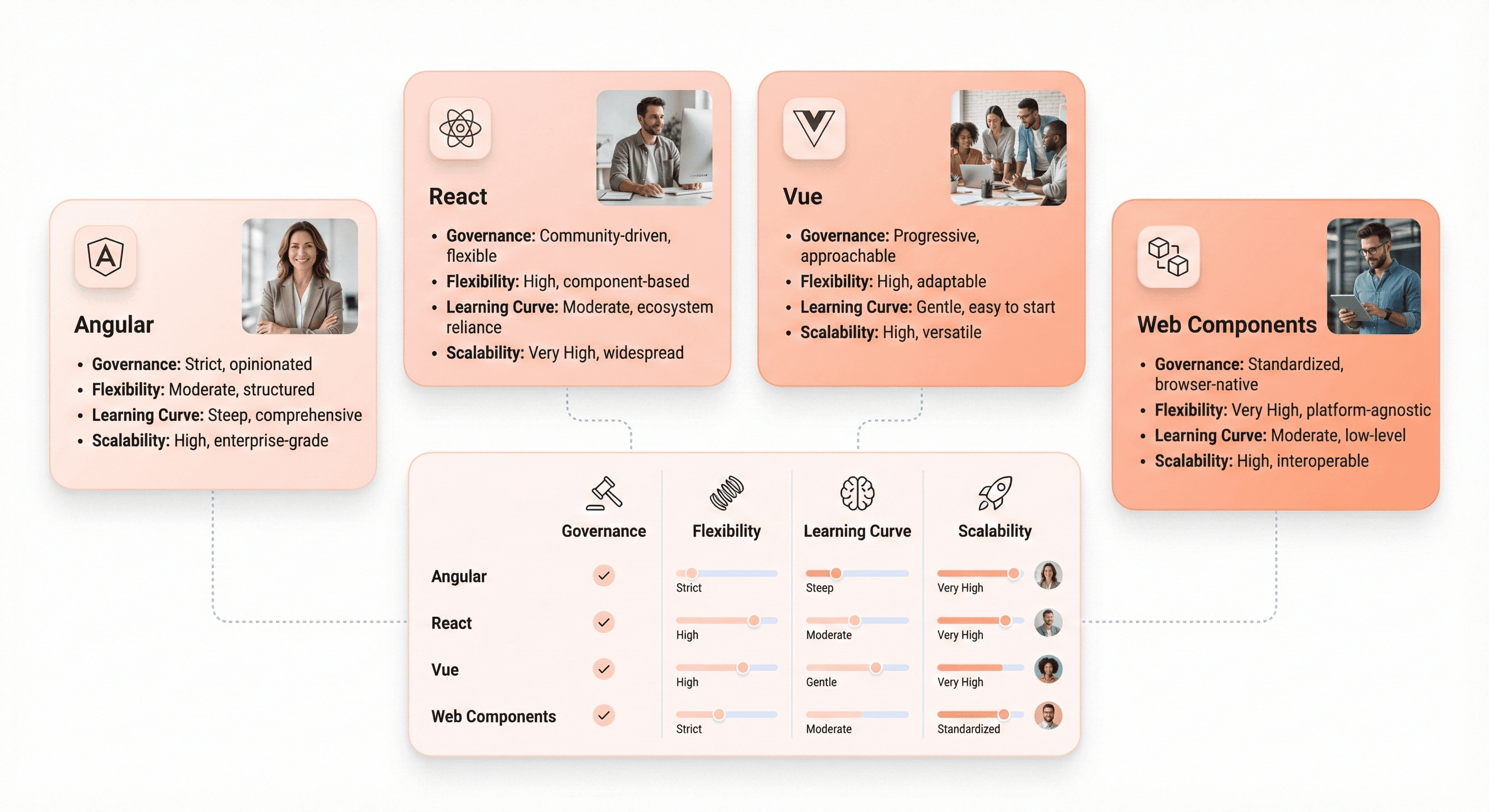
Comparison of Angular, React, Vue, and Web Components based on governance, flexibility, and scalability needs

Choosing the right modern framework is like choosing a life partner—it's a long-term commitment that shapes everything you build going forward. The "best" framework depends on your specific context, team, and requirements.

Choose Angular for enterprise governance and strong typing requirements

Angular (the modern version, not AngularJS) provides opinionated structure, enterprise-grade tooling, and first-class TypeScript support. If you're building applications for large organizations with multiple teams, Angular's conventions and dependency injection system promote consistency.

Angular's comprehensive framework includes everything you need:

  • Routing - Built-in router with guards and lazy loading

  • Forms - Template-driven and reactive forms

  • HTTP client - Observable-based HTTP communication

  • Testing utilities - Jasmine and Karma integration

  • CLI tooling - Code generation and build optimization

This reduces decision fatigue but requires accepting Angular's architectural opinions.

Angular is ideal when:

  • You have multiple teams that need consistent architectural patterns

  • Your organization values strong typing and compile-time error catching

  • You need enterprise features like internationalization and accessibility built-in

  • You're migrating from AngularJS and want conceptual continuity

  • You require comprehensive official documentation and support

  • Your team prefers convention over configuration

Angular trade-offs:

Consideration

Impact

Mitigation Strategy

Learning curve

Steeper for framework newcomers

Invest in training and onboarding

Framework flexibility

Less ability to swap components

Accept opinionated structure

Initial bundle size

Larger than minimal frameworks

Implement lazy loading aggressively

Code verbosity

More boilerplate code

Use CLI generators, embrace patterns

Select React for flexibility and microfrontend architecture needs

React's minimal core and vast ecosystem provide unmatched flexibility. You choose your own routing library, state management solution, styling approach, and build tools. This flexibility makes React ideal for microfrontend architectures where different teams own different application areas.

React's component model and one-way data flow promote predictability and testability. The ecosystem offers solutions for every problem sometimes too many solutions requiring careful evaluation and standardization across teams.

Popular React ecosystem choices:

Concern

Popular Options

Considerations

Routing

React Router, TanStack Router

React Router is the standard

State Management

Redux, Zustand, Jotai, Context API

Start simple, scale as needed

Styling

Tailwind, CSS Modules, Styled Components

Team preference matters

Forms

React Hook Form, Formik

Hook Form has better performance

Build Tools

Vite, Next.js, Create React App

Vite for SPAs, Next.js for SSR

React is ideal when:

  • You need maximum flexibility in architectural choices

  • You're building a microfrontend architecture where different teams use different tech stacks

  • You want access to the largest ecosystem of components and libraries

  • Your team has strong opinions about tooling and wants choice

  • You need server-side rendering capabilities (via Next.js)

  • You value gradual adoption and can integrate with existing apps

React trade-offs:

  • Requires more decisions about complementary libraries and tools

  • Ecosystem churn can make libraries obsolete quickly

  • JSX syntax feels unfamiliar to developers from template-based frameworks

  • Less opinionated means more opportunities for inconsistency across teams

  • Need to establish your own architectural patterns and conventions

Consider Vue for faster team ramp-up and lower learning overhead

Vue combines the best ideas from Angular (templates, directives) and React (component model, reactivity) into an approachable framework with gentle learning curves. Developers can be productive quickly, making Vue excellent for teams with varied experience levels.

Vue's progressive adoption model means you can start simple and add complexity only when needed. The official ecosystem (Vue Router, Pinia for state management, Nuxt for server-side rendering) provides guidance without being dogmatic.

Vue's progressive adoption path:

  1. Level 1: Drop-in replacement for jQuery with script tags

  2. Level 2: Single-file components with Vue CLI

  3. Level 3: Full SPA with routing and state management

  4. Level 4: Server-side rendering with Nuxt.js

Vue is ideal when:

  • Developer velocity and quick ramp-up are priorities

  • You want a strong community and growing ecosystem without React's analysis paralysis

  • You need something more structured than React but less opinionated than Angular

  • You value excellent documentation and developer experience

  • Your team includes developers with varying experience levels

  • You want a gentle migration path from legacy code

Vue trade-offs:

Trade-off

Impact

Consideration

Ecosystem size

Smaller than React

Growing rapidly, most needs covered

Enterprise adoption

Less than Angular/React

Increasingly used by major companies

Developer availability

Fewer Vue experts in market

Easier to train than Angular

Enterprise perception

Sometimes seen as less "serious"

Adoption growing, perception changing

Evaluate Web Components for incremental jQuery replacement

Web Components (Custom Elements, Shadow DOM, HTML Templates) are browser standards that enable framework-agnostic component development. They shine in scenarios where you need to modernize incrementally without committing to a framework wholesale.

If you're replacing jQuery without a full rewrite, Web Components let you build modern reusable components that work anywhere even in your legacy application. Libraries like Lit provide ergonomic abstractions over raw Web Components APIs.

Web Components technologies:

  • Custom Elements - Define your own HTML tags

  • Shadow DOM - Encapsulated styling and markup

  • HTML Templates - Reusable markup fragments

  • ES Modules - Standard JavaScript module system

Web Components are ideal when:

  • You need incremental modernization without a big-bang rewrite

  • You have multiple applications with different frameworks that need to share components

  • You want to avoid framework lock-in and future-proof your components

  • You're building design system components that must work everywhere

  • You need components that work in framework-free environments

  • You're creating embeddable widgets for third-party sites

Web Components trade-offs:

  • Browser support, while improving, lags behind framework capabilities

  • Developer experience isn't as polished as major frameworks

  • Limited ecosystem for application-level concerns like routing and state management

  • Some frameworks don't integrate smoothly with Web Components

  • Requires more manual work for common patterns

  • Testing tools less mature than framework-specific options

Framework comparison summary:

Factor

Angular

React

Vue

Web Components

Learning curve

Steep

Moderate

Gentle

Moderate

Flexibility

Low

High

Medium

Very High

Ecosystem size

Large

Largest

Growing

Limited

Enterprise adoption

Very High

Very High

Medium

Low

Bundle size (initial)

Large

Medium

Small

Minimal

TypeScript support

Excellent

Excellent

Excellent

Good

Best for

Large teams, consistency

Flexibility, microfrontends

Fast ramp-up

Incremental migration

Establish Success Metrics and ROI Measurement

Modernization projects fail not just from technical problems but from moving goalposts and undefined success criteria. Establishing clear metrics upfront creates accountability and demonstrates value to stakeholders.

Set build time reduction targets of 40-60% post-modernization

Build times directly impact developer productivity and iteration speed. Modern tooling like Vite can reduce build times from 2-3 minutes to 10-20 seconds, transforming the development experience and enabling rapid iteration.

Measure your current build times across different scenarios:

Build time baseline metrics:

Build Type

Current Time

Target Time

Expected Improvement

Cold start (dev)

180s

60s

67% reduction

Hot reload (dev)

5s

0.5s

90% reduction

Production build

420s

180s

57% reduction

CI/CD pipeline

600s

240s

60% reduction

A 60% reduction in build times might mean developers can test changes 2.5x more frequently.

Baseline metrics to track:

  • Average time for hot module reload during development

  • Time for full production build in CI/CD

  • Time to first meaningful feedback after code change

  • Impact on deploy frequency and developer satisfaction

  • Developer idle time waiting for builds

Define regression defect thresholds below 2% for migrated modules

Migration quality is measured by what doesn't break. A successful modernization should maintain or improve application stability, not introduce new categories of bugs. Setting a regression defect threshold creates accountability for thorough testing.

Establish your current defect baseline for modules you're planning to migrate:

Quality baseline assessment:

Module

Current Monthly Bugs

Severity 1 Incidents

Test Coverage

Migration Risk

Checkout flow

8

1-2

45%

High

User profile

3

0

70%

Medium

Admin dashboard

12

0

20%

Low business impact

Search

6

1

55%

Medium

What's the typical bug rate? How many production incidents occur monthly? Set targets for post-migration defect rates that are equal or better.

Quality gates to implement:

  • No increase in severity-1 incidents post-migration

  • Regression test pass rate of 99%+ before marking migration complete

  • User-reported bug rate stays constant or decreases

  • No loss of functionality or degradation in user experience

  • Performance metrics maintain or improve

  • Accessibility standards maintained or improved

Track Core Web Vitals improvements to recommended thresholds

Core Web Vitals provide objective performance measures that correlate with business outcomes. Google recommends LCP under 2.5s, FID under 100ms, and CLS under 0.1. Set targets that move you from "needs improvement" to "good."

Implement real user monitoring (RUM) to track Core Web Vitals across different user segments, devices, and network conditions. Don't just measure the median; track the 75th percentile, which Google uses for scoring, and identify worst-case scenarios.

Performance targets to achieve:

Metric

Current (P75)

Target (P75)

Improvement Strategy

LCP

4.2s

1.8s

Code splitting, image optimization, CDN

FID

180ms

50ms

Reduce JavaScript execution, web workers

CLS

0.25

0.05

Layout reservation, font loading strategy

FCP

2.8s

1.2s

Critical CSS inlining, resource hints

TTI

6.5s

3.0s

Bundle size reduction, lazy loading

Performance optimization tactics:

  • LCP improvements of 30-50% through code splitting and optimized loading strategies

  • FID reductions to under 50ms through reduced JavaScript execution time

  • CLS elimination through proper layout reservation and image sizing

  • Mobile performance parity with desktop experiences

Additional ROI metrics to track:

Category

Metrics

Measurement Frequency

Velocity

Story points/sprint, features shipped, cycle time

Sprint-based

Quality

Defect density, mean time to resolution, test coverage

Weekly

Developer Experience

Satisfaction scores, turnover rate, ramp-up time

Quarterly

Business Impact

Conversion rate, bounce rate, page views

Monthly

Operational

Incident count, deployment frequency, rollback rate

Weekly

Technical

Build time, bundle size, test execution time

Continuous

Create Your Modernization Roadmap

Armed with comprehensive assessment data, you can now create a realistic modernization roadmap that balances business needs, technical constraints, and team capacity. The best modernization strategies minimize risk while delivering incremental value.

Strangler fig pattern for gradual replacement:

Rather than attempting a risky big-bang rewrite, use the strangler fig pattern to gradually replace legacy components with modern alternatives. New features are built with modern technology while legacy code remains functional until it can be systematically replaced.

Strangler fig implementation phases:

  1. Establish routing layer - Create a mechanism to route requests between old and new implementations

  2. Build alongside legacy - Implement new features with modern stack

  3. Extract and replace - Gradually migrate existing features

  4. Decommission legacy - Remove old code as new replaces it

Start with:

  • New features or isolated modules that can be implemented with modern frameworks alongside legacy code

  • Establishing routing mechanisms that seamlessly transition between old and new implementations

  • Gradually expanding the modern footprint while shrinking the legacy boundary

  • Creating clear interfaces between legacy and modern code

Prioritization framework combining risk and value:

Not all modernization efforts provide equal value. Prioritize based on multiple dimensions:

Priority Factor

Weight

Assessment Criteria

Business Impact

30%

Revenue impact, customer satisfaction, competitive advantage

Technical Risk

25%

Complexity, dependencies, test coverage

Effort Required

20%

Engineering hours, team availability, coordination needs

Team Capability

15%

Skill match, knowledge availability, training needs

Dependencies

10%

Blocking factors, prerequisites, cross-team coordination

Prioritization matrix:

  • High-impact, lower-risk projects → Tackle first to build momentum and demonstrate ROI

  • High-impact, high-risk projects → Break into smaller phases with validation gates

  • Low-impact, low-risk projects → Good for team training and building confidence

  • Low-impact, high-risk projects → Defer or avoid unless strategic necessity

Create a prioritization matrix weighing factors like:

  • Revenue impact

  • Customer satisfaction improvement

  • Technical debt reduction

  • Security enhancement

  • Team productivity gains

Be honest about effort estimates. Modernization often takes 50% longer than initial projections.

Phased migration with validation gates:

Break your roadmap into phases with clear deliverables and success criteria. Each phase should deliver measurable value and provide learning that informs subsequent phases.

Sample modernization roadmap:

Phase

Duration

Focus Areas

Success Criteria

Key Deliverables

Phase 1: Foundation

3 months

Build system modernization, team training

40% build time reduction, team certified

Vite/Webpack 5 migration, CI/CD updates

Phase 2: Pilot

3 months

Single feature in modern framework

<2% defects, positive team feedback

User dashboard rebuilt, patterns established

Phase 3: Scale

6 months

Core user flows modernized

Core Web Vitals in "good" range

3-5 major features migrated

Phase 4: Optimization

3 months

Performance tuning, cleanup

50% velocity improvement

Bundle optimization, legacy code removal

Phase 5: Completion

3 months

Remaining features, decommission

Full legacy removal

100% modernization, documentation

Validation gates checklist:

  • Performance benchmarks met or exceeded

  • Test coverage meets minimum thresholds (80%+)

  • Documentation complete and reviewed

  • Team training completed and verified

  • Stakeholder sign-off obtained

  • No critical bugs outstanding

  • Rollback plan tested and documented

Define phase exit criteria including:

  • Performance benchmarks

  • Test coverage requirements

  • Documentation completion

  • Team training verification

  • Stakeholder sign-off

Don't advance to the next phase until current objectives are truly met, not just declared complete.

Build Executive Buy-In and Secure Resources

Technical excellence alone doesn't secure modernization funding; you need a compelling business narrative that resonates with executive stakeholders who control resources and priorities.

Translate technical debt into business language:

Executives don't care about AngularJS deprecation. They care about revenue risk, competitive disadvantage, and recruitment challenges. Frame technical problems in terms of business outcomes:

Translation table:

Technical Language

Business Language

Impact Quantification

"AngularJS is end-of-life"

"We're operating without security patches and vendor support"

"X% increased security incident risk"

"jQuery blocks modern CI/CD"

"Deploy frequency 50% lower than competitors"

"Missing Y revenue opportunities per quarter"

"High technical debt in checkout"

"25% engineering time spent firefighting vs. building features"

"$Z opportunity cost in lost innovation"

"Poor Core Web Vitals"

"SEO ranking decline costing customer acquisitions"

"Loss of X organic traffic, worth $Y"

Business impact storytelling:

  • "Our inability to ship features quickly is costing us $X in lost revenue"

  • "Competitors ship features in weeks; we take months because of technical debt"

  • "We're losing talent to companies with modern tech stacks"

  • "Security vulnerabilities expose us to regulatory fines and reputational damage"

Quantify the business impact using metrics like:

  • Opportunity cost - Revenue lost from features not built

  • Developer productivity loss - Cost of inefficient workflows

  • Increased incident rates - Customer impact and support costs

  • Competitive positioning - Market share lost to faster-moving competitors

Build coalition with product and business stakeholders:

Modernization shouldn't be a battle between engineering and the business; it should be a partnership where both sides understand the interdependencies.

Stakeholder engagement strategy:

Stakeholder Group

Their Concerns

Your Message

Collaborative Actions

Product Managers

Feature velocity, competitiveness

"Modernization unlocks your roadmap"

Joint feature prioritization

Customer Success

User experience, reliability

"Improved performance and stability"

Customer feedback sessions

Sales

Competitive positioning

"Close feature gaps with competitors"

Competitive analysis workshops

Finance

ROI, budget efficiency

"Reduced operational costs, higher output"

Financial modeling collaboration

Executive Leadership

Strategic positioning, risk

"Technical foundation for growth"

Business strategy alignment

Engage product managers early to identify feature capabilities they wish existed. Show how modernization enables their roadmap. Involve business stakeholders in prioritization decisions so they understand trade-offs. Create shared success metrics that align engineering and business objectives.

Present realistic timelines with incremental value delivery:

Avoid the trap of promising a complete modernization in six months that actually takes two years. Break the initiative into phases that each deliver standalone value, allowing executives to see ROI before the entire project completes.

Value delivery timeline:

Quarter

Delivered Value

Business Impact

Stakeholder Visibility

Q1

Improved build times, faster onboarding

30% productivity increase

Developer satisfaction scores

Q2

First modernized feature live

Better user experience, faster iteration

Customer metrics, team velocity

Q3

Core Web Vitals in "good" range

SEO improvement, conversion lift

Traffic and revenue metrics

Q4

50% of application modernized

Feature velocity doubled

Competitive feature parity

Show short-term wins:

  • Improved developer onboarding (within first quarter)

  • Reduced incident rates (within two quarters)

  • Specific performance improvements (ongoing)

Demonstrate sustained progress through:

  • Monthly business reviews highlighting metrics that matter to stakeholders

  • Quarterly roadmap updates showing completed and upcoming work

  • Executive dashboards with key performance indicators

  • Customer impact stories showcasing user experience improvements

Maintain credibility through:

  • Honest progress reporting rather than overly optimistic projections

  • Transparent risk identification and mitigation strategies

  • Regular communication of blockers and challenges

  • Data-driven storytelling using metrics and customer feedback

Conclusion
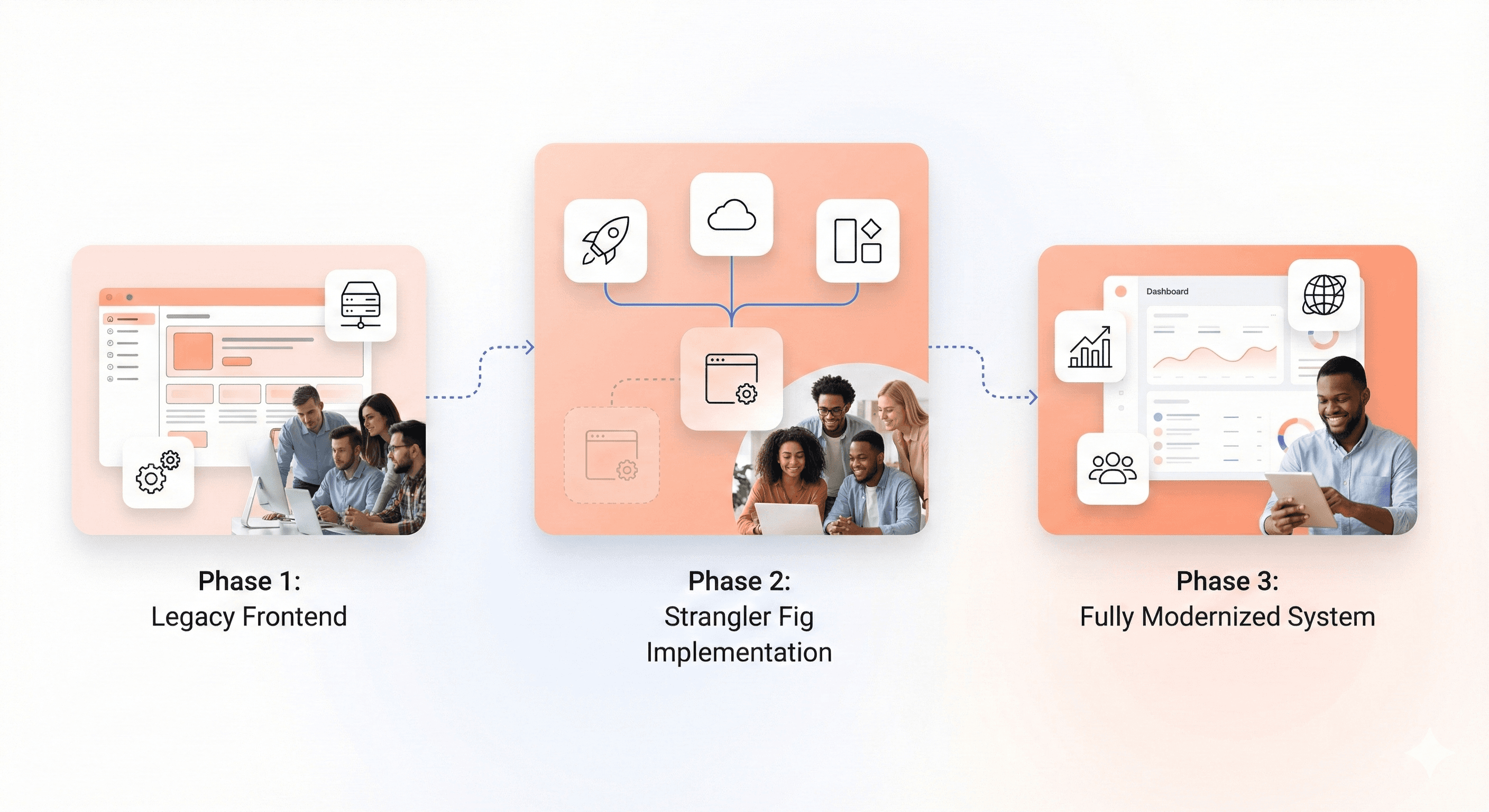
Gradual frontend modernization roadmap showing legacy replacement through phased strangler fig migration

Frontend modernization isn't a purely technical endeavor; it's an organizational transformation that requires careful assessment, strategic planning, and sustained commitment. The checklist outlined here provides a comprehensive framework for evaluating your readiness and building a roadmap for success.

Remember that modernization is a journey, not a destination. Technology will continue evolving, and what's "modern" today will be legacy tomorrow. The goal isn't perfection but creating a sustainable architecture that can evolve with changing requirements and technologies.

Start with honest assessment, prioritize based on business impact, engage stakeholders throughout the process, and deliver incremental value that demonstrates ROI. Modernization done right transforms not just your technology but your organization's capability to deliver value to customers quickly and confidently.

Your legacy frontend doesn't have to remain a burden forever. With the right approach, assessment, and execution, it can become a competitive advantage that accelerates your business forward.


Remember when your frontend codebase was young, nimble, and full of promise? Fast forward a few years and suddenly that jQuery-laden application feels like it's held together with duct tape and wishful thinking. If you're a CTO, engineering manager or principal engineer staring down the barrel of a legacy frontend modernization project, you're not alone, and more importantly, you're in the right place.

Modern users expect lightning-fast experiences, your team deserves better developer tooling, and your business needs the agility to ship features without navigating a minefield of technical debt. But where do you even start? How do you convince stakeholders that modernization is worth the investment? And most critically, how do you avoid turning your modernization effort into yet another legacy system?

This comprehensive checklist walks you through every dimension of frontend modernization readiness from auditing your creaking AngularJS applications to selecting the right modern framework for your specific needs. Think of this guide as your trusted co-pilot through the turbulence of technical transformation. We'll cover the technical assessments, business justifications, team considerations, and success metrics that separate modernization winners from cautionary tales.

Whether you're supporting IE11 stragglers, wrestling with Bower dependencies, or simply trying to get your Core Web Vitals into the green, this checklist ensures you're asking the right questions before committing millions in engineering hours to the modernization journey.

Assess Your Current Frontend Technology Stack

Audit of legacy frontend technologies including AngularJS, jQuery, IE11 support, and outdated build tools

You must be honest about your current situation before you can set out on a path to modernization. Like the foundation of a house, your current technology stack is essential to understanding what lies beneath it in order to build upward.

Evaluate AngularJS applications for end-of-life risks and migration readiness

AngularJS applications evaluated for security risks, deprecated APIs, and readiness for frontend migration

AngularJS (the original Angular 1.x) reached official end of life on January 1, 2022. If you're still running AngularJS in production, you're not just dealing with outdated technology; you're operating without security patches, community support, or access to modern tooling.

Start by cataloging every AngularJS application in your portfolio. Which ones drive critical business functions? How many custom directives have you built? What's the scope directive usage pattern across your codebase? Applications heavily reliant on two-way binding and digest cycles will face steeper migration challenges than those with simpler architectures.

Key assessment questions:

  • How many lines of AngularJS code are you maintaining?

  • What percentage uses deprecated APIs?

  • Do you have comprehensive test coverage that will validate migration accuracy?

  • Have you identified all third-party AngularJS libraries that need modern equivalents?

Audit jQuery dependencies blocking modern workflows and CI/CD integration

jQuery revolutionized frontend development in 2006, but modern browsers have native APIs for virtually everything jQuery provided. More importantly, jQuery's imperative DOM manipulation philosophy clashes fundamentally with the declarative component models of modern frameworks.

Audit your jQuery usage by searching for $ or jQuery references across your codebase. Distinguish between jQuery used for:

  • DOM manipulation - Direct element selection and modification

  • AJAX calls - HTTP requests and data fetching

  • Animation - Transitions and visual effects

  • Plugin dependencies - Third-party jQuery plugins

Each category presents different migration complexity.

The real cost of jQuery isn't the library itself; it's the architectural patterns it encourages. Direct DOM manipulation makes state management unpredictable, testing difficult, and code reuse nearly impossible. jQuery-heavy codebases typically lack component boundaries, making incremental modernization challenging.

Critical indicators:

  • Are you loading multiple jQuery versions for plugin compatibility?

  • Do you have custom jQuery plugins without maintained alternatives?

  • Is jQuery embedded in your build process in ways that block tree-shaking and modern bundling?

Identify IE11 legacy code preventing ES6+ optimization and performance gains

Internet Explorer 11 support ended for most Microsoft services in 2021, yet many enterprise applications remain shackled to IE11 compatibility requirements. Supporting IE11 means transpiling modern JavaScript to ES5, including polyfills that bloat bundle sizes, and foregoing performance optimizations that modern browsers enable.

Analyze your user analytics to understand actual IE11 usage. If you're seeing less than 1% traffic from IE11 the cost-benefit analysis shifts dramatically in favor of dropping support. But don't just look at percentages identify who those users are:

  • Are they internal employees on managed desktops?

  • Key enterprise customers?

  • Government users with strict browser policies?

Review toolchain dependencies on outdated build systems like Bower and Grunt

Build tooling evolved rapidly from Grunt to Gulp to Webpack to Vite, and legacy toolchains create friction at every step of your development workflow. Bower, once the package manager of choice, has been deprecated for years. Grunt, while still functional, lacks the ecosystem and performance of modern alternatives.

Catalog your build process end-to-end:

  • What package managers are you using?

  • What task runners orchestrate your builds?

  • How long does a clean build take?

  • What about incremental builds during development?

Modern tooling like Vite can reduce build times from minutes to seconds, but only if you're willing to migrate.

Modernization blockers:

  • Do you have custom Grunt plugins that would need rewriting?

  • Are package versions pinned to ancient ranges because of Bower limitations?

  • How much tribal knowledge exists around build configurations that nobody wants to touch?

Analyze Performance and User Experience Bottlenecks

Core Web Vitals metrics showing LCP, FID, and CLS performance impact on user experience and SEO

Users don't care about your technology stack. They care about whether your application feels fast and responsive. Performance isn't just a technical concern. It's a business imperative that affects SEO rankings, conversion rates, and user satisfaction.

Measure Core Web Vitals for SEO and user satisfaction impact

Google's Core Web Vitals Largest Contentful Paint (LCP), First Input Delay (FID), and Cumulative Layout Shift (CLS) now directly impact search rankings. But beyond SEO, these metrics correlate strongly with user experience quality.

Use Google PageSpeed Insights, Lighthouse, and real user monitoring to establish your baseline:

Metric

Good

Needs Improvement

Poor

What It Measures

LCP

≤2.5s

2.5s - 4.0s

>4.0s

Loading performance

FID

≤100ms

100ms - 300ms

>300ms

Interactivity

CLS

≤0.1

0.1 - 0.25

>0.25

Visual stability

An LCP over 2.5 seconds means users wait too long for meaningful content. An FID above 100ms means interactions feel sluggish. A CLS over 0.1 means content jumps around annoyingly during load.

Red flags:

  • Are you seeing LCP scores above 4 seconds?

  • Is your CLS caused by dynamically loaded content without proper space reservation?

  • How do your metrics compare between mobile and desktop?

  • Remember, Google uses mobile scores for ranking

Identify single-page application monolith scaling issues

Large SPA JavaScript bundle causing slow load times and delayed interactivity on modern frontend applications

Single-page applications (SPAs) promised seamless experiences, but many evolved into monolithic bundles that download megabytes of JavaScript before showing anything useful. A 5MB initial bundle might load quickly on your developer machine with high-speed internet, but it's devastating for users on mobile networks.

Analyze your bundle composition with tools like webpack-bundle-analyzer:

  • What percentage of your bundle is actually needed for the initial route?

  • How much is third-party libraries versus your application code?

  • Are you shipping entire libraries when you only use a few functions?

Scaling symptoms:

  • Does your application take longer than 3 seconds to become interactive on a mid-range mobile device?

  • Do users on slower connections see white screens for extended periods?

  • Has adding new features noticeably slowed down initial load times?

Assess code splitting and lazy loading implementation gaps

Code splitting divides your application into smaller chunks that load on demand, dramatically improving initial load times. Lazy loading defers loading noncritical resources until they're actually needed. Together, these techniques can transform performance but only if implemented thoughtfully.

Evaluate whether your application uses route-based code splitting. Each major route should be its own chunk that loads only when needed. Look for opportunities to lazy load:

  • Below-the-fold content

  • Modal dialogs

  • Admin-only features that most users never access

  • Heavy third-party libraries

  • Images and videos

Implementation gaps:

Gap Type

Problem

Solution Approach

Component library loading

Loading entire library upfront

Import specific components only

Utility library imports

Importing entire lodash/moment

Use tree-shakeable alternatives

Media loading

Eager loading all images

Implement lazy loading with Intersection Observer

Route bundling

All routes in single bundle

Implement dynamic imports per route

Evaluate bundle size reduction opportunities through polyfill removal

Polyfills backfill modern JavaScript features for older browsers, but they come at a cost. If 95% of your users run modern browsers, why ship polyfills to everyone? Conditional polyfill loading based on feature detection can dramatically reduce bundle sizes.

Audit what polyfills you're including and why:

  • Are you using a service like Polyfill.io that serves polyfills conditionally?

  • Or are you bundling everything upfront?

  • How much bundle size could you save by dropping IE11 support entirely?

Optimization opportunities:

  • Replace date formatting libraries with native Intl APIs

  • Use native Fetch instead of Axios for simple requests

  • Leverage CSS Grid and Flexbox instead of JavaScript layout libraries

  • Remove unnecessary core-js polyfills for modern browsers

Each decision compounds into meaningful performance improvements.

Conduct Comprehensive System Architecture Review

Frontend system dependencies mapped across APIs, authentication services, analytics tools, and third-party integrations

Problems with architecture grow worse over time, much like compound interest. The ownership gaps, integration antipatterns, and hidden dependencies that make change costly and dangerous are revealed by a thorough architecture review.

Map dependency clusters and ownership gaps across services

Modern frontend applications rarely exist in isolation. They depend on:

  • APIs - RESTful services, GraphQL endpoints

  • Authentication services - OAuth providers, SSO systems

  • Content management systems - Headless CMS, static site generators

  • Analytics platforms - Google Analytics, Mixpanel, custom tracking

  • Third-party services - Payment processors, email services, CDNs

Understanding these dependencies is crucial because architectural decisions ripple across boundaries.

Create a dependency map showing every service your frontend relies on:

  • Who owns each service?

  • What SLAs do they provide?

  • What happens when they're unavailable?

  • Are you using circuit breakers and graceful degradation patterns?

Architectural risks:

  • Do you have circular dependencies between services?

  • Are critical user flows dependent on services owned by teams you can't directly coordinate with?

  • How many services lack clear owners or documentation?

Surface avoided modules and obsolete integration patterns

There is always that module in a codebase that no one wants to work on, the one with the ominous comment that reads, "don't change this unless absolutely necessary." These omitted modules become architectural bottlenecks and accrue technical debt.

Identify avoided modules through:

  • Code review patterns - PRs that carefully route around certain files

  • Git blame histories - Files untouched for years despite activity around them

  • Team interviews - Ask "what code scares you?"

  • Incident reports - Areas that frequently break in unexpected ways

Why are developers avoiding these areas?

  • Is it complexity?

  • Lack of testing?

  • Unclear requirements?

  • Fear of breaking something critical?

These aren't just technical problems; they're organizational signals.

Warning signs:

Warning Sign

What It Reveals

Action Required

Modules untouched for years

Fear-based avoidance

Comprehensive testing and refactoring

Workarounds instead of fixes

Brittle core functionality

Root cause analysis and redesign

Duplicated integration patterns

Original too fragile to modify

Pattern consolidation strategy

"Here be dragons" comments

Undocumented complexity

Knowledge extraction sessions

Identify brittle dependencies causing release delays

Some dependencies act as bottlenecks that slow every release:

  • Maybe it's a shared component library without semantic versioning

  • Perhaps it's a build pipeline that requires manual intervention

  • Or it could be integration with a third-party service notorious for breaking changes

Track which dependencies most frequently cause release delays or rollbacks. Use your incident retrospectives and deployment logs to identify patterns. The most brittle dependencies often aren't the most complex—they're the ones with unclear contracts and implicit assumptions.

Bottleneck indicators:

  • How often do dependency updates require emergency fixes?

  • Do you pin dependency versions and never update because changes break things?

  • Are there services you can't deploy independently because of tight coupling?

  • What percentage of failed deployments trace back to specific dependencies?

Document tacit knowledge requirements blocking team scalability

Tacit knowledge is the undocumented expertise living in people's heads the "you just have to know" aspects of your system. When only two people understand how authentication works, those two people become bottlenecks and single points of failure.

Conduct knowledge mapping sessions where senior engineers document:

  • Assumptions built into the system

  • Gotchas and edge cases

  • Tribal knowledge never written down

  • Workarounds for known issues

  • Historical context for design decisions

What would a new team member be completely baffled by? What requires reading the git history to understand? Where are the landmines that everyone learned to avoid but never documented?

Scalability blocks:

  • How long does it take new engineers to make their first production change?

  • Do senior engineers spend most of their time answering questions instead of building features?

  • What knowledge walked out the door when people left the team?

  • Are there systems that only one or two people truly understand?

Evaluate Business Alignment and Technical Debt Impact

Comparison of technical debt levels against business impact, delivery delays, and engineering rework costs

Technical decisions have business consequences, and business pressures create technical debt. Understanding the intersection is critical for justifying modernization investments and prioritizing what to tackle first.

Quantify rework ratios and test coverage gaps in critical modules

Rework ratio—the percentage of engineering time spent fixing bugs versus building features—is a leading indicator of technical debt severity. When developers spend 40% of their time on rework, that's 40% of capacity you're not investing in competitive differentiation.

Measure rework ratios across different modules to identify hotspots:

Module Type

Typical Rework Ratio

Test Coverage

Modernization Priority

Legacy core

40-60%

<30%

High - Immediate attention

Partially modernized

20-30%

50-70%

Medium - Scheduled improvement

Modern codebase

5-15%

>80%

Low - Maintenance mode

Combine this with test coverage data to understand the relationship. Modules with low test coverage typically have higher rework ratios because changes introduce unexpected regressions.

Business impact metrics:

  • What's your organization-wide rework ratio?

  • How does it vary between legacy and modern codebases?

  • What could you build if you reclaimed that capacity?

  • What revenue opportunities are you missing because you're constantly firefighting?

Measure delivery delays on revenue-critical system components

Not all technical debt is created equal. Debt in a rarely-used admin interface is annoying; debt in your checkout flow directly impacts revenue. Prioritize modernization efforts based on business criticality, not just technical severity.

Identify revenue-critical user journeys through your application:

  • E-commerce checkout flow

  • Subscription signup process

  • Key product features driving conversions

  • User onboarding experiences

How long does it take to make changes in these areas? How often do changes require multiple attempts because of regressions? What features have been postponed or cancelled because the technical cost was too high?

Prioritization framework:

Map technical debt against business impact and change frequency:

  • High-impact, high-frequency areas → Modernization priorities

  • High-impact, low-frequency areas → Stabilize with testing

  • Low-impact, high-frequency areas → Consider modernization if capacity allows

  • Low-impact, low-frequency debt → Acceptable to live with indefinitely

Calculate cost-per-change across different service areas

Cost-per-change normalizes technical debt measurement across different parts of your system. A module that takes three developers a week to safely change has a much higher cost-per-change than one that a single developer can modify in a day with confidence.

Track the actual engineering effort required for changes in different areas:

Cost components to include:

  • Coding time

  • Testing effort (manual and automated)

  • Code review cycles

  • Deployment coordination

  • Post-deployment monitoring

  • Incident response and rollbacks

The fully-loaded cost-per-change reveals where your architecture is fighting you.

ROI indicators:

Metric

Legacy Area

Modern Area

Potential Savings

Average change time

40 hours

8 hours

80% reduction

Changes per quarter

20

20

-

Quarterly cost

800 hours

160 hours

640 hours saved

Annual capacity recovery

-

-

2,560 hours

What's your cost-per-change in legacy versus modern areas? How much could you save by reducing it by 50%? What's the payback period for modernization investments based on reduced change costs?

Assess feature request blockages caused by architectural constraints

Product managers and business stakeholders have wishlists of features they'd love to build. Some requests get implemented quickly; others languish in the backlog forever because they're "technically infeasible" with the current architecture.

Catalog feature requests that have been blocked or delayed by technical limitations:

  • Why were they difficult?

  • What architectural changes would make them straightforward?

  • What customer requests are you saying "no" to?

  • What competitive features can't you match?

This creates a compelling narrative for modernization that business stakeholders understand.

Business case building:

  • How many customer-requested features are blocked by legacy architecture?

  • What revenue opportunities are you missing?

  • What competitive disadvantages stem from your inability to ship certain features quickly?

  • How many sales have been lost due to missing capabilities?

Review Security and Compliance Readiness

Security vulnerabilities and compliance failures can destroy businesses overnight. Legacy frontend applications often accumulate security debt that becomes increasingly expensive to remediate and creates existential risk.

Audit embedded access controls and encryption practices

Frontend security is often an afterthought, with developers assuming backend security is sufficient. But client-side access controls prevent exposure of sensitive data, and encryption practices protect user privacy even if backend systems are compromised.

Review how access control decisions are implemented in your frontend:

Security checklist:

  • Are you hiding UI elements but still sending sensitive data to the client?

  • Are you using role-based access controls consistently?

  • What sensitive data is stored in browser storage without encryption?

  • Are authentication tokens stored securely (httpOnly cookies vs localStorage)?

  • Do you have Content Security Policy (CSP) headers configured?

  • Is sensitive business logic implemented client-side where it can be reverse-engineered?

Security gaps:

Gap Type

Risk Level

Common Issue

Remediation

Token storage

Critical

localStorage for auth tokens

Move to httpOnly cookies

Client-side business logic

High

Pricing calculations in JS

Move to backend APIs

Unsanitized input

Critical

XSS vulnerabilities

Implement CSP and sanitization

Exposed API keys

High

Hardcoded credentials

Use environment variables and proxies

Evaluate patch cycle processes and incident response capabilities

Legacy dependencies accumulate security vulnerabilities faster than teams can patch them. A dependency that hasn't been updated in two years likely has known CVEs (Common Vulnerabilities and Exposures) that attackers can exploit.

Use tools like npm audit or Snyk to identify vulnerable dependencies:

$ npm audit
found 37 vulnerabilities (12 moderate, 19 high, 6 critical)

But don't just count vulnerabilities—understand your ability to patch them:

  • Can you update dependencies without breaking your application?

  • How long does it take from vulnerability disclosure to patched deployment?

  • Do you have automated dependency updates and vulnerability scanning in CI/CD?

Patch cycle indicators:

  • How many high-severity vulnerabilities are you currently aware of but unable to patch?

  • What's your average time-to-patch for critical security issues?

  • Do you have a documented incident response plan for security vulnerabilities?

  • Can you deploy emergency patches outside normal release cycles?

Assess data governance and traceability for regulatory requirements

Regulations like GDPR, CCPA, HIPAA, and SOC 2 impose requirements on how you collect, store, process, and delete user data. Legacy applications often lack the observability and control mechanisms required for compliance.

Map data flows through your frontend application:

Compliance assessment table:

Requirement

Current State

Gap

Priority

Consent management

Manual cookie banner

No consent tracking

High

Data deletion

Manual DB queries

No automated deletion pipeline

Critical

Data portability

Custom exports

No self-service export

Medium

Audit logging

Basic server logs

No user-level access logs

High

Data residency

Single US region

No geographic controls

Medium

What user data are you collecting? Where is it stored? Can you delete a user's data on request across all systems? Do you have audit logs showing who accessed what data when?

Compliance risks:

  • Are you collecting data without proper consent mechanisms?

  • Can you demonstrate data processing compliance to auditors?

  • What happens when a user exercises their "right to be forgotten"?

  • Do you have data residency controls for international users?

Review shared credentials and ad-hoc security implementations

Shared credentials are a security time bomb. When everyone uses the same API key, you can't revoke access without disrupting everyone, and you can't trace who did what. Ad-hoc security implementations the "we'll handle this with a special case" solutions create gaps that attackers exploit.

Audit your authentication and authorization infrastructure:

Security implementation review:

  • Are you using proper OAuth 2.0 flows?

  • Is every service using its own credentials with appropriate scopes?

  • Do you have centralized identity and access management?

  • Are service-to-service calls authenticated?

  • Do you have multi-factor authentication on sensitive operations?

  • Are API keys rotated regularly?

Security antipatterns:

  • API keys hardcoded in frontend code

  • Different parts of your application implement authentication differently

  • Missing multi-factor authentication on sensitive operations

  • Service-to-service communication without authentication

  • Shared accounts across multiple team members

  • No credential rotation policy

Assess Team Capacity and Knowledge Distribution

Technology modernization is ultimately executed by people, and teams have finite capacity and uneven knowledge distribution. Understanding these human factors is as critical as understanding technical constraints.

Measure engineering ramp-up times for new team members

New engineer ramp-up time is an excellent proxy for codebase complexity and documentation quality. A codebase where new hires take six months to become productive has a knowledge transfer problem that compounds as you try to scale the team.

Track time-to-first-commit, time-to-first-feature, and time-to-independence for new team members:

Onboarding Milestone

Good

Needs Improvement

Poor

Environment setup

<4 hours

1-2 days

>1 week

First code commit

<1 week

2-3 weeks

>1 month

First feature shipped

<1 month

2-3 months

>6 months

Independent work

<3 months

4-6 months

>6 months

Interview recent hires about their onboarding experience:

  • What was confusing?

  • What was missing?

  • What did they learn through painful experience instead of documentation?

  • What surprised them about the codebase?

Capacity constraints:

  • How long does it take before a new hire stops asking basic questions?

  • What percentage of senior engineer time is spent answering questions versus building features?

  • What's your effective team scaling coefficient (how much more productive does adding an engineer make the team)?

Identify work clustering around legacy subject matter experts

Legacy subject matter experts (SMEs) are both critical resources and dangerous single points of failure. When certain work can only be done by specific people, you've created bottlenecks that limit throughput and create key-person dependencies.

Analyze work assignment patterns and code review data to identify clustering:

Knowledge clustering indicators:

  • Which engineers are always involved in certain types of changes?

  • What happens when they're on vacation?

  • Are you creating succession plans for critical knowledge?

  • How many "must have" reviewers do you have for different areas?

Bus factor warning signs:

  • Do certain engineers become involved in every release because of specialized knowledge?

  • Are there parts of the system that multiple engineers could theoretically work on but practically don't?

  • How much work is waiting in queues because specific engineers are at capacity?

  • Would the team be paralyzed if one or two key people left?

Evaluate delivery dependencies during key personnel absences

The true test of team resilience is what happens when key people are unavailable. If deployments stop when one engineer is on vacation, that's an organizational vulnerability that modernization should address.

Simulate personnel absences in planning exercises:

Resilience stress test:

  • If your principal engineer who understands the build system went on extended leave tomorrow, could anyone else debug build failures?

  • What knowledge gaps would cripple the team?

  • Which production incidents could only be resolved by specific individuals?

  • What routine tasks have single-person dependencies?

Resilience assessment:

Critical Area

People Who Can Handle It

Risk Level

Mitigation Plan

Build system

1 person

Critical

Knowledge transfer sessions

Authentication

2 people

High

Documentation sprint

Payment integration

1 person

Critical

Pair programming rotation

Deployment pipeline

3 people

Medium

Acceptable current state

Assess AI tool integration opportunities for capacity uplift

Modern AI-powered developer tools like GitHub Copilot, Cursor, and Claude can dramatically increase engineering productivity—but only if your codebase and practices support them. Legacy codebases with inconsistent patterns and poor documentation often confuse AI assistants.

Evaluate how effectively AI tools work with your current codebase:

AI effectiveness assessment:

  • Do they generate helpful suggestions or nonsense?

  • Can they understand your architectural patterns?

  • Do they respect your naming conventions and code style?

  • Can they navigate your project structure effectively?

Modern, well-structured code with clear conventions is much more "AI-friendly" than legacy spaghetti.

AI augmentation potential:

  • How much time could AI tools save on boilerplate and repetitive tasks?

  • What refactoring work could AI-assist?

  • Could AI help with modernization efforts like translating AngularJS to modern frameworks?

  • What modernization investments would maximize AI effectiveness?

  • Would cleaner architecture improve AI tool utility?

Plan Migration Strategy with Modern Framework Selection

Comparison of Angular, React, Vue, and Web Components based on governance, flexibility, and scalability needs

Choosing the right modern framework is like choosing a life partner—it's a long-term commitment that shapes everything you build going forward. The "best" framework depends on your specific context, team, and requirements.

Choose Angular for enterprise governance and strong typing requirements

Angular (the modern version, not AngularJS) provides opinionated structure, enterprise-grade tooling, and first-class TypeScript support. If you're building applications for large organizations with multiple teams, Angular's conventions and dependency injection system promote consistency.

Angular's comprehensive framework includes everything you need:

  • Routing - Built-in router with guards and lazy loading

  • Forms - Template-driven and reactive forms

  • HTTP client - Observable-based HTTP communication

  • Testing utilities - Jasmine and Karma integration

  • CLI tooling - Code generation and build optimization

This reduces decision fatigue but requires accepting Angular's architectural opinions.

Angular is ideal when:

  • You have multiple teams that need consistent architectural patterns

  • Your organization values strong typing and compile-time error catching

  • You need enterprise features like internationalization and accessibility built-in

  • You're migrating from AngularJS and want conceptual continuity

  • You require comprehensive official documentation and support

  • Your team prefers convention over configuration

Angular trade-offs:

Consideration

Impact

Mitigation Strategy

Learning curve

Steeper for framework newcomers

Invest in training and onboarding

Framework flexibility

Less ability to swap components

Accept opinionated structure

Initial bundle size

Larger than minimal frameworks

Implement lazy loading aggressively

Code verbosity

More boilerplate code

Use CLI generators, embrace patterns

Select React for flexibility and microfrontend architecture needs

React's minimal core and vast ecosystem provide unmatched flexibility. You choose your own routing library, state management solution, styling approach, and build tools. This flexibility makes React ideal for microfrontend architectures where different teams own different application areas.

React's component model and one-way data flow promote predictability and testability. The ecosystem offers solutions for every problem sometimes too many solutions requiring careful evaluation and standardization across teams.

Popular React ecosystem choices:

Concern

Popular Options

Considerations

Routing

React Router, TanStack Router

React Router is the standard

State Management

Redux, Zustand, Jotai, Context API

Start simple, scale as needed

Styling

Tailwind, CSS Modules, Styled Components

Team preference matters

Forms

React Hook Form, Formik

Hook Form has better performance

Build Tools

Vite, Next.js, Create React App

Vite for SPAs, Next.js for SSR

React is ideal when:

  • You need maximum flexibility in architectural choices

  • You're building a microfrontend architecture where different teams use different tech stacks

  • You want access to the largest ecosystem of components and libraries

  • Your team has strong opinions about tooling and wants choice

  • You need server-side rendering capabilities (via Next.js)

  • You value gradual adoption and can integrate with existing apps

React trade-offs:

  • Requires more decisions about complementary libraries and tools

  • Ecosystem churn can make libraries obsolete quickly

  • JSX syntax feels unfamiliar to developers from template-based frameworks

  • Less opinionated means more opportunities for inconsistency across teams

  • Need to establish your own architectural patterns and conventions

Consider Vue for faster team ramp-up and lower learning overhead

Vue combines the best ideas from Angular (templates, directives) and React (component model, reactivity) into an approachable framework with gentle learning curves. Developers can be productive quickly, making Vue excellent for teams with varied experience levels.

Vue's progressive adoption model means you can start simple and add complexity only when needed. The official ecosystem (Vue Router, Pinia for state management, Nuxt for server-side rendering) provides guidance without being dogmatic.

Vue's progressive adoption path:

  1. Level 1: Drop-in replacement for jQuery with script tags

  2. Level 2: Single-file components with Vue CLI

  3. Level 3: Full SPA with routing and state management

  4. Level 4: Server-side rendering with Nuxt.js

Vue is ideal when:

  • Developer velocity and quick ramp-up are priorities

  • You want a strong community and growing ecosystem without React's analysis paralysis

  • You need something more structured than React but less opinionated than Angular

  • You value excellent documentation and developer experience

  • Your team includes developers with varying experience levels

  • You want a gentle migration path from legacy code

Vue trade-offs:

Trade-off

Impact

Consideration

Ecosystem size

Smaller than React

Growing rapidly, most needs covered

Enterprise adoption

Less than Angular/React

Increasingly used by major companies

Developer availability

Fewer Vue experts in market

Easier to train than Angular

Enterprise perception

Sometimes seen as less "serious"

Adoption growing, perception changing

Evaluate Web Components for incremental jQuery replacement

Web Components (Custom Elements, Shadow DOM, HTML Templates) are browser standards that enable framework-agnostic component development. They shine in scenarios where you need to modernize incrementally without committing to a framework wholesale.

If you're replacing jQuery without a full rewrite, Web Components let you build modern reusable components that work anywhere even in your legacy application. Libraries like Lit provide ergonomic abstractions over raw Web Components APIs.

Web Components technologies:

  • Custom Elements - Define your own HTML tags

  • Shadow DOM - Encapsulated styling and markup

  • HTML Templates - Reusable markup fragments

  • ES Modules - Standard JavaScript module system

Web Components are ideal when:

  • You need incremental modernization without a big-bang rewrite

  • You have multiple applications with different frameworks that need to share components

  • You want to avoid framework lock-in and future-proof your components

  • You're building design system components that must work everywhere

  • You need components that work in framework-free environments

  • You're creating embeddable widgets for third-party sites

Web Components trade-offs:

  • Browser support, while improving, lags behind framework capabilities

  • Developer experience isn't as polished as major frameworks

  • Limited ecosystem for application-level concerns like routing and state management

  • Some frameworks don't integrate smoothly with Web Components

  • Requires more manual work for common patterns

  • Testing tools less mature than framework-specific options

Framework comparison summary:

Factor

Angular

React

Vue

Web Components

Learning curve

Steep

Moderate

Gentle

Moderate

Flexibility

Low

High

Medium

Very High

Ecosystem size

Large

Largest

Growing

Limited

Enterprise adoption

Very High

Very High

Medium

Low

Bundle size (initial)

Large

Medium

Small

Minimal

TypeScript support

Excellent

Excellent

Excellent

Good

Best for

Large teams, consistency

Flexibility, microfrontends

Fast ramp-up

Incremental migration

Establish Success Metrics and ROI Measurement

Modernization projects fail not just from technical problems but from moving goalposts and undefined success criteria. Establishing clear metrics upfront creates accountability and demonstrates value to stakeholders.

Set build time reduction targets of 40-60% post-modernization

Build times directly impact developer productivity and iteration speed. Modern tooling like Vite can reduce build times from 2-3 minutes to 10-20 seconds, transforming the development experience and enabling rapid iteration.

Measure your current build times across different scenarios:

Build time baseline metrics:

Build Type

Current Time

Target Time

Expected Improvement

Cold start (dev)

180s

60s

67% reduction

Hot reload (dev)

5s

0.5s

90% reduction

Production build

420s

180s

57% reduction

CI/CD pipeline

600s

240s

60% reduction

A 60% reduction in build times might mean developers can test changes 2.5x more frequently.

Baseline metrics to track:

  • Average time for hot module reload during development

  • Time for full production build in CI/CD

  • Time to first meaningful feedback after code change

  • Impact on deploy frequency and developer satisfaction

  • Developer idle time waiting for builds

Define regression defect thresholds below 2% for migrated modules

Migration quality is measured by what doesn't break. A successful modernization should maintain or improve application stability, not introduce new categories of bugs. Setting a regression defect threshold creates accountability for thorough testing.

Establish your current defect baseline for modules you're planning to migrate:

Quality baseline assessment:

Module

Current Monthly Bugs

Severity 1 Incidents

Test Coverage

Migration Risk

Checkout flow

8

1-2

45%

High

User profile

3

0

70%

Medium

Admin dashboard

12

0

20%

Low business impact

Search

6

1

55%

Medium

What's the typical bug rate? How many production incidents occur monthly? Set targets for post-migration defect rates that are equal or better.

Quality gates to implement:

  • No increase in severity-1 incidents post-migration

  • Regression test pass rate of 99%+ before marking migration complete

  • User-reported bug rate stays constant or decreases

  • No loss of functionality or degradation in user experience

  • Performance metrics maintain or improve

  • Accessibility standards maintained or improved

Track Core Web Vitals improvements to recommended thresholds

Core Web Vitals provide objective performance measures that correlate with business outcomes. Google recommends LCP under 2.5s, FID under 100ms, and CLS under 0.1. Set targets that move you from "needs improvement" to "good."

Implement real user monitoring (RUM) to track Core Web Vitals across different user segments, devices, and network conditions. Don't just measure the median; track the 75th percentile, which Google uses for scoring, and identify worst-case scenarios.

Performance targets to achieve:

Metric

Current (P75)

Target (P75)

Improvement Strategy

LCP

4.2s

1.8s

Code splitting, image optimization, CDN

FID

180ms

50ms

Reduce JavaScript execution, web workers

CLS

0.25

0.05

Layout reservation, font loading strategy

FCP

2.8s

1.2s

Critical CSS inlining, resource hints

TTI

6.5s

3.0s

Bundle size reduction, lazy loading

Performance optimization tactics:

  • LCP improvements of 30-50% through code splitting and optimized loading strategies

  • FID reductions to under 50ms through reduced JavaScript execution time

  • CLS elimination through proper layout reservation and image sizing

  • Mobile performance parity with desktop experiences

Additional ROI metrics to track:

Category

Metrics

Measurement Frequency

Velocity

Story points/sprint, features shipped, cycle time

Sprint-based

Quality

Defect density, mean time to resolution, test coverage

Weekly

Developer Experience

Satisfaction scores, turnover rate, ramp-up time

Quarterly

Business Impact

Conversion rate, bounce rate, page views

Monthly

Operational

Incident count, deployment frequency, rollback rate

Weekly

Technical

Build time, bundle size, test execution time

Continuous

Create Your Modernization Roadmap

Armed with comprehensive assessment data, you can now create a realistic modernization roadmap that balances business needs, technical constraints, and team capacity. The best modernization strategies minimize risk while delivering incremental value.

Strangler fig pattern for gradual replacement:

Rather than attempting a risky big-bang rewrite, use the strangler fig pattern to gradually replace legacy components with modern alternatives. New features are built with modern technology while legacy code remains functional until it can be systematically replaced.

Strangler fig implementation phases:

  1. Establish routing layer - Create a mechanism to route requests between old and new implementations

  2. Build alongside legacy - Implement new features with modern stack

  3. Extract and replace - Gradually migrate existing features

  4. Decommission legacy - Remove old code as new replaces it

Start with:

  • New features or isolated modules that can be implemented with modern frameworks alongside legacy code

  • Establishing routing mechanisms that seamlessly transition between old and new implementations

  • Gradually expanding the modern footprint while shrinking the legacy boundary

  • Creating clear interfaces between legacy and modern code

Prioritization framework combining risk and value:

Not all modernization efforts provide equal value. Prioritize based on multiple dimensions:

Priority Factor

Weight

Assessment Criteria

Business Impact

30%

Revenue impact, customer satisfaction, competitive advantage

Technical Risk

25%

Complexity, dependencies, test coverage

Effort Required

20%

Engineering hours, team availability, coordination needs

Team Capability

15%

Skill match, knowledge availability, training needs

Dependencies

10%

Blocking factors, prerequisites, cross-team coordination

Prioritization matrix:

  • High-impact, lower-risk projects → Tackle first to build momentum and demonstrate ROI

  • High-impact, high-risk projects → Break into smaller phases with validation gates

  • Low-impact, low-risk projects → Good for team training and building confidence

  • Low-impact, high-risk projects → Defer or avoid unless strategic necessity

Create a prioritization matrix weighing factors like:

  • Revenue impact

  • Customer satisfaction improvement

  • Technical debt reduction

  • Security enhancement

  • Team productivity gains

Be honest about effort estimates. Modernization often takes 50% longer than initial projections.

Phased migration with validation gates:

Break your roadmap into phases with clear deliverables and success criteria. Each phase should deliver measurable value and provide learning that informs subsequent phases.

Sample modernization roadmap:

Phase

Duration

Focus Areas

Success Criteria

Key Deliverables

Phase 1: Foundation

3 months

Build system modernization, team training

40% build time reduction, team certified

Vite/Webpack 5 migration, CI/CD updates

Phase 2: Pilot

3 months

Single feature in modern framework

<2% defects, positive team feedback

User dashboard rebuilt, patterns established

Phase 3: Scale

6 months

Core user flows modernized

Core Web Vitals in "good" range

3-5 major features migrated

Phase 4: Optimization

3 months

Performance tuning, cleanup

50% velocity improvement

Bundle optimization, legacy code removal

Phase 5: Completion

3 months

Remaining features, decommission

Full legacy removal

100% modernization, documentation

Validation gates checklist:

  • Performance benchmarks met or exceeded

  • Test coverage meets minimum thresholds (80%+)

  • Documentation complete and reviewed

  • Team training completed and verified

  • Stakeholder sign-off obtained

  • No critical bugs outstanding

  • Rollback plan tested and documented

Define phase exit criteria including:

  • Performance benchmarks

  • Test coverage requirements

  • Documentation completion

  • Team training verification

  • Stakeholder sign-off

Don't advance to the next phase until current objectives are truly met, not just declared complete.

Build Executive Buy-In and Secure Resources

Technical excellence alone doesn't secure modernization funding; you need a compelling business narrative that resonates with executive stakeholders who control resources and priorities.

Translate technical debt into business language:

Executives don't care about AngularJS deprecation. They care about revenue risk, competitive disadvantage, and recruitment challenges. Frame technical problems in terms of business outcomes:

Translation table:

Technical Language

Business Language

Impact Quantification

"AngularJS is end-of-life"

"We're operating without security patches and vendor support"

"X% increased security incident risk"

"jQuery blocks modern CI/CD"

"Deploy frequency 50% lower than competitors"

"Missing Y revenue opportunities per quarter"

"High technical debt in checkout"

"25% engineering time spent firefighting vs. building features"

"$Z opportunity cost in lost innovation"

"Poor Core Web Vitals"

"SEO ranking decline costing customer acquisitions"

"Loss of X organic traffic, worth $Y"

Business impact storytelling:

  • "Our inability to ship features quickly is costing us $X in lost revenue"

  • "Competitors ship features in weeks; we take months because of technical debt"

  • "We're losing talent to companies with modern tech stacks"

  • "Security vulnerabilities expose us to regulatory fines and reputational damage"

Quantify the business impact using metrics like:

  • Opportunity cost - Revenue lost from features not built

  • Developer productivity loss - Cost of inefficient workflows

  • Increased incident rates - Customer impact and support costs

  • Competitive positioning - Market share lost to faster-moving competitors

Build coalition with product and business stakeholders:

Modernization shouldn't be a battle between engineering and the business; it should be a partnership where both sides understand the interdependencies.

Stakeholder engagement strategy:

Stakeholder Group

Their Concerns

Your Message

Collaborative Actions

Product Managers

Feature velocity, competitiveness

"Modernization unlocks your roadmap"

Joint feature prioritization

Customer Success

User experience, reliability

"Improved performance and stability"

Customer feedback sessions

Sales

Competitive positioning

"Close feature gaps with competitors"

Competitive analysis workshops

Finance

ROI, budget efficiency

"Reduced operational costs, higher output"

Financial modeling collaboration

Executive Leadership

Strategic positioning, risk

"Technical foundation for growth"

Business strategy alignment

Engage product managers early to identify feature capabilities they wish existed. Show how modernization enables their roadmap. Involve business stakeholders in prioritization decisions so they understand trade-offs. Create shared success metrics that align engineering and business objectives.

Present realistic timelines with incremental value delivery:

Avoid the trap of promising a complete modernization in six months that actually takes two years. Break the initiative into phases that each deliver standalone value, allowing executives to see ROI before the entire project completes.

Value delivery timeline:

Quarter

Delivered Value

Business Impact

Stakeholder Visibility

Q1

Improved build times, faster onboarding

30% productivity increase

Developer satisfaction scores

Q2

First modernized feature live

Better user experience, faster iteration

Customer metrics, team velocity

Q3

Core Web Vitals in "good" range

SEO improvement, conversion lift

Traffic and revenue metrics

Q4

50% of application modernized

Feature velocity doubled

Competitive feature parity

Show short-term wins:

  • Improved developer onboarding (within first quarter)

  • Reduced incident rates (within two quarters)

  • Specific performance improvements (ongoing)

Demonstrate sustained progress through:

  • Monthly business reviews highlighting metrics that matter to stakeholders

  • Quarterly roadmap updates showing completed and upcoming work

  • Executive dashboards with key performance indicators

  • Customer impact stories showcasing user experience improvements

Maintain credibility through:

  • Honest progress reporting rather than overly optimistic projections

  • Transparent risk identification and mitigation strategies

  • Regular communication of blockers and challenges

  • Data-driven storytelling using metrics and customer feedback

Conclusion

Gradual frontend modernization roadmap showing legacy replacement through phased strangler fig migration

Frontend modernization isn't a purely technical endeavor; it's an organizational transformation that requires careful assessment, strategic planning, and sustained commitment. The checklist outlined here provides a comprehensive framework for evaluating your readiness and building a roadmap for success.

Remember that modernization is a journey, not a destination. Technology will continue evolving, and what's "modern" today will be legacy tomorrow. The goal isn't perfection but creating a sustainable architecture that can evolve with changing requirements and technologies.

Start with honest assessment, prioritize based on business impact, engage stakeholders throughout the process, and deliver incremental value that demonstrates ROI. Modernization done right transforms not just your technology but your organization's capability to deliver value to customers quickly and confidently.

Your legacy frontend doesn't have to remain a burden forever. With the right approach, assessment, and execution, it can become a competitive advantage that accelerates your business forward.
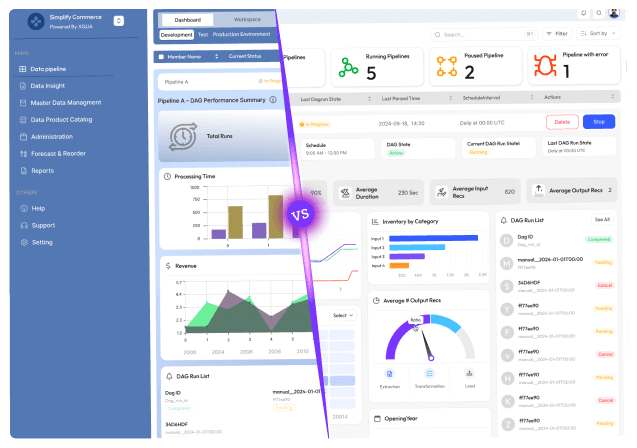
Stuck with slow releases and high IT costs?

▶︎

Launch 2.5x faster with our AI-driven frontend workflows, specialized for SaaS.

▶︎

Cut IT costs by up to 50% and boost user adoption by 2x with our proprietary frameworks.

Stuck with slow releases and high IT costs?

▶︎

Launch 2.5x faster with our AI-driven frontend workflows, specialized for SaaS.

▶︎

Cut IT costs by up to 50% and boost user adoption by 2x with our proprietary frameworks.

Stuck with slow releases and high IT costs?

▶︎

Launch 2.5x faster with our AI-driven frontend workflows, specialized for SaaS.

▶︎

Cut IT costs by up to 50% and boost user adoption by 2x with our proprietary frameworks.

Frequently Asked Questions

We're ready to answer your questions

Slow releases, clunky dashboards, and frustrated users? You've got questions about how to fix them. We have the Frontend-First answers that unlock growth. Let's talk solutions.

The timeline varies dramatically based on application complexity, team size, and migration strategy. A focused module migration might take 3-6 months, while a complete enterprise application modernization typically requires 12-24 months or longer. The strangler fig pattern allows incremental modernization that delivers value throughout the journey rather than requiring a complete rewrite before seeing benefits. Key factors affecting timeline include legacy codebase size, test coverage quality, team experience with modern frameworks, and how much simultaneous feature development continues during modernization.

Answer

How long does a typical frontend modernization project take?

Question

Incremental modernization using the strangler fig pattern is almost always preferable to complete rewrites. History shows that big-bang rewrites frequently fail, run over budget, or ship with missing functionality because teams underestimate the implicit requirements and business logic embedded in legacy applications. Incremental approaches reduce risk, deliver value sooner, maintain business continuity, and allow learning and course correction throughout the process. Reserve complete rewrites for situations where the legacy application is extremely small, has comprehensive test coverage, or is so problematic that maintaining it costs more than rebuilding.

Answer

Should we rewrite from scratch or modernize incrementally?

Question

Framework selection should align with your specific context rather than following industry hype. Choose Angular if you need strong opinions, enterprise-grade tooling, and first-class TypeScript support across large teams. Select React if you value flexibility, have diverse architectural needs, or are building microfrontend architectures. Consider Vue if developer velocity, gentle learning curves, and balanced opinions are priorities. Evaluate factors including team experience, hiring market considerations, ecosystem maturity for your specific needs, long-term support commitments, and how well each framework's philosophy aligns with your organization's culture and existing practices.

Answer

How do we choose between Angular, React, and Vue for our modernization?

Question

Measure ROI across multiple dimensions including developer productivity (feature velocity, build times, time-to-fix issues), business impact (improved conversion rates, reduced customer complaints, competitive feature parity), operational efficiency (reduced incident rates, faster incident resolution, lower hosting costs), and team health (improved retention, faster hiring, higher satisfaction scores). Track baseline metrics before modernization and monitor improvements quarterly. Consider both hard costs (reduced cloud spending, fewer production incidents) and soft benefits (improved developer morale, enhanced brand reputation). Most organizations see payback periods of 12-24 months when factoring in comprehensive cost reductions and productivity improvements.

Answer

How do we measure ROI on frontend modernization investments?

Question

The primary risks include scope creep where modernization becomes an excuse to rebuild everything with new requirements, knowledge loss when legacy system expertise leaves before being properly documented, regression bugs from incomplete understanding of existing functionality, team burnout from maintaining two systems simultaneously, and stakeholder patience exhaustion when value delivery takes longer than expected. Mitigate these risks through incremental migration strategies, comprehensive knowledge transfer and documentation efforts, rigorous testing practices including automated regression tests, clear phase boundaries that limit work-in-progress, and regular stakeholder communication demonstrating tangible value delivery throughout the modernization journey.

Answer

What are the biggest risks in frontend modernization projects?

Question

Frequently Asked Questions

We're ready to answer your questions

Slow releases, clunky dashboards, and frustrated users? You've got questions about how to fix them. We have the Frontend-First answers that unlock growth. Let's talk solutions.

The timeline varies dramatically based on application complexity, team size, and migration strategy. A focused module migration might take 3-6 months, while a complete enterprise application modernization typically requires 12-24 months or longer. The strangler fig pattern allows incremental modernization that delivers value throughout the journey rather than requiring a complete rewrite before seeing benefits. Key factors affecting timeline include legacy codebase size, test coverage quality, team experience with modern frameworks, and how much simultaneous feature development continues during modernization.

Answer

How long does a typical frontend modernization project take?

Question

Incremental modernization using the strangler fig pattern is almost always preferable to complete rewrites. History shows that big-bang rewrites frequently fail, run over budget, or ship with missing functionality because teams underestimate the implicit requirements and business logic embedded in legacy applications. Incremental approaches reduce risk, deliver value sooner, maintain business continuity, and allow learning and course correction throughout the process. Reserve complete rewrites for situations where the legacy application is extremely small, has comprehensive test coverage, or is so problematic that maintaining it costs more than rebuilding.

Answer

Should we rewrite from scratch or modernize incrementally?

Question

Framework selection should align with your specific context rather than following industry hype. Choose Angular if you need strong opinions, enterprise-grade tooling, and first-class TypeScript support across large teams. Select React if you value flexibility, have diverse architectural needs, or are building microfrontend architectures. Consider Vue if developer velocity, gentle learning curves, and balanced opinions are priorities. Evaluate factors including team experience, hiring market considerations, ecosystem maturity for your specific needs, long-term support commitments, and how well each framework's philosophy aligns with your organization's culture and existing practices.

Answer

How do we choose between Angular, React, and Vue for our modernization?

Question

Measure ROI across multiple dimensions including developer productivity (feature velocity, build times, time-to-fix issues), business impact (improved conversion rates, reduced customer complaints, competitive feature parity), operational efficiency (reduced incident rates, faster incident resolution, lower hosting costs), and team health (improved retention, faster hiring, higher satisfaction scores). Track baseline metrics before modernization and monitor improvements quarterly. Consider both hard costs (reduced cloud spending, fewer production incidents) and soft benefits (improved developer morale, enhanced brand reputation). Most organizations see payback periods of 12-24 months when factoring in comprehensive cost reductions and productivity improvements.

Answer

How do we measure ROI on frontend modernization investments?

Question

The primary risks include scope creep where modernization becomes an excuse to rebuild everything with new requirements, knowledge loss when legacy system expertise leaves before being properly documented, regression bugs from incomplete understanding of existing functionality, team burnout from maintaining two systems simultaneously, and stakeholder patience exhaustion when value delivery takes longer than expected. Mitigate these risks through incremental migration strategies, comprehensive knowledge transfer and documentation efforts, rigorous testing practices including automated regression tests, clear phase boundaries that limit work-in-progress, and regular stakeholder communication demonstrating tangible value delivery throughout the modernization journey.

Answer

What are the biggest risks in frontend modernization projects?

Question

Frequently Asked Questions

We're ready to answer your questions

Slow releases, clunky dashboards, and frustrated users? You've got questions about how to fix them. We have the Frontend-First answers that unlock growth. Let's talk solutions.

The timeline varies dramatically based on application complexity, team size, and migration strategy. A focused module migration might take 3-6 months, while a complete enterprise application modernization typically requires 12-24 months or longer. The strangler fig pattern allows incremental modernization that delivers value throughout the journey rather than requiring a complete rewrite before seeing benefits. Key factors affecting timeline include legacy codebase size, test coverage quality, team experience with modern frameworks, and how much simultaneous feature development continues during modernization.

Answer

How long does a typical frontend modernization project take?

Question

Incremental modernization using the strangler fig pattern is almost always preferable to complete rewrites. History shows that big-bang rewrites frequently fail, run over budget, or ship with missing functionality because teams underestimate the implicit requirements and business logic embedded in legacy applications. Incremental approaches reduce risk, deliver value sooner, maintain business continuity, and allow learning and course correction throughout the process. Reserve complete rewrites for situations where the legacy application is extremely small, has comprehensive test coverage, or is so problematic that maintaining it costs more than rebuilding.

Answer

Should we rewrite from scratch or modernize incrementally?

Question

Framework selection should align with your specific context rather than following industry hype. Choose Angular if you need strong opinions, enterprise-grade tooling, and first-class TypeScript support across large teams. Select React if you value flexibility, have diverse architectural needs, or are building microfrontend architectures. Consider Vue if developer velocity, gentle learning curves, and balanced opinions are priorities. Evaluate factors including team experience, hiring market considerations, ecosystem maturity for your specific needs, long-term support commitments, and how well each framework's philosophy aligns with your organization's culture and existing practices.

Answer

How do we choose between Angular, React, and Vue for our modernization?

Question

Measure ROI across multiple dimensions including developer productivity (feature velocity, build times, time-to-fix issues), business impact (improved conversion rates, reduced customer complaints, competitive feature parity), operational efficiency (reduced incident rates, faster incident resolution, lower hosting costs), and team health (improved retention, faster hiring, higher satisfaction scores). Track baseline metrics before modernization and monitor improvements quarterly. Consider both hard costs (reduced cloud spending, fewer production incidents) and soft benefits (improved developer morale, enhanced brand reputation). Most organizations see payback periods of 12-24 months when factoring in comprehensive cost reductions and productivity improvements.

Answer

How do we measure ROI on frontend modernization investments?

Question

The primary risks include scope creep where modernization becomes an excuse to rebuild everything with new requirements, knowledge loss when legacy system expertise leaves before being properly documented, regression bugs from incomplete understanding of existing functionality, team burnout from maintaining two systems simultaneously, and stakeholder patience exhaustion when value delivery takes longer than expected. Mitigate these risks through incremental migration strategies, comprehensive knowledge transfer and documentation efforts, rigorous testing practices including automated regression tests, clear phase boundaries that limit work-in-progress, and regular stakeholder communication demonstrating tangible value delivery throughout the modernization journey.

Answer

What are the biggest risks in frontend modernization projects?

Question

About the author

Author Name:

Parth G

|


Founder of

Hashbyt

I’m the founder of Hashbyt, an AI-first frontend and UI/UX SaaS partner helping 200+ SaaS companies scale faster through intelligent, growth-driven design. My work focuses on building modern frontend systems, design frameworks, and product modernization strategies that boost revenue, improve user adoption, and help SaaS founders turn their UI into a true growth engine.
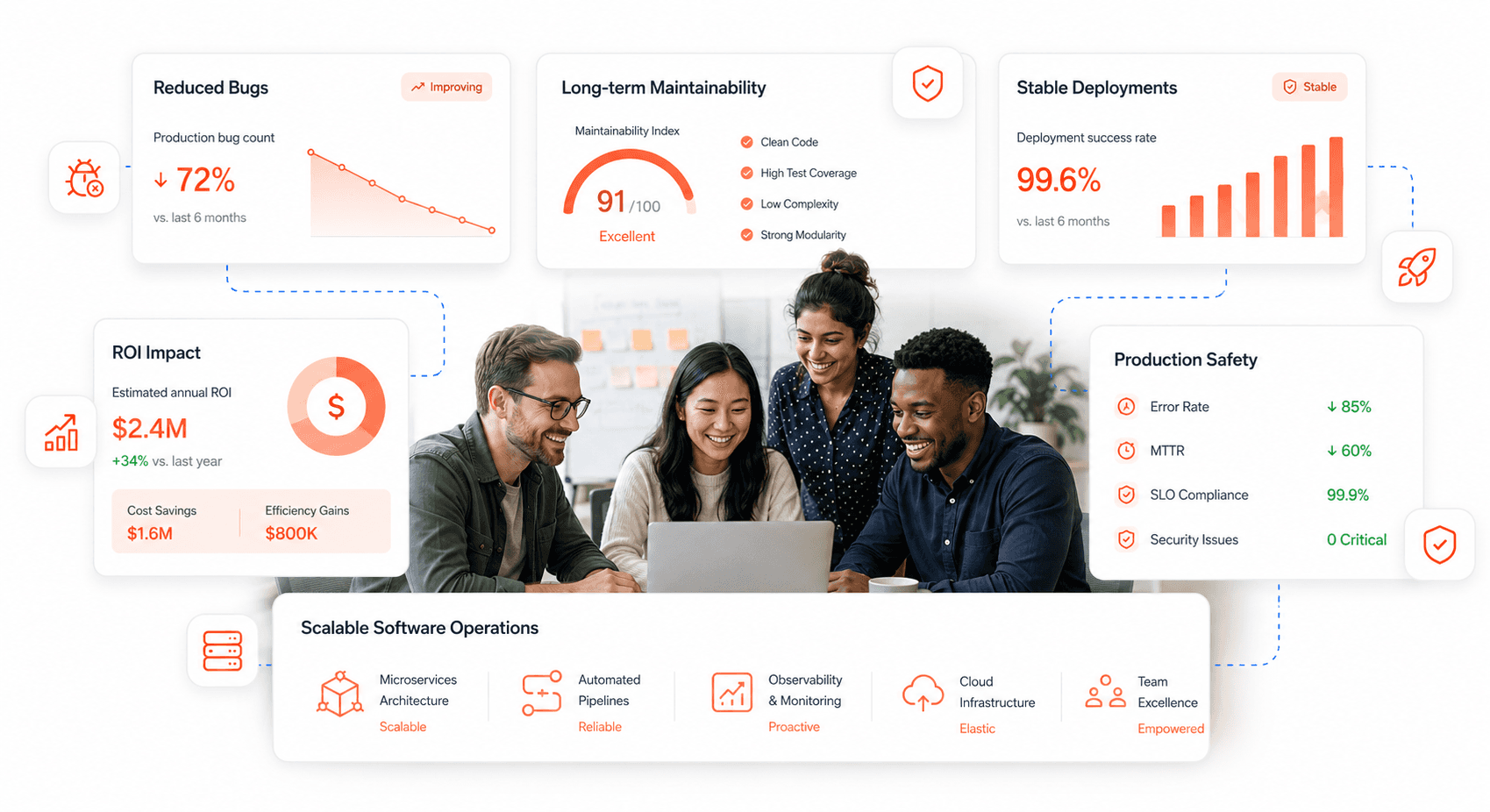
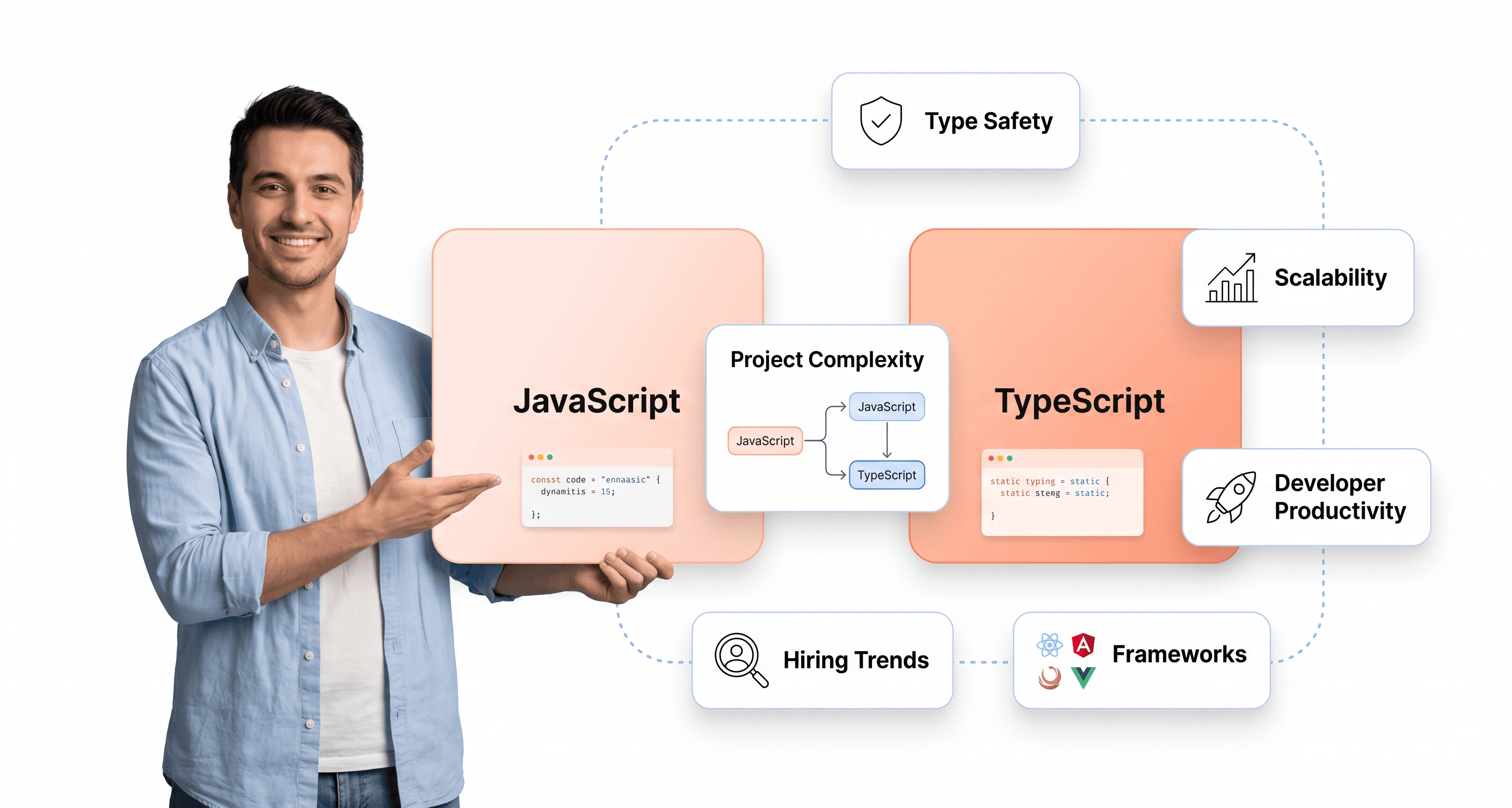
Follow the expert:

Related Blogs

Related Blogs

Is a clunky UI holding back your growth?

Is a clunky UI holding back your growth?

▶︎

Transform slow, frustrating dashboards into intuitive interfaces that ensure effortless user adoption.

▶︎

Transform slow, frustrating dashboards into intuitive interfaces that ensure effortless user adoption.

Is a clunky UI holding back your growth?

Is a clunky UI holding back your growth?

▶︎

Transform slow, frustrating dashboards into intuitive interfaces that ensure effortless user adoption.

▶︎

Transform slow, frustrating dashboards into intuitive interfaces that ensure effortless user adoption.

Is a clunky UI holding back your growth?

Is a clunky UI holding back your growth?

▶︎

Transform slow, frustrating dashboards into intuitive interfaces that ensure effortless user adoption.

▶︎

Transform slow, frustrating dashboards into intuitive interfaces that ensure effortless user adoption.