

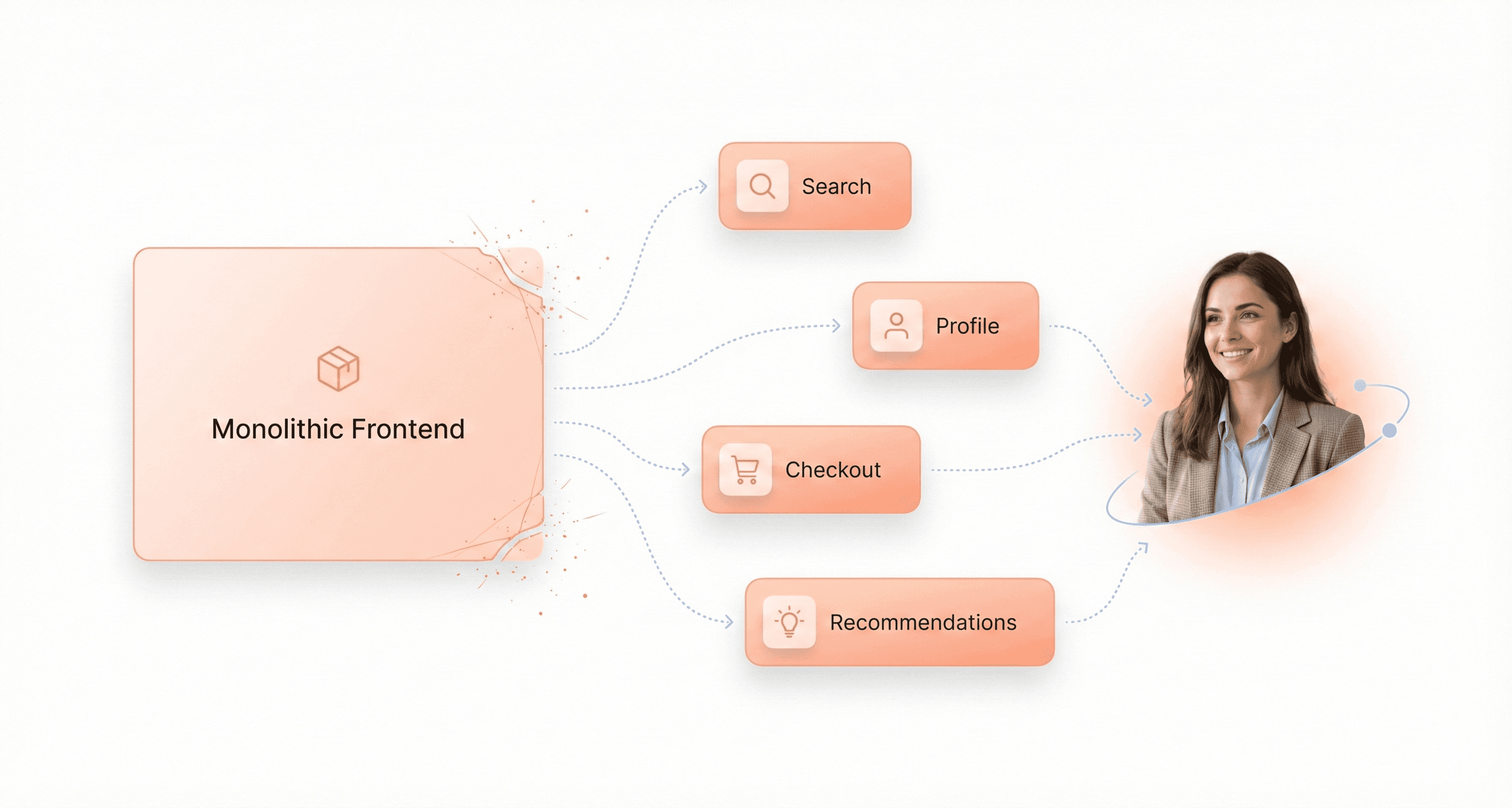
Micro frontend architecture lets several teams build and release parts of one web application independently. Netflix is often cited as the textbook example, but much of what is written about Netflix and micro-frontends is not backed by anything Netflix has published. This guide explains what micro-frontends are, what Netflix has actually documented, and how to decide whether the approach fits your product.
Who This Is For: This deep-dive is designed for frontend architects, engineering managers, and development teams who are struggling with monolithic frontend limitations or considering the micro-frontend approach for their next project.
We cover what micro frontend architecture is, what Netflix's engineering blog says about its Lattice framework, Hawkins design system and federated GraphQL, how the main integration approaches compare in 2026 (build-time packages, Module Federation, iframes, server-side composition and Next.js Multi-Zones), a worked example with the open-source Piral framework, and when you should not use micro-frontends at all.
What Is Micro Frontend Architecture?
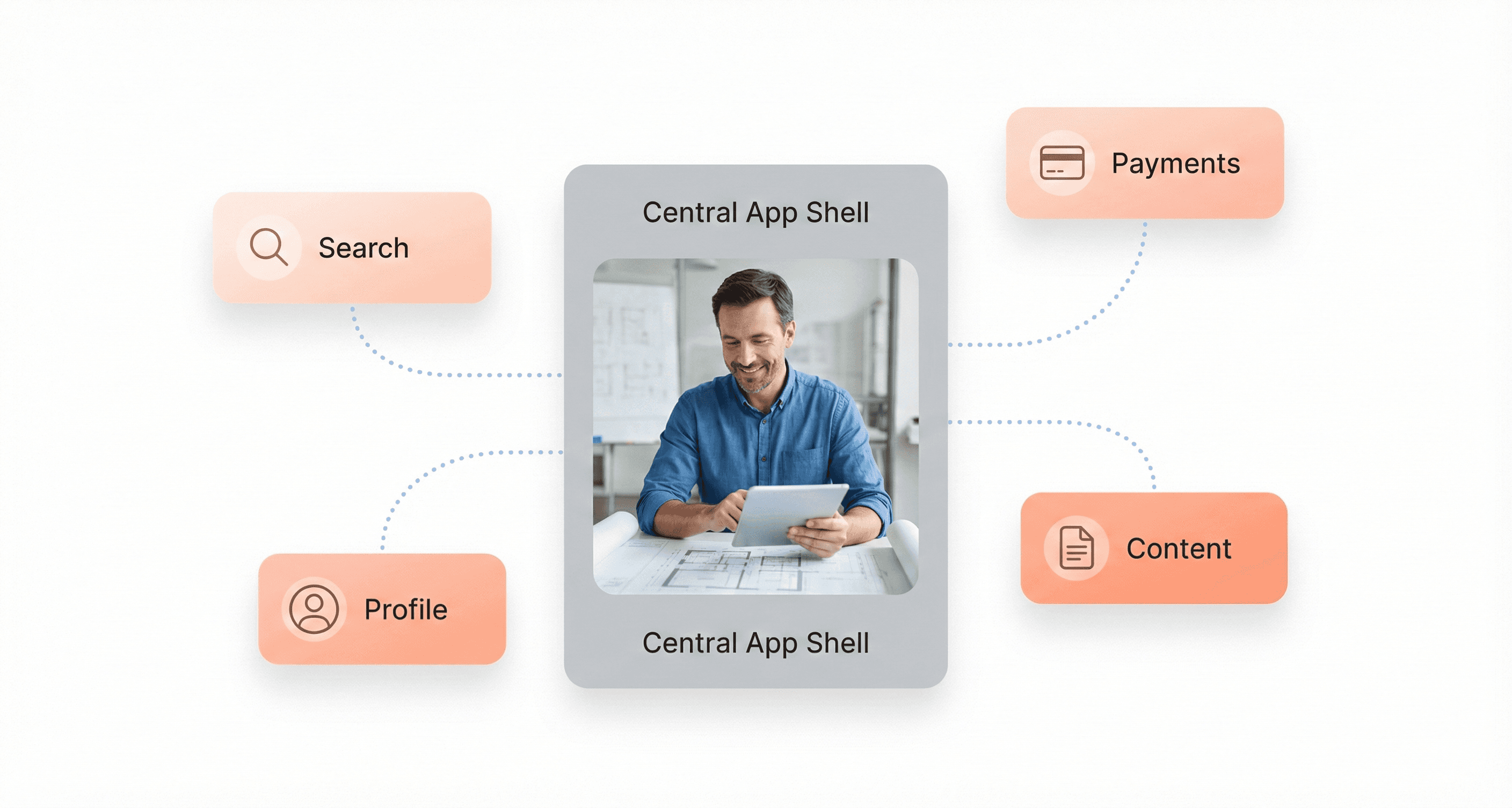
Quick answer: Micro frontend architecture splits a web application's user interface into smaller parts that separate teams build, test and deploy independently, each aligned to a business area such as search, checkout or account settings. A host application, often called a shell, composes those parts at build time, in the browser at runtime or on the server, so users see one product.
Thoughtworks listed micro frontends on its Technology Radar in November 2016, and Cam Jackson's 2019 article on martinfowler.com defines them as "an architectural style where independently deliverable frontend applications are composed into a greater whole". In practice, a micro-frontend has four traits:
One owner. A single team owns a vertical slice of the product, from UI to the APIs it calls.
Independent delivery. It has its own repository or package, pipeline and release schedule.
Composition. A shell, server or CDN assembles the slices into pages the user sees as one product.
Shared standards. A design system and a small set of contracts (routes, events, types) keep the slices consistent.
Micro-frontends are to the browser what microservices are to the backend. They are not the same as a component library: components are reused inside one release, while micro-frontends are released on their own.
What Netflix Has Actually Published About Micro-Frontends
Netflix engineers have written about micro-frontends, design systems and UI architecture on the Netflix TechBlog. Here is what those primary sources say, with dates, so you can separate the documented record from the retellings.
Lattice: a micro-frontend framework for internal tools (2021)
In How We Build Micro Frontends With Lattice (Netflix TechBlog, 27 September 2021), five engineers from Netflix's Revenue and Growth Tools (RGT) team describe Lattice as "RGT's pluggable framework for micro frontends". It was built for the team's internal tools, not for the netflix.com viewing experience. A host application declares extension points, and plugins owned by other teams are loaded at runtime from remote bundles using webpack Module Federation or native JavaScript modules.
Three design choices are worth copying. Plugin configuration is metadata that can be injected at runtime, so owners can add or remove plugins without changing the host's source code. Hosts publish TypeScript declarations that plugins build against, which the team calls "highly aligned, loosely coupled". And plugin responses are composed in a chain, which the post compares to Redux or Express middleware. The authors say they were "only getting started" and dogfooding Lattice inside RGT. The post gives no performance, team-size or deployment-frequency figures.
Hawkins: the design system behind 80+ Studio applications (2021)
Hawkins: Diving into the Reasoning Behind our Design System (Netflix TechBlog, 10 February 2021) describes a design system of Figma components and a React component library used across the Netflix Studio catalogue of more than 80 applications, which the post says is built by "two teams composed of six people". Hawkins is not presented as a micro-frontend platform, but it solves the problem every micro-frontend programme meets: keeping separately built interfaces consistent.
Federated GraphQL: splitting the data layer by domain (2020)
How Netflix Scales its API with GraphQL Federation (Part 1) (Netflix TechBlog, 9 November 2020) explains how Studio Engineering kept one unified GraphQL schema while moving resolver ownership to domain teams, and says the approach was deployed for Netflix's studio ecosystem. Before that, the post notes, many UI teams built their own backend-for-frontend aggregation layers and duplicated data-fetching code. Independent frontends need an equally deliberate data layer.
netflix.com: React, universal JavaScript and faster start-up (2015)
For the consumer website, the primary sources are older and are not about micro-frontends. Netflix explained its move to React in Netflix Likes React (28 January 2015), citing start-up speed, runtime performance and modularity. In Making Netflix.com Faster (5 August 2015), the Website UI Engineering team reported a 70% reduction in start-up time after replacing a Java, Tomcat and jQuery stack with Node.js and React, rendering on both server and client, and cutting the JavaScript payload.
What we could not verify
We found no Netflix primary source stating that the netflix.com home page, search, profiles and recommendations run as separately deployed micro-frontends, that Netflix uses the Piral framework, or giving figures for micro-frontend team sizes, release frequency or load-time gains. Treat articles that make those claims with caution. The lessons below are our reading of Netflix's published work, not statements by Netflix.
Start from an organisational problem. Lattice exists because tools across teams kept duplicating the same patterns.
Build the design system alongside the split. Hawkins gave dozens of Studio apps one set of components.
Make contracts explicit and typed. Lattice hosts publish TypeScript declarations that plugins code against.
Split the data layer deliberately. Federated GraphQL gave domain teams ownership without one-off aggregation layers.
Treat performance as its own project. The documented 70% start-up gain came from rendering strategy and payload size, not from splitting the UI.
Why Monolithic Frontends Hit Their Limits
Performance and scalability bottlenecks that slow growth
Monolithic frontend architectures create significant scaling limitations, but they are mostly about people rather than servers. Frontend code is usually served as static files from a CDN, so a traffic spike rarely requires the frontend itself to scale. What does not scale is one codebase and one release pipeline shared by many teams: builds get slower, test suites grow and every release needs coordinating.
Where server capacity does matter, for example server-side rendering or backend-for-frontend services, a monolith forces you to scale everything together. A server-rendered checkout may need far more capacity than the product catalogue during a sale, but a single deployable unit cannot be sized per feature.
Deployment risks that create downtime and delays
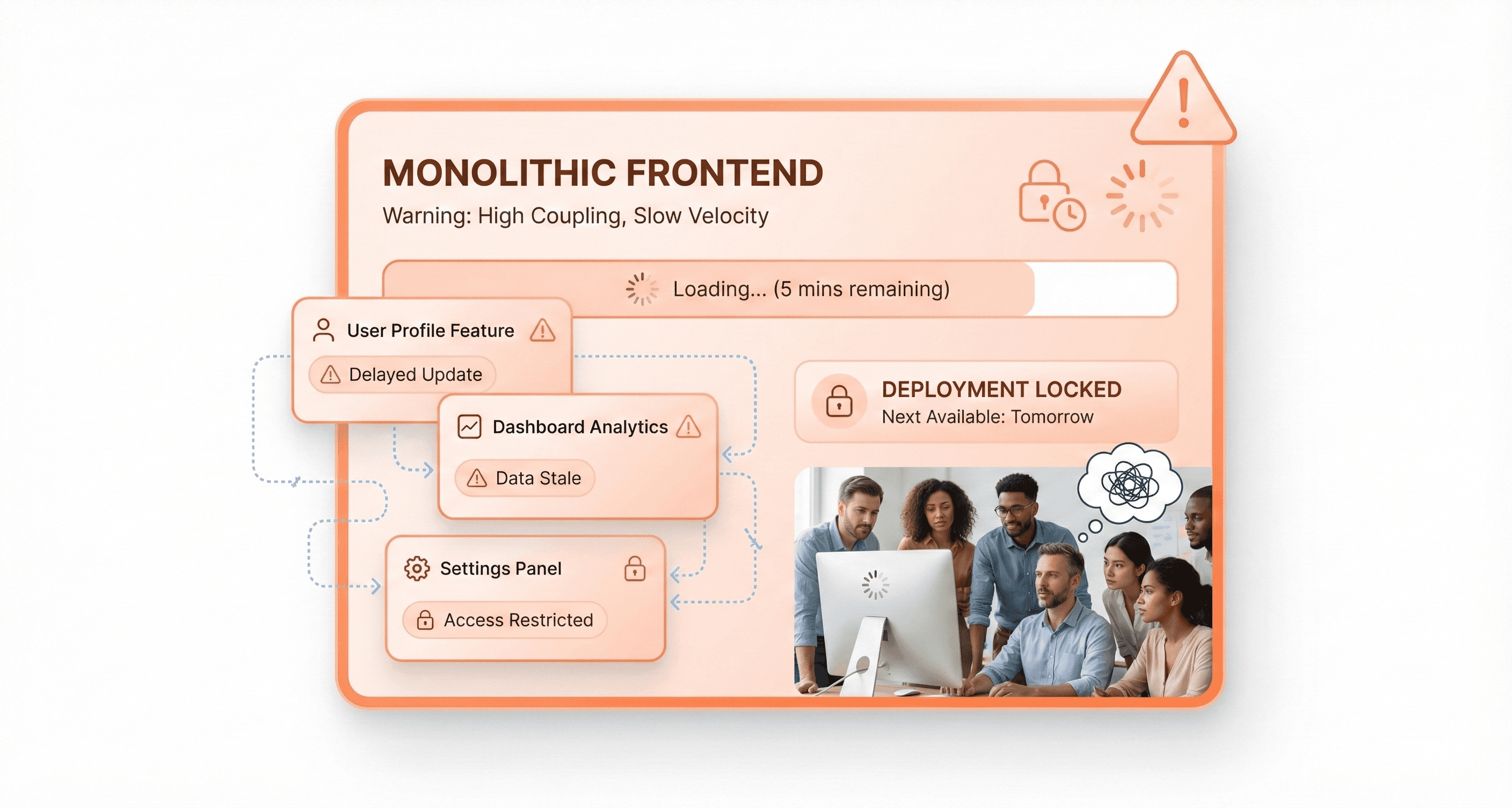
Every deployment in a monolithic frontend system carries substantial risk because the entire application must be redeployed as a single unit. Even minor bug fixes, such as correcting a payment gateway issue, require redeploying the complete application. This process significantly increases deployment time and opens the door for new errors to emerge across the entire system.
The deployment challenges become more severe when any small change affects the whole system due to tightly coupled components. A failure in one component can bring down the entire platform, potentially causing complete shutdowns during peak shopping hours. For ecommerce businesses, this translates directly to revenue loss and customer dissatisfaction when systems fail during critical sales periods.
Team collaboration barriers that reduce productivity
As monolithic codebases grow, they become massive and unwieldy, creating significant barriers for development team collaboration. Large, complex codebases make it increasingly difficult for teams to maintain a clear understanding of the overall architecture and component dependencies. Different teams working on the same platform often struggle to find common ground, leading to organizational conflicts and development delays.
Many organizations redesign internal engineering tools and frontend platforms using DevTools UI UX services to improve developer collaboration and deployment efficiency.
The complexity compounds over time as applications become so large that no single person understands the complete system. Developers then become hesitant to make changes because any modification could have costly side effects throughout the interconnected system. Team productivity suffers as coordination between teams becomes increasingly challenging.
Technology lock-in that prevents innovation
Monolithic architectures create severe barriers to adopting new technologies and frameworks. Interlocking dependencies mean a framework upgrade or migration usually has to happen across the whole application at once. Any changes in frameworks or programming languages affect the complete application, making updates expensive and time-consuming.
This matters when one area of the product needs to move faster than the rest: a new payment provider in checkout, a newer framework version or a different rendering strategy for marketing pages. In a tightly coupled monolith everything moves together, while well-bounded parts can be migrated one at a time.
How Micro-Frontends Work: Core Principles
Breaking monoliths into manageable, independent modules
The transformation from monolithic frontend architecture to micro-frontends begins with breaking down large, interconnected codebases into smaller, self-contained modules. Each micro-frontend represents a complete business domain that can be developed, tested, and deployed independently. Unlike traditional components, micro-frontends are specifically optimized for independent deployment and scalability, allowing teams to work on separate parts of an application simultaneously.
This modular approach eliminates the bottlenecks commonly associated with monolithic systems. Instead of having entire development teams waiting for one section to be completed before proceeding, micro-frontends enable parallel development workflows. Each module operates as a distinct unit with clear boundaries, reducing cognitive load on developers who can now focus on specific areas within well-defined parameters.
Enabling autonomous team development and deployment
Micro-frontends empower teams to achieve true autonomy in their development processes. Organizations implementing this approach typically structure teams around a core platform team responsible for overall architecture and governance, while individual teams focus on specific micro-frontends within their domains of expertise.
The payoff is less coordination: a team can ship a change to its own area without waiting for a shared release train. The price is platform work, because someone has to own the shell, the shared design system, the deployment templates and the contracts between parts.
The decentralized ownership model minimizes coordination challenges while maintaining overall system cohesion through established architectural guardrails and governance frameworks.
Supporting multiple technology stacks for optimal solutions
One of the most significant advantages of micro-frontends is the flexibility to leverage different tools and frameworks that work best for each specific domain. Teams can choose the optimal technology stack for their particular business requirements, provided they adhere to overarching architectural guardrails established by the platform team.
This technological diversity enables organizations to adopt new technologies incrementally without disrupting existing functionality. Documented examples include Netflix's Lattice framework for internal tools and Zalando's Project Mosaic for its online shop, both covered in this guide. Most successful programmes still limit the number of frameworks, because every extra framework adds download size and duplicates design system work.
The ability to use different technology stacks allows teams to dive deep into their specific business areas, becoming true experts in both the domain and the most appropriate technological solutions for their challenges.
Implementing loose coupling through well-defined APIs
Effective micro-frontend implementation relies heavily on standardized communication and dependency management between modules. Teams must establish clear interfaces and well-defined APIs to ensure seamless performance and avoid conflicts between different micro-frontends.
This loose coupling approach requires robust governance to maintain consistency across micro-frontends. Organizations must clearly define boundaries, establish shared design systems, and implement automated continuous integration and continuous deployment pipelines. Guardrails and technical alignment become essential to maintain cohesion in a distributed system while preserving the independence that makes micro-frontends so powerful.
Performance optimization remains critical, requiring continuous monitoring and analytics coupled with automated testing to ensure that the loosely coupled modules work together harmoniously without compromising the overall user experience.
Micro-Frontend Integration Approaches Compared (2026)
There are five common ways to compose micro-frontends. Large products often combine two, for example server-side composition for pages and runtime federation for shared widgets.
Approach | How it works | Pros | Cons | Best fit |
|---|---|---|---|---|
Build-time packages | Each part is a versioned npm package bundled into the host at build time | Simple tooling, full type safety, one optimised bundle, no runtime loading failures | Not independently deployable: every change needs a host rebuild and release; version drift between teams | Shared design systems, or small teams that mainly want clear code ownership |
Runtime Module Federation | The host loads remote bundles in the browser at runtime and shares libraries such as React | Independent deployment, shared dependencies, composition down to component level | Runtime version mismatches, harder debugging, ties you to a supported bundler, needs fallbacks when a remote fails | Single-page apps where several teams contribute to the same screens |
iframes | Each part is a separate page embedded in an iframe | Strongest isolation of CSS, JavaScript and security; any framework works | Weak for SEO and accessibility, awkward sizing, routing and deep links, duplicated downloads | Embedding third-party or legacy tools in an internal dashboard |
Server-side composition / edge includes | A server or CDN stitches HTML fragments from different services (SSI, ESI, edge functions or a layout service such as Zalando's Tailor) | Fast first render, search-friendly HTML, works before client JavaScript loads | Needs infrastructure; interactivity across fragments still has to be solved; caching gets complex | Content-heavy, SEO-critical pages such as e-commerce |
Next.js Multi-Zones | Separate Next.js apps each own a set of paths on one domain, routed with rewrites or a proxy | Officially documented, simple, each zone deploys on its own and can use another framework | Moving between zones is a full page load; paths must be unique per zone; no component-level sharing | Splitting a large Next.js site by section, such as /blog and /dashboard |
Tooling status in September 2026
Module Federation. Introduced in webpack 5. Module Federation 2.0 adds a federation runtime, a manifest, dynamic type hints and runtime plugins, and supports webpack and Rspack, with a separate Vite plugin. Its main package, @module-federation/enhanced, reached 2.0.0 in February 2026 and is at 2.9.2 at the time of writing.
Module Federation with Next.js. The Module Federation maintainers put the nextjs-mf plugin into maintenance mode in November 2024: Pages Router only, no new feature work. For Next.js, Multi-Zones is the approach documented by Next.js itself (current docs are for Next.js 16).
Import maps. Supported in all major browsers since March 2023, so native ES modules plus an import map can share dependencies without a bundler-specific runtime.
Native Federation for Angular. Native Federation brings the Module Federation model to import maps and ES modules, and its Angular adapter (@angular-architects/native-federation 22.x) targets Angular's esbuild-based build system.
single-spa. single-spa remains a framework-agnostic router for micro-frontends. The latest stable release is 6.0.3 (September 2024), with version 7 in beta since 2025.
If you are moving a large application onto Next.js, Multi-Zones also works as a migration path: new zones go live while the old app keeps serving the remaining paths. Our Next.js migration services use this pattern to avoid a risky big-bang cut-over.
Key Benefits of Micro-Frontends
Independent deployment reduces risks and accelerates releases
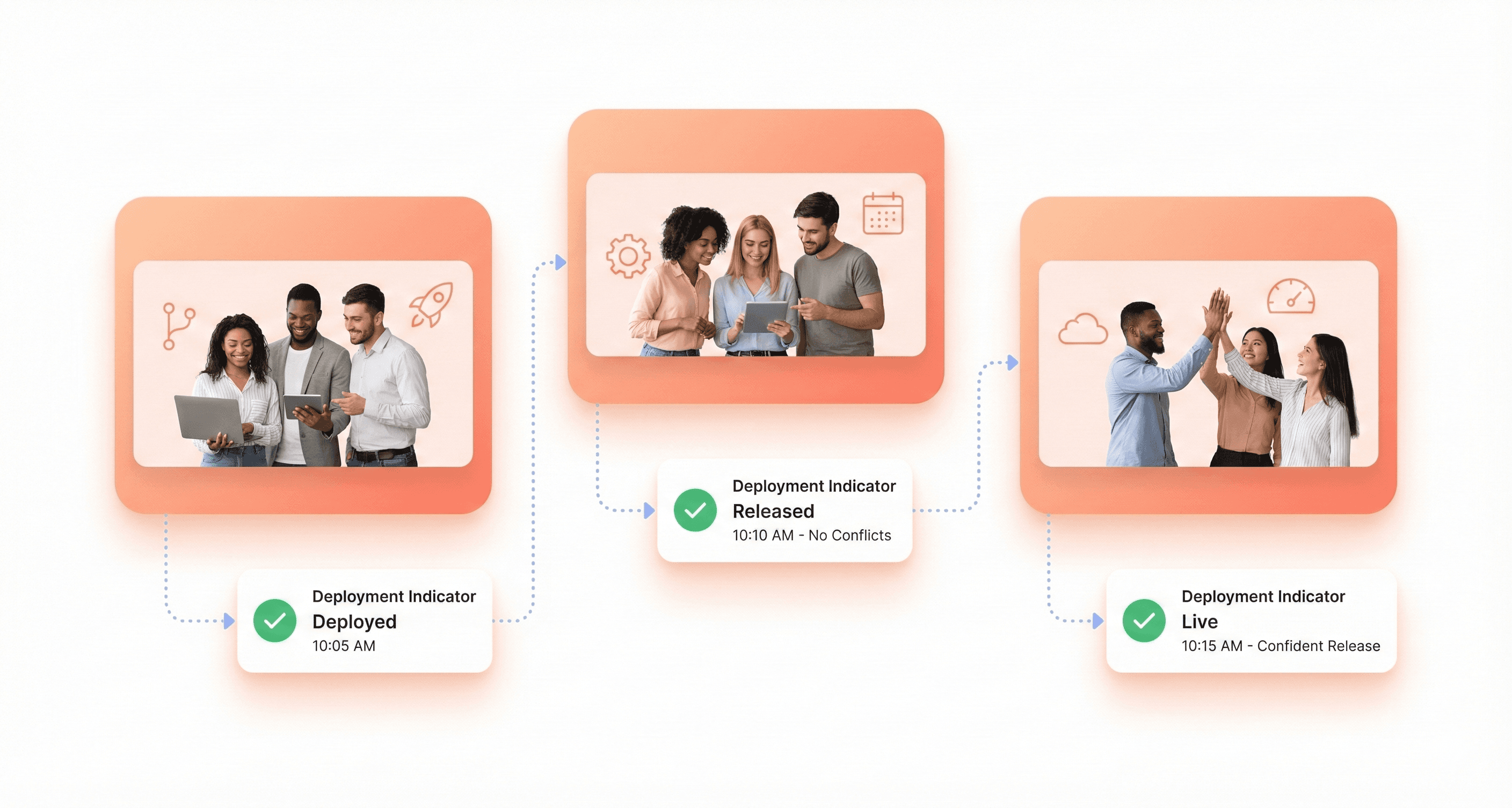
One of the most significant advantages of micro-frontends is the ability to deploy individual parts of the application independently. This means teams can release updates or fixes to their micro frontend without waiting for other teams or redeploying the entire application. This approach reduces the risk of downtime and allows for more frequent, incremental, and reliable releases.
In traditional monolithic architectures, even small changes require a full redeployment of the entire application, increasing the risk of introducing bugs or breaking unrelated features. With micro-frontends, only the specific micro frontend needs to be deployed, significantly reducing the blast radius of any potential issues. Rolling back a change becomes far simpler since only the affected micro frontend needs to be reverted, not the entire application.
Continuous Integration/Continuous Deployment (CI/CD) pipelines can be set up for each micro frontend, leading to more frequent and faster releases. Each micro frontend can have its own dedicated testing suite, making it easier to test and validate changes in isolation. This is particularly useful when handling high-traffic applications, where downtime or bugs can have significant consequences.
Incremental updates minimize user disruption
Since micro frontends are separate entities, a bug or issue in one micro frontend does not necessarily bring down the entire application. This isolation enhances the application's overall resilience and makes it easier to identify and resolve issues. By keeping each frontend unit independent, any issues can be isolated, reducing the overall impact on the user experience.
Teams can deploy their changes without affecting other parts of the application, ensuring that users continue to have access to unaffected features even when updates are being rolled out to specific sections. This approach allows for safer experimentation and gradual feature rollouts, where new functionality can be tested with a subset of users before full deployment.
Autonomous teams increase development speed and innovation
Each team can have full control over its own micro-frontend, including decisions about the tools, libraries, and frameworks used. This means teams can choose the technology stack that best suits their needs, promoting autonomy and reducing the need for cross-team alignment on technical details. Teams don't have to wait for other features to be completed before they deploy their own, and development cycles can be significantly faster since each micro frontend is much smaller and more manageable than the entire monolithic app.
With micro-frontends, teams can develop different parts of the application independently. Each micro-frontend is a self-contained unit, and by splitting the application into smaller parts, multiple teams can work in parallel without interfering with each other's progress, speeding up the development process. This reduces bottlenecks and enables faster development cycles.
Different teams can focus on different micro frontends, each working on their own timeline without having to sync constantly with others. The coordination overhead that comes with a shared codebase is eliminated, allowing teams to move at their own pace while maintaining their specific feature ownership.
Enhanced scalability through modular architecture
Micro-frontends let each part of the application be built, cached and, where it is server-rendered, scaled on its own. A server-rendered product page can get more capacity during a sale without redeploying the account area.
By breaking a large application into smaller, more manageable parts, maintaining and updating the code becomes easier. Teams can focus on smaller codebases, making it simpler to understand, maintain, and refactor over time. Each micro frontend can be optimized individually for performance and resource usage, allowing for more targeted scaling strategies based on specific feature requirements.
Independent caching helps too. A change to one micro-frontend invalidates only that part's files, so returning users keep the rest in their browser or CDN cache.
Example: Building Micro-Frontends with Piral
Netflix does not use Piral; it built its own framework, Lattice. Piral is an open-source micro-frontend framework maintained by smapiot (version 1.12.4 was released in September 2026), and it is a convenient way to try the same app shell and plugin pattern. The commands below follow the official Piral tutorials.
Building the app shell for navigation and integration
The app shell serves as the foundation of a Piral-based micro-frontend architecture, acting as the central hub that orchestrates all micro-frontends and provides core navigation functionality. With Piral, creating an app shell can be accomplished through multiple approaches, including migrating existing projects, manually adding packages, or using the piral-cli for scaffolding.
To create a new app shell using the command line interface, run:
This command generates a complete app shell project with TypeScript support and esbuild as the bundler, though other bundlers like webpack, Parcel, or Vite can be selected based on project requirements.
The app shell's layout can be fully customized by modifying components in the src/layout.tsx file. For example, the DashboardContainer component defines how the main dashboard appears:
The app shell connects to micro-frontends through a feed service URL configured in src/index.tsx:
This discovery mechanism allows the shell to dynamically load and integrate micro-frontends without requiring hard-coded dependencies, enabling true scalability and loose coupling between components.
Creating pilets as independent feature modules
Pilets represent the individual micro-frontends that plug into the Piral app shell, each encapsulating specific business domain functionality. These modules are developed as independent JavaScript libraries that export a setup function receiving the Pilet API for registering components within the application.
To scaffold a new pilet, use:
A typical pilet structure in src/index.tsx demonstrates the registration pattern:
Pilets can register various UI components including menu items, dashboard tiles, and complete pages. For page registration, the API supports both direct components and lazy-loaded modules:
This modular approach ensures that individual teams can develop, test, and deploy their features independently while maintaining integration with the overall application architecture.
Setting up feed services for seamless updates
Feed services act as the discovery mechanism that enables dynamic loading of pilets into the app shell. Rather than hard-coding micro-frontend imports, Piral uses a JSON-based feed system that provides information about available pilets and their locations.
Piral's design avoids a problem common to visual splitting approaches. Instead of dividing the UI into fixed areas like "navigation," "header," and "content," Piral allows business subdomains to contribute components to shared layout elements through registration APIs.
This approach solves the common bottleneck issue where a dedicated navigation micro-frontend becomes overloaded with requests from other teams. With Piral's feed system, each pilet can register its own menu items, dashboard tiles, and other UI components directly:
The feed service can be as simple as a static JSON document or a more sophisticated backend service that handles versioning, feature flags, and conditional loading. This flexibility allows organizations to implement deployment strategies that match their operational requirements while maintaining the loose coupling essential for scalable micro-frontend architectures.
Implementing lazy loading and state management
Lazy loading in Piral ensures optimal performance by loading micro-frontend components only when needed. This approach prevents unnecessary bandwidth consumption and reduces initial application load times. Page components should be wrapped with React.lazy() to enable code splitting:
For shared dependencies like state management libraries, Piral provides multiple integration strategies. In Piral 1.x the declarative approach is to list shared libraries in the importmap section of the app shell's package.json (older examples use pilets.externals):
This configuration ensures that libraries like SWR are shared across all pilets, providing both performance benefits and consistent caching behavior. When pilets need to use shared dependencies, they reference them as peer dependencies, allowing the app shell to provide the actual implementation.
State management integration example with SWR demonstrates this pattern:
This architecture ensures that all pilets share the same SWR cache and configuration while maintaining their independence for domain-specific logic and UI components.
Overcoming Common Micro-Frontend Challenges
Maintaining UI/UX Consistency Across Modules
One of the most critical challenges in micro-frontend architecture is ensuring a consistent user interface and user experience across all independent modules. Without proper coordination, each team working on different micro frontends might develop components with varying styles, interaction patterns, and visual elements, creating a fragmented user experience.
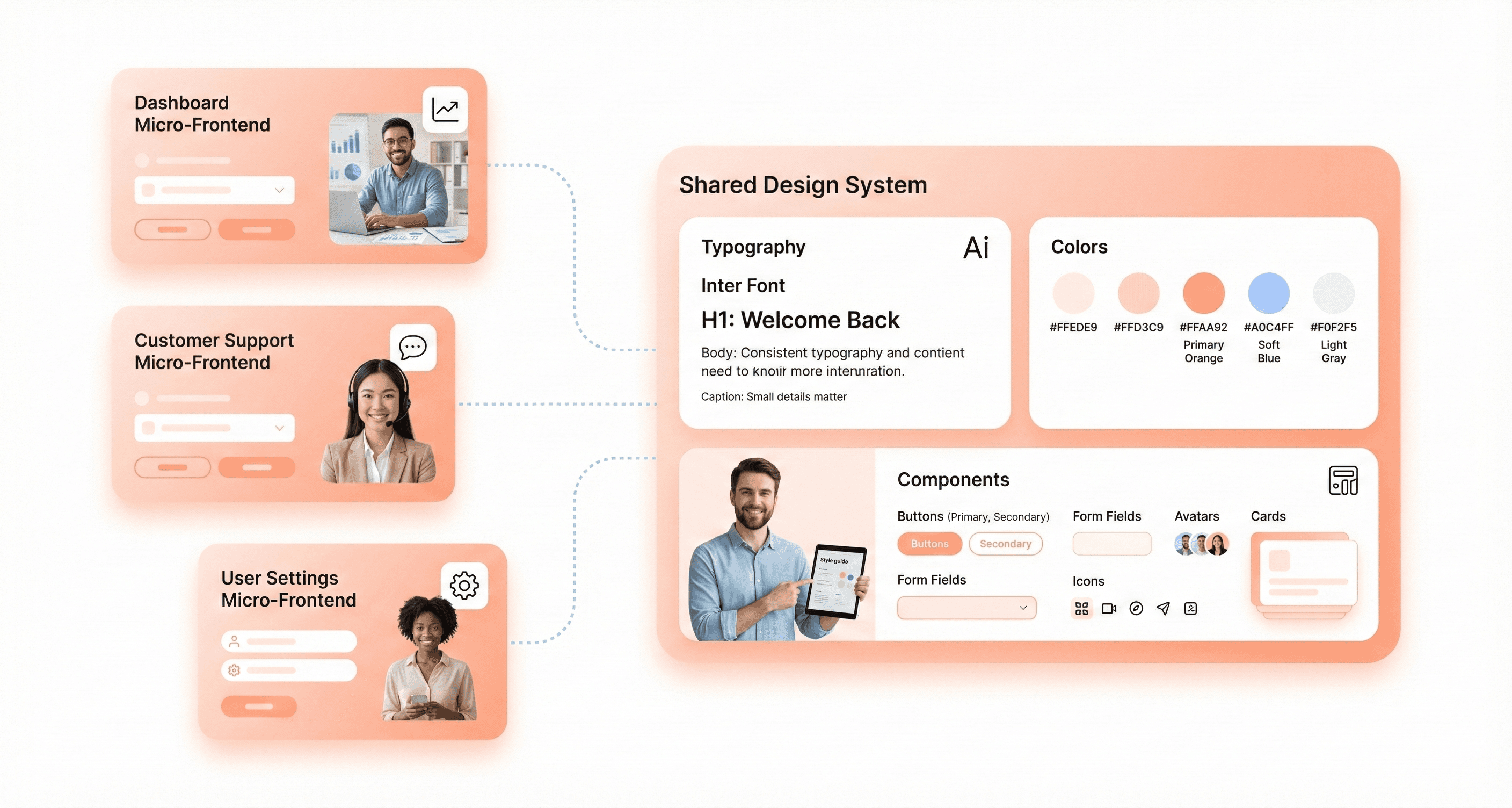
The solution lies in establishing robust design systems and style guidelines that serve as the foundation for all micro frontends. These design systems should include standardized color palettes, typography, component libraries, and interaction patterns that every team must adhere to. By creating shared component libraries and enforcing consistent styling guidelines, organizations can maintain visual harmony across their entire application.
Teams should implement centralized style guides that define clear contracts for visual elements, ensuring that users perceive the application as a unified whole rather than a collection of disconnected parts. This consistency not only improves user experience but also reduces development time as teams can reuse established patterns and components.
Optimizing Performance for Multiple Frontend Loads
Performance optimization becomes significantly more complex when dealing with multiple micro frontends loading simultaneously. Each micro frontend brings its own dependencies, frameworks, and resources, potentially leading to increased bundle sizes and slower load times.
The key strategy is implementing load-on-demand patterns that minimize initial load times and improve overall performance. This approach involves loading micro frontends only when they are actually needed, rather than bundling everything up front. Content delivery networks (CDNs) and caching layers play a crucial role in optimizing the distribution of micro frontends to users, ensuring faster delivery of code.
Dependency sharing mechanisms help reduce redundant code loading. When multiple micro frontends use similar libraries or frameworks, sharing these dependencies prevents duplicate downloads and reduces the overall payload size. Performance monitoring tools should be implemented to continuously track and identify bottlenecks, enabling teams to make data-driven optimization decisions.
Establishing Effective Inter-Module Communication
Communication between independent micro frontends presents unique challenges since these modules operate in isolation while needing to coordinate their behavior and share data effectively.
Teams can implement several communication strategies depending on their specific needs. Event-driven architectures provide a decoupled way for micro frontends to communicate through publish-subscribe patterns, allowing modules to react to events without direct dependencies. Shared state management solutions, including libraries like Redux or MobX, can facilitate coordination when multiple micro frontends need access to common application state.
For simpler scenarios, teams can create custom pub-sub or post-message services that handle state transfer between modules. The choice of communication mechanism matters less than proper implementation and state planning. APIs can also serve as communication bridges, enabling micro frontends to exchange data and coordinate functionality while maintaining their independence.
Creating Comprehensive Testing Strategies
Testing micro frontend architectures requires a multi-layered approach that addresses both individual module quality and inter-module compatibility. The distributed nature of micro frontends makes testing more complex than traditional monolithic applications.
Each micro frontend must undergo thorough individual testing, including unit tests, integration tests, and component-specific functionality tests. However, the real challenge lies in testing the interactions between different micro frontends and ensuring they work seamlessly together.
End-to-end testing becomes crucial for validating the complete user journey across multiple micro frontends. Teams should implement automated testing pipelines that can handle the complexity of testing distributed frontend components. This includes testing communication protocols, shared state management, and ensuring that updates to one micro frontend don't break functionality in others.
Continuous integration practices should be adopted to automatically run test suites whenever changes are made to any micro frontend, providing early detection of compatibility issues and ensuring system reliability across all modules.
Real-World Lessons: Netflix and Zalando
Netflix: what the published record supports
Netflix's clearest public account of micro-frontends is How We Build Micro Frontends With Lattice (September 2021), covered in detail above. It describes a plugin framework for internal tools built by the Revenue and Growth Tools team, not a rebuild of the netflix.com viewing experience.
Stories that netflix.com was split into separately deployed home page, search, profile and recommendation micro-frontends are widely repeated, but we could not find them in any Netflix engineering source. The documented performance story for netflix.com, a 70% cut in start-up time in 2015, came from moving to Node.js and React with shared server and client rendering and a smaller JavaScript payload.
The practical lesson: Netflix's posts come from different teams, but together they cover the three things independent frontend teams need: a way to compose UI from many owners (Lattice), a shared design system (Hawkins) and a data layer split by domain (federated GraphQL). The split on its own is not what makes teams fast.
Zalando: from fragments to a unified framework
Zalando's engineering blog post Micro Frontends: from Fragments to Renderers (Part 1) (11 March 2021) describes Project Mosaic, started in 2015, in which page fragments owned by different teams were assembled into the shop's pages. Zalando open-sourced parts of Mosaic, including the Tailor streaming layout service. Mosaic let many teams work on the website independently, but Zalando reports that differences in tech stacks, bundling and deployment practices led to an inconsistent user experience and a high entry barrier for teams.
From 2018 Zalando designed Interface Framework to unify the tech stack and centralise deployment while teams kept ownership of their parts of the page. It fits the wider modernisation picture: independence without shared standards eventually costs more than it saves.
Where micro-frontend programmes go wrong
Across public case studies, the same failure points come up again and again.
Common failure points in enterprise implementations stem from insufficient attention to integration details, dependency management, and error handling. Build-time errors due to version mismatches, runtime errors from failed API calls, and script loading issues, and security vulnerabilities from inadequate isolation between micro-frontends represent significant risks that organizations must proactively address through robust engineering practices and comprehensive monitoring systems.
When NOT to Use Micro-Frontends
Micro-frontends solve an organisational problem: many teams slowing each other down in one frontend. Without that problem, they add cost with little benefit. Avoid or postpone them when:
You have one or two frontend teams. A modular monolith with clear folders, enforced module boundaries and a monorepo tool such as Nx or Turborepo gives most of the ownership benefits without runtime integration.
Your real problem is slow builds or a tangled codebase. Fix build tooling, tests and module boundaries first. Splitting a messy codebase produces several messy codebases.
Performance budgets are tight. Each micro-frontend adds requests and risks duplicate copies of frameworks unless dependencies are shared carefully.
Your screens are tightly coupled. If most features read and write the same state, as in a complex editor, splitting them creates chatty integration and version coupling.
Nobody owns the platform. Someone must own the shell, design system, pipeline templates and contracts, or consistency erodes, as Zalando found.
You only want a framework migration. Micro-frontends can support a gradual migration, but an incremental strangler-style rewrite is often simpler. See how to modernise a legacy frontend without breaking workflows.
If you are unsure, start with a modular monolith and clear ownership, then extract the one or two areas that genuinely need independent releases. Our legacy app modernisation team makes this call as the first step of every frontend modernisation.
Best Practices for Successful Micro-Frontend Adoption
Defining clear domain boundaries and decomposition strategies
The foundation of successful micro-frontend adoption lies in thoughtful domain decomposition. Rather than splitting applications by technical capabilities, teams should prioritize vertical slices of business functionality, where each domain is assigned to different teams. This approach ensures that responsibility for the entire interface remains with a single team, allowing teams to gradually gain more expertise in specific business domains.
When decomposing your application, avoid over-engineering by creating an excessive number of micro-frontends. Strike a balance between modularity and complexity by ensuring each micro-frontend is narrow in scope and self-contained. The key is to divide your application into reasonable, manageable chunks that align with business boundaries rather than technical divisions.
Let teams upgrade on their own schedule, but agree a short list of supported frameworks. Mixing React, Angular and Vue on one screen is possible, yet every extra framework adds download size and duplicates design system work.
Implementing shared UI libraries and design systems
Maintaining a consistent user interface and user experience across micro-frontends is essential for creating a cohesive application. To achieve visual harmony, implement comprehensive design systems and style guidelines that all teams must follow. This prevents the common pitfall of inconsistent UI, which can confuse users and degrade the overall user experience.
A universal solution involves using established style guides such as Material Design, Bootstrap, or custom design systems. These shared UI libraries ensure that, despite independent development, all micro-frontends maintain visual consistency and follow the same interaction patterns.
Component libraries play a crucial role in this strategy. Teams can develop different components and app sections as libraries that can be required in the main application, making the main app a composition of different components. This approach promotes code reuse while maintaining consistency across the entire application ecosystem.
Establishing robust CI/CD pipelines for each module
Deployment independence is a cornerstone of micro-frontend architecture. Each micro-frontend should be deployable separately, allowing for more frequent and quicker changes without affecting other parts of the system. This requires establishing dedicated CI/CD pipelines for each module that enable automated deployment and ensure updates and new features are delivered quickly and reliably.
Continuous integration facilitates automated deployment processes, while the modular structure allows for improved fault isolation and easier maintenance over time. Teams can work on different modules independently, enabling faster development and deployment cycles that don't require coordination with other teams.
The isolated development approach means that testing becomes focused on smaller modules, so changes don't require retesting the entire application. This significantly reduces the overall time for testing and helps build more resilient applications through simplified testing procedures.
Managing versioning and backward compatibility
Version control should be implemented for each micro-frontend to track changes, enable rollbacks when necessary, and ensure application reliability. Proper versioning strategies prevent compatibility issues and code conflicts among micro-frontends while maintaining system stability.
Teams must avoid inadequate version control, as this can result in compatibility concerns and code clashes between different micro-frontends. Establishing clear versioning conventions and dependency management practices ensures that updates to one micro-frontend don't break others.
Communication between teams is key to ensuring everything runs smoothly. Establish standards and rules to minimize conflicts between different teams working on the product. Regular collaboration sessions and shared documentation help teams understand how their changes might impact other micro-frontends and maintain overall system coherence.
Conclusion
Micro frontend architecture lets independent teams build and release parts of one product, and it works best when the fundamentals are in place: clear domain boundaries, a shared design system, explicit contracts and a platform team that owns the shell. Netflix's published work on Lattice, Hawkins and federated GraphQL covers each of those pieces, even though the popular story of a fully split netflix.com is not something Netflix has documented.
Pick the integration approach that matches your constraints: build-time packages for shared libraries, Module Federation or import maps for runtime composition, server-side composition for SEO-critical pages and Next.js Multi-Zones for splitting a Next.js site by section. If you are weighing micro-frontends against a modular monolith or an incremental rewrite, talk to our frontend team before you commit.




About the author
I’m the founder of Hashbyt, an AI-first frontend and UI/UX SaaS partner helping 200+ SaaS companies scale faster through intelligent, growth-driven design. My work focuses on building modern frontend systems, design frameworks, and product modernization strategies that boost revenue, improve user adoption, and help SaaS founders turn their UI into a true growth engine.
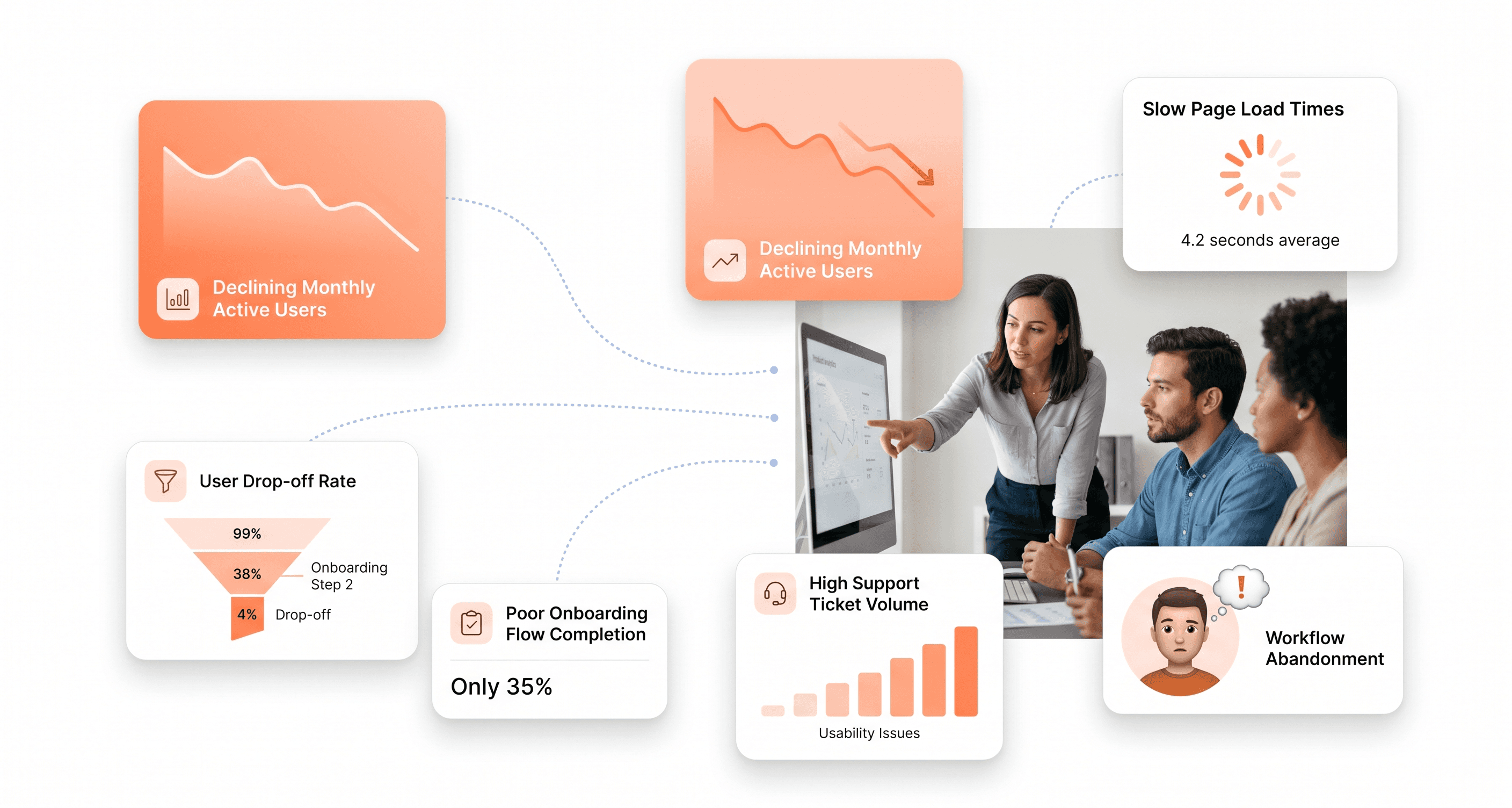
Is a clunky UI holding back your growth?
Is a clunky UI holding back your growth?
▶︎
Transform slow, frustrating dashboards into intuitive interfaces that ensure effortless user adoption.
▶︎
Transform slow, frustrating dashboards into intuitive interfaces that ensure effortless user adoption.
