

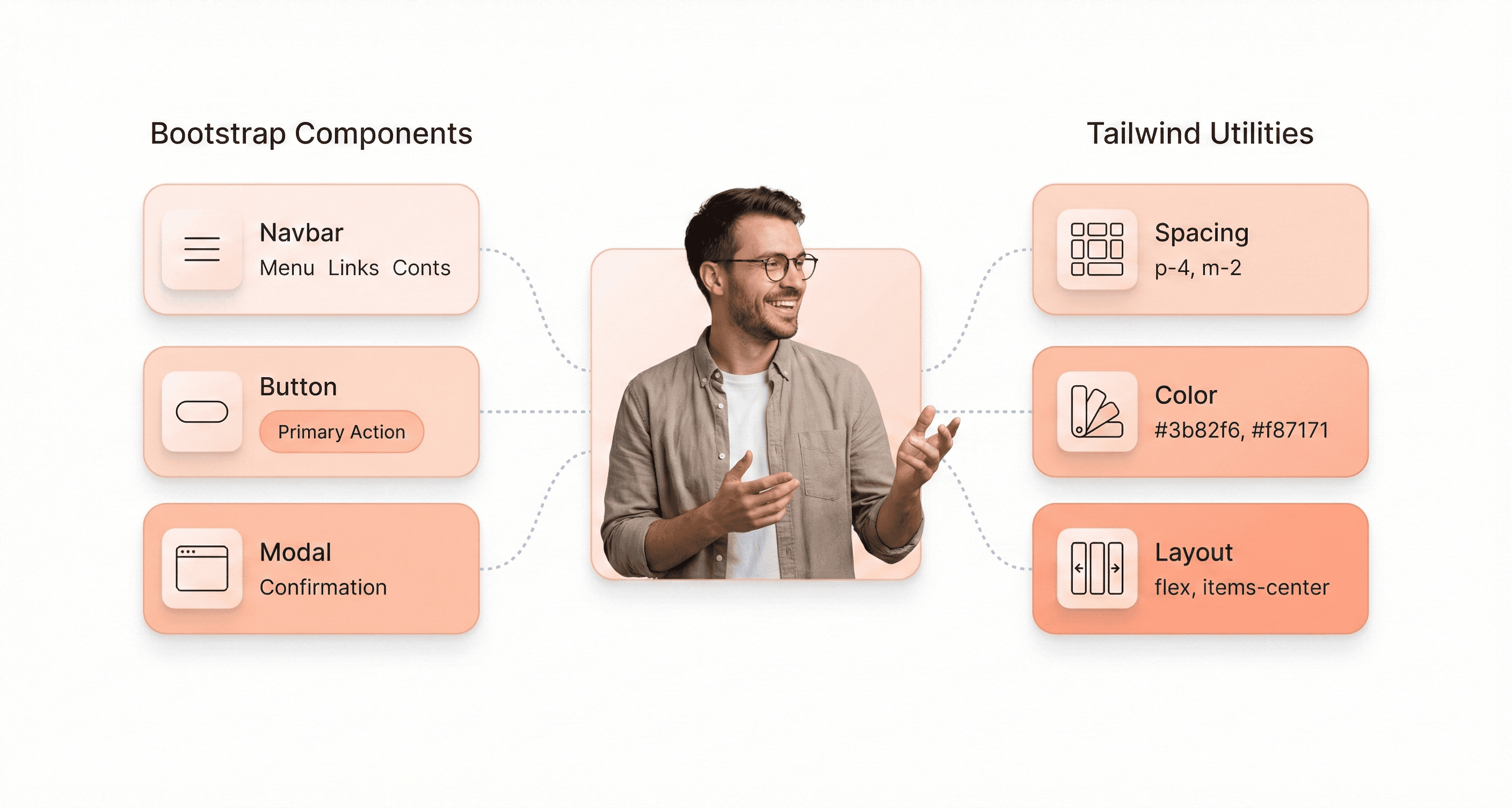
Bootstrap and Tailwind CSS solve the same problem in opposite ways. Bootstrap gives you finished, accessible components you assemble; Tailwind gives you single-purpose utility classes you compose into your own components. This guide compares them on the points that decide real projects: current versions, bundle size, learning curve, customisation, design-system fit and migration.
This guide is designed for web developers, UI designers, and project managers evaluating frontend frameworks for production use. We break down how Bootstrap’s component-based approach compares with Tailwind’s utility-first methodology, focusing on development speed, customization, team workflow, and long-term maintainability.
It ends with a clear recommendation for each type of project and a practical plan for moving from Bootstrap to Tailwind without a rewrite.
Bootstrap vs Tailwind: Core Design Philosophy Explained
Quick answer: Choose Bootstrap 5.3 when you need a complete, accessible component kit fast: admin panels, internal tools, prototypes, or teams newer to CSS. Choose Tailwind CSS v4 when you are building a branded SaaS product in React, Vue or Svelte and want your own design system, with CSS generated only for the classes you use.
Bootstrap vs Tailwind at a Glance
Criterion | Bootstrap | Tailwind CSS |
|---|---|---|
Approach | Component-first: pre-styled components (navbar, modal, card, dropdown) plus utility classes and optional JavaScript plugins | Utility-first: single-purpose classes composed in your markup; no pre-built components and no JavaScript |
Current version | 5.3.8, released 26 August 2025. Bootstrap 6 is in development on GitHub but not yet published to npm | 4.3.3, released 16 July 2026. v4.0 shipped on 22 January 2025; v3.4 is still available for older browsers |
Bundle strategy | Ships a full stylesheet: bootstrap.min.css 5.3.8 is 232 KB (about 31 KB gzipped). Import only the Sass parts you need to trim it | Scans your source files and generates only the classes it finds, so CSS size grows with the utilities you actually use |
Learning curve | Low: copy a documented component and adjust it | Moderate: learn the utility vocabulary, then build your own component abstractions |
Customisation | Sass variables and maps, CSS custom properties, colour modes (light/dark) since 5.3 | CSS-first configuration with |
Design-system fit | Good when Bootstrap’s look is acceptable or lightly themed | Strong when you own a custom design system and tokens |
Browser support | Broad: Chrome 60+, Firefox 60+, Safari 12+ and iOS 12+ | Modern only: Chrome 111+, Safari 16.4+, Firefox 128+ |
npm downloads (22 to 28 September 2026) | 6.95 million a week | 151.5 million a week |
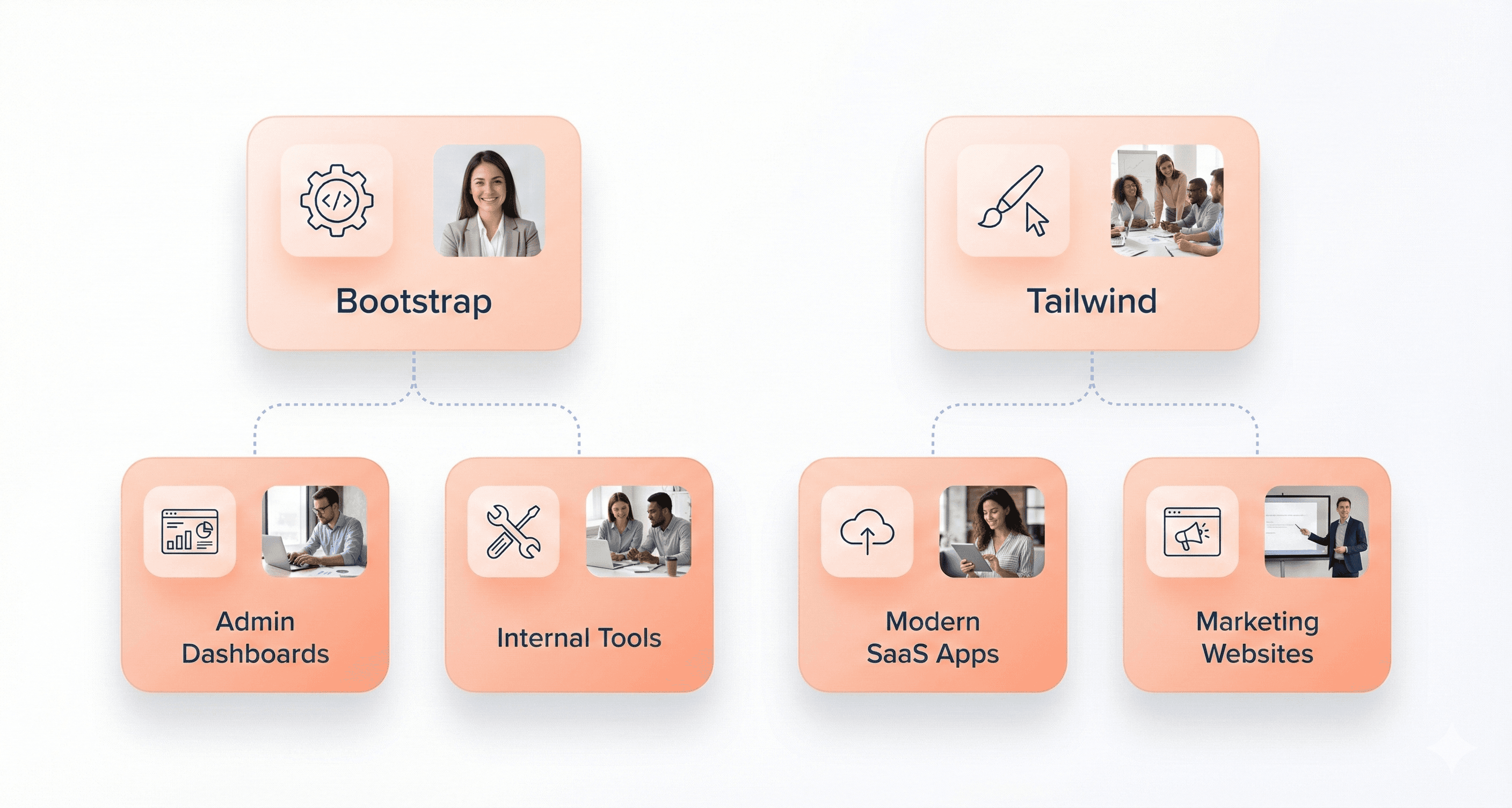
Best for | Admin dashboards, internal tools, prototypes, content sites, teams with mixed CSS skills | Branded SaaS products, custom design systems, component-based apps, long-lived products |
Versions, release dates and npm weekly downloads were checked on the npm registry on 30 September 2026. Download counts include CI builds and installs pulled in by other packages, so treat them as a signal of ecosystem activity, not of how many websites use each framework.
Bootstrap’s Component-Based CSS Architecture
Bootstrap operates on the principle that web development should feel like assembling pre-built components. It provides documented, ready-made navigation bars, modals, cards, dropdowns and buttons that work as soon as you add the markup and classes.
Common Bootstrap Components:
Navigation bars & menus: pre-styled and responsive out of the box
Cards & modals: for content organization and interactions
Buttons & forms: consistent, accessible UI elements
Carousels & accordions: interactive, mobile-friendly components
Grid system: flexible 12-column layout for responsive design
This component-centric approach means you work with established design patterns. When you need a carousel, Bootstrap gives you a working one with transitions, touch support and keyboard handling built in. The same goes for forms, tables and navigation.
Bootstrap 5, released in May 2021, removed the framework’s long-standing jQuery dependency and uses plain JavaScript for its interactive components. That makes it easier to use alongside React, Vue and Angular, although those ecosystems usually wrap Bootstrap in their own component libraries.
Every component follows the same design language, spacing rules, and interaction patterns. This creates a cohesive user experience across your entire application without requiring extensive design decisions from you as a developer.
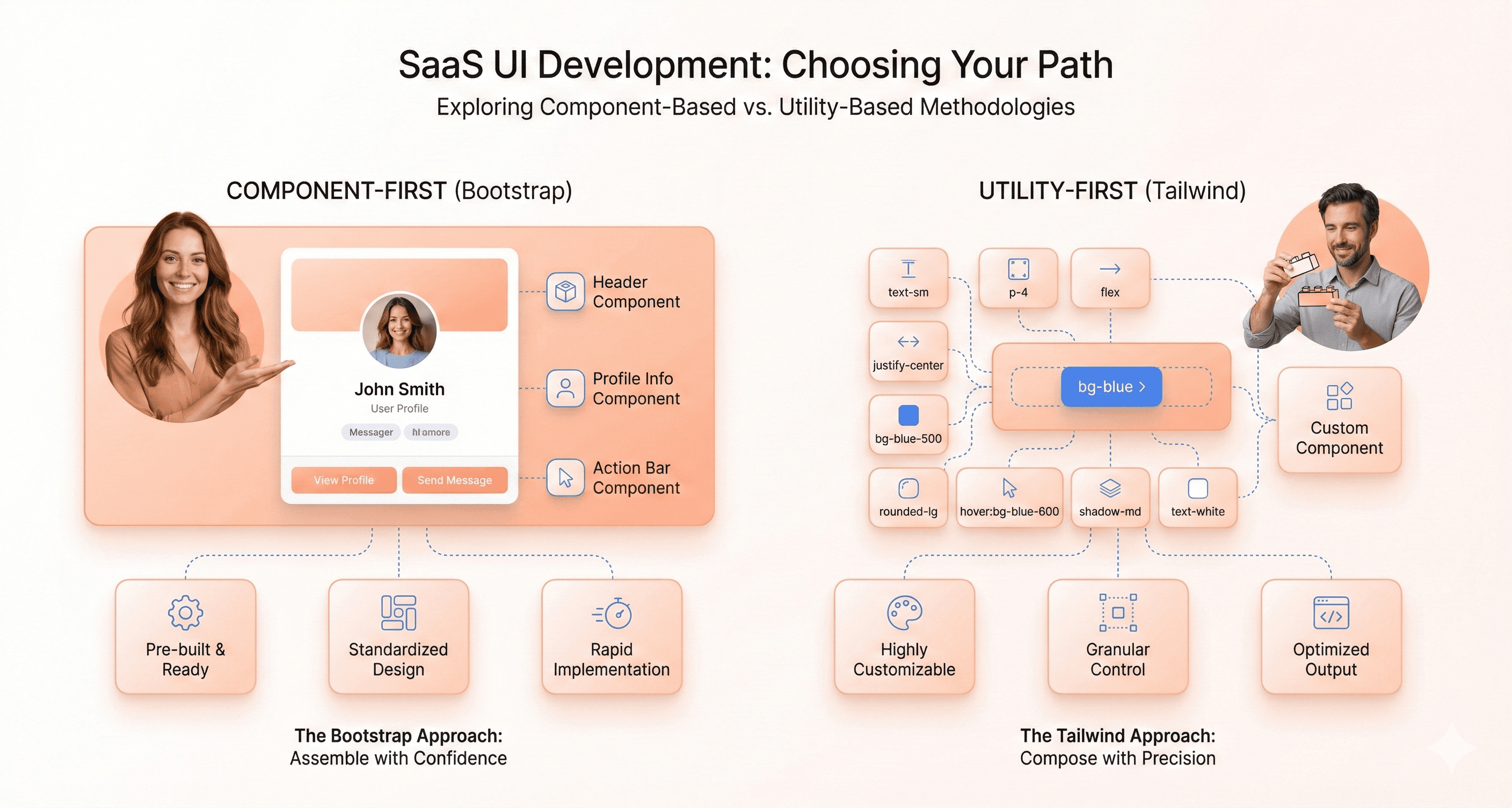
Bootstrap also embraces the concept of semantic HTML enhanced with meaningful CSS classes. Instead of worrying about low-level styling details, you focus on the structure and behavior of your components. A button isn't just styled with colors and padding, it's a .btn element that carries semantic meaning and built-in functionality.
Tailwind CSS and the Utility-First Styling Model
Tailwind flips the traditional CSS framework approach on its head. Rather than providing pre-designed components, it gives you an extensive toolkit of utility classes that handle single responsibilities. Want to add padding? Use p-4. Need a blue background? Apply bg-blue-500. This granular control means you're building designs from the ground up using small, reusable pieces.
Examples of Tailwind Utility Classes:
Spacing:
p-4,m-2,gap-6
Color utilities:
bg-blue-500,text-gray-800
Typography:
font-bold,text-lg,leading-snug
Layout control:
flex,grid,items-center,justify-between
Responsive variants:
sm:,md:,lg:,xl:prefixes for adaptive layouts. Container queries: component-level responsiveness using@containerutilities that adapt layouts based on parent container size instead of only viewport width
The utility-first philosophy treats CSS like a functional programming language. Each class does one specific thing, and you combine these classes to create the exact look you want. This approach eliminates the common frustration of fighting against framework defaults or writing custom CSS to override existing styles.
Tailwind's design system is built around consistent scales and design tokens. The spacing system uses a carefully crafted scale that ensures visual harmony, while the color palette provides systematic variations that work well together. This systematic approach gives you creative freedom while maintaining design consistency.
The framework encourages responsive design thinking from the start. Every utility class can be prefixed with breakpoint indicators (md:, lg:, etc.), making it natural to think about how your design adapts across different screen sizes as you build.
How Bootstrap and Tailwind Affect Frontend Workflow
The philosophical differences between these frameworks create dramatically different development experiences. With Bootstrap, you start by choosing components and then customize them to fit your needs. Your workflow involves browsing documentation, copying component examples, and tweaking predefined styles. This approach excels when you need to move quickly and don't mind working within established design patterns.
Tailwind encourages a more iterative, design-in-browser approach. You build layouts piece by piece, adjusting spacing, colors, and typography as you go. This workflow feels more like traditional graphic design but happens directly in your HTML. You spend less time jumping between design tools and code editors because the styling happens inline with your markup.
Tailwind’s productivity advantage typically appears after teams establish reusable component abstractions, internal utility conventions, and shared design patterns. During early adoption, development can initially feel slower compared to Bootstrap’s ready-made component workflow.
Team collaboration differs significantly between these approaches. Bootstrap projects tend to have cleaner, more readable HTML since component classes are semantic and self-documenting. New team members can quickly understand what a .navbar-nav or .card-header does. Tailwind projects require more shared understanding of the utility class system, but they offer greater flexibility for designers who want pixel-perfect control.
The debugging experience also varies. Bootstrap's component-based approach makes it easier to isolate issues since problems typically occur within specific components. Tailwind's utility classes make it simple to trace exactly which styles are applied, but the long lists of classes can feel overwhelming when troubleshooting complex layouts.
Bootstrap vs Tailwind: Learning Curve & DX Compared
Bootstrap's Beginner-Friendly Component System
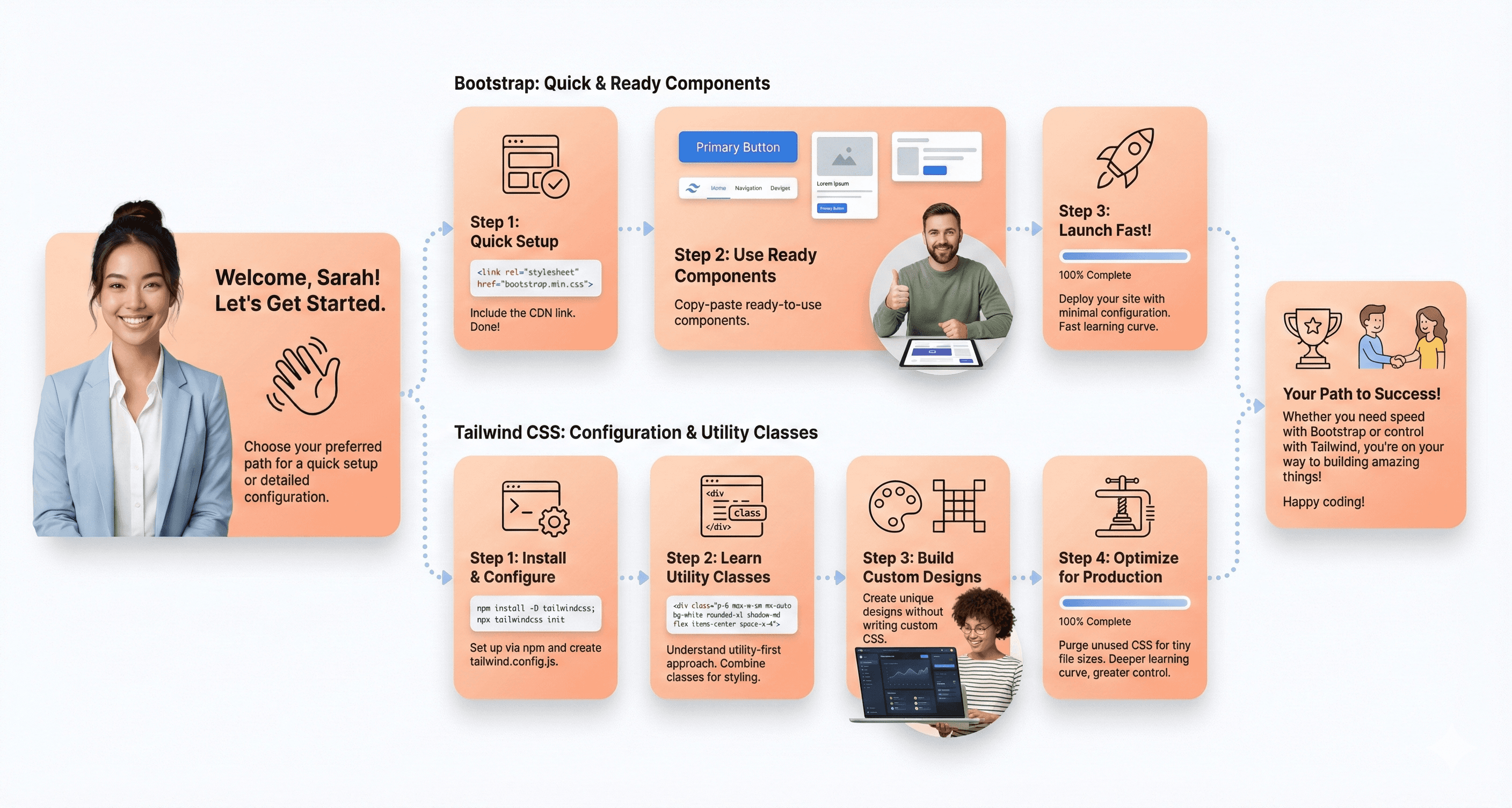
Bootstrap is easy for newcomers. You can copy documented navigation bars, cards and modals into your HTML and they work straight away, so developers can build professional-looking interfaces without deep CSS knowledge.
New developers can add class="btn btn-primary" and immediately get a polished, responsive button, which builds confidence quickly.
Bootstrap’s 12-column grid is intuitive: want something to take half the screen? Use col-6. Full width on mobile but half on desktop? Use col-12 col-md-6. This helps developers learn responsive design without getting overwhelmed.
Tailwind's Initial Setup and Configuration Requirements
Tailwind asks for a build step before you see results: it installs through npm and runs as a Vite plugin (@tailwindcss/vite), a PostCSS plugin (@tailwindcss/postcss) or a standalone CLI (@tailwindcss/cli), all at version 4.3.3. Earlier versions also needed a JavaScript configuration file. Tailwind CSS v4 introduced a CSS-first configuration model on 22 January 2025: you add @import "tailwindcss"; to your stylesheet and define design tokens in an @theme block, with no tailwind.config.js required.
The framework requires a mental shift from thinking in components to thinking in utilities. Instead of applying a single class like btn-primary, you'll combine multiple utility classes: bg-blue-500 text-white px-4 py-2 rounded hover:bg-blue-600. This approach initially feels verbose and overwhelming, especially for developers coming from traditional CSS or component frameworks.
Once set up, Tailwind’s developer experience is smooth. The official IntelliSense extension autocompletes class names in the editor, and v4 detects your template files automatically, so only the classes you use end up in the output. Responsive prefixes such as md:, lg: and xl: give you granular control but are another syntax to learn.
How Long It Takes to Learn Bootstrap vs Tailwind
Bootstrap offers the gentler start. A developer who knows HTML can build a responsive page from its grid and components on day one. The natural path is grid first, then components, then colours and spacing through Sass variables, then the JavaScript plugins and custom themes.
Mastering Bootstrap mostly means mastering its Sass layer: variables, maps, mixins and the utility API. How long that takes depends on your existing CSS knowledge.
Tailwind has the steeper start. Early on you look up class names often, and it takes a few projects before composing utilities and extracting reusable components feels natural. Teams that already think in design tokens usually adapt faster.
The time investment varies significantly based on your existing CSS skills and design experience. Developers with strong CSS fundamentals often adapt to Tailwind faster, while those new to web development might find Bootstrap's structured approach more accessible.
Community Resources and Documentation Quality
Bootstrap boasts mature, comprehensive documentation that has been refined over more than a decade. The official docs include detailed explanations, visual examples, and practical use cases for every component and utility. The community has produced thousands of templates, themes, and tutorials, making it easy to find solutions to common problems.
Stack Overflow’s twitter-bootstrap tag alone holds more than 102,000 questions (Stack Exchange API, 30 September 2026), against about 10,500 for tailwind-css, so most Bootstrap problems already have a documented answer. The framework’s stability also means older tutorials often still apply to 5.x.
Also Read: Next.js vs React in 2026: Which is Best for SaaS?
Tailwind's documentation takes a more modern, searchable approach. The official site includes a powerful search function that lets you quickly find specific utility classes or concepts. The docs are well-organized and include practical examples, but the framework's relative newness means fewer third-party resources compared to Bootstrap.
The Tailwind community is active on GitHub, Discord and social media, and its creator, Adam Wathan, publishes release notes and upgrade guides on the official blog. There are fewer third-party resources than for Bootstrap, and older tutorials written for v3 may show a tailwind.config.js setup that v4 no longer needs.
Both frameworks have strong official documentation: Bootstrap wins on the volume of community resources, while Tailwind’s docs are more searchable and closely tied to its current version.
Customisation and Design Flexibility
Bootstrap's Pre-Built Component Limitations
Bootstrap’s strength is its complete set of ready-made components, but that becomes a constraint when you need a distinctive design. Out of the box it has a recognisable look: its default buttons, colours and spacing are shared by many sites.
Earlier Bootstrap versions often required heavy CSS overrides for advanced customization. Bootstrap 5.3 improved flexibility significantly through expanded CSS variables, utility APIs, and native color mode support. However, highly custom brand-driven interfaces may still require additional abstraction layers or custom styling beyond Bootstrap’s default component system.
The grid defaults to six breakpoints and 12 columns, but both are configurable through Sass variables such as $grid-breakpoints and $grid-columns. Bootstrap performs best when consistency, accessibility and delivery speed matter more than a highly differentiated visual identity. For enterprise dashboards, admin systems and internal tools, its standardised design language is often an advantage rather than a limitation.
Tailwind’s Highly Flexible Design System
Tailwind flips the script by providing low-level utility classes instead of opinionated components. Every visual element becomes a combination of atomic classes, giving you pixel-perfect control over appearance. Want a button with specific padding, rounded corners, and a custom hover state? Combine the exact utilities you need without fighting existing styles.
The utility-first approach means no two Tailwind sites look the same by default. You're building from the ground up, crafting each element to match your exact requirements. Complex responsive designs become manageable through Tailwind's mobile-first breakpoint system and extensive responsive variants.
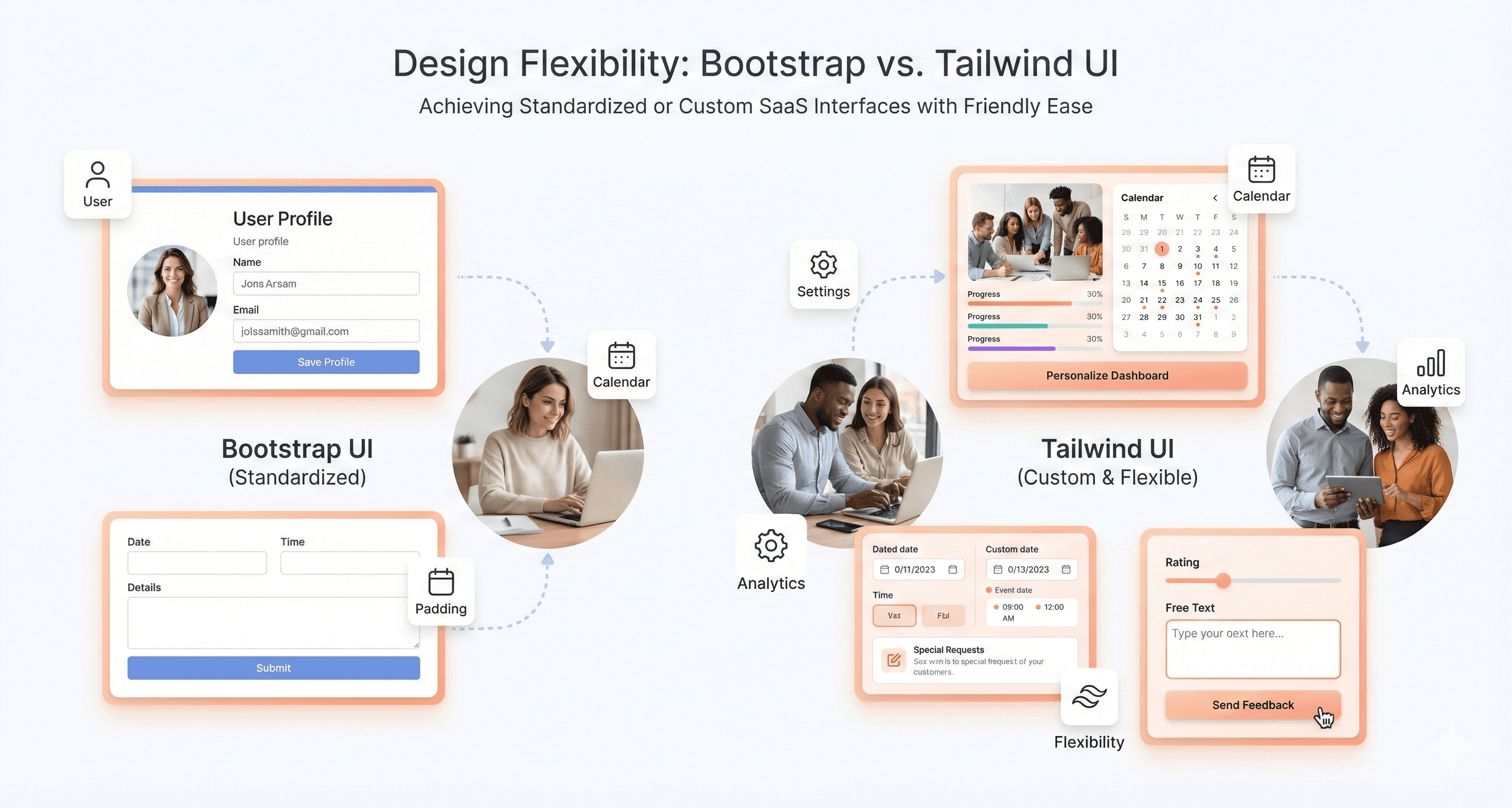
Custom properties, animations and one-off values fit in through @theme variables or arbitrary values such as top-[117px]. The framework adapts to your design system rather than forcing pre-built patterns on it.
Tailwind CSS v4 also moved closer to a CSS-native architecture by embracing modern platform features like cascade layers, CSS variables, and native browser capabilities. This reduces reliance on heavy JavaScript configuration and aligns more closely with modern frontend tooling standards.
Theme Customization Options in Both Frameworks
Bootstrap 5.3 expanded theming capabilities significantly through its color mode system, including native dark mode support and CSS-variable-driven customization. Developers can now create multiple visual themes with less dependency on heavy Sass overrides compared to older Bootstrap versions.
In Tailwind v4, the @theme block in your CSS becomes your design system’s single source of truth. Define colours, typography, spacing and breakpoints there, and each token becomes both a utility class and a CSS variable you can use elsewhere. Only the classes you use are generated, however much you customise.
Creating Unique Brand Identities with Each Tool
Bootstrap sites need deliberate theming to stand out. You can go a long way with Sass variables and CSS custom properties, but heavily customised components can drift from upstream and make upgrades harder.
Tailwind excels at brand identity creation through its design token system. Your brand colors, fonts, and spacing become utility classes that maintain consistency across all components. Custom design systems integrate naturally without framework conflicts. The atomic approach ensures brand guidelines translate directly into reusable utility combinations that any team member can apply consistently.
Performance Comparison: Bootstrap vs Tailwind CSS
Tailwind CSS v4 has stricter browser requirements because it relies on newer CSS such as cascade layers, @property and color-mix(). Its compatibility docs list Chrome 111+, Safari 16.4+ and Firefox 128+. Projects that must support older browsers should stay on Tailwind v3.4 or use Bootstrap 5.3, whose build targets browsers back to Chrome 60 and Safari 12.
Bundle Size Differences Between Frameworks
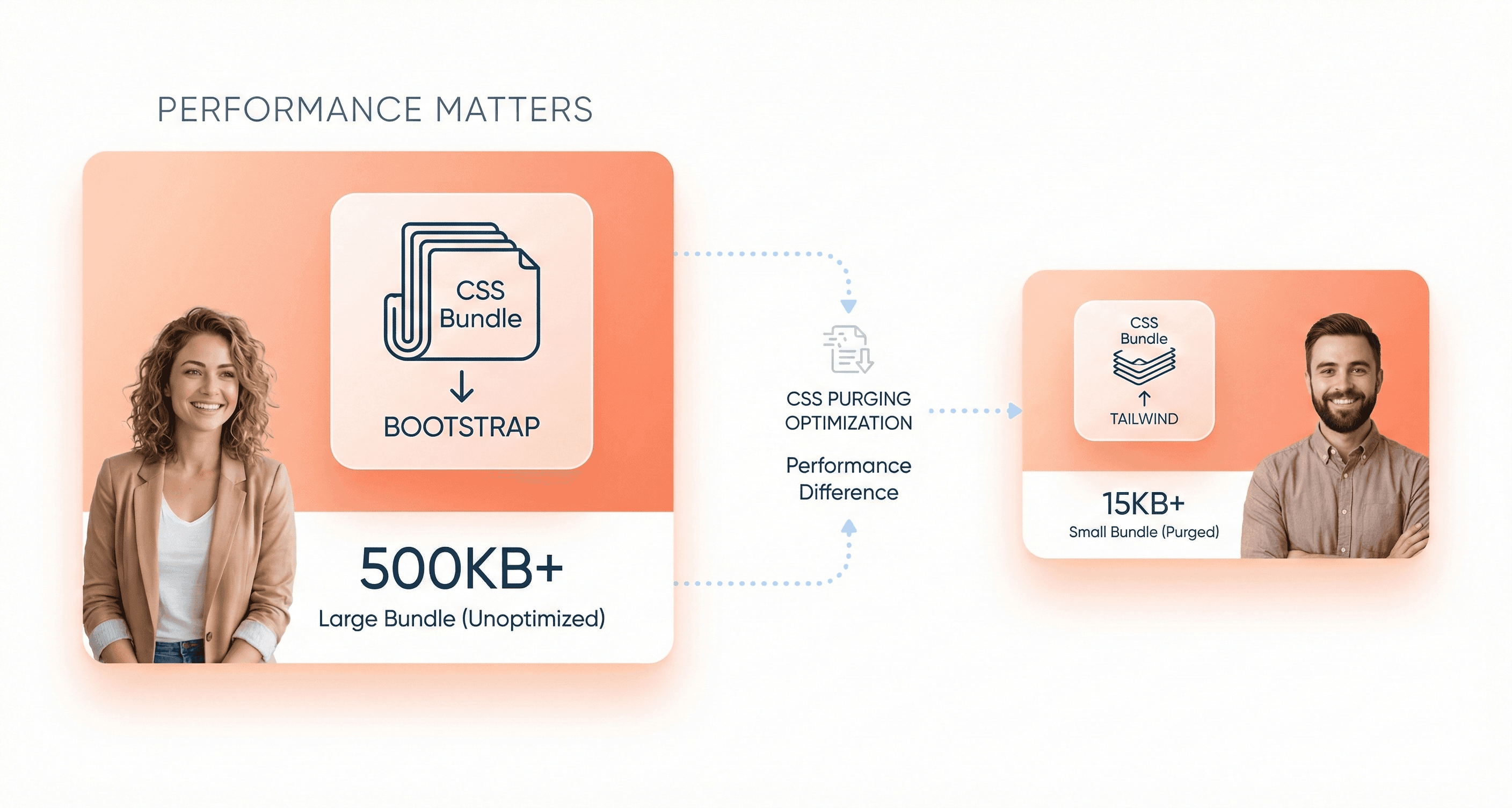
The default Bootstrap build includes every component and utility. In version 5.3.8, bootstrap.min.css is 232 KB minified (about 31 KB gzipped), bootstrap.min.js is 61 KB and bootstrap.bundle.min.js, which includes Popper, is 80 KB (about 24 KB gzipped). If you load the CDN files, you download styles for components you may never use. Bootstrap’s official documentation recommends importing only the Sass and JavaScript modules you need to cut that down.
Tailwind generates CSS only for the classes it finds in your HTML, JavaScript and template files, so there is no fixed bundle size: a small marketing site produces a small stylesheet and a large app with many variants produces a larger one. You can add sources it misses with the @source directive.
Framework | What you ship by default | How to reduce it | JavaScript |
|---|---|---|---|
Bootstrap 5.3.8 | Full stylesheet: 232 KB minified, about 31 KB gzipped | Import only the Sass partials you use; optionally run PurgeCSS | 61 KB (80 KB with Popper), only if you use its plugins |
Tailwind CSS 4.3.3 | Only the utilities found in your source files | Keep class names static and complete; avoid unused variants | None |
Tailwind’s output stays small only if class names are written in full and teams avoid piling up arbitrary values and duplicated utility patterns.
CSS Loading Speed and Optimization Features
Bootstrap’s single stylesheet is cached after the first visit, so later page views are fast. The cost is the first load, which includes styles for components the page may not use; that matters most on slow mobile connections.
Utility CSS also compresses well with gzip or Brotli, because the same property patterns repeat across many small rules.
With modern bundlers you can also split CSS per route or entry point, although most Tailwind projects ship a single stylesheet because it is already small.
Production Build Efficiency Comparison
Bootstrap requires careful manual optimization to achieve optimal production builds. Developers need to identify unused components and either customize their Bootstrap build or rely on CSS purging tools like PurgeCSS as a separate build step. This process can be error-prone and requires ongoing maintenance as your project evolves.
Tailwind handles this automatically. Its first-party Vite plugin, PostCSS plugin and CLI detect your source files and generate only what is used, with no separate purge step to maintain.
Tailwind CSS v4 introduced a new high-performance engine, previewed under the name Oxide. According to the Tailwind team, full builds are up to 5x faster and incremental builds over 100x faster than v3. That matters most for large SaaS applications with rapid UI iteration.
The trade-off is that Tailwind scans files as plain text. It cannot see class names built by string concatenation, such as text-${colour}-600, so always write complete class names and map dynamic values to full strings.
When to Use Bootstrap vs When to Use Tailwind
When Bootstrap Delivers Faster Results
Bootstrap is the faster choice when you need a professional-looking interface quickly and the design does not have to be unique. Corporate sites, admin dashboards and business applications benefit most. For a client portal or an internal inventory tool, its consistent patterns let you focus on functionality rather than styling decisions.
Bootstrap is also strong for prototypes. When stakeholders need a working demo in days, its component library covers most common patterns, and users already recognise them.
Under tight deadlines its opinionated defaults remove decisions, and the mature ecosystem of themes and templates helps with landing pages, marketing sites and support portals.
Also Read: React vs Vue vs Angular: Which Should You Choose?
Projects That Benefit Most from Tailwind
Tailwind CSS excels in projects where visual differentiation drives business value: SaaS products, design-led marketing sites and brand campaigns. When your design team hands you mockups that do not fit Bootstrap’s patterns, Tailwind gives you the control to match them precisely.
Modern web applications with complex, interactive interfaces find Tailwind particularly powerful. Single-page applications built with React, Vue, or Angular benefit from Tailwind's component-friendly approach. The utility classes suit component-based architectures, allowing developers to style individual components without worrying about global CSS conflicts.
Start-ups and product companies that compete on brand and user experience usually pick Tailwind, because it lets the UI match the design system exactly.
Team Size and Skill Level Considerations
Larger development teams often gravitate toward Bootstrap because it standardizes design decisions across multiple developers. When you have junior developers, contractors, or distributed teams working on the same project, Bootstrap's conventions reduce the learning curve and minimize inconsistencies. The framework's documentation and community resources make onboarding new team members more straightforward.
Bootstrap remains widely adopted across enterprise SaaS platforms because its predictable component architecture, accessibility maturity, and onboarding simplicity reduce friction for large multi-developer teams working across shared UI systems.
Smaller teams with strong design skills typically prefer Tailwind's flexibility. When you have experienced developers who understand CSS fundamentals, Tailwind becomes a productivity multiplier rather than a learning obstacle. Teams that include dedicated designers often choose Tailwind because it bridges the gap between design mockups and final implementation more effectively.
Mixed-skill teams face interesting trade-offs. Bootstrap might slow down your senior developers but accelerate junior contributors. Tailwind could overwhelm newcomers while empowering experienced team members. Consider your team's growth plans and hiring strategy when making this decision.
Long-term Maintenance Requirements
Bootstrap projects typically need less custom CSS because the framework makes most styling decisions. Major upgrades are the main cost: Bootstrap 4 to 5 changed class names and removed jQuery. Bootstrap 6 is now in development (the v6-dev branch on GitHub lists 6.0.0-alpha1), but as of 30 September 2026 no 6.x release has been published to npm, so 5.3.8 remains the version to build on.
Tailwind upgrades have their own costs. v4 renamed several utilities (for example shadow-sm became shadow-xs and rounded became rounded-sm) and moved configuration into CSS. The official npx @tailwindcss/upgrade tool automates most of the change. Because styles live next to the markup, deleting a component also deletes its styles, which keeps stylesheet bloat down over time.
Documentation becomes more critical with Tailwind because future maintainers need to understand your utility class combinations. Bootstrap's semantic component names are more self-documenting, while Tailwind requires more thorough code comments and style guides to maintain team productivity over time.
Developer Productivity Compared
Rapid Prototyping Capabilities
Bootstrap is quicker for a first working prototype. Its navbars, cards and modals are copied in as markup, so you can have a professional-looking landing page without writing custom CSS.
Tailwind feels slower at first, because you build your first components yourself. Once your design system and component set exist, iteration is quick: changing padding, colour or layout means editing a few class names rather than hunting through stylesheets.
For quick mockups and client presentations, Bootstrap wins. For products you will keep refining for years, Tailwind usually proves faster overall.
Code Reusability and Component Building
Bootstrap's component-based architecture naturally encourages reusability. Once you've built a card component or navigation bar, you can copy the HTML structure across pages with minimal modifications. The framework's consistent naming conventions make it easy for team members to understand and reuse each other's work.
Tailwind reuse happens at the component level in React, Vue, Svelte or your templating system: you define a button once with its utilities and reuse it. Libraries such as daisyUI (5.7.47) and Flowbite (4.0.2) add ready-made components on top of Tailwind if you want Bootstrap-style convenience.
Framework | Unit of reuse | Best fit |
|---|---|---|
Bootstrap | HTML components with semantic classes | Server-rendered sites, static sites, quick projects |
Tailwind | Framework components built from utilities | React, Vue, Svelte and Angular apps |
Bootstrap components work well in pure HTML environments, while Tailwind utilities shine brightest in component-driven development workflows.
Debugging and Troubleshooting Efficiency
Bootstrap debugging can become more complex in heavily customized projects where layered overrides, theme abstractions, and accumulated legacy styles increase CSS specificity and maintenance complexity.
Since components rely on complex CSS rules and JavaScript interactions, tracking down layout issues often means diving deep into the framework's source code. Overriding default styles requires understanding CSS specificity battles, and conflicting classes can create mysterious behavior.
Tailwind makes most styling bugs easy to trace: the classes on the element show what is applied, and each utility sets one property, so changing a class rarely has side effects elsewhere.
Large-scale Tailwind projects can also introduce utility-class fatigue if teams do not establish reusable component abstractions and shared design conventions. Without consistent patterns, long utility chains may reduce readability and increase maintenance complexity over time.
Developer tools become much more useful with Tailwind since each utility class maps to a single CSS property. You can instantly see which classes are active and modify them in real-time. Bootstrap's compiled CSS makes this inspection process more challenging, especially when dealing with responsive breakpoints or component states.
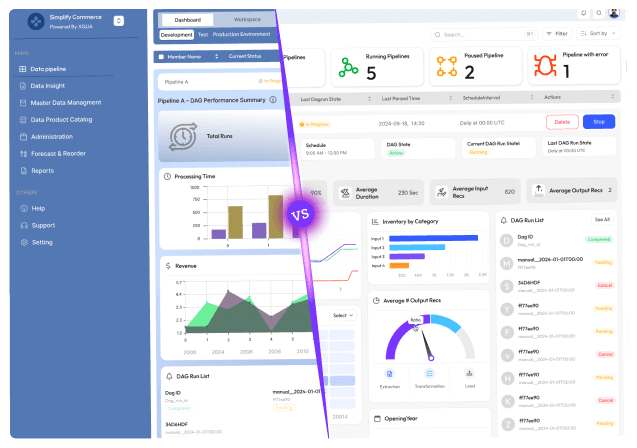
Bootstrap users spend time learning component internals and override rules; Tailwind users spend it learning utility patterns. Once learned, Tailwind debugging is usually quicker.
Migrating from Bootstrap to Tailwind
You do not need a rewrite. Most teams migrate incrementally, running both frameworks side by side and moving one screen or component at a time.
Start with new work. Build new components in Tailwind and leave stable Bootstrap screens alone until they need changes anyway.
Prefix Tailwind’s classes. In v4,
@import "tailwindcss" prefix(tw);turns utilities intotw:flexortw:p-4, so they cannot clash with Bootstrap class names such ascontainer,collapseorinvisible.
Control the cascade. Tailwind v4 puts its styles in CSS cascade layers, and unlayered CSS beats layered CSS. Load compiled Bootstrap into its own layer ordered before Tailwind’s utilities so utilities win where both apply.
Skip Preflight while both run. Bootstrap’s Reboot already resets base styles. Import only Tailwind’s theme and utilities until Bootstrap is gone, then switch Preflight back on.
Move tokens first. Copy Bootstrap’s Sass variables (brand colours, spacers, breakpoints) into a Tailwind
@themeblock so old and new screens match. Keep Bootstrap’s Sass compiled separately: Tailwind v4 is not designed to run with Sass.
Remove Bootstrap last. When no templates use Bootstrap classes or its JavaScript plugins, remove the package and, if you like, the prefix.
If you would rather hand this off, Hashbyt’s Tailwind CSS migration services cover Bootstrap migration, SCSS refactoring and design tokens, and our CSS framework development services support teams building on Tailwind or Bootstrap.
Conclusion: Which Should You Choose?
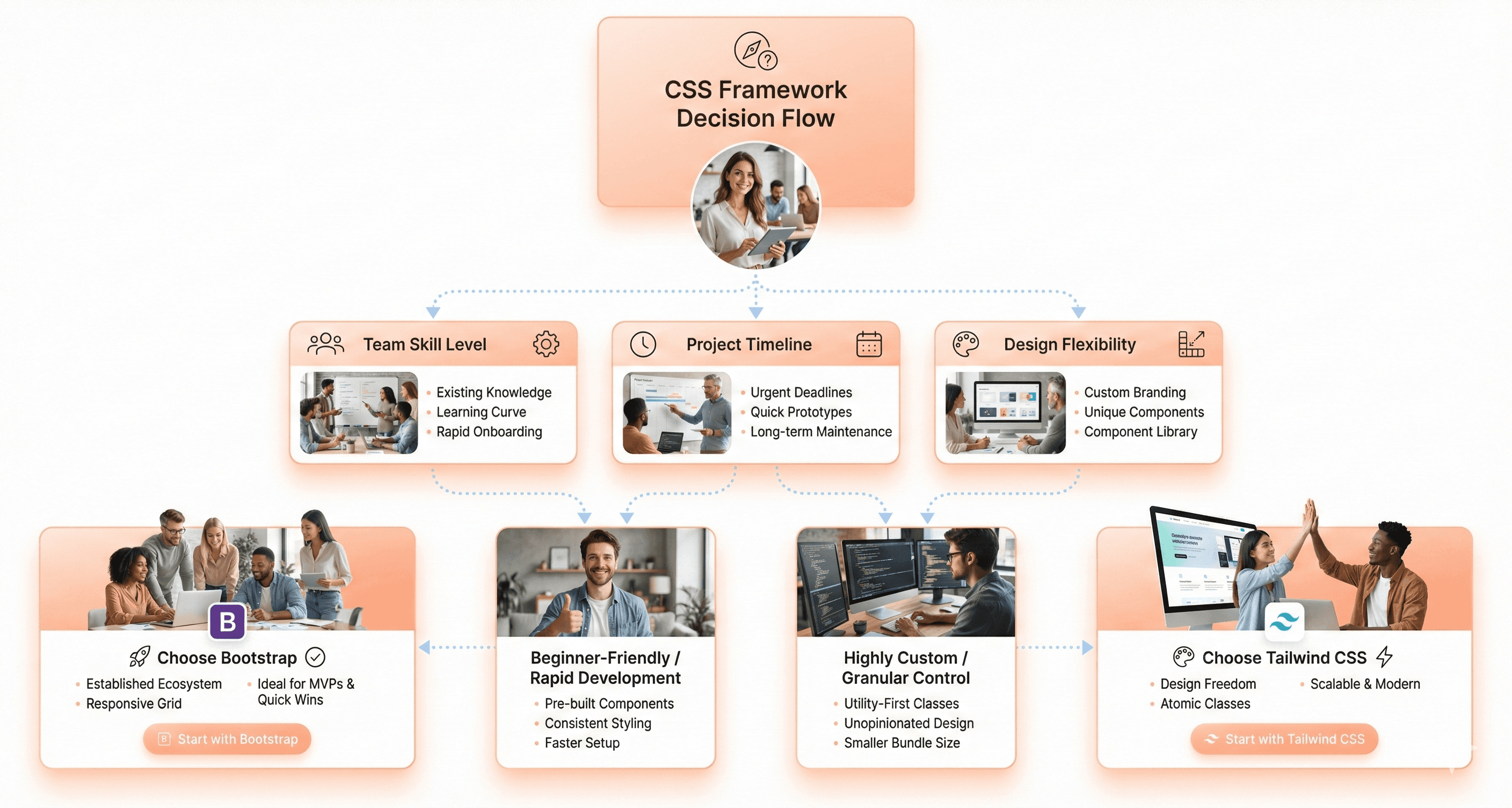
For most new SaaS products in 2026, choose Tailwind CSS. It fits component-based frameworks, keeps CSS limited to what you use and lets you build a design system that looks like your brand rather than like Bootstrap. Choose Bootstrap when speed to a working interface matters more than a distinctive look.
That means admin panels, internal tools, prototypes and teams with mixed CSS experience, or projects that must support older browsers than Tailwind v4 allows.
Performance is rarely the deciding factor: a trimmed Bootstrap build and a Tailwind build can both be small. The bigger differences are how you customise, how your team works and what upgrades will cost.
If you are already on Bootstrap and want Tailwind’s flexibility, migrate incrementally with prefixed utilities rather than rewriting. Match the choice to your team’s skills, your browser targets and how much your product’s design needs to stand out.




About the author
I’m the founder of Hashbyt, an AI-first frontend and UI/UX SaaS partner helping 200+ SaaS companies scale faster through intelligent, growth-driven design. My work focuses on building modern frontend systems, design frameworks, and product modernization strategies that boost revenue, improve user adoption, and help SaaS founders turn their UI into a true growth engine.

Is a clunky UI holding back your growth?
Is a clunky UI holding back your growth?
▶︎
Transform slow, frustrating dashboards into intuitive interfaces that ensure effortless user adoption.
▶︎
Transform slow, frustrating dashboards into intuitive interfaces that ensure effortless user adoption.
