

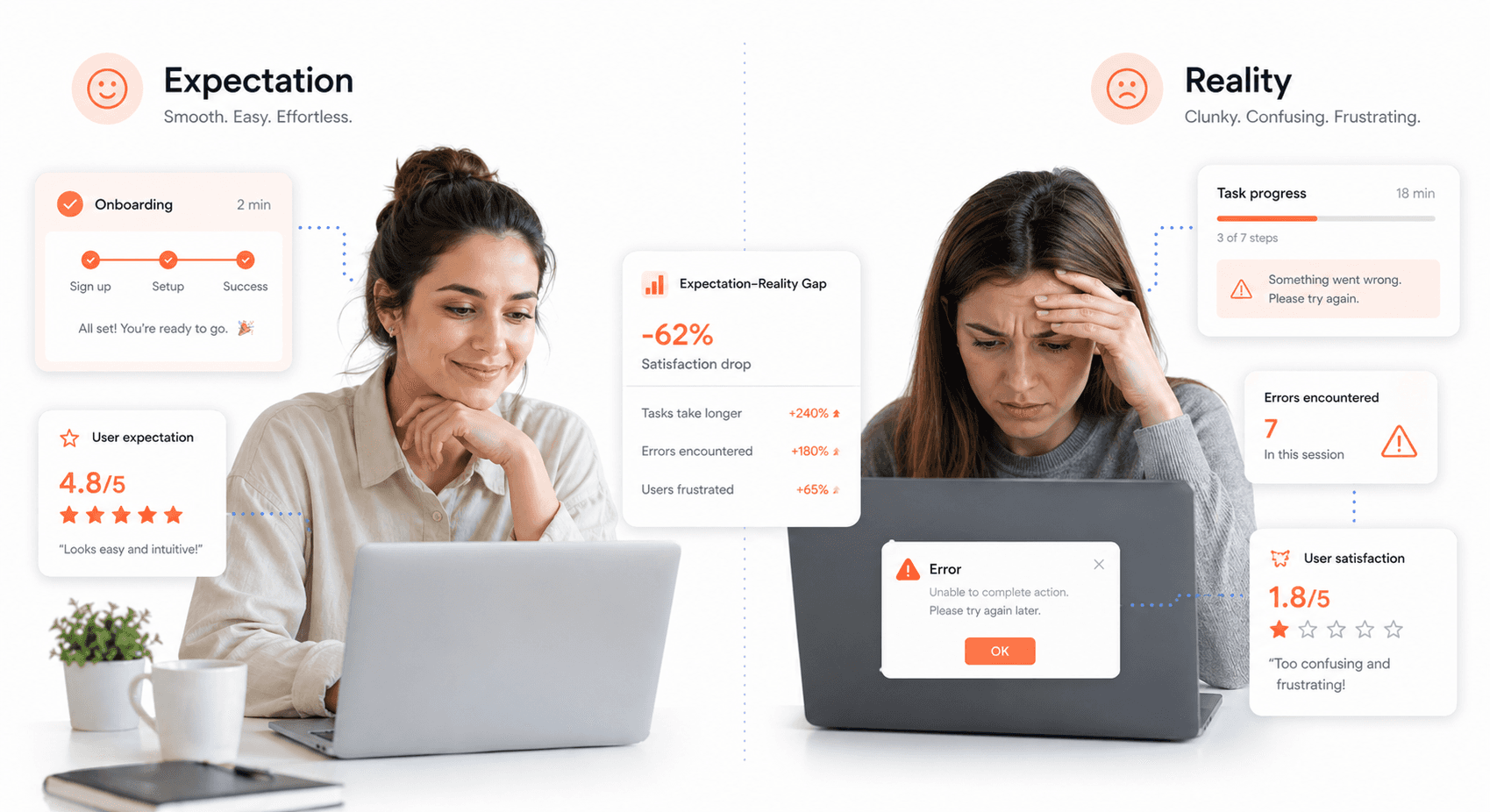
Your customers keep saying your product feels clunky, and it's starting to hurt your bottom line. Product clunky complaints signal deeper issues with user experience design, quality control, and communication that demand immediate attention.
This comprehensive guide is for product managers, UX designers, quality assurance teams, and business owners who need to understand why customers find products difficult to use and what to do about it. When customers complain about clunkiness, they're telling you something went wrong between their expectations and reality.
We'll walk you through the most common product design issues that create frustrating user experiences, explore how quality control problems make products feel awkward and unreliable, and examine communication failures that amplify negative perceptions. You'll also discover practical solutions to reduce clunkiness complaints and learn how to measure product performance before problems reach your customers.
Understanding Why Customers Find Your Product Clunky
Defining the gap between customer expectations and reality
When your customers complain about your product being clunky, you're witnessing a fundamental disconnect between what they expected and what they actually experienced. This gap often emerges from several critical areas where your product fails to meet the mental model your customers have built.
Your customers arrive with specific expectations shaped by their previous experiences with similar products, marketing promises, and industry standards. When your product's user interface problems or product design flaws create friction in their workflow, the clunky user experience becomes immediately apparent. You might notice this gap manifesting when customers struggle with basic functions that should feel intuitive, or when they require extensive training for seemingly simple tasks.
The expectation-reality gap widens when your product forces customers to work around limitations rather than with seamless functionality. If users find themselves creating workarounds, taking extra steps, or feeling frustrated during routine interactions, you're dealing with fundamental product usability issues that create the perception of clunkiness.
Consider how your customers define "smooth" versus "clunky" in their daily interactions. They expect consistent performance, predictable responses, and logical workflows. When your product delivers inconsistent results, unexpected behaviors, or requires customers to think too hard about basic operations, you've created the conditions for clunky product complaints.
Recognizing early warning signs of product dissatisfaction
Your ability to identify early indicators of product dissatisfaction determines whether you can address clunkiness before it escalates into public complaints. These warning signs often appear in subtle patterns that require careful attention to detect.
Watch for increased support ticket volume focusing on the same recurring issues. When multiple customers independently struggle with identical problems, you're seeing evidence of systematic product quality control issues rather than isolated user errors. These patterns reveal where your product creates unnecessary friction in the user journey.
Monitor your customer engagement metrics closely. Declining usage frequency, shorter session durations, or reduced feature adoption rates signal that users are finding your product increasingly difficult to work with. These metrics often precede verbal complaints by weeks or months, giving you valuable time to intervene.
Pay attention to the language customers use when describing their experiences. Words like "confusing," "complicated," or "time-consuming" in support interactions indicate growing frustration with clunky user experience elements. Customers rarely immediately jump to harsh criticism; they typically express mounting frustration through increasingly specific complaints about workflow inefficiencies.
Training request patterns also reveal early warning signs. When customers repeatedly ask for guidance on basic functions or request additional training sessions, your product likely contains user interface problems that aren't immediately intuitive. This indicates a gap between your product's design assumptions and real-world usage patterns.
Identifying silent customers who stop engaging without complaining
Your most dangerous feedback comes from customers who simply disappear without expressing their frustrations directly. These silent customers represent a significant portion of users who find your product clunky but choose disengagement over confrontation.
Silent customers typically follow predictable behavioral patterns before they completely disengage. You'll notice their usage gradually declining rather than stopping abruptly. They might continue accessing your product but use fewer features, complete fewer tasks, or spend less time in each session. This gradual withdrawal indicates they're finding alternative solutions rather than struggling with your clunky interface.
Track your churn analytics specifically for patterns that suggest usability-related departures. Customers who leave shortly after onboarding often encountered immediate usability barriers. Those who gradually reduce engagement over several months typically faced accumulating frustrations with product design flaws that made their workflows increasingly inefficient.
Monitor engagement across different user segments to identify which customer types are most likely to become silent rather than vocal about product usability issues. Technical users might work around problems longer before leaving, while business users often abandon clunky products quickly in favor of alternatives that better match their workflow needs.
Your customer success teams can help identify at-risk silent customers through proactive outreach. When customers stop participating in training sessions, decline upgrade opportunities, or become less responsive to communications, they may be experiencing frustration with clunky product elements but haven't vocalized their concerns.
Consider implementing feedback mechanisms specifically designed to capture insights from customers who are reducing their engagement. Sometimes a simple check-in email or brief survey can reveal significant usability concerns from customers who wouldn't otherwise take the initiative to complain about improving product user experience issues they encounter.
Common Product Design Issues That Create Clunky Experiences
Overly Complex Processes and Workflows That Frustrate Users
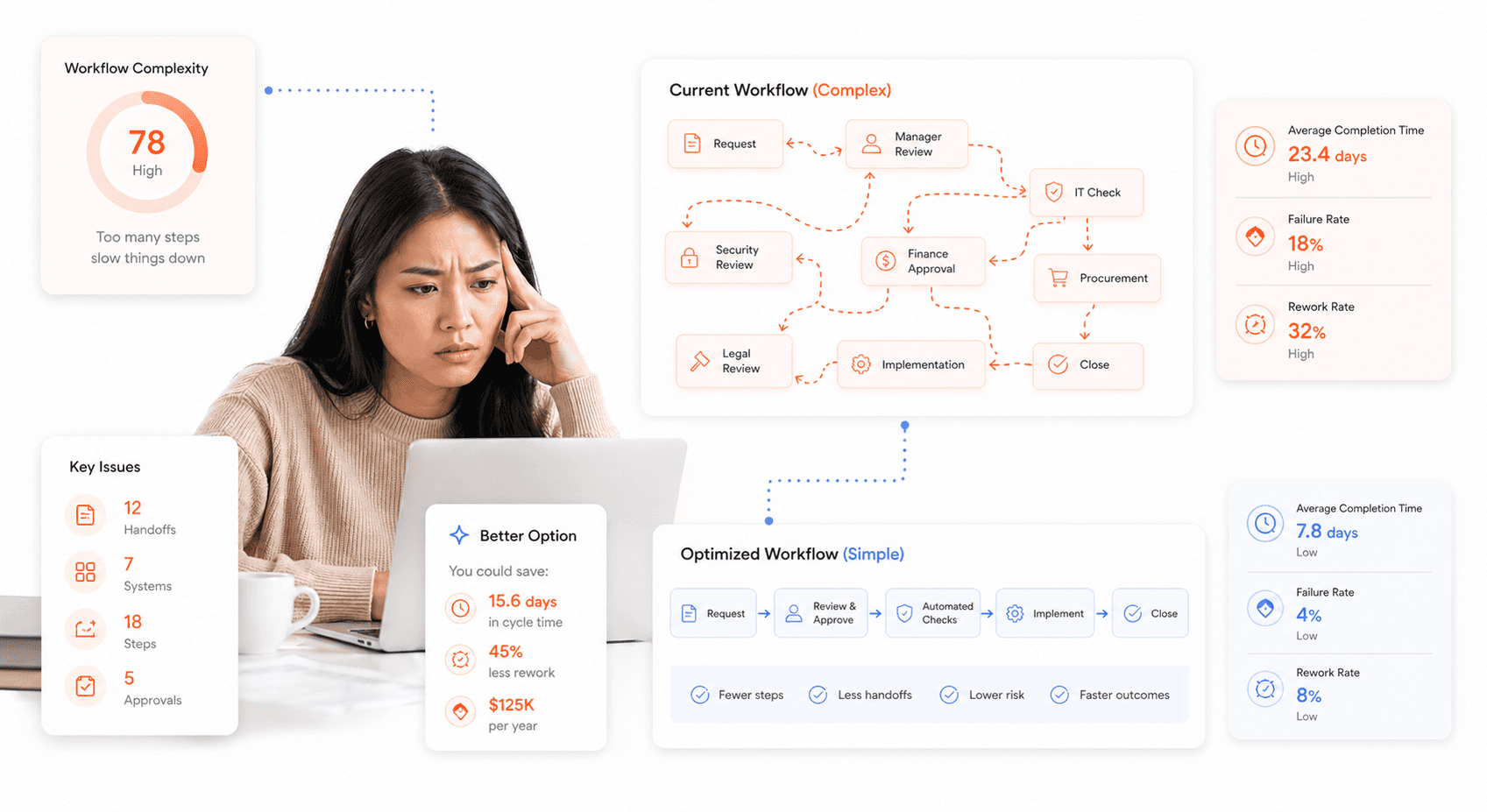
When your customers describe your product as clunky, the root cause often lies in unnecessarily complicated processes that force users to jump through multiple hoops to complete simple tasks. You might think adding more steps provides better control or security, but users interpret these barriers as friction that prevents them from achieving their goals efficiently.
Your product becomes clunky when you require users to navigate through five screens just to update their profile information, or when they must fill out lengthy forms with redundant fields that could be auto-populated. These overly complex workflows signal to customers that you haven't prioritized their time or convenience, leading directly to product clunky complaints.
The most problematic workflows are those that don't align with how your users naturally think about completing tasks. If your internal processes dictate the user journey rather than user needs, you're essentially forcing customers to adapt to your system's limitations rather than designing around their mental models.
Poor Communication and Lack of Clear Instructions
Your product feels clunky to customers when they can't understand what actions to take next or why certain steps are necessary. This communication breakdown manifests in several ways that directly impact user experience and generate customer feedback product problems.
Unclear button labels, missing tooltips, and ambiguous error messages leave users guessing about what went wrong and how to fix it. When customers encounter terms like "Submit Request" without context about what happens after submission or how long processing takes, they feel lost within your product ecosystem.
Your product's clunkiness perception amplifies when users can't find help documentation that actually addresses their specific questions. Generic help content that doesn't match real user scenarios creates frustration and reinforces the feeling that your product wasn't designed with their needs in mind.
Consider how your product communicates progress during multi-step processes. Without clear indicators showing users where they are in a workflow and what comes next, even simple tasks feel overwhelming and contribute to clunky user experience complaints.
Inconsistent User Experiences Across Different Touchpoints
You create clunky experiences when your product behaves differently across various platforms, devices, or sections of your application. Customers expect consistent interactions whether they're using your mobile app, web platform, or desktop software, and deviations from established patterns feel jarring and unprofessional.
This inconsistency becomes particularly problematic when customers switch between touchpoints during a single task. If your mobile interface uses different navigation patterns than your web version, users must constantly relearn how to interact with your product, creating unnecessary cognitive load.
Your branding, terminology, and interaction patterns should remain consistent across all customer touchpoints. When you use different words for the same actions or place navigation elements in different locations across platforms, you're essentially training customers to expect unpredictability from your product.
Data synchronization issues between platforms also contribute to user interface problems. When customers make changes on one device but don't see those updates reflected on another platform, they question your product's reliability and view it as technically inferior.
Missing Features or Functionality That Fails to Meet Promised Standards
Nothing creates stronger product clunky complaints than promising capabilities that your product can't actually deliver effectively. When customers discover that advertised features are poorly implemented, incomplete, or entirely missing, they feel deceived and view your entire product as substandard.
Your product appears clunky when basic functionality requires workarounds or when users must leave your platform to complete tasks that should be handled internally. If customers need to export data to Excel for simple calculations your product should perform, or if they must use third-party tools for features you advertise, you're essentially admitting your product isn't complete.
Feature gaps become particularly problematic when they interrupt otherwise smooth workflows. Users might successfully complete 80% of their intended task within your product before hitting a wall that forces them to find alternative solutions, creating fixing clunky products challenges that damage your reputation.
Your product design flaws become apparent when customers attempt to use advanced features that lack proper implementation. Half-finished integrations, limited customization options despite marketing claims, and features that work only under specific conditions all contribute to the perception that your product is unreliable and poorly thought out.
Quality Control Problems That Make Products Feel Clunky
Manufacturing Defects and Substandard Materials
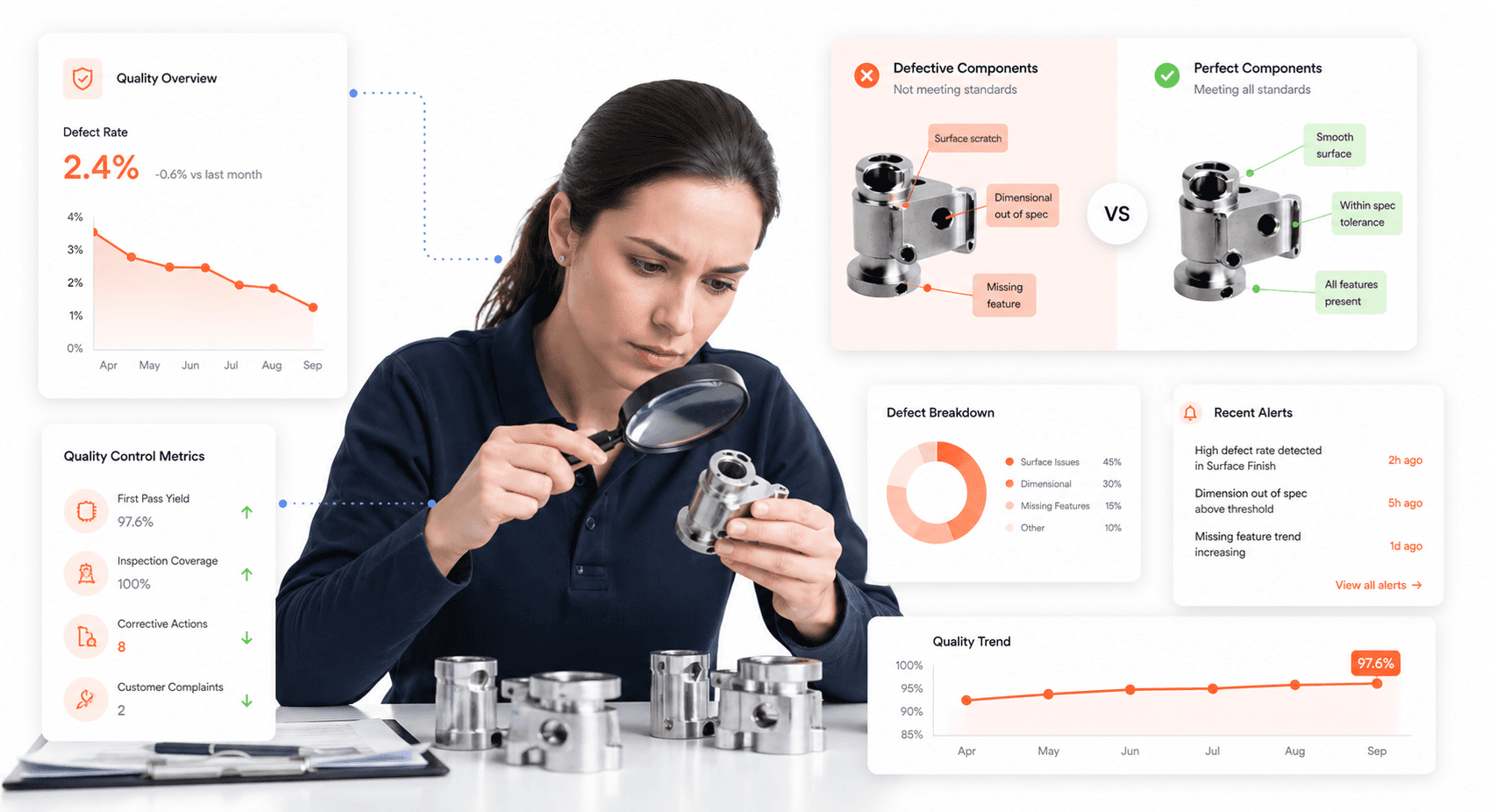
Your product's clunky reputation often stems from fundamental quality control failures during manufacturing. When you use substandard materials or allow defects to slip through production, you're essentially guaranteeing that your customers will experience frustration and disappointment. These manufacturing issues create immediate red flags that make your product feel cheap, unreliable, and poorly constructed.
Material quality directly impacts how customers perceive your product's value and functionality. If you've chosen inferior plastics that crack easily, metals that corrode quickly, or components that wear out prematurely, you're setting yourself up for clunky product complaints. Your customers can instantly detect when corners have been cut during manufacturing, whether it's through rough edges, poor fitting between parts, or components that feel flimsy to the touch.
Manufacturing defects create inconsistent user experiences that make your product feel unpredictable and unreliable. When tolerances are off, parts don't align properly, creating gaps, wobbling, or resistance during normal operation. These seemingly small issues compound to create an overall impression of poor quality that customers associate with clunkiness. Your assembly line quality standards directly determine whether your product delivers smooth, seamless operation or frustrating, jerky performance.
Poor Testing and Inspection Processes Before Product Release
Your pre-release testing protocols serve as the final barrier between product quality control issues and customer complaints. When you rush products to market without adequate testing phases, you're essentially using your paying customers as beta testers for identifying fundamental flaws. Inadequate testing processes fail to catch problems that will inevitably surface during real-world usage, leading to widespread customer frustration and clunky product experiences.
Comprehensive testing should simulate actual customer usage patterns, environmental conditions, and stress scenarios that your product will encounter. If you're only conducting basic functionality tests without considering edge cases or extended usage periods, you'll miss critical issues that make your product feel unreliable. Your testing procedures need to evaluate not just whether features work, but how smoothly they operate under various conditions.
Quality inspection checkpoints throughout your production process help identify problems before they reach customers. When you skip thorough inspections or rely on sampling methods that miss systematic issues, defective products enter the market and create negative customer experiences. Your inspection criteria should focus on both functional performance and the subtle quality indicators that customers associate with professional-grade products versus clunky alternatives.
Recurring Technical Issues That Affect Product Performance
Technical problems that repeatedly surface across multiple units indicate systematic quality control failures in your production process. When customers encounter the same issues repeatedly, they perceive your product as fundamentally flawed rather than experiencing isolated defects. These recurring problems create patterns of customer complaints that damage your brand reputation and reinforce perceptions of clunkiness.
Software-related technical issues often manifest as sluggish performance, frequent crashes, or features that work inconsistently. If your product relies on embedded software or firmware, bugs that weren't caught during development create ongoing user frustration. Your customers expect smooth, predictable operation, and when technical glitches interrupt their workflow repeatedly, they classify your product as clunky and unreliable.
Hardware-related recurring issues typically involve mechanical components that fail prematurely or perform inconsistently. These might include buttons that stick, motors that hesitate, or sensors that provide inaccurate readings. When multiple customers report identical technical problems, it signals that your quality control processes failed to identify design flaws or manufacturing inconsistencies that affect core functionality. Your challenge lies in identifying these patterns quickly and implementing systematic solutions rather than treating each complaint as an isolated incident.
Communication Failures That Amplify Clunkiness Perception
Delayed Responses to Customer Support Requests
When customers encounter product usability issues, delayed support responses can transform minor inconveniences into major clunky user experience complaints. Your customers' perception of your product's quality directly correlates with how quickly you address their concerns. If someone struggles with your interface and waits days for assistance, they'll likely conclude that your entire product is poorly designed.
Your support response time becomes a crucial factor in managing product clunky complaints. When customers can't figure out how to use a feature and receive no immediate guidance, their frustration compounds exponentially. They begin to view your product as not just difficult to use, but also poorly supported. This dual perception creates a lasting negative impression that's difficult to overcome.
The impact of delayed responses extends beyond individual customers. Frustrated users often share their experiences on social media, review platforms, and forums, amplifying their complaints about your product being clunky. These public complaints can influence potential customers' purchasing decisions and damage your brand's reputation for product quality.
Your customer support team's responsiveness also affects how customers interpret ambiguous product features. When immediate clarification isn't available, users assume the worst about your product's design. They're more likely to label features as broken or poorly conceived rather than simply misunderstood.
Consider implementing tiered response systems where urgent usability issues receive priority attention. This approach helps prevent minor product design flaws from escalating into major customer satisfaction problems.
Unclear Policies and Confusing Documentation
Your product documentation serves as the bridge between your design intentions and customer understanding. When policies are ambiguous or documentation is confusing, customers struggle to achieve their goals, leading to increased product quality control issues complaints. Poor documentation makes even well-designed products appear clunky and user-unfriendly.
Customers who can't find clear answers in your documentation develop negative assumptions about your product's overall quality. They interpret missing information or confusing explanations as evidence of poor product development processes. This perception extends beyond documentation to their overall assessment of your product's reliability and professionalism.
Your policy language significantly impacts customer perception of product accessibility. Technical jargon, lengthy explanations, and buried important information create barriers that make your product feel unnecessarily complex. When customers can't quickly understand terms of service, return policies, or feature limitations, they label your entire system as clunky.
The structure of your documentation also influences user experience perceptions. Poorly organized help sections, missing search functionality, and outdated information contribute to customer frustration. When users can't efficiently find solutions to their problems, they blame your product design rather than documentation quality.
Your FAQ sections and help articles should anticipate common user confusion points and address them proactively. Clear, concise explanations with visual aids can prevent many usability complaints from emerging.
Lack of Proactive Updates About Product Issues or Changes
Your communication strategy around product changes and known issues directly affects customer satisfaction and complaint frequency. When you fail to inform customers about planned updates, temporary glitches, or feature modifications, they interpret unexpected behavior as product failures rather than intentional changes.
Customers who discover changes without warning often feel deceived and frustrated. They may spend considerable time troubleshooting what they perceive as problems, only to discover later that changes were intentional. This experience damages trust and creates negative associations with your product's reliability.
Your proactive communication about fixing clunky products demonstrates transparency and commitment to customer satisfaction. When you inform users about upcoming improvements or current limitations, they're more likely to view your product favorably and provide constructive feedback rather than harsh complaints.
The timing of your updates significantly impacts customer perception. Last-minute notifications about changes leave customers feeling unprepared and frustrated. However, advance notice allows users to adjust their workflows and expectations, reducing the likelihood of complaints about product user interface problems.
Your update communications should include clear explanations of why changes are necessary and how they benefit users. When customers understand the reasoning behind modifications, they're more accepting of temporary inconveniences and more patient with the improvement process.
Regular status updates during extended maintenance periods or known issues help maintain customer confidence. Silence during problems creates uncertainty and encourages negative speculation about your product's stability and your company's competence in improving product user experience.
Different Types of Customers Who Complain About Clunkiness
Silent Critics Who Disengage Without Direct Feedback
Your most dangerous critics might be the ones you never hear from directly. These customers experience clunky user experiences but choose to simply walk away rather than voice their concerns. When your product feels clunky, these silent critics will quietly cancel subscriptions, avoid repeat purchases, or switch to competitors without providing any warning signs.
Silent critics pose a significant challenge because their departure often catches you off guard. They've already made up their minds about your product's usability issues before you even realize there's a problem. Unlike vocal complainers, these customers won't give you the opportunity to address their concerns or improve their experience. Their silence means you lose valuable feedback that could help you identify and fix clunky products before losing more customers.
You'll typically find silent critics among customers who:
Prefer to avoid confrontation or don't want to invest time in complaint processes
Have limited engagement with your brand beyond the core product functionality
Experience product design flaws but assume these issues are permanent features
Feel that providing feedback won't lead to meaningful changes
The key to identifying these customers lies in monitoring behavioral patterns rather than waiting for verbal complaints. Watch for declining usage metrics, shortened session times, or customers who stop engaging with new features entirely.

Vocal Complainers Who Share Frustrations Publicly
When customers complain product design is clunky through public channels, they're providing you with both a challenge and an opportunity. These vocal complainers often take to social media, review sites, or community forums to express their frustrations with user interface problems and product quality control issues.
Vocal complainers serve as an early warning system for widespread usability issues. Their public complaints about product clunky experiences can quickly amplify, influencing potential customers' purchasing decisions. However, these customers also represent your best chance for recovery and improvement, as they're actively seeking resolution and are willing to engage in dialogue.
These customers typically exhibit specific characteristics:
They have high expectations for product performance and user experience
They believe their feedback can drive positive changes
They're often passionate about your product category or have been long-term users
They view public complaints as a way to advocate for better experiences for all users
Your response to vocal complainers significantly impacts your brand reputation. Quick, thoughtful responses to their concerns about clunky user experience can transform these critics into advocates, while ignoring them can lead to escalated public relations issues.
High-Maintenance Clients With Demanding Requirements
High-maintenance clients often have legitimate concerns about product usability issues, but their approach to expressing these concerns can be overwhelming. These customers frequently submit detailed complaints about every aspect they find clunky, from minor interface inconsistencies to major workflow disruptions.
While their demanding nature might seem burdensome, these clients often provide the most comprehensive feedback about your product's shortcomings. Their detailed reports can help you identify specific areas where improving product user experience could benefit your entire customer base.
High-maintenance clients typically:
Have complex use cases that stress-test your product's capabilities
Possess deep technical knowledge that allows them to articulate specific problems
Expect rapid responses and detailed explanations for any issues they encounter
Often represent larger organizations or high-value accounts that justify additional attention
Managing these relationships requires clear communication protocols and dedicated support resources. When handled properly, these demanding clients can become valuable partners in product development, helping you prevent clunky product experiences before they affect your broader customer base.
Former Advocates Who Feel Let Down by Recent Changes
Perhaps the most concerning group consists of former advocates who previously championed your product but now complain about newfound clunkiness. These customers represent a unique challenge because they have intimate knowledge of how your product used to perform and can clearly articulate what has changed for the worse.
Former advocates often become the most vocal critics because they feel personally invested in your product's success. Their complaints about product design flaws carry additional weight because they come from a place of experience and genuine disappointment rather than initial skepticism.
These former supporters typically emerge when:
Product updates introduce new complexity without clear benefits
User interface changes disrupt established workflows
Performance degradations affect features they relied upon
Your product direction shifts away from their primary use cases
Reconnecting with former advocates requires acknowledging their concerns, understanding the specific changes that triggered their disappointment, and demonstrating concrete steps toward addressing their feedback. These customers often possess the most valuable insights into customer feedback product problems because they can compare current experiences against previous positive interactions with your product.
Strategic Solutions to Reduce Clunkiness Complaints
Implementing robust feedback collection systems
You need to establish comprehensive channels for capturing customer insights about your product's usability issues. Creating multiple touchpoints for feedback collection ensures you're gathering data from diverse user experiences and identifying patterns in clunky user experience complaints.
Start by implementing in-app feedback mechanisms that capture user frustrations in real-time. Deploy strategically placed feedback widgets that trigger when users encounter potential friction points or spend excessive time on specific tasks. These micro-surveys should focus on specific interactions rather than general satisfaction, helping you pinpoint exactly where product usability issues occur.
Your feedback collection system should also include post-interaction surveys that activate after users complete key workflows. Design these surveys to identify moments when users felt confused, frustrated, or overwhelmed by your product's interface or functionality. This approach helps you understand the customer journey from the user's perspective and reveals why customers complain about product design elements.
Additionally, establish regular customer interview programs where you conduct in-depth conversations with users who have reported clunky experiences. These qualitative insights provide context that quantitative data cannot capture, helping you understand the emotional impact of product design flaws on user satisfaction.
Streamlining user workflows and simplifying complex processes
Now that you have robust feedback systems in place, you can focus on redesigning workflows that customers consistently identify as problematic. Your approach should prioritize eliminating unnecessary steps and reducing cognitive load throughout the user experience.
Begin by mapping out your current user workflows and identifying bottlenecks where customers frequently abandon tasks or request support. These pain points often indicate areas where your product feels clunky and requires immediate attention. Focus on reducing the number of clicks, form fields, and decision points required to complete core tasks.
Implement progressive disclosure techniques that present information and options gradually rather than overwhelming users with complex interfaces. This strategy helps prevent user interface problems by ensuring users only see relevant options at each stage of their journey. Consider breaking complex processes into smaller, manageable steps with clear progress indicators.
Your workflow optimization should also include smart defaults and auto-completion features that reduce manual input requirements. These improvements significantly impact how users perceive your product's efficiency and can transform previously frustrating experiences into smooth interactions.
Strengthening quality control standards and testing procedures
With streamlined workflows designed, you must implement rigorous testing procedures to prevent product quality control issues before they reach customers. Your quality assurance process should include both automated testing and human evaluation to catch different types of usability problems.
Establish comprehensive user acceptance testing protocols that simulate real-world usage scenarios. Your testing team should include individuals who match your target customer demographics and technical proficiency levels. This diversity in testing perspectives helps identify clunky experiences that might not be apparent to your development team.
Implement systematic regression testing procedures that verify previously resolved issues don't reappear in new product versions. Create detailed test cases that specifically focus on areas where customers have previously reported clunkiness complaints. Your testing documentation should include specific criteria for what constitutes acceptable performance and user experience standards.
Consider implementing staged rollouts for new features and updates, allowing you to monitor user behavior and feedback before full deployment. This approach enables you to identify and address potential clunkiness issues with a limited user base rather than affecting your entire customer population.
Training support teams on active listening and problem-solving skills
Previously, I've emphasized the importance of collecting and acting on feedback, but your support team plays a crucial role in managing customer perceptions when clunky experiences occur. Training your support staff on advanced active listening techniques helps them better understand and address customer feedback about product problems.
Your support team training should focus on identifying underlying usability issues rather than just providing workarounds for immediate problems. Teach your team to ask probing questions that reveal whether reported issues stem from product design flaws, user confusion, or technical malfunctions. This diagnostic approach helps you categorize and prioritize fixing clunky products based on root causes.
Implement problem-solving frameworks that empower your support team to escalate systemic issues to product development while providing immediate assistance to frustrated customers. Your team should be equipped with decision trees that help them determine when individual complaints indicate broader product usability issues requiring design attention.
Regular role-playing exercises and case study reviews help your support team develop empathy for customers experiencing clunky user experiences. This training investment not only improves immediate customer interactions but also generates valuable insights for improving product user experience across your entire platform.
Technology Solutions to Prevent Clunky Product Experiences
Using CRM Systems to Track and Resolve Customer Issues Efficiently
Your CRM system serves as the backbone for identifying and addressing product clunky complaints before they escalate. When customers report usability issues or product design flaws, your CRM captures every interaction, creating a comprehensive database of recurring problems. This centralized approach allows you to spot patterns in customer feedback product problems, enabling your team to prioritize fixes based on frequency and severity.
You can leverage your CRM's ticketing system to categorize complaints specifically related to clunky user experience. By tagging issues with relevant keywords like "navigation difficulties" or "slow response times," you create actionable data that directly informs your product development roadmap. Your support team gains immediate access to a customer's complete interaction history, eliminating the frustration of having to repeat their concerns multiple times.
Advanced CRM platforms enable you to set up automated workflows that trigger when specific product usability issues are reported. These workflows can instantly escalate critical problems to your engineering team while keeping customers informed about resolution timelines. Your ability to track resolution times and customer satisfaction scores post-fix provides valuable metrics for improving your overall response strategy.
Implementing Real-Time Communication and Notification Systems
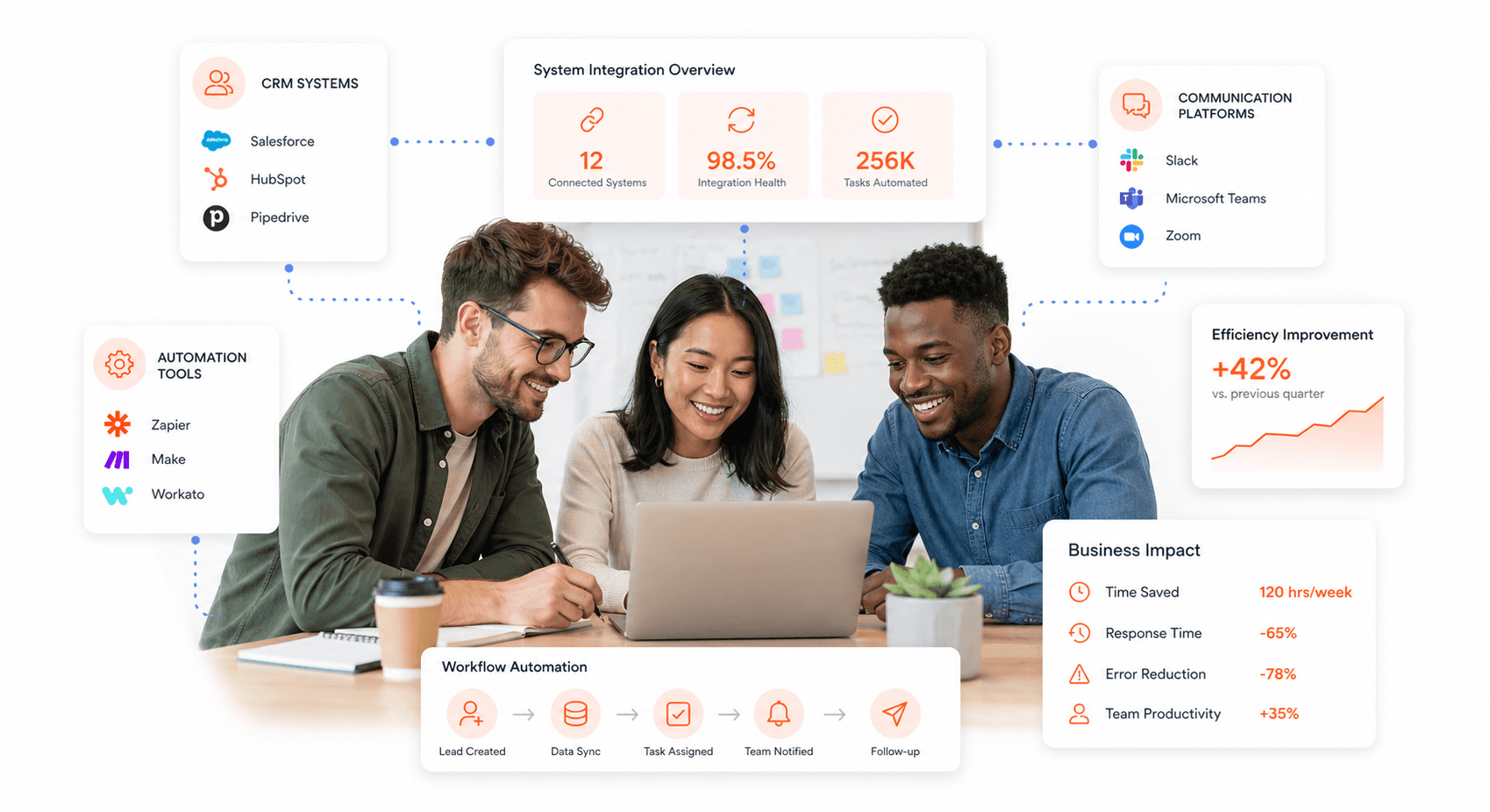
Real-time communication systems transform how you handle product clunky complaints by creating immediate feedback loops between customers and your development team. When users encounter user interface problems, instant messaging widgets or in-app feedback tools allow them to report issues without leaving your product environment.
Your notification system should alert relevant team members immediately when customers report specific types of clunkiness. For example, if multiple users report the same navigation issue within a short timeframe, your system can automatically notify your UX team and product managers. This rapid response capability prevents minor usability issues from becoming major customer satisfaction problems.
You can implement push notifications to keep customers informed about bug fixes and product improvements directly addressing their reported concerns. This proactive communication demonstrates your commitment to resolving product quality control issues and shows customers that their feedback drives meaningful changes.
Creating Unified Platforms for Better Customer Collaboration
Unified platforms eliminate the silos that often contribute to why customers complain product design feels disconnected and clunky. By integrating your support, development, and product management tools into a single ecosystem, you ensure that customer feedback reaches the right decision-makers without delays or miscommunication.
Your unified platform should include customer-facing portals where users can submit detailed feedback, track the status of reported issues, and participate in beta testing for proposed solutions. This collaborative approach transforms frustrated customers into active partners in improving product user experience.
Consider implementing community forums within your unified platform where customers can discuss workarounds for product design flaws and share best practices. These peer-to-peer interactions often reveal innovative solutions while reducing the support burden on your team.
Leveraging Automation to Reduce Manual Errors and Delays
Automation plays a crucial role in preventing the manual errors and delays that contribute to clunky product experiences. Your automated systems can continuously monitor product performance metrics, instantly flagging unusual patterns that might indicate emerging usability issues before customers encounter them.
Implement automated testing protocols that simulate common user workflows, identifying potential friction points in your product interface. These systems can run continuously, catching product design flaws during development rather than after release when they become customer complaints.
Your automation tools should also handle routine support tasks, such as categorizing incoming complaints and routing them to appropriate team members based on the type of clunkiness reported. This ensures that fixing clunky products becomes a systematic process rather than a reactive scramble, ultimately reducing the volume of product clunky complaints through proactive issue resolution.
Measuring and Monitoring Product Performance to Prevent Clunkiness
Tracking Key Performance Indicators for Customer Satisfaction
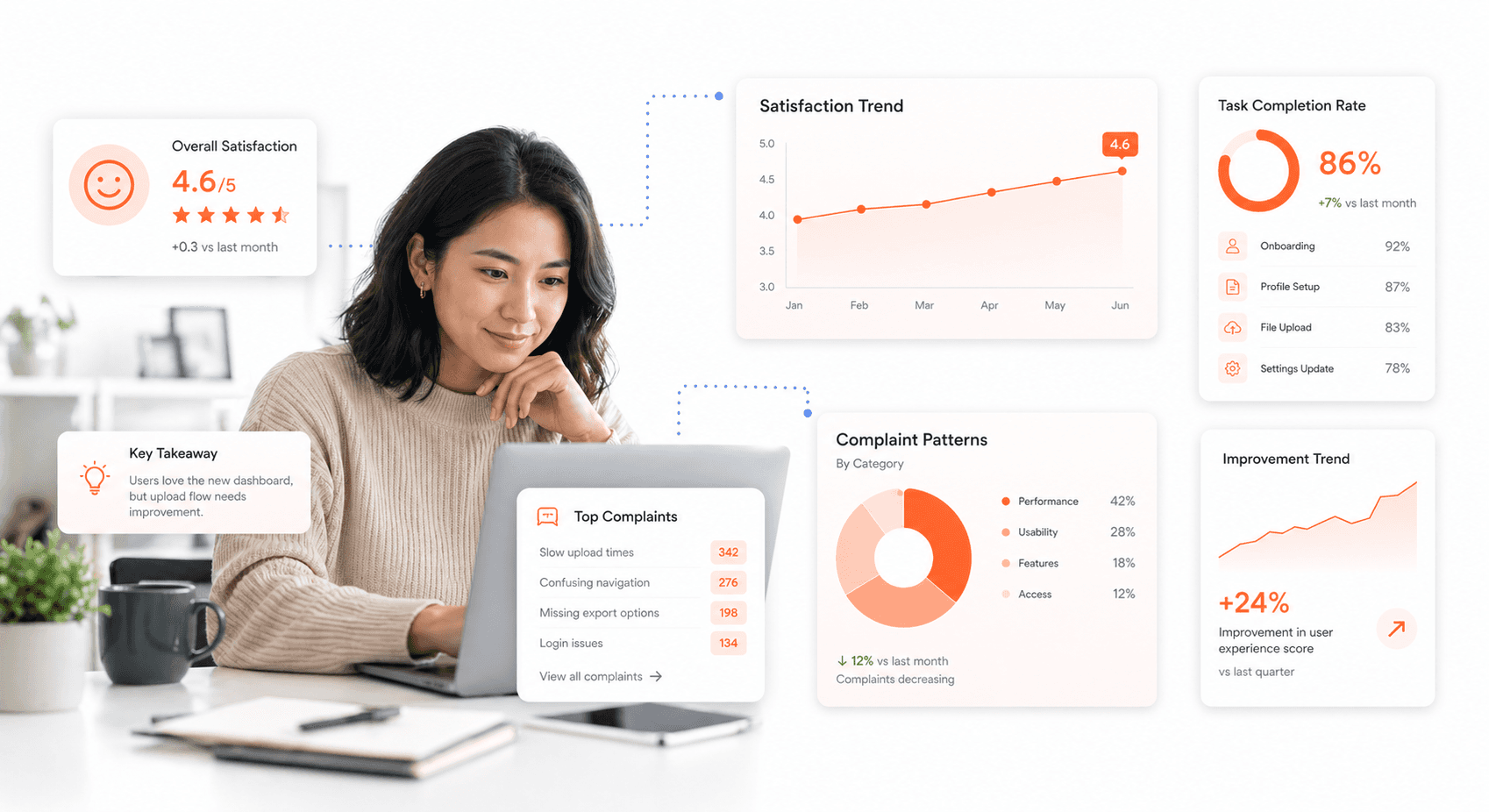
You need to establish robust metrics that directly correlate with customer perceptions of product clunkiness. Your KPI dashboard should focus on usability-specific measurements rather than generic satisfaction scores. Start by monitoring task completion rates, which reveal how easily customers can accomplish their intended goals with your product. When users struggle to complete basic functions, this directly translates to clunky user experience complaints.
Time-to-completion metrics provide crucial insights into whether your product design flaws are creating unnecessary friction. Track how long it takes users to perform standard tasks compared to industry benchmarks. If your customers consistently take longer than expected, you're likely dealing with product usability issues that need immediate attention.
Error rates serve as early warning indicators of potential clunkiness complaints. Monitor where users make mistakes, abandon tasks, or require multiple attempts to achieve their objectives. High error rates in specific product areas often signal user interface problems that contribute to the perception of a clunky product.
Customer effort scores specifically measure how much work customers must invest to use your product successfully. This metric directly addresses fixing clunky products by identifying areas where you can reduce friction and improve the overall user experience.
Analyzing Complaint Patterns to Identify Systemic Issues
Your approach to analyzing customer feedback product problems should be systematic and data-driven. Create categories for different types of clunkiness complaints to identify recurring themes. Look for patterns in when complaints occur, which features generate the most frustration, and whether certain customer segments experience more issues than others.
Sentiment analysis of customer feedback reveals the emotional impact of product quality control issues. You'll discover whether customers view problems as minor inconveniences or major barriers to adoption. This emotional context helps prioritize which clunky user experience elements require immediate attention.
Map complaint frequency against specific product features or recent updates. This correlation analysis often reveals that seemingly unrelated changes can trigger widespread perceptions of clunkiness. By connecting complaint spikes to product modifications, you can quickly identify and address the root causes of why customers complain product design decisions.
Geographic and demographic analysis of complaints can uncover whether certain user groups experience disproportionate issues. This information helps you understand if improving product user experience requires targeted solutions for specific customer segments rather than broad, universal fixes.
Following Up with Customer After Issue Resolution
Your follow-up strategy should extend beyond simply confirming that immediate problems are resolved. Conduct structured interviews with customers who previously complained about product clunkiness to understand whether your fixes actually addressed their underlying concerns. These conversations often reveal that what customers initially describe as "clunky" may have deeper roots in workflow integration or expectation misalignment.
Implement a systematic approach to re-engaging customers who experienced significant usability issues. Your follow-up timeline should include immediate resolution confirmation, a 30-day check-in to ensure the solution remains effective, and a quarterly review to gather insights about overall experience improvements.
Document the complete customer journey from initial complaint through resolution and follow-up. This documentation helps you identify whether your current processes for addressing product usability issues actually prevent future complaints or simply treat symptoms. Many companies discover that their resolution processes inadvertently create new friction points that generate additional clunkiness complaints.
Track customer satisfaction specifically among those who previously reported clunky experiences. These customers often become your most valuable advocates when they see genuine improvement, or your harshest critics if problems persist. Their feedback provides the most accurate assessment of whether your efforts to fix clunky products are succeeding.
Using Data Insights to Drive Continuous Product Improvement
Transform your complaint data into actionable product development priorities. Create a feedback loop where patterns in customer feedback product problems directly influence your development roadmap. This ensures that resources are allocated to addressing the most impactful sources of clunkiness rather than pursuing features that may inadvertently create new usability problems.
Establish cross-functional review processes where customer experience data influences design decisions before implementation. Your development teams should regularly review complaint patterns to understand how proposed changes might affect the overall perception of product quality. This proactive approach prevents the introduction of new elements that customers might perceive as clunky.
Implement A/B testing specifically focused on reducing clunkiness complaints. Test alternative approaches to problematic features with real users before rolling out changes broadly. This methodology helps you validate that your solutions actually improve the user experience rather than simply moving problems to different areas of the product.
Create feedback mechanisms that allow customers to report potential clunkiness issues before they become widespread problems. Beta testing programs and user advisory groups provide early warning systems for identifying design elements that might generate complaints. This proactive approach to gathering insights helps you address user interface problems during development rather than after customer frustration has already impacted your reputation.
Conclusion
Customer complaints about clunky products don't have to be inevitable. By addressing common design issues, implementing robust quality control measures, streamlining communication channels, and leveraging technology solutions, you can significantly reduce the friction points that frustrate your customers. Remember that different customer types require tailored approaches - what works for vocal critics may not be effective for silent dissatisfied users who simply stop engaging with your brand.
The key to preventing clunkiness complaints lies in proactive monitoring and continuous improvement. Establish clear feedback loops, train your team to handle complaints professionally, and use data-driven insights to identify patterns before they become widespread issues. When you treat customer complaints as valuable intelligence rather than mere problems to solve, you transform potential reputation damage into opportunities for product enhancement and stronger customer relationships. Your customers' perception of clunkiness is often fixable - it's up to you to listen, act, and demonstrate that their experience truly matters.




About the author
I’m the founder of Hashbyt, an AI-first frontend and UI/UX SaaS partner helping 200+ SaaS companies scale faster through intelligent, growth-driven design. My work focuses on building modern frontend systems, design frameworks, and product modernization strategies that boost revenue, improve user adoption, and help SaaS founders turn their UI into a true growth engine.
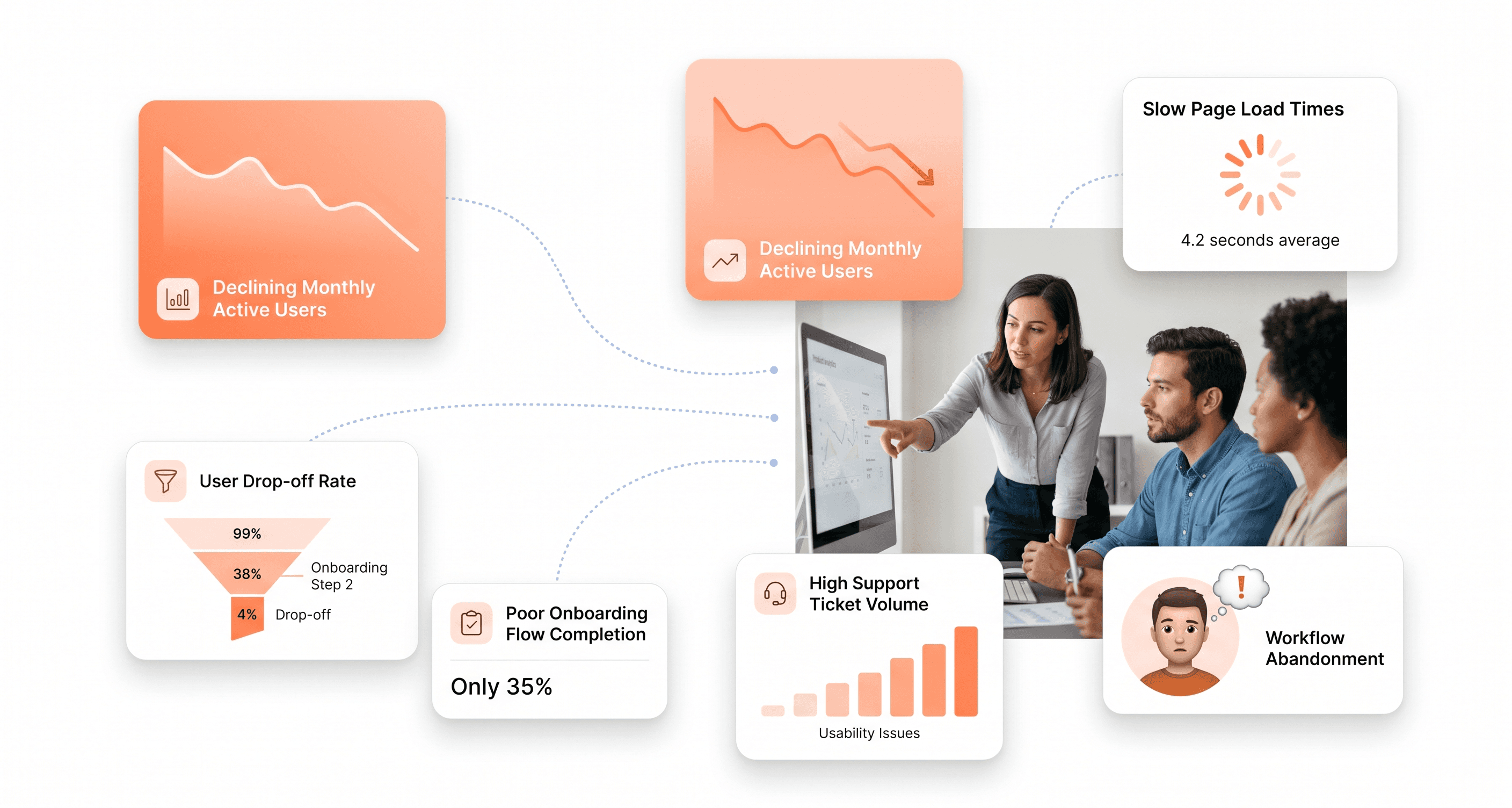
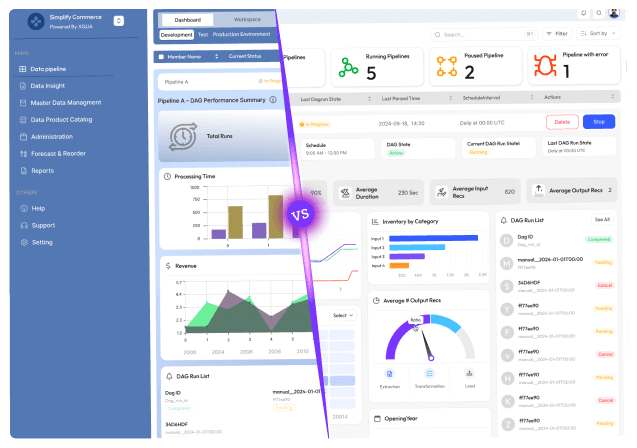
Is a clunky UI holding back your growth?
Is a clunky UI holding back your growth?
▶︎
Transform slow, frustrating dashboards into intuitive interfaces that ensure effortless user adoption.
▶︎
Transform slow, frustrating dashboards into intuitive interfaces that ensure effortless user adoption.
