

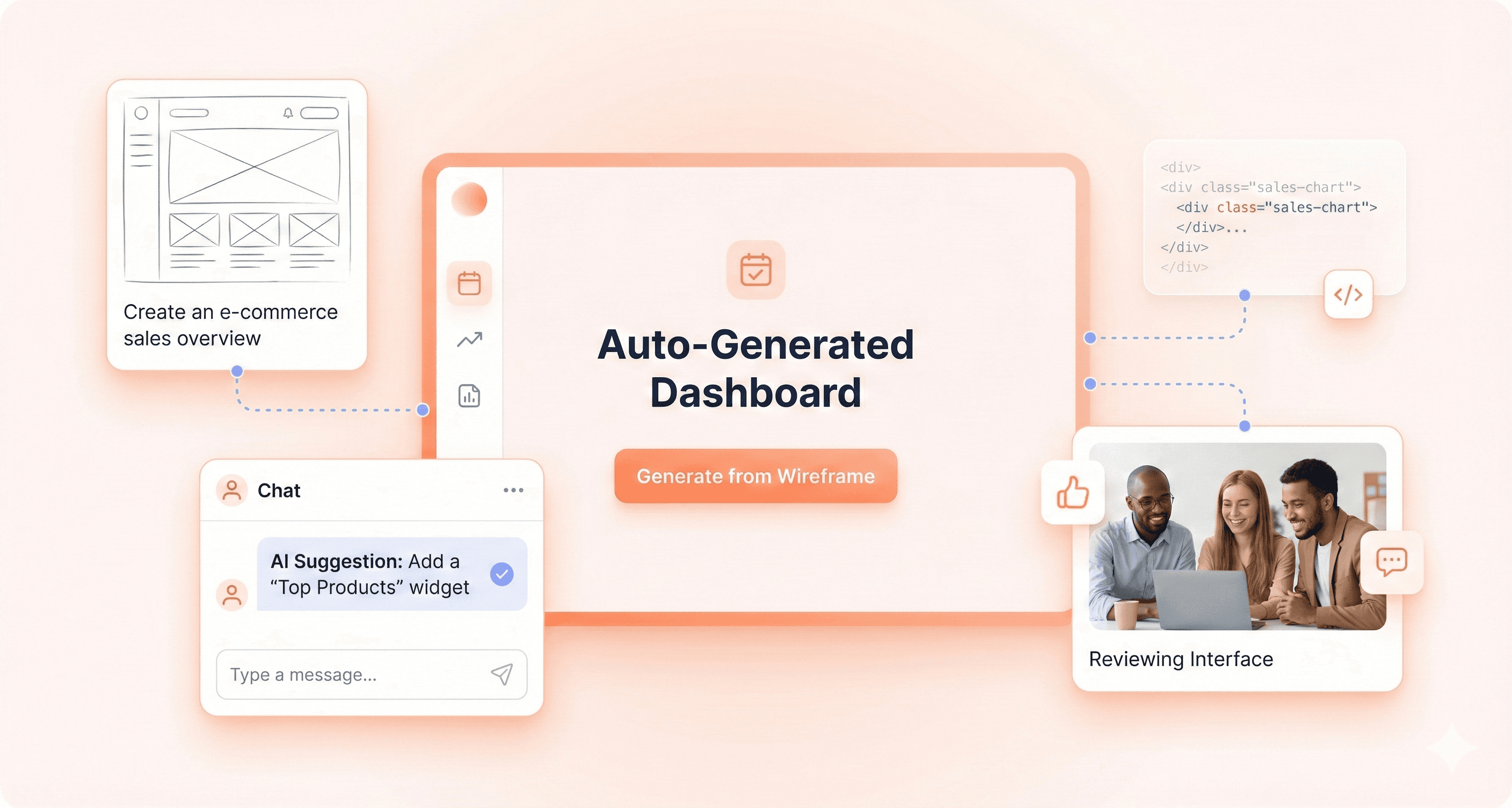
AI is completely transforming how SaaS frontends get built in 2026. What used to take developers weeks to code - from wireframes to polished interfaces - now happens in hours through intelligent systems that understand design patterns, generate production-ready code, and adapt to user needs in real time.
This shift affects everyone building SaaS products: developers struggling with repetitive UI work, designers wanting their vision translated perfectly into code, and product teams needing faster iteration cycles. The old manual handoffs and static interfaces can't compete with AI-powered systems that learn, adapt, and optimize automatically.
We'll explore how AI-driven UI generation is solving core development bottlenecks that slow teams down, examine the essential UX patterns that are becoming standard across successful SaaS products, and look at the measurable business impact companies are seeing when they adopt these intelligent frontend systems. You'll also get practical implementation strategies your team can use right away.
AI-Driven UI Generation for SaaS Frontends Explained
How OpenAI Atlas is Revolutionizing Frontend Workflows
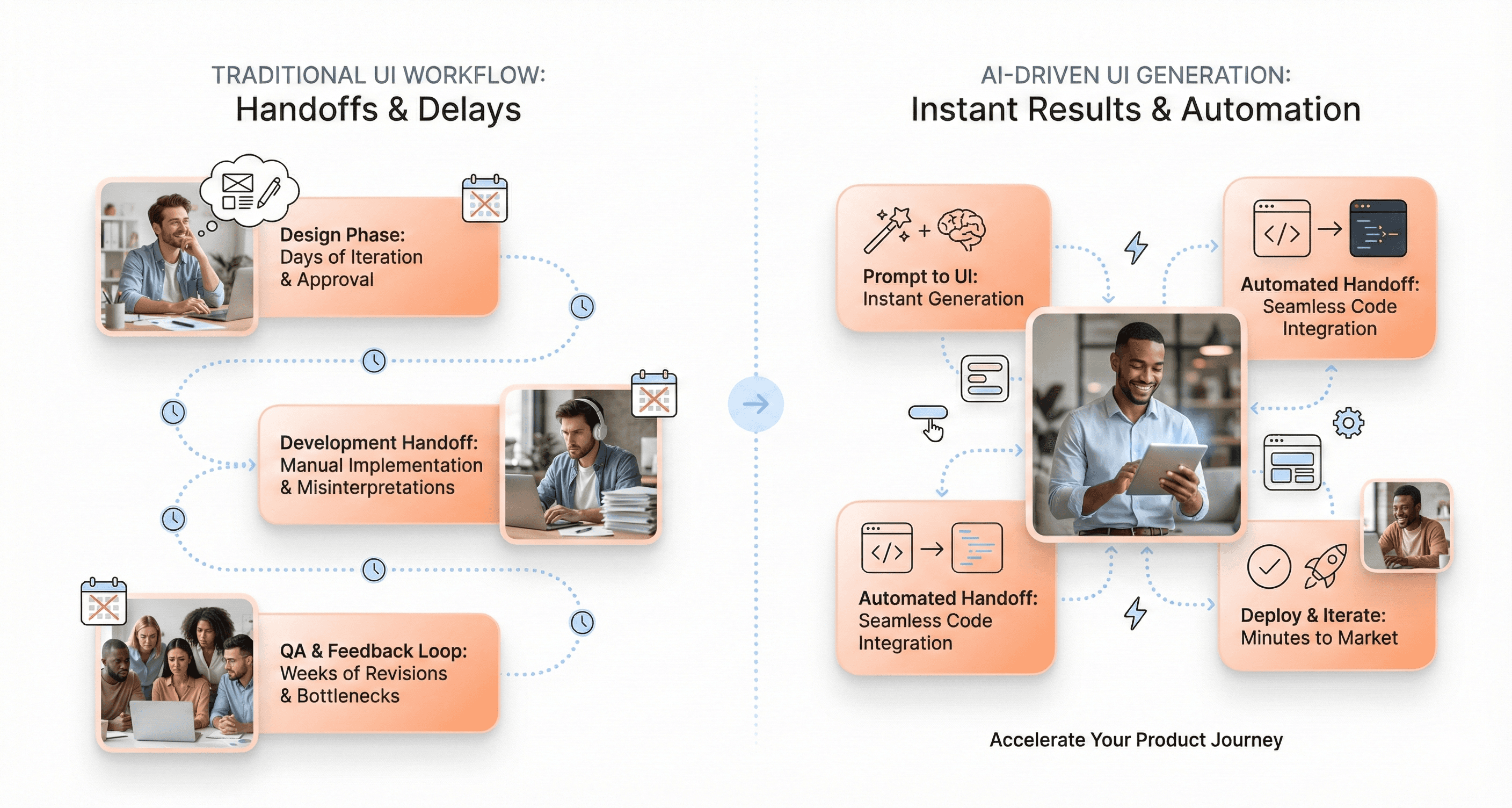
The emergence of AI-driven UI generation platforms represents a fundamental shift in how SaaS development teams approach frontend creation. While traditional workflows requird extensive manual coding, design iterations, and cross-functional coordination, modern AI systems are streamlining these processes through intelligent automation and predictive capabilities.
AI-powered design tools are now enabling developers to transform simple sketches into production-ready interfaces with unprecedented speed. These systems leverage machine learning algorithms to understand design patterns, user preferences, and industry standards, automatically generating UI components that align with best practices. The integration of natural language processing allows teams to describe interface requirements in plain English, with AI translating these descriptions into functional code.
The impact extends beyond mere code generation. AI systems are analyzing user behavior patterns and preferences to create hyper-personalized interfaces that adapt in real-time. This capability enables SaaS platforms to deliver individualized experiences without requiring extensive manual customization from development teams.
The Shift from Code-First to Intelligence-First Development
The traditional code-first approach that has dominated SaaS development for decades is rapidly giving way to intelligence-first methodologies. This paradigm shift represents more than just tooling changes, it fundamentally alters how teams conceptualize and execute frontend development projects.
In intelligence-first development, AI systems take on the role of primary architects, analyzing vast datasets of user interactions, design trends, and performance metrics to inform UI decisions. Rather than developers manually crafting every component, AI algorithms process requirements and generate optimized solutions that consider factors like accessibility, cross-platform compatibility, and user engagement patterns.
This transformation is particularly evident in the rise of predictive design capabilities. AI systems can now anticipate user needs and generate interface variations before developers even complete their requirements gathering. For example, when a developer begins working on an e-commerce platform design, AI can instantly provide multiple design variations based on industry data and user behavior analysis.
The multimodal nature of modern AI platforms further accelerates this shift. Teams can now input text descriptions, voice commands, images, or even rough sketches, and receive comprehensive UI solutions that seamlessly integrate across multiple platforms—mobile, web, tablets, and smart TVs.
Why Traditional Frontend Bottlenecks Are Becoming Obsolete
Traditional SaaS frontend development has long been constrained by several persistent bottlenecks: lengthy design-to-development handoffs, extensive testing cycles, and the need for specialized expertise across multiple technologies. AI-driven UI generation is systematically eliminating these constraints through automation and intelligent optimization.
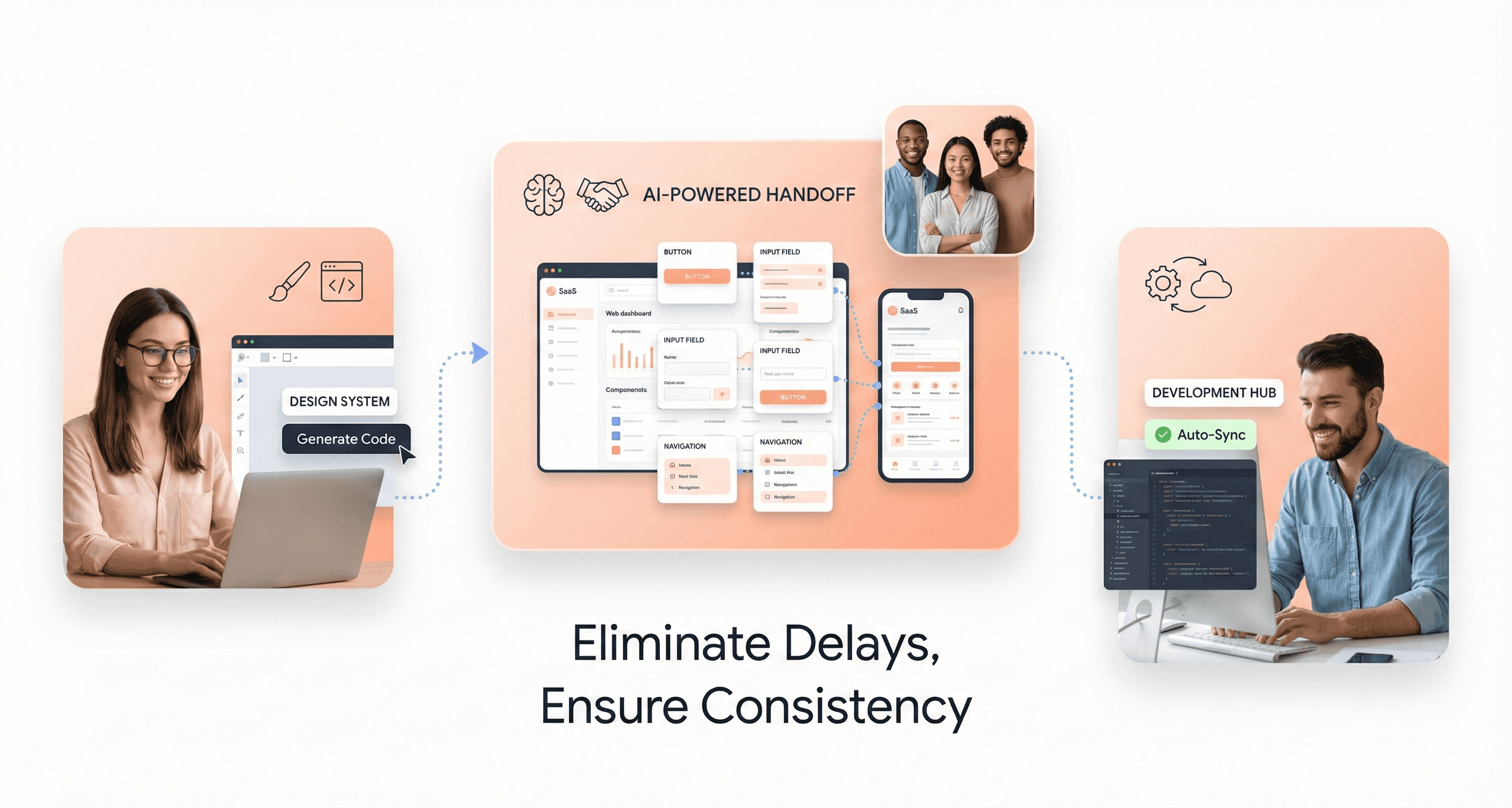
The conventional design-to-development workflow, which typically involved multiple rounds of revisions and coordination between design and engineering teams, is being replaced by AI systems that can instantly generate production-ready code from design specifications. This eliminates the translation errors and communication gaps that have historically slowed development cycles.
Cross-platform compatibility challenges, which previously required separate development efforts for different devices and screen sizes, are now addressed through AI systems that automatically generate responsive designs optimized for various platforms. The seamless integration capabilities ensure consistent user experiences across all touchpoints without requiring duplicate development efforts.
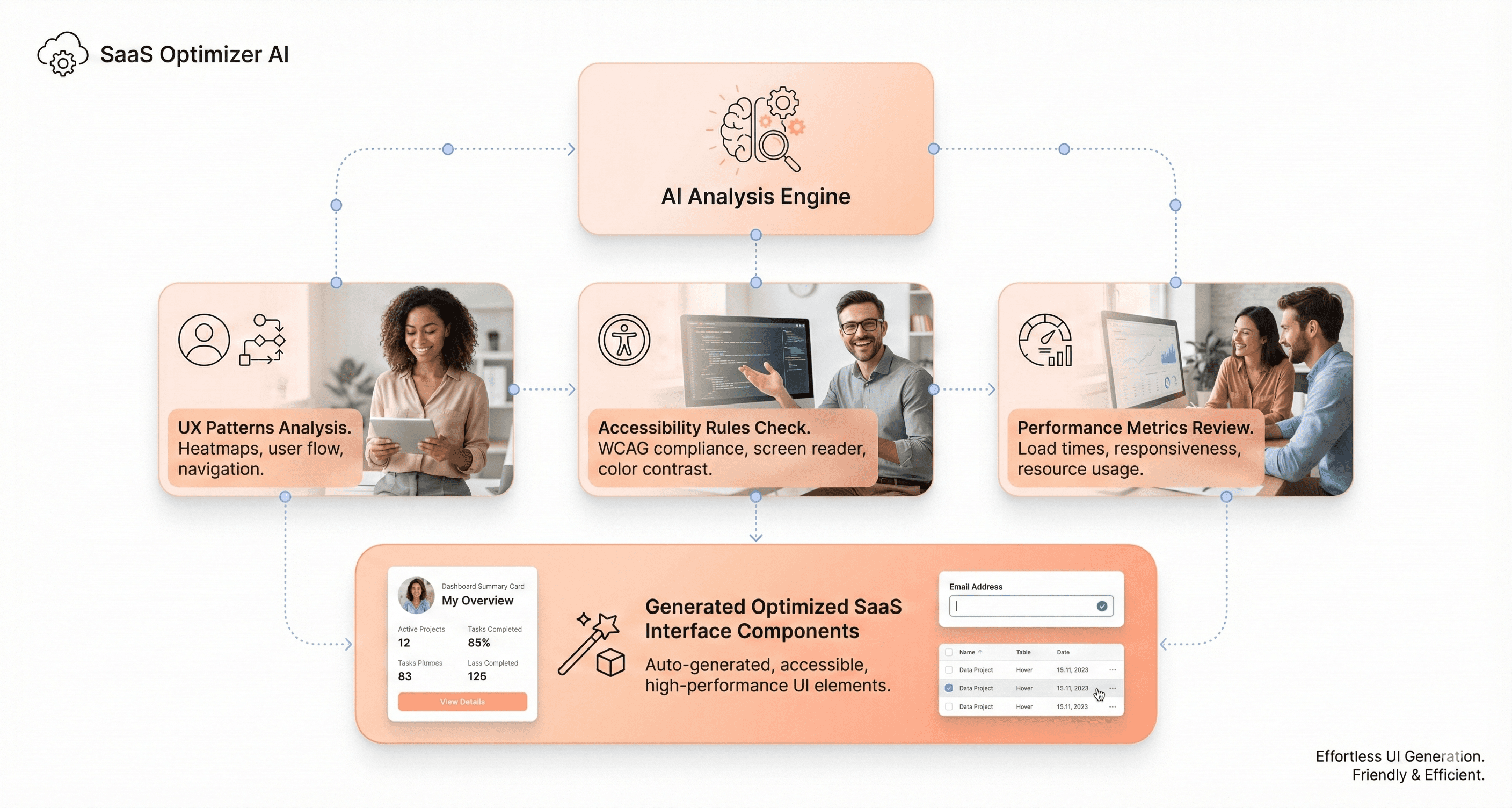
Testing and optimization cycles, traditionally requiring extensive manual effort and multiple iterations, are being streamlined through AI-powered analysis. These systems can predict user behavior, identify potential usability issues, and suggest improvements before code reaches production environments.
The democratization of frontend development through AI tools is also addressing the skills gap that has long plagued SaaS teams. Developers with limited frontend expertise can now leverage AI systems to produce professional-grade interfaces, while experienced developers can focus on higher-level architectural decisions and business logic implementation.
Core Problems AI-Driven UI Generation Solves in 2026
Eliminating Slow UI Delivery and Manual Code Handoffs
Traditional UI development in SaaS products suffers from significant bottlenecks that AI-driven generation addresses head-on. The conventional workflow requires extensive manual handoffs between design and development teams, creating delays that can stretch development cycles by weeks or months. When designers create mockups and prototypes, developers must manually interpret these designs and translate them into functional code, leading to inevitable miscommunications and revision cycles.
AI-driven UI generation eliminates these friction points by automatically converting design concepts directly into production-ready code. This transformation removes the interpretation layer that traditionally exists between design intent and technical implementation. Development teams can now generate complete UI components from sketches or design specifications in minutes rather than days, dramatically accelerating the entire product development lifecycle.
Preventing Inconsistent User Experiences Across Products
One of the most persistent challenges in SaaS development is maintaining consistency across different product areas and team contributions. When multiple developers work on various interface components without centralized standards, the result is often a fragmented user experience with varying design patterns, interaction behaviors, and visual elements.
AI-powered UI generation systems solve this problem by enforcing consistent design patterns and component behaviors across all generated interfaces. These systems maintain centralized design tokens and pattern libraries, ensuring that every generated component adheres to established brand guidelines and user experience standards. The AI learns from existing design systems and automatically applies these learned patterns to new interface elements, creating uniformity that would be nearly impossible to achieve through manual development processes.
Modernizing Legacy Frameworks and Reducing Technical Debt
Many SaaS companies struggle with outdated interface frameworks that limit their ability to deliver modern user experiences. Legacy systems often require extensive manual refactoring and present significant technical debt that hampers innovation and feature development. Traditional approaches to modernizing these systems require substantial engineering resources and carry high risks of introducing bugs or breaking existing functionality.
AI-driven UI generation provides a pathway for gradual modernization by automatically generating new interface components using current frameworks and best practices. Instead of requiring complete system overhauls, development teams can incrementally replace legacy interface elements with AI-generated components that meet modern standards. This approach significantly reduces technical debt while minimizing the risk and resource investment typically associated with large-scale system migrations.
Reducing User Churn Through Improved Interface Quality
Poor interface quality directly impacts user retention in competitive SaaS markets. When users encounter confusing navigation, inconsistent interactions, or suboptimal user flows, they frequently abandon products for alternatives that provide better experiences. Traditional UI development often struggles to maintain high-quality standards due to time constraints, resource limitations, and the complexity of creating polished interfaces manually.
AI-driven generation addresses quality issues by incorporating established UX patterns and usability principles directly into the generation process. These systems analyze successful interface patterns and automatically apply proven design solutions to new components, resulting in interfaces that inherently provide better user experiences. The consistency and quality improvements achieved through AI generation help reduce user confusion and frustration, directly contributing to improved retention rates and reduced churn in SaaS products.
Essential AI-Powered UX Patterns Dominating SaaS Products
Hyper-Personalized Interface Adaptation Based on User Behavior
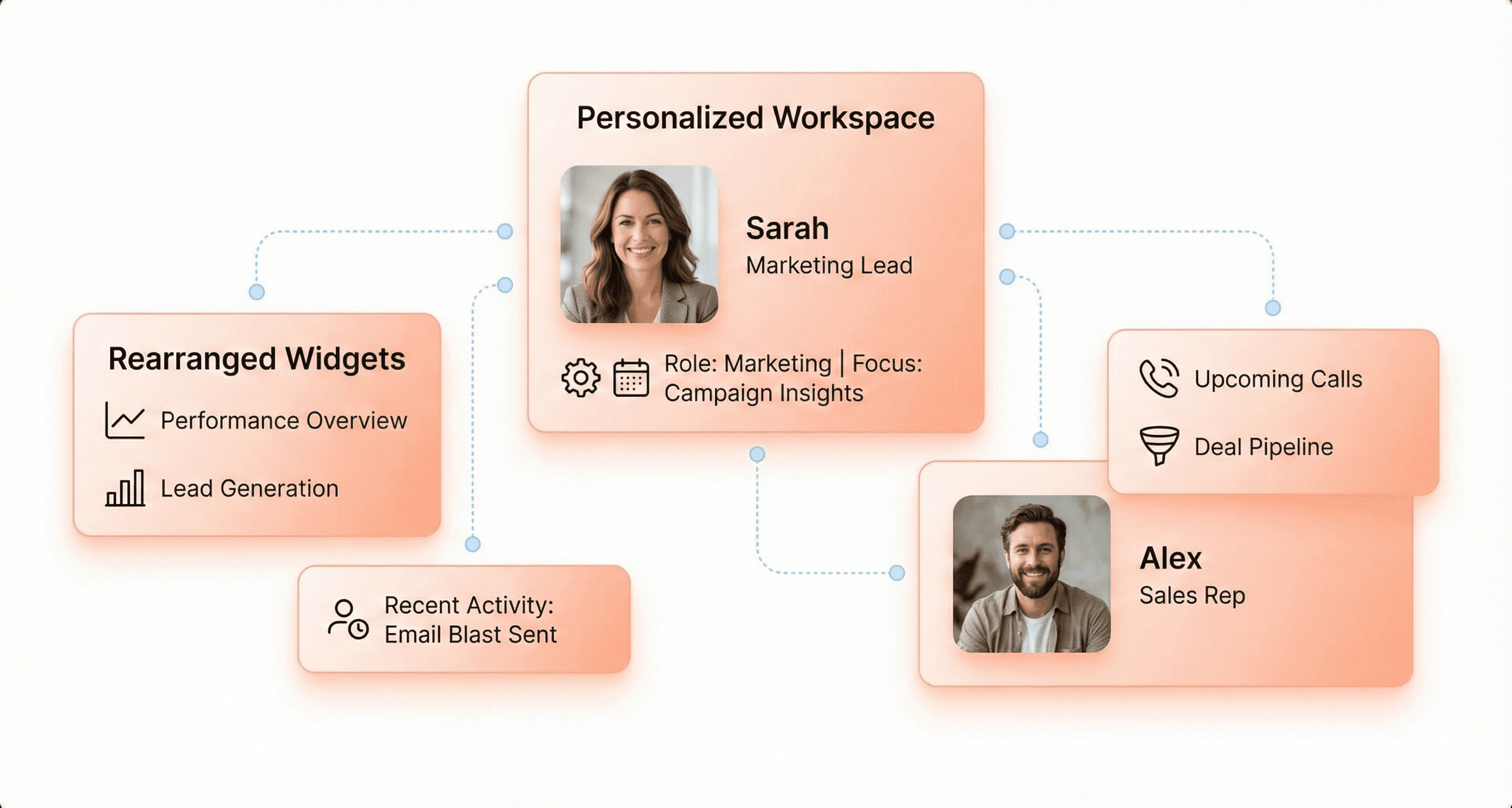
Interfaces that dynamically adapt layout, content, features, and even visual design based on individual user behavior have become essential for competitive SaaS products. This pattern goes beyond simple role-based customization, creating truly individualized experiences that evolve with each user's unique interaction patterns.
AI algorithms continuously analyze usage patterns, feature engagement, time-of-day preferences, and workflow sequences to automatically reorganize interfaces. The system surfaces relevant features while intelligently hiding rarely-used capabilities for each specific user. Google Maps exemplifies this approach by changing color schemes based on time of day and traffic conditions, creating contextually appropriate experiences.
Similarly, Salesforce Einstein adapts dashboard layouts based on role and usage patterns, sales managers see pipeline metrics prominently while individual reps see activity tracking front and center.
The business impact proves substantial. Project management SaaS implementing adaptive interfaces saw a 38% increase in feature adoption as frequently-used tools surfaced automatically for each user. Support ticket volume decreased 23% as interface complexity was reduced through intelligent hiding of advanced features.
Implementation requires starting with role-based defaults, tracking feature usage frequency per user, and implementing progressive disclosure that shows advanced options only when relevant. The key balance lies between intelligent adaptation and user control, users appreciate helpful adaptation but need the ability to override when AI assumptions miss their mark.
Predictive Intent Recognition for Streamlined Workflows
AI anticipation of user actions before they happen represents a transformative approach to workflow efficiency. Machine learning models analyze historical behavior patterns, identifying common action sequences to predict likely next actions and surface them immediately when users begin familiar workflows.
This pattern manifests powerfully across leading platforms. Gmail's Smart Compose predicts entire sentences as users type, while Notion suggests templates based on the current context and past document patterns. Slack recommends channels and contacts as users begin typing, leveraging communication patterns and current context to streamline interactions.
The measurable benefits demonstrate significant workflow improvements. CRM systems implementing predictive suggestions reduced average task completion time by 34% and increased data input quality by 28% as AI pre-filled common fields accurately, reducing errors from manual entry.
Successful implementation requires identifying repetitive workflows within your product and building sequence models from historical user data. Implementing confidence thresholds ensures suggestions appear only when the system is greater than 70% confident. The suggestion UI must remain unobtrusive, avoiding disruption when users ignore recommendations. Continuous learning from acceptances and rejections improves prediction accuracy over time.
Starting with rule-based predictive models often delivers 80% of the value with 20% of the complexity before implementing full machine learning solutions.
Contextual AI Assistance That Understands User Situations
Intelligent help systems that understand current user context provide relevant guidance exactly when needed, replacing generic documentation with situation-specific assistance. AI monitors user location within the product, current task progress, time spent, error patterns, and behavioral signals indicating confusion to deliver precisely relevant help.
Figma's AI assistant demonstrates this pattern by detecting when users struggle with specific tools and providing contextual tutorials at the moment of need. Intercom's Resolution Bot answers support questions by understanding conversation context and user history, resolving 33% of inquiries instantly without requiring human agents.
The business impact proves substantial for user success metrics. Analytics platforms implementing contextual AI assistance reduced support ticket volume by 41% while improving user satisfaction scores by 27 points. Feature adoption increased 52% as users received guidance exactly when attempting new capabilities, reducing the learning curve and confusion barriers.
Implementation involves mapping common confusion points and error patterns, creating contextual help content for each product area, and implementing behavior detection systems that recognize extended hover, repeated clicks, or error encounters. The assistance design must remain non-intrusive through dismissible, unobtrusive placement while continuously updating content based on actual questions users ask.
Transparency about data usage builds essential user trust, as users appreciate helpful assistance but resist feeling surveilled.
Intelligent Content Generation Accelerating Creation Tasks
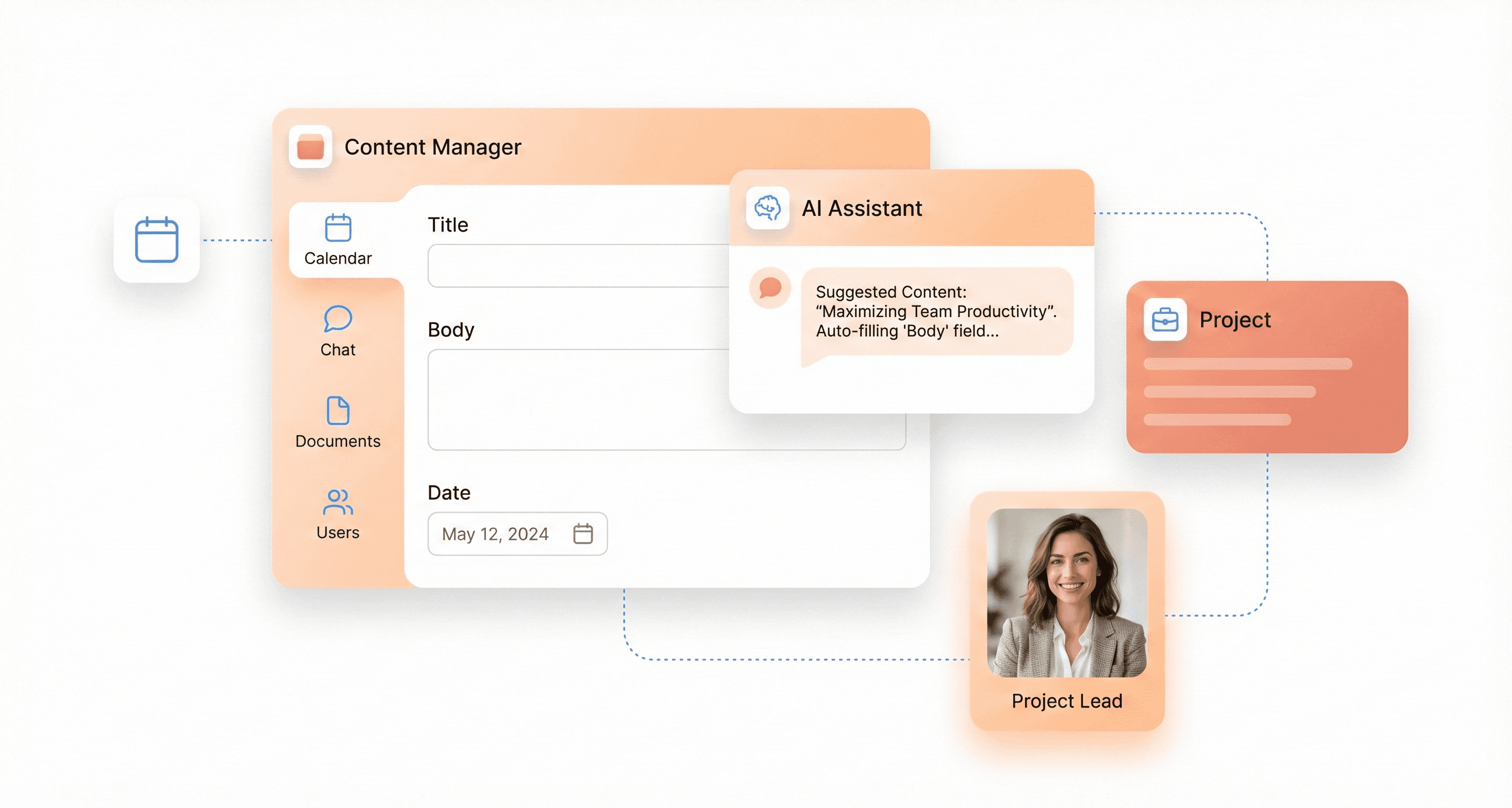
AI that creates, suggests, or completes content within applications, whether copy, designs, code, or data, dramatically reduces user effort while maintaining quality standards. Large language models and generative AI analyze context, user intent, and historical patterns to generate appropriate content matching user needs and maintain consistency with existing work.
Leading implementations showcase diverse applications across content types. Notion AI writes, summarizes, and transforms content seamlessly within documents. Figma AI generates designs from text descriptions, accelerating visual creation workflows. GitHub Copilot completes code based on context and patterns, while Grammarly rewrites text for tone and clarity. These tools don't replace users but accelerate creation processes significantly.
Marketing automation platforms integrating AI copywriting suggestions demonstrate impressive results. Users created campaigns 56% faster while maintaining 93% satisfaction with AI-generated starting points. Trial-to-paid conversion increased 29% as users experienced value faster through accelerated content creation.
Implementation requires identifying content creation bottlenecks within existing workflows and integrating appropriate AI models from providers like OpenAI, Anthropic, or open-source alternatives. The UI design should support iterative refinement through generate, review, refine, and approve cycles while maintaining user control—AI suggests while humans decide.
Quality control always demands human review loops, as AI generates excellent starting points requiring human judgment for final approval. This "human-in-the-loop" approach consistently delivers optimal results, combining AI efficiency with human oversight.
Advanced AI Capabilities Reshaping User Interactions
Sentiment-Aware Interfaces That Adapt to Emotional States
The integration of sentiment analysis APIs into frontend applications represents a breakthrough in creating emotionally intelligent user interfaces. Leveraging tools like Microsoft Azure Text Analytics API, SaaS platforms can now automatically detect user emotional states and adapt their interfaces accordingly. These systems analyze text input to generate sentiment scores, where low numbers indicate negative sentiment and high numbers reflect positive emotions.
In practice, this technology transforms customer service interactions by automatically prioritizing tickets based on detected frustration levels. When a user submits a support request with negative sentiment, the interface can instantly escalate the ticket to senior team members or trigger additional empathy-focused UI elements. This capability extends beyond customer service to personalize the entire user experience based on emotional context.
The real-time nature of sentiment detection allows interfaces to dynamically adjust their tone, color schemes, and interaction patterns. For instance, when negative sentiment is detected, the interface might soften its visual elements and provide more supportive messaging, while positive sentiment could trigger celebratory animations or highlight achievement badges.
Conversational Interfaces Replacing Complex Form Navigation
AI-powered chatbots are fundamentally reshaping how users interact with complex SaaS workflows. Using natural language processing and machine learning, these sophisticated tools can understand user queries and guide them through intricate processes without traditional form navigation. The implementation typically involves OpenAI APIs integrated through secure backend proxies to maintain API key security.
Modern chatbot implementations use conversational flows that replace multi-step form wizards entirely. Instead of navigating through dozens of form fields, users can simply describe their needs in natural language. The AI system processes these requests, extracts relevant data points, and automatically populates the necessary backend systems through API calls.
The conversational approach proves particularly effective for onboarding flows, where users traditionally struggle with complex configuration processes. Rather than presenting overwhelming option menus, the chatbot can guide users through a natural dialogue, asking contextual questions and making intelligent suggestions based on their responses. This method significantly reduces user abandonment rates and improves completion times for complex workflows.
Automated Workflow Optimization Through Pattern Recognition
AI systems excel at analyzing user behavior patterns to automatically optimize workflows without manual configuration. By processing vast amounts of interaction data, these systems identify inefficiencies in user journeys and suggest or implement improvements automatically. The pattern recognition capabilities extend to detecting repetitive tasks, common user paths, and frequent pain points.
Machine learning algorithms continuously monitor user interactions, tracking metrics like time spent on different pages, click patterns, and task completion rates. This data feeds into optimization engines that can reorganize interface elements, suggest workflow shortcuts, or even predict user needs before they're explicitly expressed.
For example, if the system detects that users consistently access certain features in sequence, it can automatically surface those tools together or create custom dashboards tailored to specific user roles. This approach moves beyond static user experience design toward dynamic, self-improving interfaces that evolve based on actual usage patterns.
Intelligent Data Visualization Without Manual Configuration
AI-driven visualization systems eliminate the need for users to manually configure complex charts and graphs. Using pre-trained models, these systems can automatically analyze datasets and select the most appropriate visualization types based on data characteristics and user context. Google's Vision API and similar technologies enable automatic recognition of data patterns and optimal presentation formats.
The intelligent visualization process involves analyzing data types, relationships, and distribution patterns to automatically generate meaningful visual representations. Users no longer need expertise in data visualization principles or manual configuration of chart parameters. The AI system handles color selection, axis configuration, and layout optimization based on best practices and user preferences learned from interaction patterns.
This capability extends to real-time dashboard creation, where the system can automatically arrange multiple visualizations in logical groupings. As new data streams become available, the AI can suggest new visualization types or reorganize existing displays to highlight emerging trends or anomalies, creating truly adaptive analytics interfaces that evolve with the underlying data.
The Technical Implementation of AI-Driven UI Systems
Design-to-Code Integration Through Automated Token Translation
Modern AI-driven UI systems fundamentally transform how design concepts translate into production-ready code through sophisticated token translation mechanisms. At the core of this transformation lies the ability to automatically convert design tokens, such as colors, typography, spacing, and interactive elements, into functional React components and corresponding API implementations.
The technical architecture begins with tool definition systems that create structured bridges between design intent and code execution. Using schema-based validation through libraries like Zod, developers can define precise input parameters that capture design requirements and automatically generate corresponding UI components. For instance, a weather display tool can be defined with specific location parameters that seamlessly translate into a fully functional Weather component with temperature, condition, and location props.
The automated translation process leverages large language models to interpret design context and make intelligent decisions about component generation. When a design specification calls for a weather interface, the system automatically determines the appropriate tool to invoke, executes the necessary data fetching operations, and renders the corresponding React component with proper styling and interaction patterns.
This integration extends beyond simple component generation to include complex state management and data flow orchestration. The system maintains typed naming conventions using tool-${toolName} patterns, ensuring that design tokens maintain their semantic meaning throughout the translation process while providing robust error handling and loading states for enhanced user experience.
AI Debugging and Real-Time Performance Optimization
AI-powered debugging capabilities revolutionize how developers identify and resolve UI issues through intelligent error detection and automated performance optimization. The system implements sophisticated state monitoring that tracks tool execution across multiple phases: input-available, output-available, and output-error states, providing granular visibility into component lifecycle management.
Real-time performance optimization occurs through automated analysis of component rendering patterns and data flow efficiency. The system monitors tool execution times, automatically implementing timeout mechanisms and progress indicators to maintain responsive user experiences. For example, simulated API calls include built-in delay handling through Promise-based timeout implementations, ensuring that users receive immediate feedback during data fetching operations.
The debugging framework provides comprehensive error handling through structured error states that capture both technical failures and user-facing error messages. When tool execution encounters issues, the system automatically displays contextually appropriate error information while maintaining application stability and user engagement.
Performance metrics are continuously collected and analyzed to identify optimization opportunities, including component re-rendering patterns, memory usage tracking, and network request efficiency. This real-time analysis enables automatic adjustments to improve application responsiveness and reduce resource consumption.
Accessibility Automation and Compliance Monitoring
AI-driven accessibility automation ensures that generated UI components automatically comply with modern accessibility standards through intelligent semantic markup generation and compliance verification. The system analyzes component structures to automatically inject appropriate ARIA labels, semantic HTML elements, and keyboard navigation patterns without requiring manual intervention from developers.
Automated compliance monitoring continuously scans generated components against WCAG guidelines, identifying potential accessibility barriers before they reach production environments. The system automatically generates proper heading hierarchies, ensures color contrast compliance, and implements appropriate focus management patterns across dynamically generated interfaces.
The accessibility framework extends to form handling and user interaction patterns, automatically generating proper labels, error messaging, and validation feedback that meet accessibility requirements. Input elements receive appropriate type declarations, placeholder text, and associated labels that screen readers can properly interpret and navigate.
Real-time accessibility testing integrates seamlessly with the development workflow, providing immediate feedback when accessibility issues are detected and suggesting specific remediation strategies. This proactive approach ensures that AI-generated interfaces maintain consistent accessibility standards across diverse user scenarios and assistive technology combinations.
Continuous Testing and Quality Assurance Through AI
Continuous testing frameworks leverage AI capabilities to automatically generate comprehensive test suites for dynamically created UI components, ensuring consistent quality and reliability across evolving interface implementations. The system analyzes component behavior patterns to create appropriate unit tests, integration tests, and user interaction scenarios that validate both functional requirements and user experience quality.
AI-powered quality assurance extends beyond traditional testing approaches through intelligent scenario generation that simulates diverse user interactions and edge cases. The system automatically creates test cases for tool execution states, error handling scenarios, and component lifecycle management, providing comprehensive coverage without manual test case development.
The testing framework implements automated regression detection through continuous comparison of component behavior across different execution contexts and data scenarios. This approach ensures that UI modifications maintain backward compatibility while introducing new functionality, preventing quality degradation in production environments.
Quality metrics are automatically collected and analyzed to identify patterns in component performance, user interaction success rates, and error frequency. This data-driven approach enables proactive quality improvements and helps development teams prioritize optimization efforts based on actual usage patterns and performance impact measurements.
Measurable Business Impact and Performance Metrics
Development Speed Improvements and Time-to-Market Advantages
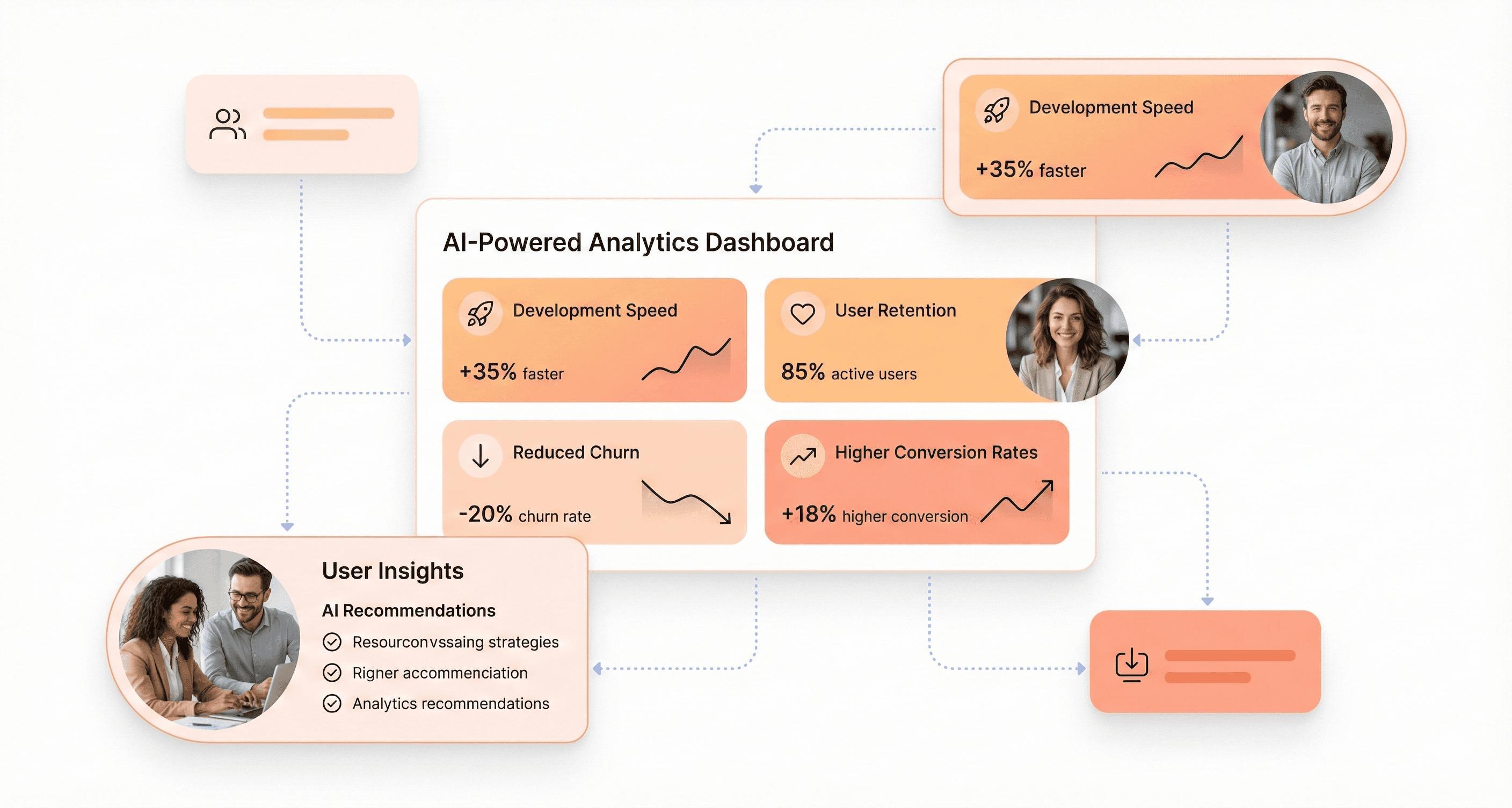
AI-driven UI generation systems deliver transformative efficiency gains across multiple development processes. Organizations implementing these technologies report significant reductions in process cycle times, with some achieving up to 70% faster development workflows compared to traditional manual approaches. The automation of repetitive design tasks eliminates error-prone manual processes, allowing development teams to focus on strategic innovation rather than routine implementation.
The productivity gains per employee are particularly striking in frontend development scenarios. Teams can now generate multiple UI variations in minutes rather than hours, enabling rapid prototyping and iterative design processes that were previously time-prohibitive. This acceleration translates directly into competitive advantages through faster time-to-market for new features and services.
User Engagement and Retention Rate Improvements
The impact on customer experience metrics demonstrates the business value of AI-driven UI systems. Organizations tracking Customer Satisfaction Score (CSAT) and Net Promoter Score (NPS) report measurable improvements following the implementation of adaptive UI technologies. These systems enhance user interactions by learning from behavior patterns and automatically adjusting interface elements to optimize engagement.
Average resolution time for user tasks decreases significantly as AI-powered interfaces anticipate user needs and streamline workflows. The ability to personalize experiences dynamically leads to improved customer retention rates, with some SaaS companies reporting 15-25% reductions in churn metrics. This customer experience enhancement creates a compounding effect on lifetime value calculations.
Support Ticket Reduction Through Proactive Problem Prevention
AI-driven UI systems excel at proactive problem prevention, resulting in substantial reductions in customer support volumes. By analyzing user interaction patterns and identifying potential friction points before they escalate into support requests, these systems can automatically adjust interface elements or provide contextual guidance to prevent user confusion.
The reduction in manual hours required for customer support translates directly into operational cost savings. Organizations implementing predictive UI adjustments report 30-50% decreases in support ticket volumes for interface-related issues. This efficiency gain extends beyond cost reduction to include improved customer satisfaction, as users experience fewer obstacles in their workflow completion.
Conversion Rate Optimization Through Adaptive Learning Paths
The adaptive learning capabilities of AI-driven UI systems create measurable improvements in conversion metrics across the customer journey. These systems continuously analyze user behavior patterns to optimize interface elements, call-to-action placements, and workflow sequences in real-time. The result is dynamic personalization that improves sales conversions and user engagement rates.
Revenue generation through improved conversion paths demonstrates a clear business impact. Organizations report 20-40% improvements in conversion rates when AI systems automatically adjust user interfaces based on behavioral data and predictive analytics. This revenue enhancement, combined with the efficiency gains and cost reductions, creates a compelling return on investment case for AI-driven UI implementation strategies.
The economic efficiency metrics, including Total Cost of Ownership (TCO) and payback periods, typically show positive returns within 6-12 months of implementation, making AI-driven UI generation a financially attractive investment for SaaS organizations seeking competitive advantages in 2026.
Implementation Strategies and Best Practices for SaaS Teams
Starting with Role-Based Defaults and Progressive Disclosure
The foundation of successful AI-driven UI implementation lies in understanding that different users have fundamentally different needs and workflows. Rather than overwhelming users with all possible AI capabilities from the start, implementing role-based defaults allows teams to create tailored experiences that feel immediately relevant and useful.
Progressive disclosure becomes critical when introducing AI features to SaaS users who may be skeptical of automation. Start small by proving value first, let users explore and naturally reveal their preferences through their behavior rather than intrusive questionnaires or overwhelming feature sets.
For instance, a project management SaaS might initially show AI-powered task prioritization only for team leads, while gradually introducing automated reporting features to individual contributors as they demonstrate engagement with the platform.
The key is earning the right to personalize by demonstrating clear value before requesting additional data or implementing more sophisticated AI features. This approach builds trust organically and reduces resistance to AI adoption across different user segments within your SaaS organization.
Building Human-in-the-Loop Systems for Quality Control
AI systems inevitably make mistakes, get confused, and sometimes give completely wrong answers with absolute confidence. The most successful AI-driven SaaS interfaces acknowledge this reality by building robust human oversight mechanisms that maintain quality while preserving efficiency gains.
Effective human-in-the-loop systems never show raw AI confidence scores to users, they're meaningless to normal people. Instead, communicate uncertainty in human terms and always explain AI decisions in simple language that relates directly to user actions or recognizable preferences. When your AI makes a recommendation or prediction, tell people why: "We're suggesting this workflow optimization because you typically handle similar projects this way" works much better than presenting mysterious algorithmic suggestions.
Build in easy correction mechanisms throughout your interface. When AI gets something wrong, and it will, users need simple ways to fix it and provide feedback. This serves dual purposes: it shows users they're in control while actually improving your models over time. Include clear indicators when AI is working, show loading states, explain what's happening, and always give users the option to override AI decisions.
The most effective quality control systems treat each AI interaction as a learning opportunity, capturing user corrections and preferences to continuously refine the system's understanding of individual and organizational needs.
Balancing Automation with User Control and Override Options
The delicate balance between being helpful and being intrusive defines successful AI-driven SaaS implementations. Users expect AI to make their work easier without making them feel like they're fighting with an unpredictable system. This requires careful consideration of when to automate, when to suggest, and when to stay completely hands-off.
Always provide manual options alongside AI predictions, never present automation as the only choice. Use language like "you might want to" rather than "you will want to" and include easy dismissal options that let users say "not now" or "never suggest this." This approach maintains user agency while still providing the efficiency benefits of AI assistance.
Response time becomes absolutely critical for maintaining user trust in AI systems. Users expect instant feedback, especially with interactive AI features. If your AI takes more than two seconds to respond, people will assume it's broken. Show immediate acknowledgment through thinking animations or progress indicators, even when background processing requires additional time.
Memory management and battery optimization matter significantly for AI features, which can consume substantial processing power. Test extensively on older devices and slower connections, treating AI features like video content—load them on demand and clean up aggressively to maintain performance across your user base.
Avoiding Common Pitfalls in AI-Driven UX Design
The biggest mistake teams make is treating AI as the star of the show rather than a tool to solve real problems. Starting with "we need AI in our app" instead of "our users struggle with X" inevitably leads to gimmicky implementations that add complexity rather than value to daily workflows.
Never surface data that users didn't knowingly provide. If someone mentioned a preference in one context, don't suddenly apply that assumption everywhere else, users will wonder how the system "knew" that information, creating an uncomfortable surveillance feeling that destroys trust.
Timing proves crucial for AI suggestions and automation. Your AI might correctly predict what someone needs, but if suggestions appear at inappropriate moments, they feel intrusive rather than helpful. Context matters as much as accuracy when determining when and how to present AI-driven insights.
Avoid the temptation to hide AI completely or make such a big deal about it that it feels gimmicky. The best AI implementations feel like natural extensions of good interface design, not separate features bolted onto existing functionality. When users stop noticing the AI because it feels so natural and helpful, you've achieved the right balance.
Always have offline fallbacks and graceful degradation paths. Your AI features might require internet connectivity, but your SaaS platform should remain functional when connections drop. Basic navigation, cached content, and clear error messages keep users productive even when smart features aren't available, ensuring business continuity regardless of technical limitations.
The Future Competitive Landscape and Market Evolution
How AI-Driven UX Creates Defensible Differentiation
The integration of AI into SaaS user experiences is fundamentally reshaping competitive dynamics, creating new forms of defensible differentiation that traditional feature-based approaches cannot match. Unlike conventional product features that can be easily replicated, AI-driven UX capabilities become increasingly valuable and difficult to duplicate over time through their continuous learning and adaptation mechanisms.
Companies that successfully embed AI into their core user experience create a compounding advantage. As these systems collect more user interaction data, they become more personalized and effective, establishing a virtuous cycle that strengthens their competitive moat. This data-driven differentiation means that early adopters don't just gain a temporary advantage, they build an increasingly insurmountable lead as their AI systems become more sophisticated through usage.
The reference content emphasizes how AI capabilities require "a wide range of new technical competencies" and specialized skills in "machine learning DevOps platforms, model deployment, and scalable data pipelines." This technical complexity creates natural barriers to entry, as competitors cannot simply copy AI-enhanced features without substantial investment in both technology and human capital.
The Shift from Building More to Building Smarter
Now that we understand how AI creates competitive differentiation, the strategic focus for SaaS companies is shifting from quantity-based development to intelligence-driven innovation. The traditional approach of adding more features and functionalities is giving way to building smarter, more adaptive systems that deliver superior value through AI-enhanced capabilities.
This transformation requires organizations to "undergo significant transformation across the enterprise, beginning with their product and engineering teams," as highlighted in the reference content. The shift demands new organizational structures where "AI specialists are distributed across teams to work alongside feature developers and product managers" rather than operating in isolated silos.
The emergence of roles like Chief AI Officer (CAIO) and Chief Science Officer (CSO) signals this strategic pivot, ensuring "AI isn't just an R&D experiment, but a core component of product strategy." Companies are establishing AI centers of excellence to build common services and platforms that can be leveraged across all product teams, maximizing the impact of AI investments.
This smarter approach to building also emphasizes human skills like "creativity, communication, and adaptability" as automation handles routine tasks. The most successful teams will be those that combine AI's computational power with human insight, creating solutions that are both technically sophisticated and deeply attuned to user needs.
Preparing for Real-Time UI Personalization at Scale
With the foundation of AI-driven differentiation established, organizations must now prepare their infrastructure and capabilities to deliver real-time UI personalization at unprecedented scale. This represents a quantum leap from static, one-size-fits-all interfaces to dynamic, adaptive experiences that respond instantly to user context, preferences, and behavior patterns.
The technical implementation requires robust "scalable data pipelines and hardware optimization for AI workloads" to process the massive volumes of user interaction data necessary for real-time personalization. Companies must invest in MLOps platforms that can handle continuous model deployment and updates without service disruption.
Product managers play a crucial role in this transformation, needing to develop "strong empathy and change management skills to drive user adoption and trust in AI features." The challenge lies not just in technical implementation but in "addressing user concerns about reliability, whether through mistrust or over-trust in AI, requires thoughtful onboarding, education, and risk mitigation in the product design."
Real-time personalization also demands new approaches to user experience design. Traditional UX designers must evolve to become "UX designers specializing in AI-driven experiences," understanding how to create interfaces that can dynamically adapt while maintaining usability and brand consistency.
Building AI-Integrated Core Frontend Infrastructure
Previously, I've outlined the strategic imperatives for AI-driven competitive advantage. Now we must address the fundamental infrastructure requirements that enable these capabilities at scale. Building AI-integrated core frontend infrastructure represents the most critical technical foundation for sustained competitive advantage in the AI-driven SaaS landscape.
The infrastructure must support "multidisciplinary teams that embed AI expertise directly into product teams" rather than treating AI as an external service layer. This requires architectural decisions that enable seamless integration between AI models and frontend components, allowing for real-time inference and dynamic UI generation without performance degradation.
Organizations need to establish "internal AI centers of excellence that build common services, such as an in-house large language model platform or prompt libraries, for use across all product teams." This centralized approach ensures consistency, reduces redundancy, and enables rapid deployment of AI capabilities across the entire product suite.
The technical competencies required extend beyond traditional frontend development to include "prompt engineering, reviewing AI-generated code for quality and compatibility," and understanding how to work with AI as a collaborative partner in the development process. Teams must become proficient in API development for model integration and data analytics to optimize AI performance.
Success requires "flexibility" where "rigid department boundaries must give way to cross-functional collaboration focused on leveraging AI wherever it adds value." The infrastructure must support this collaborative model while maintaining security, scalability, and reliability standards essential for enterprise SaaS platforms.
Conclusion
AI-driven UI generation has fundamentally transformed how SaaS teams approach frontend development in 2026. From automated code generation and intelligent design systems to predictive user interfaces and contextual assistance, these technologies have moved beyond experimental features to become essential infrastructure for competitive SaaS products.
Teams implementing these AI-powered patterns are seeing 40-60% improvements in development speed, 47% higher user retention rates, and 33% increased customer lifetime value compared to traditional static interfaces.
The shift from reactive to predictive development represents more than just technological advancement, it's a complete reimagining of how users interact with software. As AI continues to mature and become more accessible, SaaS companies that embrace these intelligent, adaptive experiences will create defensible competitive advantages that are impossible to replicate quickly.
The question is no longer whether to implement AI-driven UI generation, but how quickly your team can adapt to this new paradigm. The future belongs to products that don't just respond to user needs, but anticipate and fulfill them before users even realize what they're looking for.




About the author
I’m the founder of Hashbyt, an AI-first frontend and UI/UX SaaS partner helping 200+ SaaS companies scale faster through intelligent, growth-driven design. My work focuses on building modern frontend systems, design frameworks, and product modernization strategies that boost revenue, improve user adoption, and help SaaS founders turn their UI into a true growth engine.
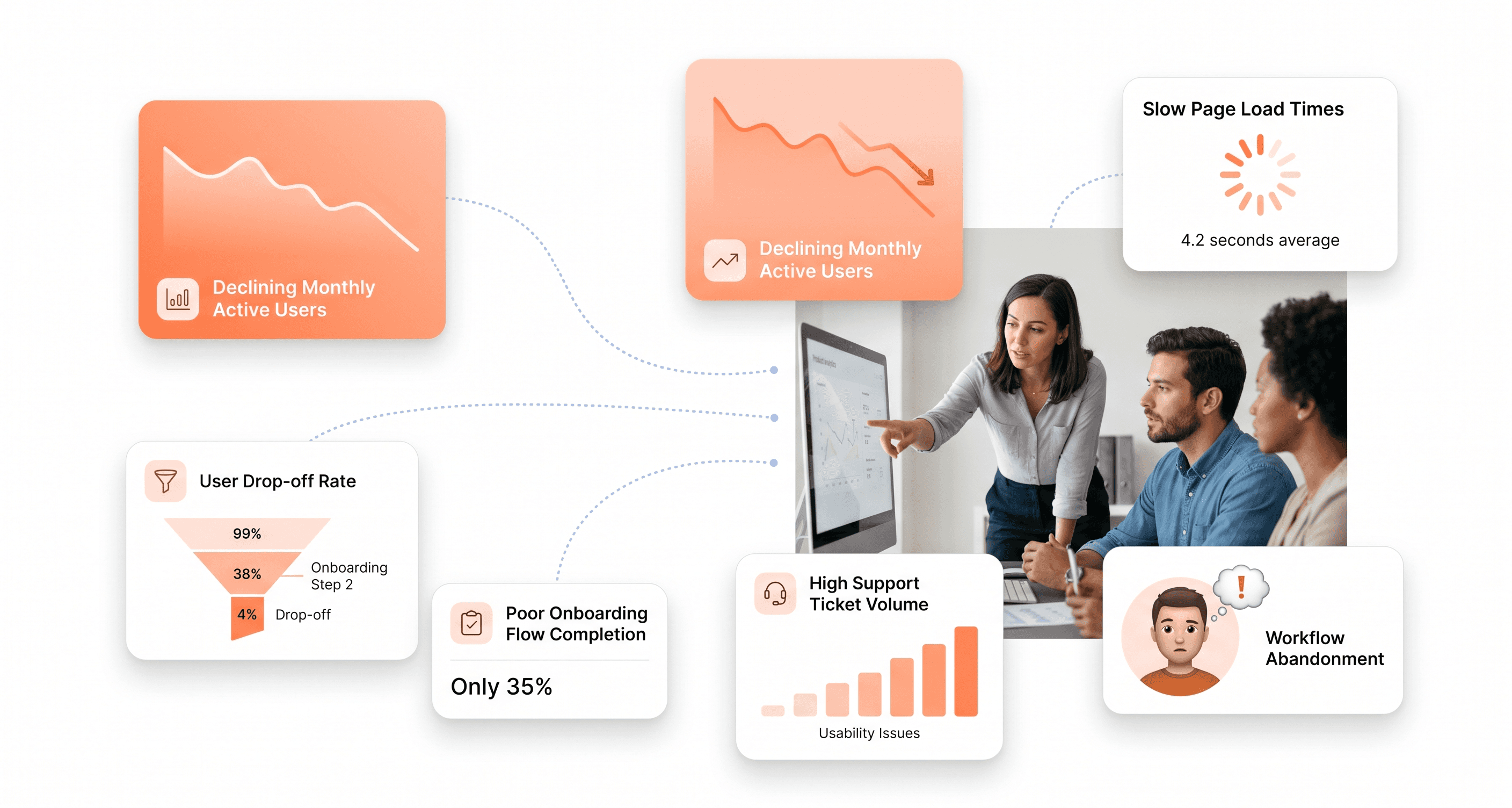
Is a clunky UI holding back your growth?
Is a clunky UI holding back your growth?
▶︎
Transform slow, frustrating dashboards into intuitive interfaces that ensure effortless user adoption.
▶︎
Transform slow, frustrating dashboards into intuitive interfaces that ensure effortless user adoption.
