AI UX Design for SaaS: Building Scalable AI Interface Design Systems (Updated May 2026)

AI UX Design for SaaS: Building Scalable AI Interface Design Systems (Updated May 2026)

10

10

min read

min read

Share:

Author:

|

Content

Founder of

Min read:

10

Share:

AI UX design for SaaS — adaptive dashboards, intelligent analytics, and scalable interfaces
Summary

AI UX design enables SaaS teams to cut design timelines by up to 50% — combining machine learning, predictive analytics, and real-time user data to build interfaces that adapt and improve automatically.

Building Security Tools SOC Analysts Can

Navigate Under Pressure?

Summary

AI UX design enables SaaS teams to cut design timelines by up to 50% — combining machine learning, predictive analytics, and real-time user data to build interfaces that adapt and improve automatically.

Building Security Tools SOC Analysts Can Navigate Under Pressure?

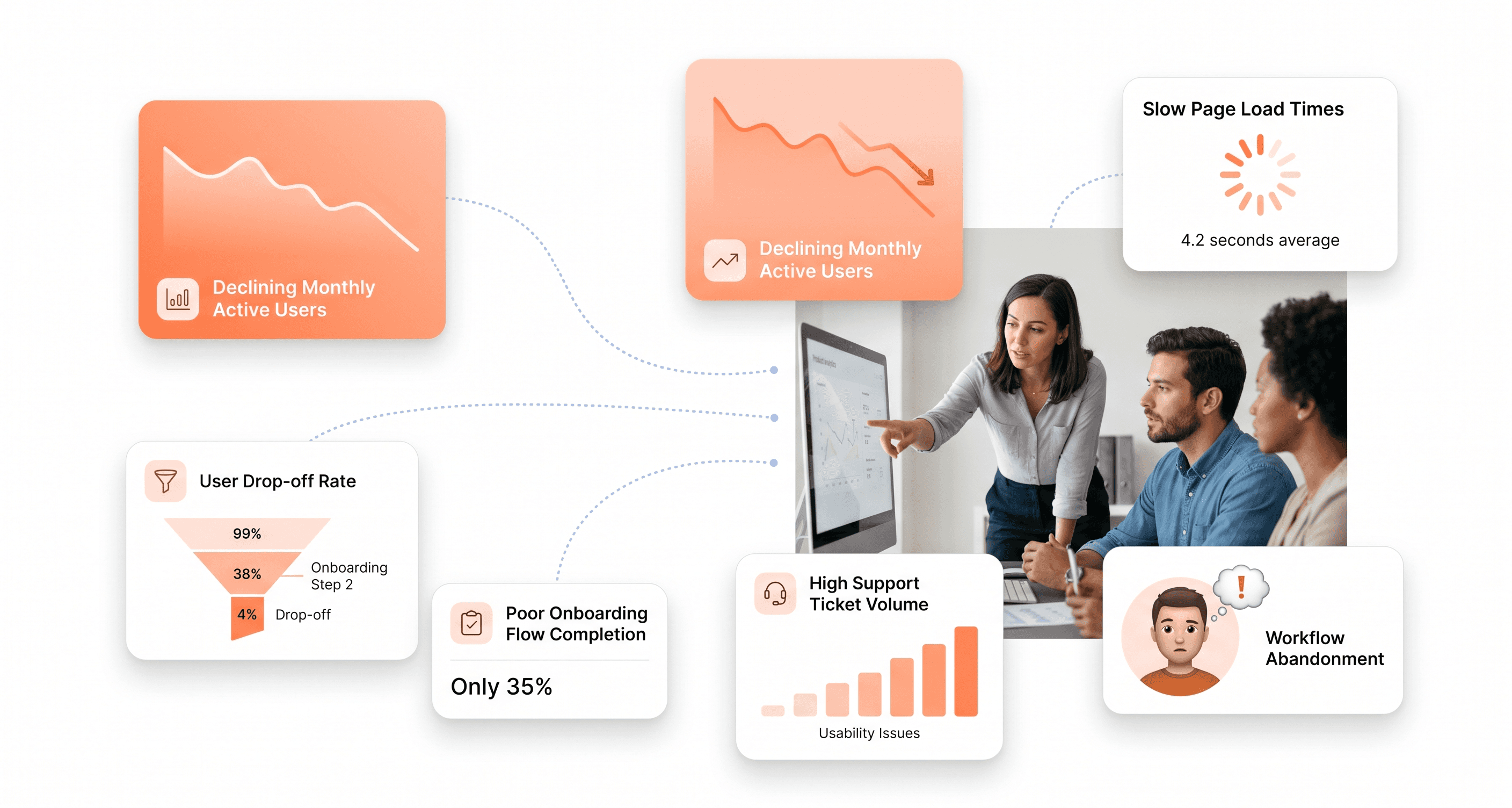
The software-as-a-service (SaaS) industry moves at breakneck speed. While companies race to ship innovative products, user interface and user experience design often become critical bottlenecks. Traditional UX/UI cycles can take months, delaying launches and eroding competitive advantage.


AI UX design is changing that. By combining machine learning, predictive analytics, and real-time behavioural data, modern SaaS teams can cut design timelines by up to 50% while measurably improving user adoption. These intelligent workflows enable interfaces that adapt dynamically to user behaviour, scale effortlessly, and remain optimized post-launch.


This shift isn’t just about faster design, it’s about smarter, data-driven decision-making. SaaS companies adopting AI-powered UX/UI design report launching up to 2.5× faster, with user adoption rates increasing by as much as 200%.


McKinsey data shows companies excelling at AI-driven personalization generate 40% more revenue than those that don't. The global SaaS market is projected to hit $375.57 billion in 2026 and with that growth, design has shifted from a supporting function to a direct growth lever.


In this guide, we explore how artificial intelligence is reshaping UX/UI design for SaaS platforms and what it means for building scalable, high-performing products in 2026.


Understanding AI UX Design: How AI and UX Design Work Together

Artificial intelligence user interface design represents a fundamental shift from reactive to predictive methodologies. Where traditional AI and UX design relied on historical research and designer intuition, modern systems analyze live behavioural datasets to identify patterns, predict user needs, and generate design recommendations in real time.


At its core, this approach combines machine learning algorithms with traditional design principles. The AI continuously processes user interactions, performance metrics, and conversion data to understand what design elements work best for specific audiences. This creates a feedback loop where interfaces become more effective over time.
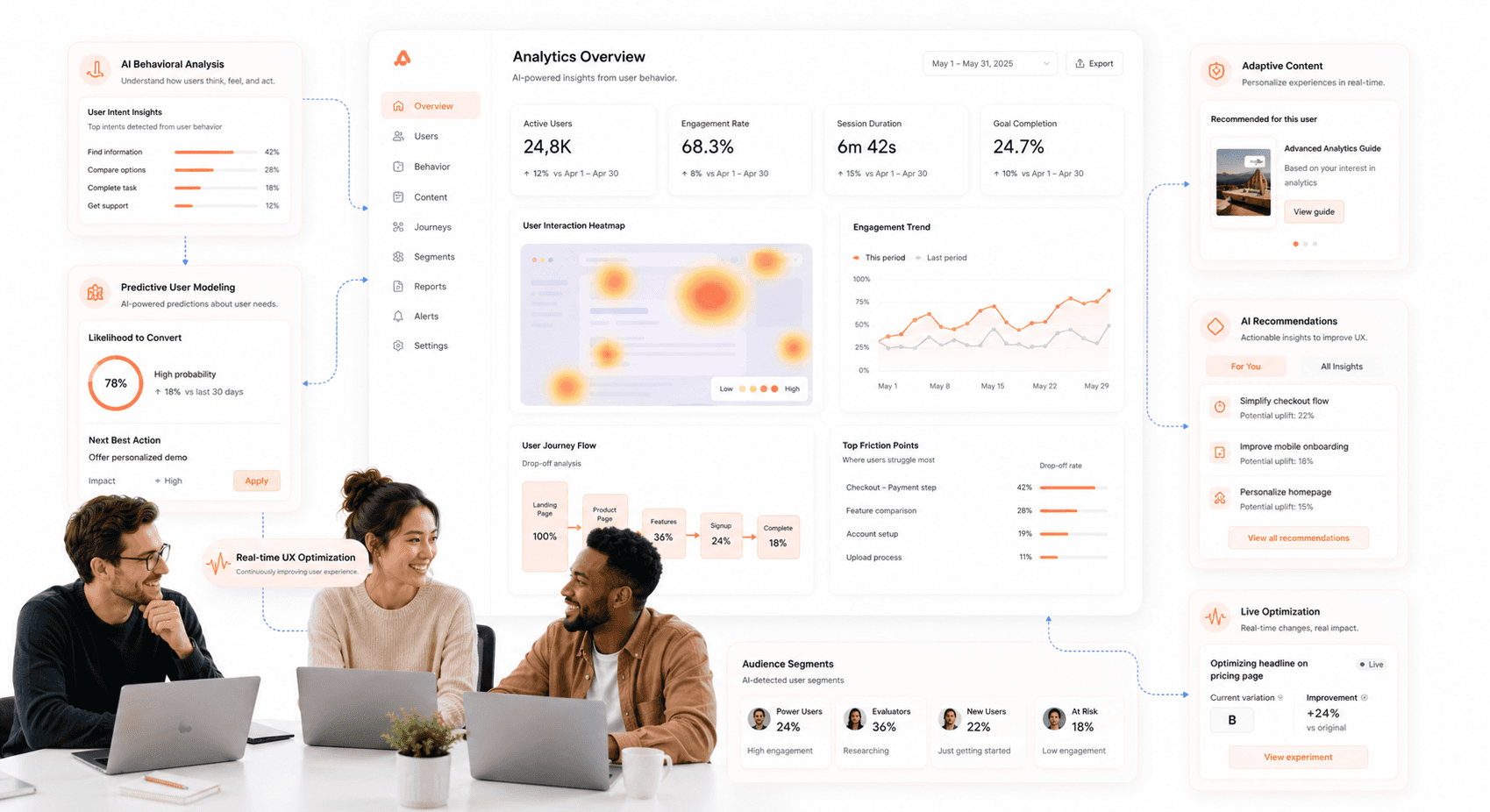
“AI-driven UX analytics system showing predictive modeling, behavioral analysis, and adaptive interface optimization.”


Key Components of AI-Driven Design Systems

AI-Driven Design System Components

  • Behavioral Analysis: Machine learning algorithms track how users interact with interfaces, identifying friction points and optimization opportunities without manual analysis.


  • Predictive Modeling: AI systems forecast user needs based on past behavior patterns, enabling interfaces to present relevant information proactively.


  • Automated Testing: A/B testing becomes continuous and dynamic, with AI automatically adjusting design elements based on real-time performance data.


  • Generative UI: AI-powered design tools are now production-grade, generating UI from real component libraries rather than generic mockups. Rather than designers building every screen manually, generative systems produce interface variations dynamically based on user context, role, and behavior, enabling SaaS products to serve meaningfully different experiences to different user types without separate development effort.


  • Content Personalization: Interfaces adapt to individual user preferences, displaying customized layouts and information hierarchies.


The Speed Advantage: Rapid Prototyping with AI

Traditional prototyping involves multiple rounds of mockups, stakeholder reviews, and manual iterations. AI-driven workflows compress this timeline dramatically by automating repetitive tasks and generating multiple design variations simultaneously.


Smart prototyping tools can create wireframes, user flows, and interactive mockups based on project requirements and industry best practices. These systems analyze thousands of successful SaaS interfaces to suggest optimal layouts, component arrangements, and interaction patterns.


Tools like Figma Make are already helping teams ship 40–60% faster not by replacing design judgment, but by eliminating the manual production work that used to sit between a decision and a prototype.
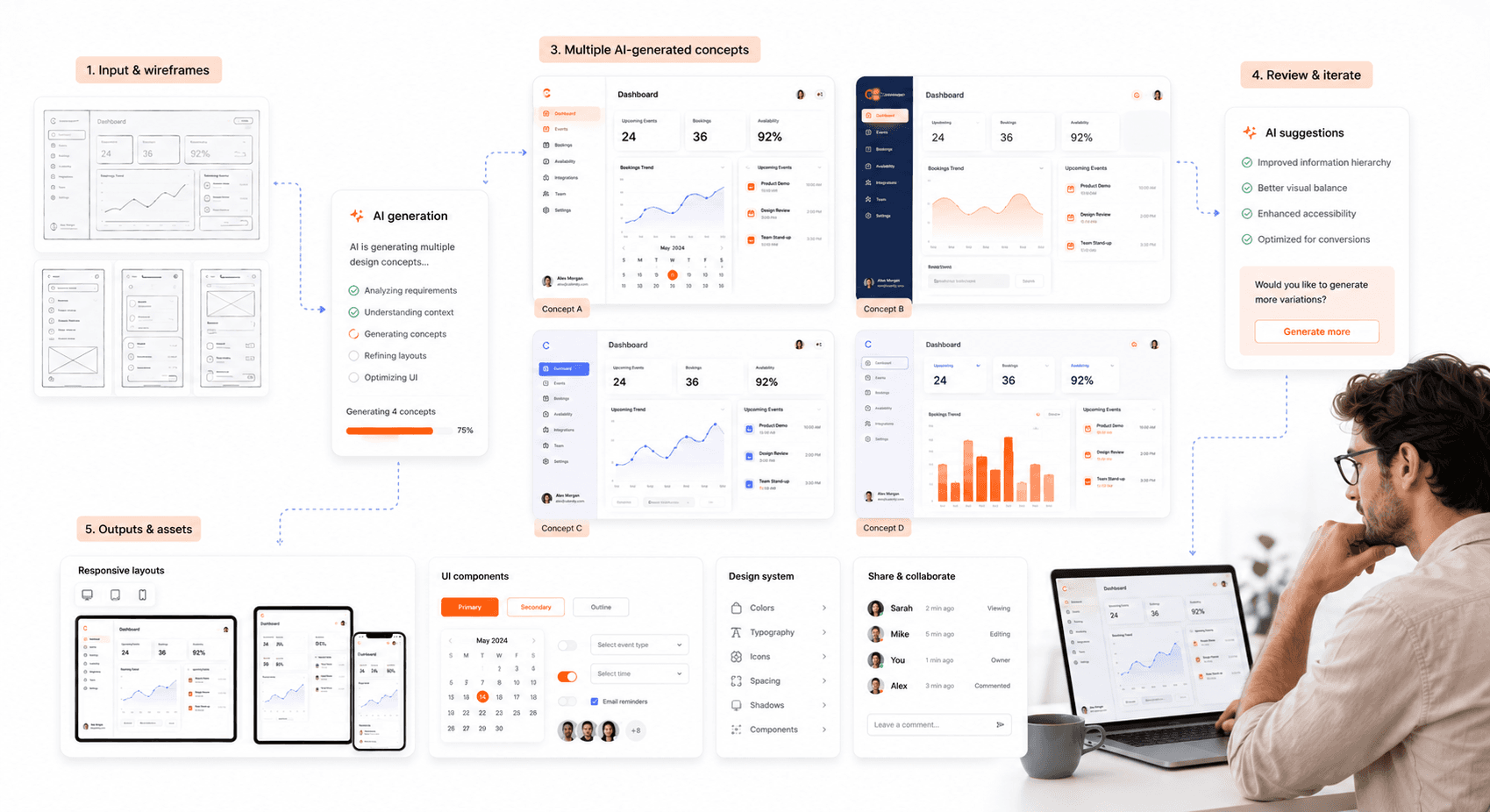
“AI-powered prototyping workflow generating SaaS wireframes, interface layouts, and interactive design variations.”


Streamlined Design Workflows

AI eliminates bottlenecks in the design process by handling routine decisions automatically. Color palettes, typography selections, and spacing adjustments happen instantly based on brand guidelines and accessibility requirements. Designers can focus on strategic creative decisions rather than technical implementation details.


Version control becomes seamless as AI systems track design changes and their impact on user metrics. When a modification improves conversion rates, the system learns and applies similar adjustments across related interface elements.


Scalable Solutions for Growing SaaS Platforms

SaaS companies face unique scaling challenges as user bases expand and feature sets grow. AI interface design systems address these directly creating flexible, modular interfaces that absorb increased complexity without degrading usability or performance.


Component Libraries and Design Systems

AI-powered design systems automatically generate and maintain component libraries that ensure consistency across multiple products and platforms. These libraries evolve based on usage patterns and performance data, keeping design elements optimized for current user needs.


When new features are added, AI systems suggest appropriate interface patterns based on similar functionality in the existing product suite. This maintains design coherence while reducing the time needed to create new user flows.
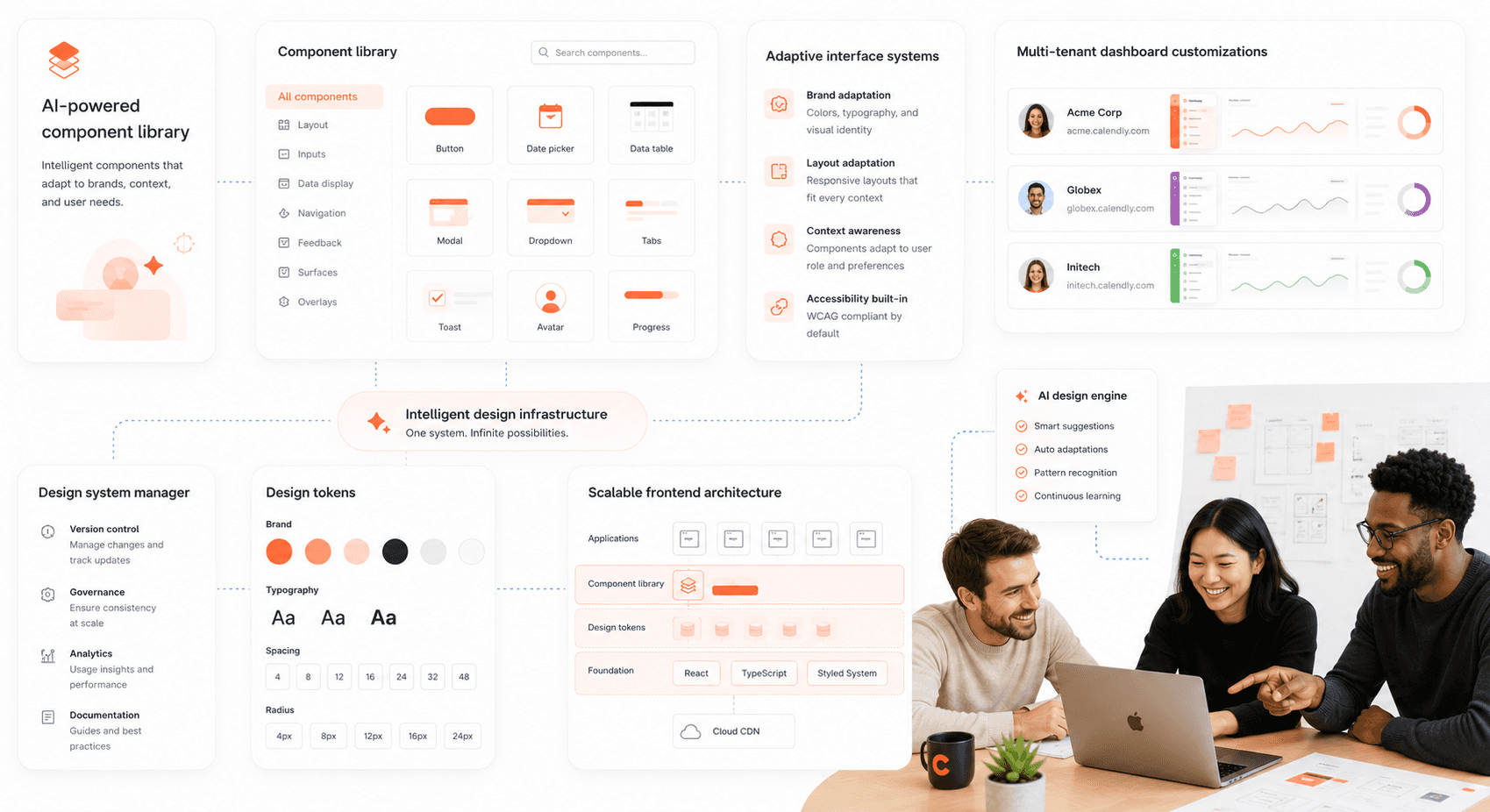
“Scalable SaaS design system with reusable AI-powered components and adaptive multi-tenant interface layouts.”


Multi-Tenant Architecture Support

Many SaaS platforms serve multiple client organizations with varying branding and feature requirements. AI-driven systems can automatically generate customized interfaces for different tenants while maintaining core functionality and user experience patterns.


This approach eliminates the need to manually create and maintain separate design variations, reducing development overhead and ensuring consistent user experiences across all client implementations.


Data-Driven Optimization: What AI in UX Design Actually Delivers

AI excels at identifying subtle patterns in user behavior that human analysts might miss. These insights drive continuous interface improvements that boost engagement and conversion rates.


Real-Time Performance Monitoring

AI systems continuously monitor interface performance metrics, including user engagement, task completion rates, and conversion funnel effectiveness. When performance drops below established thresholds, the system can automatically implement pre-tested optimizations or alert design teams to investigate further.


This proactive approach prevents user experience degradation and maintains optimal interface performance without constant manual oversight.


Personalization at Scale

Gartner predicts 30% of all new apps will use AI-driven adaptive interfaces by 2026 up from under 5% just two years ago. In practice, this looks less like cosmetic personalization (swapping a banner image) and more like structural adaptation: a SaaS onboarding flow that detects whether a user is technical or business-oriented within the first two interactions and serves entirely different experiences to each.


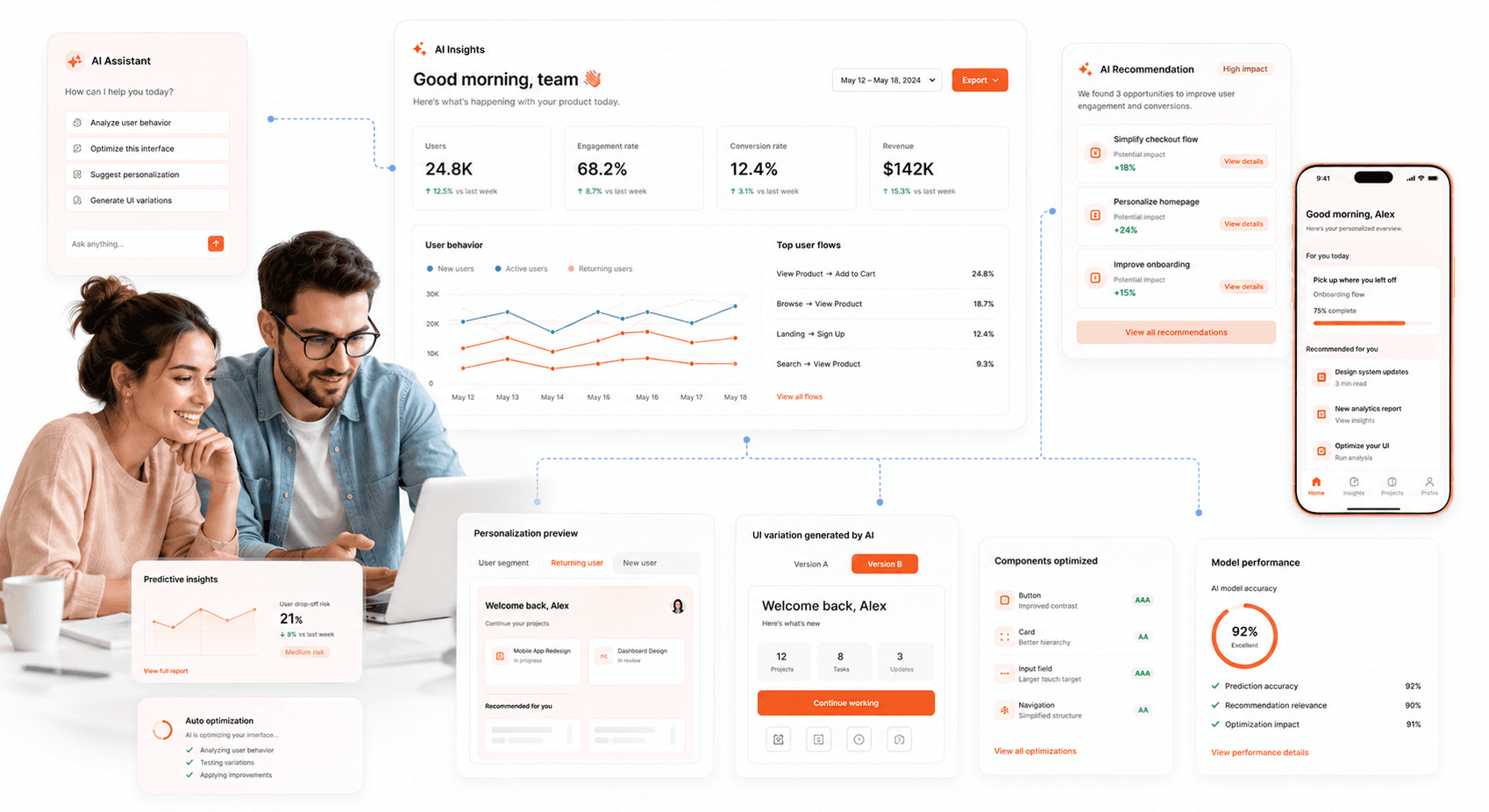
Modern users expect personalized experiences, but manually creating customized interfaces for thousands of users is impractical. AI solves this problem by automatically generating personalized layouts, content recommendations, and feature prioritization based on individual usage patterns.


These personalized experiences don't require separate development efforts, the AI system manages all customizations within a unified codebase, maintaining development efficiency while delivering tailored user experiences.
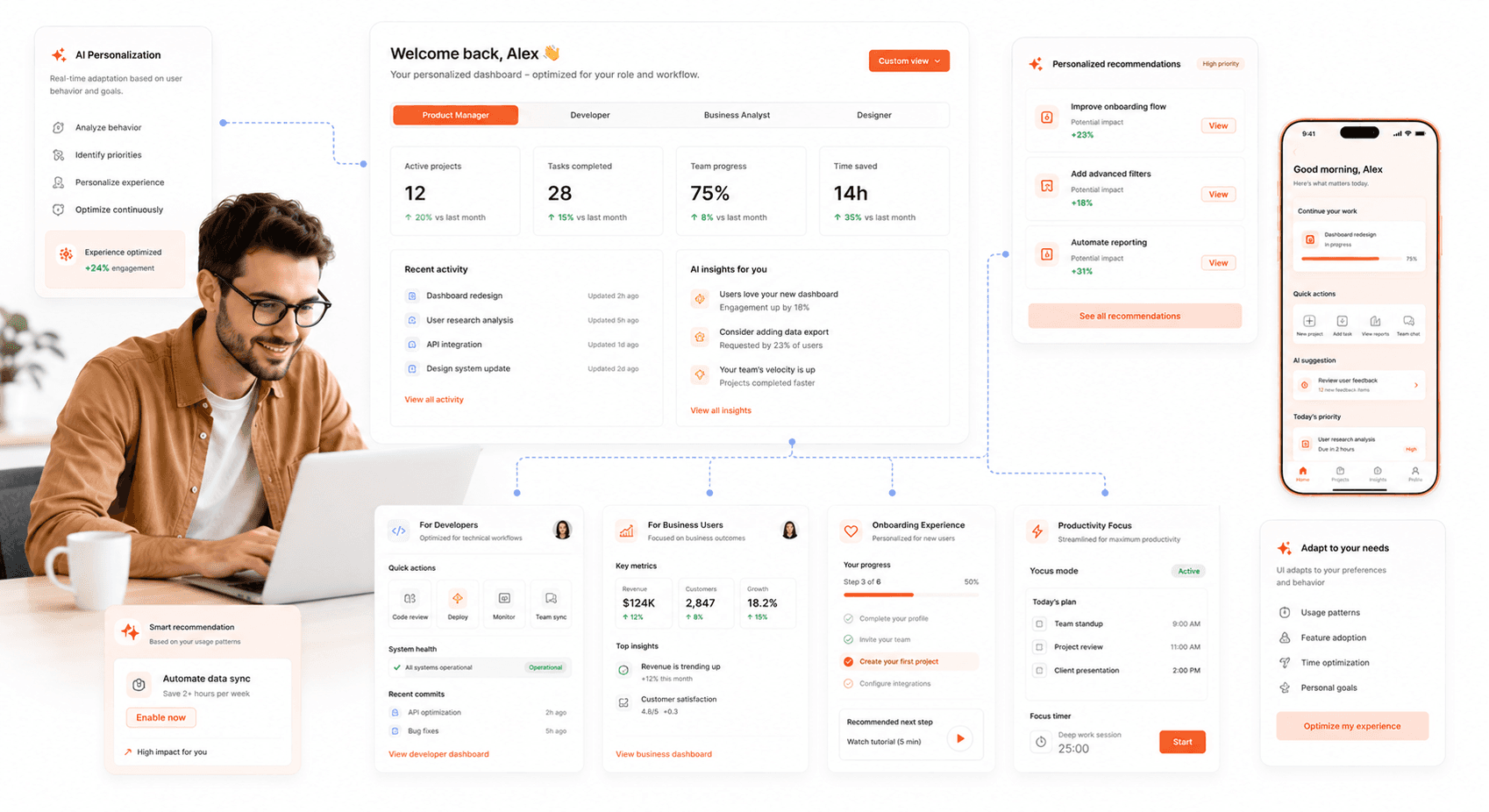
“Adaptive SaaS interface personalizing dashboards and workflows for different user behaviors and roles.”


Conversational UI: Replacing Form-Based Interactions

One of the most significant AI-driven shifts in SaaS UX is the replacement of traditional menus and forms with conversational interfaces. Instead of clicking through menus, users simply describe what they want and the system executes and by 2026, 80% of companies are expected to deploy AI-enabled apps. Advanced natural language processing interprets user intent from conversational input Shopify's AI assists merchants through natural language queries, Stripe's AI explains complex billing scenarios conversationally. For SaaS teams, this means rethinking onboarding flows, search, and support interactions not as navigation problems, but as dialogue design problems.


Seamless Integration with Existing Development Processes

AI-driven design tools integrate with popular development frameworks and collaboration platforms, ensuring smooth adoption without disrupting established workflows. These systems work alongside existing design tools, enhancing rather than replacing proven methodologies.
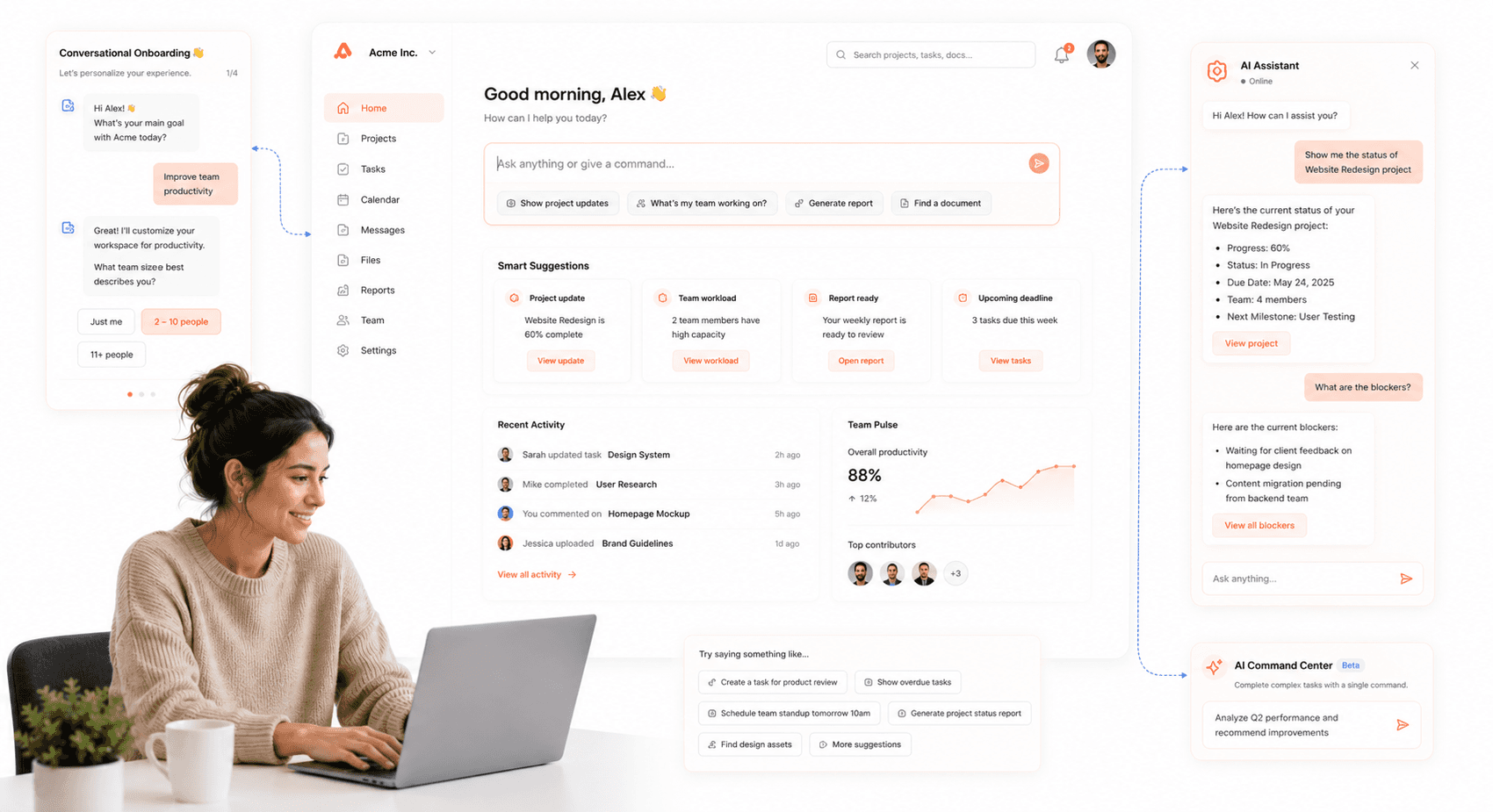
“Conversational SaaS interface using AI-powered natural language workflows instead of traditional forms and menus.”


API-First Approach

Modern AI design systems offer robust APIs that connect with project management tools, version control systems, and deployment pipelines. Design updates can trigger automated testing sequences and deployment processes, maintaining rapid iteration cycles.


Integration capabilities extend to analytics platforms, customer feedback systems, and user testing tools, creating comprehensive design optimization ecosystems.


Collaboration Enhancement

The relationship between AI and UX design is not replacement, it is amplification. Teams maintain creative control over final decisions while the system learns from their choices, progressively aligning with brand requirements and user expectations over time.


Stakeholder reviews become more productive as AI systems can generate multiple design variations quickly, providing concrete options rather than abstract concepts for evaluation.


What Does an AI UX Designer Actually Do? Skills, Tools & Responsibilities

The role of the AI UX designer is one of the fastest-evolving positions in product teams. It sits at the intersection of traditional UX craft user research, information architecture, interaction design and the new capability set required to work effectively with AI systems.


In practice, this means an AI UX designer needs to understand how machine learning models interpret user behaviour, how to write prompts that generate useful design variations, and how to evaluate AI-generated outputs critically rather than accepting them at face value. The role also carries an ethical dimension: knowing when AI should be visible to the user and when it should stay invisible.


On the tooling side, artificial intelligence user interface design work increasingly involves Figma Make for AI-assisted prototyping, Google Stitch for concept validation, and custom model integrations for personalization logic. The teams doing this well are not replacing their UX designers with AI, they are hiring designers who know how to direct it.


Ethical AI Interface Design: Building the Trust Layer

As AI becomes embedded in SaaS interfaces, it introduces responsibilities that go beyond usability. Ethical AI design isn't optional, it's essential for user trust and long-term success. Users want personalization, but not at the cost of privacy. They want AI assistance, but not hidden decision-making. In 2026, the SaaS products that retain users are the ones that make their AI legible, not opaque. Vezadigital


In practice, this means three things. First, be transparent about data usage: users appreciate helpful assistance but resist feeling "watched" clear privacy policies and user control build the trust that drives retention. Second, give users meaningful override controls the ability to adjust, dismiss, or turn off AI suggestions maintains a sense of agency. Third, make invisible AI operations visible clearly and ethically, show users what the system is doing and why. When a user feels respected and in control, they are significantly more likely to stay loyal to a product.


What Does an AI UX Designer Actually Do? Skills, Tools & Responsibilities

The role of the AI UX designer is one of the fastest-evolving positions in product teams. It sits at the intersection of traditional UX craft user research, information architecture, interaction design and the new capability set required to work effectively with AI systems.


In practice, this means an AI UX designer needs to understand how machine learning models interpret user behaviour, how to write prompts that generate useful design variations, and how to evaluate AI-generated outputs critically rather than accepting them at face value. The role also carries an ethical dimension: knowing when AI should be visible to the user and when it should stay invisible.


On the tooling side, artificial intelligence user interface design work increasingly involves Figma Make for AI-assisted prototyping, Google Stitch for concept validation, and custom model integrations for personalization logic. The teams doing this well are not replacing their UX designers with AI, they are hiring designers who know how to direct it.


Measuring Success: ROI and Performance Metrics

The ROI of AI UX design is measurable and across the key performance indicators that matter to SaaS businesses, the data is consistent.


One important nuance: not every AI design trend delivers equal ROI. 54% of designers report their clients want to jump on AI trends without clear use cases and chasing implementation for its own sake creates noise without value. Focus on what's production-ready and tied to measurable outcomes. Personalization and accessibility automation currently deliver the strongest results for B2B SaaS in 2026. The question isn't whether to use AI in your design process, it's which applications are mature enough to invest in now.


Development Time Reduction

Companies implementing AI-driven workflows report 50-70% reductions in design-to-deployment timelines. This acceleration comes from automated routine tasks, intelligent suggestion systems, and streamlined approval processes.


Faster development cycles mean shorter time-to-market periods and more resources available for feature innovation and user experience refinement.


User Adoption and Engagement

Interfaces created with AI-driven systems consistently outperform traditionally designed alternatives in user adoption metrics. The predictive capabilities of these systems create more intuitive user experiences that require less learning time and provide clearer value propositions.


Conversion Rate Improvements

Continuous optimization based on real user behavior leads to measurable improvements in conversion rates. AI systems can identify and test micro-optimizations that accumulate into significant performance gains over time.
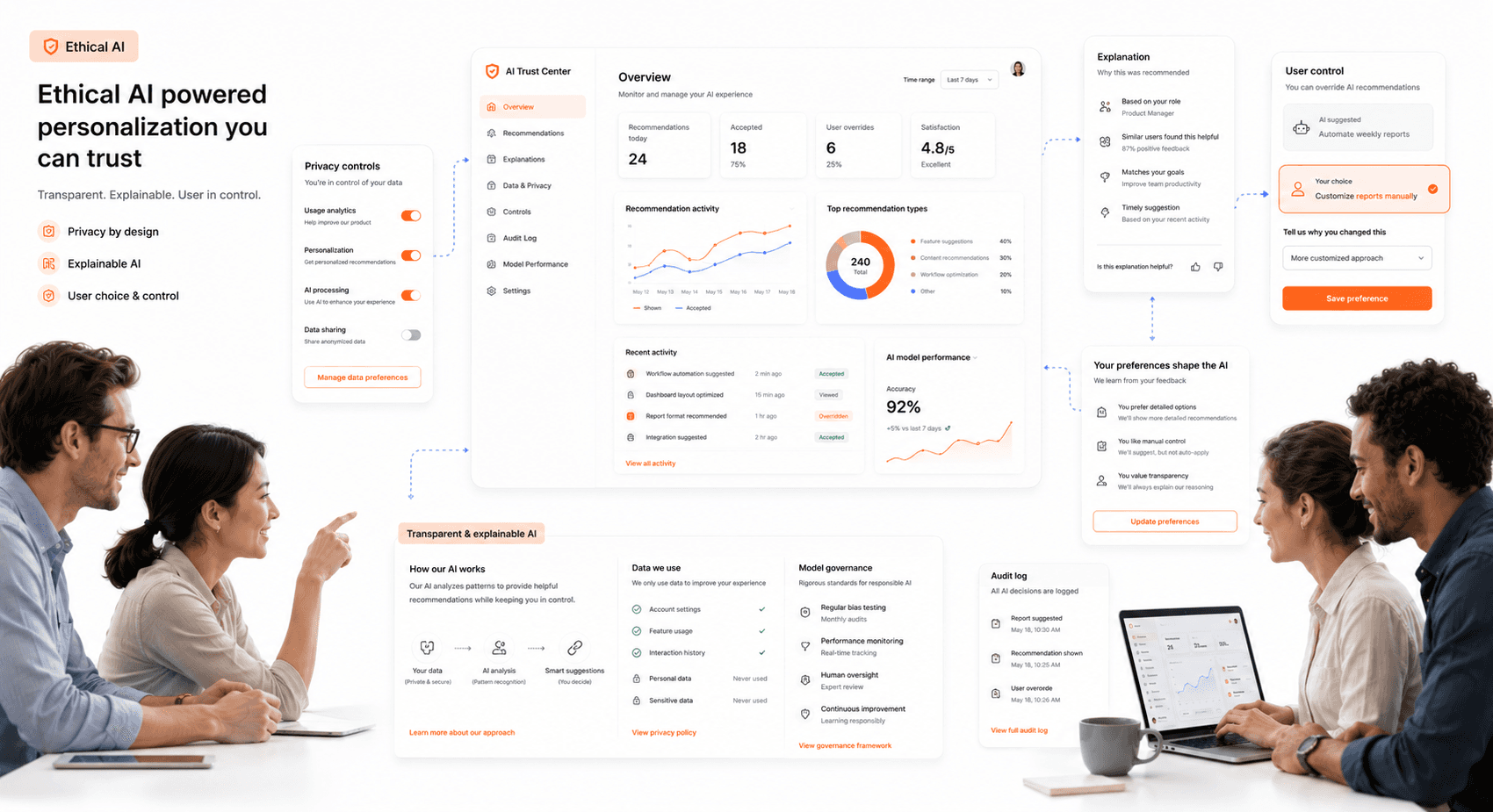
“Trust-centered AI SaaS platform with transparent personalization controls, ethical interface systems, and user-focused AI workflows.”


Looking Forward: The Evolution of AI in Design

AI-driven UI/UX design represents the beginning of a broader transformation in software development. As these systems become more sophisticated, they will handle increasingly complex design decisions while maintaining the human creativity that drives innovation.


The most successful SaaS companies will be those that embrace these technologies early, building competitive advantages through superior user experiences and faster development cycles. AI-driven design isn't just a tool, it's becoming a fundamental requirement for staying competitive in the modern SaaS landscape.


The next frontier beyond current AI-driven design is Agentic UX, where users delegate tasks to autonomous agents rather than navigating interfaces, shifting the designer's role from screen-builder to architect of ethical systems. The products that will lead in 2027 and beyond are being designed today with this shift in mind. The question isn't whether to adopt AI-driven design processes, it's how quickly you can implement them thoughtfully, with the ethical foundations that make users trust the intelligence behind the interface. Partner with Hashbyt to build AI-first SaaS frontends that scale with your product and earn user trust from day one.


Share:

Is Your Product's UI Costing You Customers?

your product

Competitor

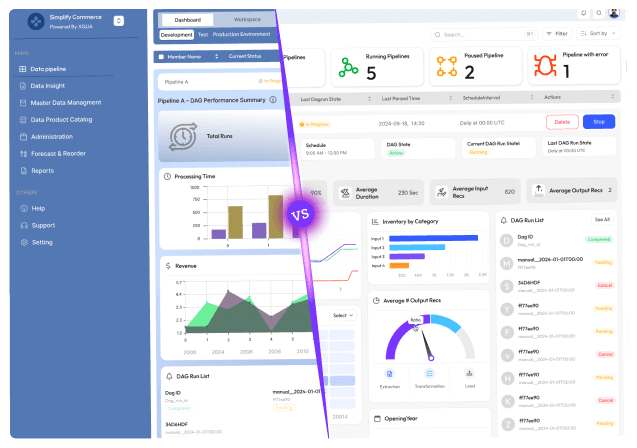
Free Competitive UI Audit.

See the Exact Screens Where Users Lose Confidence.

Visual Comparison Against Your Top 2 Competitors.

Modernise Your Product Without Rebuilding It.

Stuck with slow releases and high IT costs?

▶︎

Launch 2.5x faster with our AI-driven frontend workflows, specialized for SaaS.

▶︎

Cut IT costs by up to 50% and boost user adoption by 2x with our proprietary frameworks.

Stuck with slow releases and high IT costs?

▶︎

Launch 2.5x faster with our AI-driven frontend workflows, specialized for SaaS.

▶︎

Cut IT costs by up to 50% and boost user adoption by 2x with our proprietary frameworks.

Frequently Asked Questions

We're ready to answer your questions

Slow releases, clunky dashboards, and frustrated users? You've got questions about how to fix them. We have the Frontend-First answers that unlock growth. Let's talk solutions.

Stuck with slow releases and high IT costs?

▶︎

Launch 2.5x faster with our AI-driven frontend workflows, specialized for SaaS.

▶︎

Cut IT costs by up to 50% and boost user adoption by 2x with our proprietary frameworks.

For UX/UI designers in 2026, AI tools are becoming integral to the workflow, falling into two main categories: those that assist the design process and those that power the final product experience . For creating interfaces from prompts, tools like Uizard and Visily are popular for rapidly generating wireframes and mockups . For working seamlessly within an existing design environment, Figma AI offers features to speed up small tasks directly inside the platform . To enhance the product itself, AI can be integrated to offer features like in-app assistance, content recommendations, and personalized user flows.

Answer

What are the most practical AI tools for UX/UI design in 2026?

Question

The key is to use AI to inject more empathy and emotional resonance into the product, a major trend for 2026. This involves moving beyond pure utility to create interfaces that "feel good" to use. You can achieve this by incorporating a thoughtful tone of voice in microcopy, using vibrant but clear illustrations, and designing celebratory moments for task completion . Furthermore, it's crucial to design for human-AI collaboration, balancing prompt-based interactions with the user's ability to take direct control. This means providing clear feedback loops, allowing users to easily edit AI output, and explaining the "why" behind AI suggestions to build trust.

Answer

How can we ensure that AI-powered UX feels human-centric and not cold or robotic?

Question

Integrating AI into UX comes with several significant challenges that need to be proactively managed. A major risk is data overload and poor usability, where AI features overwhelm users with information or complex interfaces, leading to confusion and low adoption . Ethical considerations are also paramount, including potential algorithmic bias, user privacy concerns, and a lack of transparency in how the AI makes decisions . Finally, a common pitfall is not designing for error states. AI systems can make mistakes or "hallucinate," so the UX must include clear paths for users to correct errors, retry requests, or provide feedback on unhelpful outputs.

Answer

What are the biggest challenges or risks when integrating AI into a SaaS product's UX?

Question

The role of a UX/UI designer is shifting from hands-on pixel work towards higher-level strategy and oversight. AI is automating many repetitive, data-heavy tasks like rapid wireframing, generating UX copy, and running preliminary accessibility checks . This frees up designers to focus on strategic thinking, emotional design, and ensuring ethical considerations are baked into the product . It's becoming essential to develop skills in outcome-oriented design, where you specify constraints for AI systems and design the framework for adaptive interfaces, rather than controlling every static detail . The most successful designers will act as creative directors who guide and refine AI-generated outputs.

Answer

As a designer, how is my role evolving with the rise of AI in the design process?

Question

Beyond personalization, key trends are shaping SaaS UX in 2026. Proactive UX sees interfaces anticipating user needs and adapting automatically. Spatial Design is emerging for 3D and mixed-reality environments, using depth and gestures. Conversational Interfaces are evolving into primary control methods, handling complex tasks through advanced AI chats. Finally, Journey-Centric Design focuses on creating a seamless end-to-end customer experience by breaking down silos between teams.

Answer

Beyond personalization, what are the most impactful UX trends for SaaS in 2026?

Question

Frequently Asked Questions

We're ready to answer your questions

Slow releases, clunky dashboards, and frustrated users? You've got questions about how to fix them. We have the Frontend-First answers that unlock growth. Let's talk solutions.

For UX/UI designers in 2026, AI tools are becoming integral to the workflow, falling into two main categories: those that assist the design process and those that power the final product experience . For creating interfaces from prompts, tools like Uizard and Visily are popular for rapidly generating wireframes and mockups . For working seamlessly within an existing design environment, Figma AI offers features to speed up small tasks directly inside the platform . To enhance the product itself, AI can be integrated to offer features like in-app assistance, content recommendations, and personalized user flows.

Answer

What are the most practical AI tools for UX/UI design in 2026?

Question

The key is to use AI to inject more empathy and emotional resonance into the product, a major trend for 2026. This involves moving beyond pure utility to create interfaces that "feel good" to use. You can achieve this by incorporating a thoughtful tone of voice in microcopy, using vibrant but clear illustrations, and designing celebratory moments for task completion . Furthermore, it's crucial to design for human-AI collaboration, balancing prompt-based interactions with the user's ability to take direct control. This means providing clear feedback loops, allowing users to easily edit AI output, and explaining the "why" behind AI suggestions to build trust.

Answer

How can we ensure that AI-powered UX feels human-centric and not cold or robotic?

Question

Integrating AI into UX comes with several significant challenges that need to be proactively managed. A major risk is data overload and poor usability, where AI features overwhelm users with information or complex interfaces, leading to confusion and low adoption . Ethical considerations are also paramount, including potential algorithmic bias, user privacy concerns, and a lack of transparency in how the AI makes decisions . Finally, a common pitfall is not designing for error states. AI systems can make mistakes or "hallucinate," so the UX must include clear paths for users to correct errors, retry requests, or provide feedback on unhelpful outputs.

Answer

What are the biggest challenges or risks when integrating AI into a SaaS product's UX?

Question

The role of a UX/UI designer is shifting from hands-on pixel work towards higher-level strategy and oversight. AI is automating many repetitive, data-heavy tasks like rapid wireframing, generating UX copy, and running preliminary accessibility checks . This frees up designers to focus on strategic thinking, emotional design, and ensuring ethical considerations are baked into the product . It's becoming essential to develop skills in outcome-oriented design, where you specify constraints for AI systems and design the framework for adaptive interfaces, rather than controlling every static detail . The most successful designers will act as creative directors who guide and refine AI-generated outputs.

Answer

As a designer, how is my role evolving with the rise of AI in the design process?

Question

Beyond personalization, key trends are shaping SaaS UX in 2026. Proactive UX sees interfaces anticipating user needs and adapting automatically. Spatial Design is emerging for 3D and mixed-reality environments, using depth and gestures. Conversational Interfaces are evolving into primary control methods, handling complex tasks through advanced AI chats. Finally, Journey-Centric Design focuses on creating a seamless end-to-end customer experience by breaking down silos between teams.

Answer

Beyond personalization, what are the most impactful UX trends for SaaS in 2026?

Question

Stuck with slow releases and high IT costs?

▶︎

Launch 2.5x faster with our AI-driven frontend workflows, specialized for SaaS.

▶︎

Cut IT costs by up to 50% and boost user adoption by 2x with our proprietary frameworks.

Frequently Asked Questions

We're ready to answer your questions

Slow releases, clunky dashboards, and frustrated users? You've got questions about how to fix them. We have the Frontend-First answers that unlock growth. Let's talk solutions.

For UX/UI designers in 2026, AI tools are becoming integral to the workflow, falling into two main categories: those that assist the design process and those that power the final product experience . For creating interfaces from prompts, tools like Uizard and Visily are popular for rapidly generating wireframes and mockups . For working seamlessly within an existing design environment, Figma AI offers features to speed up small tasks directly inside the platform . To enhance the product itself, AI can be integrated to offer features like in-app assistance, content recommendations, and personalized user flows.

Answer

What are the most practical AI tools for UX/UI design in 2026?

Question

The key is to use AI to inject more empathy and emotional resonance into the product, a major trend for 2026. This involves moving beyond pure utility to create interfaces that "feel good" to use. You can achieve this by incorporating a thoughtful tone of voice in microcopy, using vibrant but clear illustrations, and designing celebratory moments for task completion . Furthermore, it's crucial to design for human-AI collaboration, balancing prompt-based interactions with the user's ability to take direct control. This means providing clear feedback loops, allowing users to easily edit AI output, and explaining the "why" behind AI suggestions to build trust.

Answer

How can we ensure that AI-powered UX feels human-centric and not cold or robotic?

Question

Integrating AI into UX comes with several significant challenges that need to be proactively managed. A major risk is data overload and poor usability, where AI features overwhelm users with information or complex interfaces, leading to confusion and low adoption . Ethical considerations are also paramount, including potential algorithmic bias, user privacy concerns, and a lack of transparency in how the AI makes decisions . Finally, a common pitfall is not designing for error states. AI systems can make mistakes or "hallucinate," so the UX must include clear paths for users to correct errors, retry requests, or provide feedback on unhelpful outputs.

Answer

What are the biggest challenges or risks when integrating AI into a SaaS product's UX?

Question

The role of a UX/UI designer is shifting from hands-on pixel work towards higher-level strategy and oversight. AI is automating many repetitive, data-heavy tasks like rapid wireframing, generating UX copy, and running preliminary accessibility checks . This frees up designers to focus on strategic thinking, emotional design, and ensuring ethical considerations are baked into the product . It's becoming essential to develop skills in outcome-oriented design, where you specify constraints for AI systems and design the framework for adaptive interfaces, rather than controlling every static detail . The most successful designers will act as creative directors who guide and refine AI-generated outputs.

Answer

As a designer, how is my role evolving with the rise of AI in the design process?

Question

Beyond personalization, key trends are shaping SaaS UX in 2026. Proactive UX sees interfaces anticipating user needs and adapting automatically. Spatial Design is emerging for 3D and mixed-reality environments, using depth and gestures. Conversational Interfaces are evolving into primary control methods, handling complex tasks through advanced AI chats. Finally, Journey-Centric Design focuses on creating a seamless end-to-end customer experience by breaking down silos between teams.

Answer

Beyond personalization, what are the most impactful UX trends for SaaS in 2026?

Question

Stuck with slow releases and high IT costs?

▶︎

Launch 2.5x faster with our AI-driven frontend workflows, specialized for SaaS.

▶︎

Cut IT costs by up to 50% and boost user adoption by 2x with our proprietary frameworks.

Frequently Asked Questions

We're ready to answer your questions

Slow releases, clunky dashboards, and frustrated users? You've got questions about how to fix them. We have the Frontend-First answers that unlock growth. Let's talk solutions.

For UX/UI designers in 2026, AI tools are becoming integral to the workflow, falling into two main categories: those that assist the design process and those that power the final product experience . For creating interfaces from prompts, tools like Uizard and Visily are popular for rapidly generating wireframes and mockups . For working seamlessly within an existing design environment, Figma AI offers features to speed up small tasks directly inside the platform . To enhance the product itself, AI can be integrated to offer features like in-app assistance, content recommendations, and personalized user flows.

Answer

What are the most practical AI tools for UX/UI design in 2026?

Question

The key is to use AI to inject more empathy and emotional resonance into the product, a major trend for 2026. This involves moving beyond pure utility to create interfaces that "feel good" to use. You can achieve this by incorporating a thoughtful tone of voice in microcopy, using vibrant but clear illustrations, and designing celebratory moments for task completion . Furthermore, it's crucial to design for human-AI collaboration, balancing prompt-based interactions with the user's ability to take direct control. This means providing clear feedback loops, allowing users to easily edit AI output, and explaining the "why" behind AI suggestions to build trust.

Answer

How can we ensure that AI-powered UX feels human-centric and not cold or robotic?

Question

Integrating AI into UX comes with several significant challenges that need to be proactively managed. A major risk is data overload and poor usability, where AI features overwhelm users with information or complex interfaces, leading to confusion and low adoption . Ethical considerations are also paramount, including potential algorithmic bias, user privacy concerns, and a lack of transparency in how the AI makes decisions . Finally, a common pitfall is not designing for error states. AI systems can make mistakes or "hallucinate," so the UX must include clear paths for users to correct errors, retry requests, or provide feedback on unhelpful outputs.

Answer

What are the biggest challenges or risks when integrating AI into a SaaS product's UX?

Question

The role of a UX/UI designer is shifting from hands-on pixel work towards higher-level strategy and oversight. AI is automating many repetitive, data-heavy tasks like rapid wireframing, generating UX copy, and running preliminary accessibility checks . This frees up designers to focus on strategic thinking, emotional design, and ensuring ethical considerations are baked into the product . It's becoming essential to develop skills in outcome-oriented design, where you specify constraints for AI systems and design the framework for adaptive interfaces, rather than controlling every static detail . The most successful designers will act as creative directors who guide and refine AI-generated outputs.

Answer

As a designer, how is my role evolving with the rise of AI in the design process?

Question

Beyond personalization, key trends are shaping SaaS UX in 2026. Proactive UX sees interfaces anticipating user needs and adapting automatically. Spatial Design is emerging for 3D and mixed-reality environments, using depth and gestures. Conversational Interfaces are evolving into primary control methods, handling complex tasks through advanced AI chats. Finally, Journey-Centric Design focuses on creating a seamless end-to-end customer experience by breaking down silos between teams.

Answer

Beyond personalization, what are the most impactful UX trends for SaaS in 2026?

Question

About the author

Author Name:

Parth G

|


Founder of

Hashbyt

I’m the founder of Hashbyt, an AI-first frontend and UI/UX SaaS partner helping 200+ SaaS companies scale faster through intelligent, growth-driven design. My work focuses on building modern frontend systems, design frameworks, and product modernization strategies that boost revenue, improve user adoption, and help SaaS founders turn their UI into a true growth engine.
Follow the expert:

Is a clunky UI holding back your growth?

Is a clunky UI holding back your growth?

▶︎

Transform slow, frustrating dashboards into intuitive interfaces that ensure effortless user adoption.

▶︎

Transform slow, frustrating dashboards into intuitive interfaces that ensure effortless user adoption.